Our goal is to make your marketing tasks quick and easy to perform, so they don't get in the way of your primary responsibilities! All the tools you need to manage your contacts, create lists and segments, and grow your email and SMS lists are easy to find from the menu on the left-hand side, and are easy to use too.
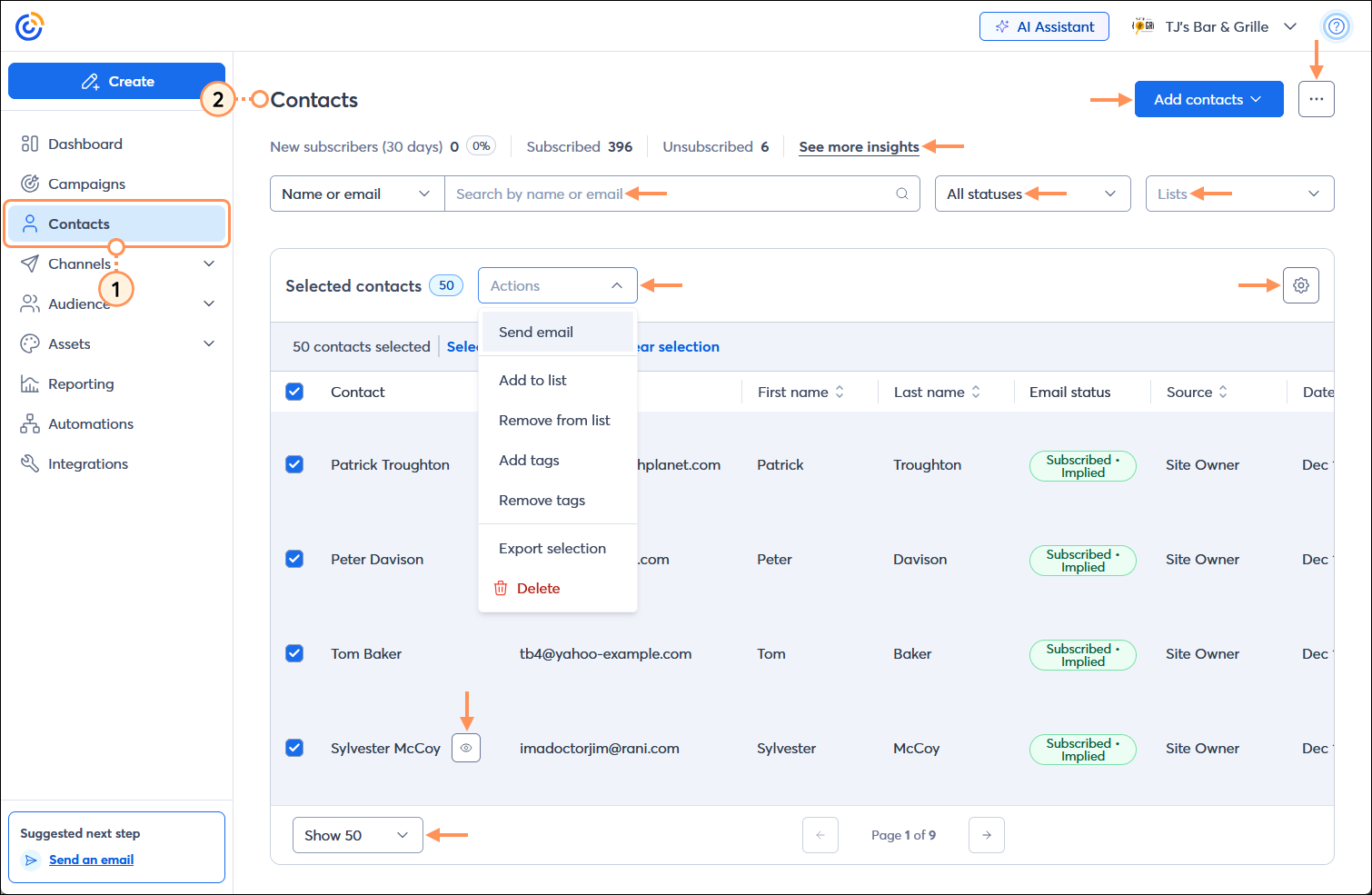
Your contacts are everything! Being able to view and manage your contacts ensures that your contacts' information stays up-to-date, and you can make edits to individual contacts or perform actions in bulk to update multiple contacts at once. It doesn't matter if your list is large or small; our search feature and sort options help you find the right contacts, and you can always add new ones too!
Keeping your contacts organized ensures you can get the right content in front of the right contacts at the right time. Your lists are used to group contacts together, and your segments let you find contacts across different lists with the same attributes. You can send emails to both a list or a segment, and you can create either of them at any time to match your marketing needs.
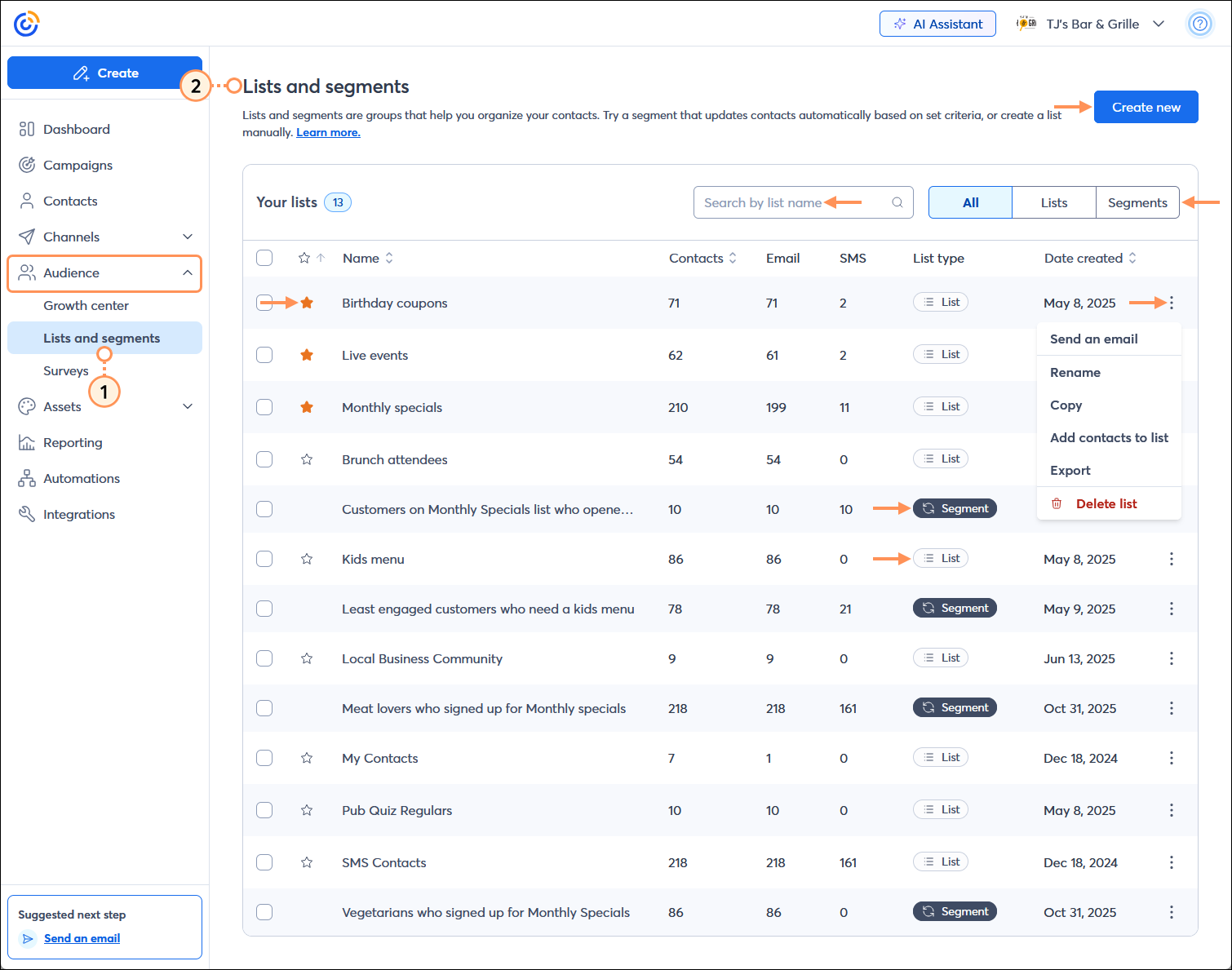
 | Did you know? Contact segmentation is a game-changer! If you're not sure how to get started, we can help you better understand segmentation and help you decide when to use lists or segments. |
Copyright © 2026 · All Rights Reserved · Constant Contact · Privacy Center