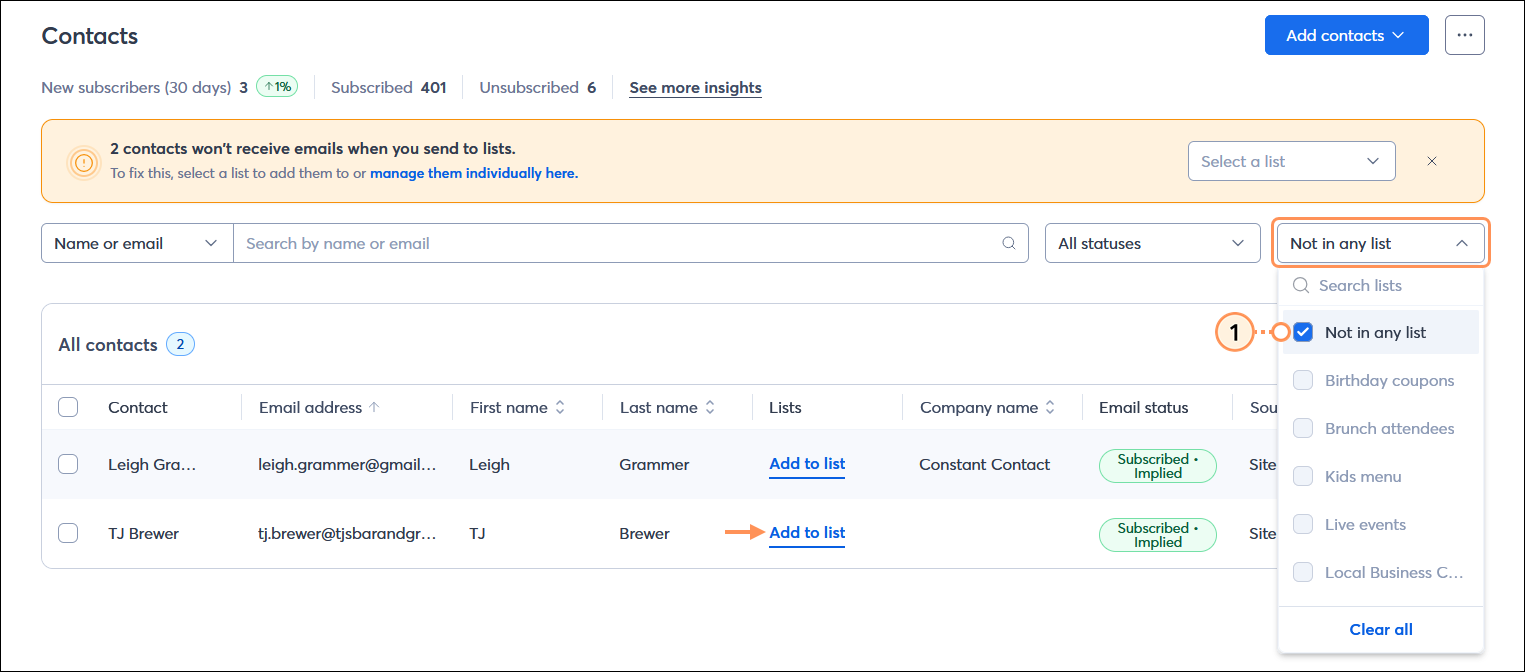
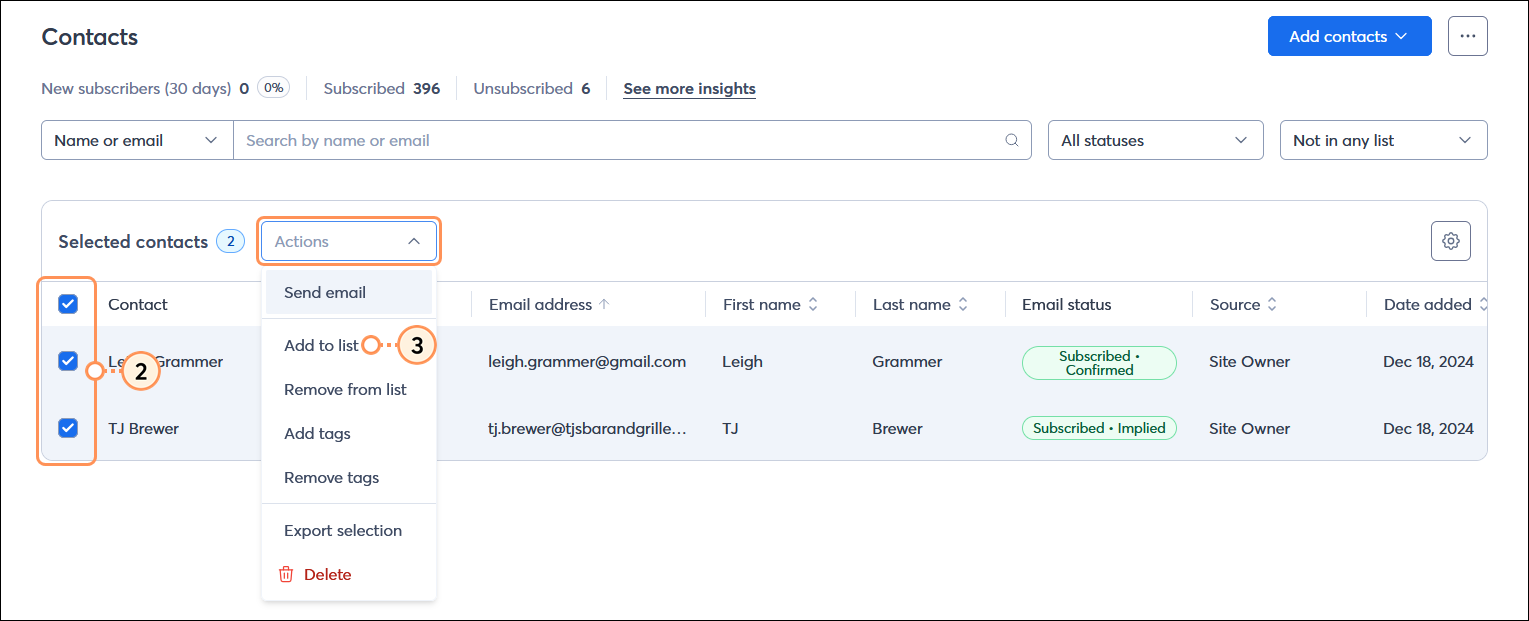
You may decide to remove contacts from lists when it no longer makes sense for them to be on them, but once in a while, a contact or two may inadvertently be removed from all lists and need to be reengaged. You can rectify these list-less contacts by selecting a list from the banner at the top of the Contacts page, but if you want to view the full list of contacts and make more customized decisions about which list each contact should be on, you can filter out the contacts not on a list before you choose the lists to add them to:
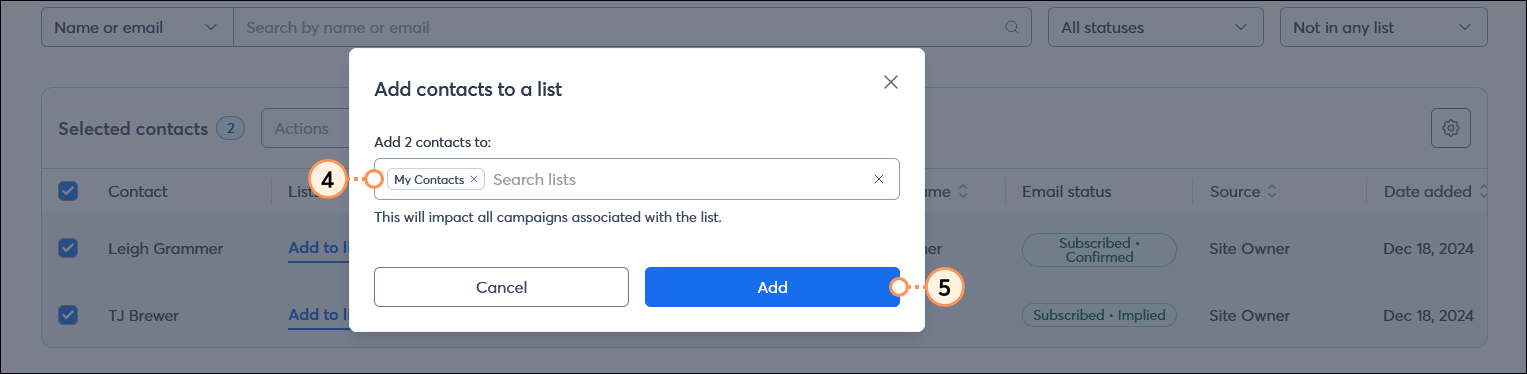
Once your contact is on a list, send a targeted email to re-engage with them.
 | Did you know? If you have unsubscribed contacts, it's fine to leave them in your account! We prevent you from sending them emails, and they can resubscribe at any time through your sign-up form. |
Copyright © 2026 · All Rights Reserved · Constant Contact · Privacy Center