Email and Digital Marketing
How can we help you?
Search our help articles, video tutorials, and quickstart guides

You've got this. You've got us. Search our Knowledge Base to quickly find answers to your questions.

View all the contacts on a list or segment

Article: 000031725
Updated: October 28, 2025

Open the List view or Segment view page to view and manage the contacts within the list or segment or make changes to the list or segment

Once a contact list or a segment has been created, it's not set in stone! Taking the time to manage your lists or segments helps you to keep your contacts organized. Why should you care? The answer is better open rates! Your contacts are more likely to open your emails and engage with them when your content is relevant to them, and when your contacts are organized, it's easier to find the right contacts to receive your content.
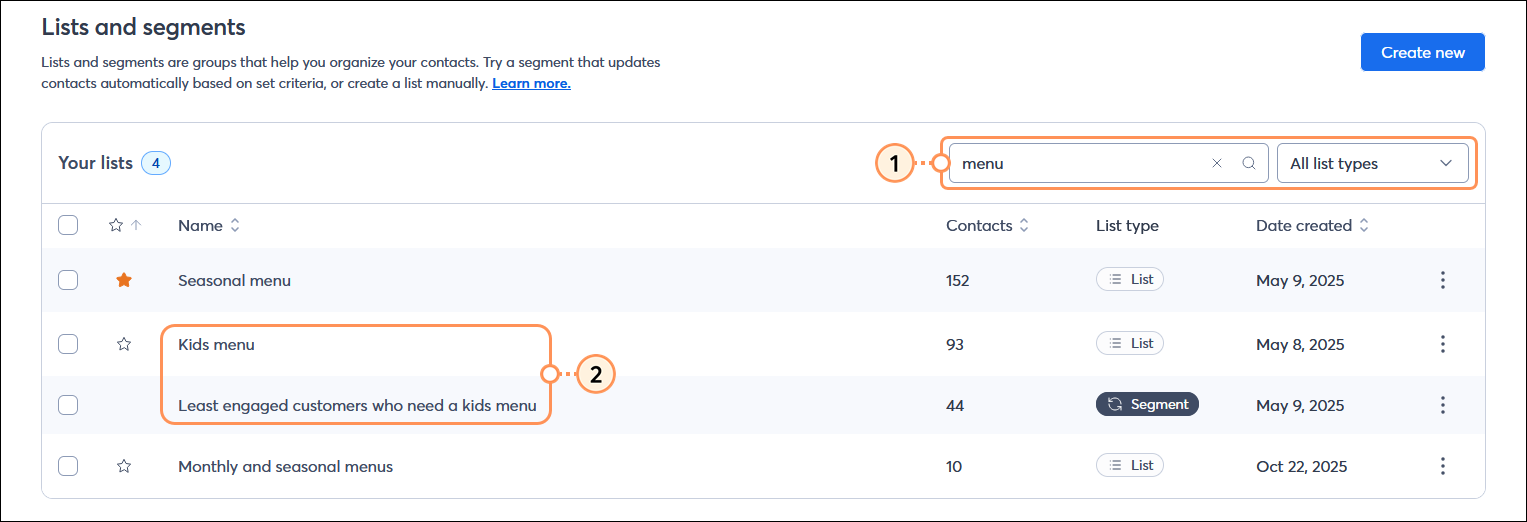
  1. From the Lists and segments page, search for the list or segment that you want to review.
  2. Click on the name of the list or segment to view the contacts within it.

    Lists and segments page with Search field, search results, and list name and segment name

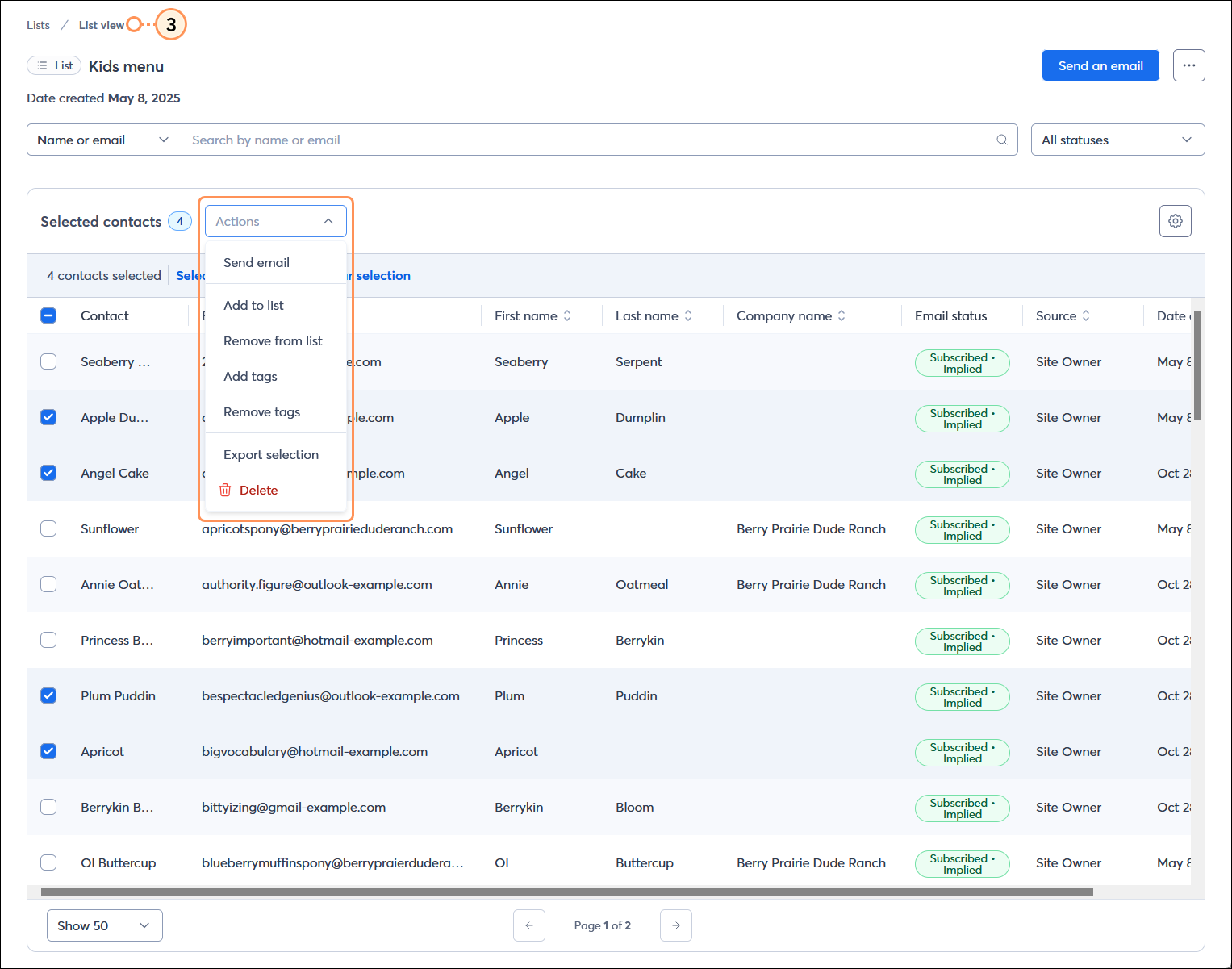
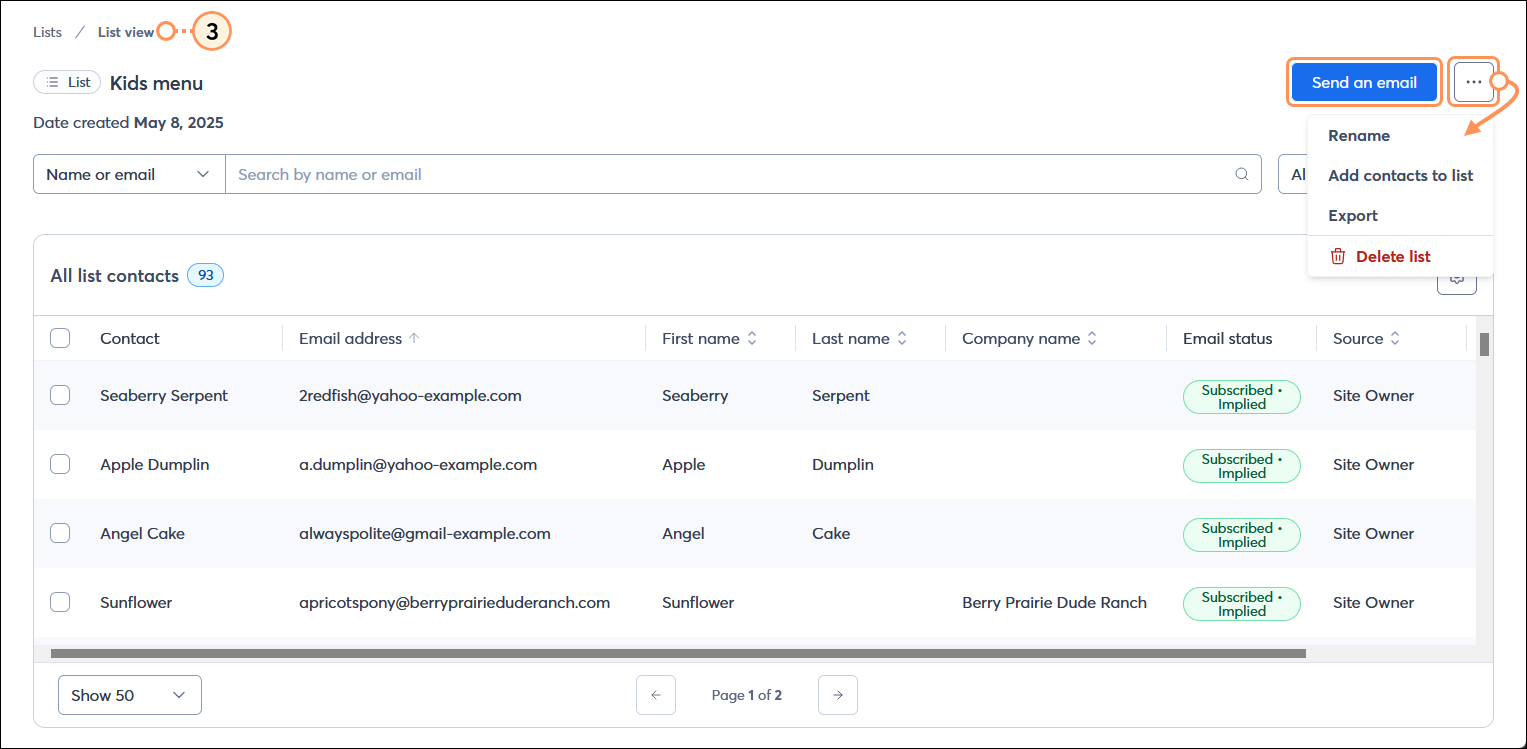
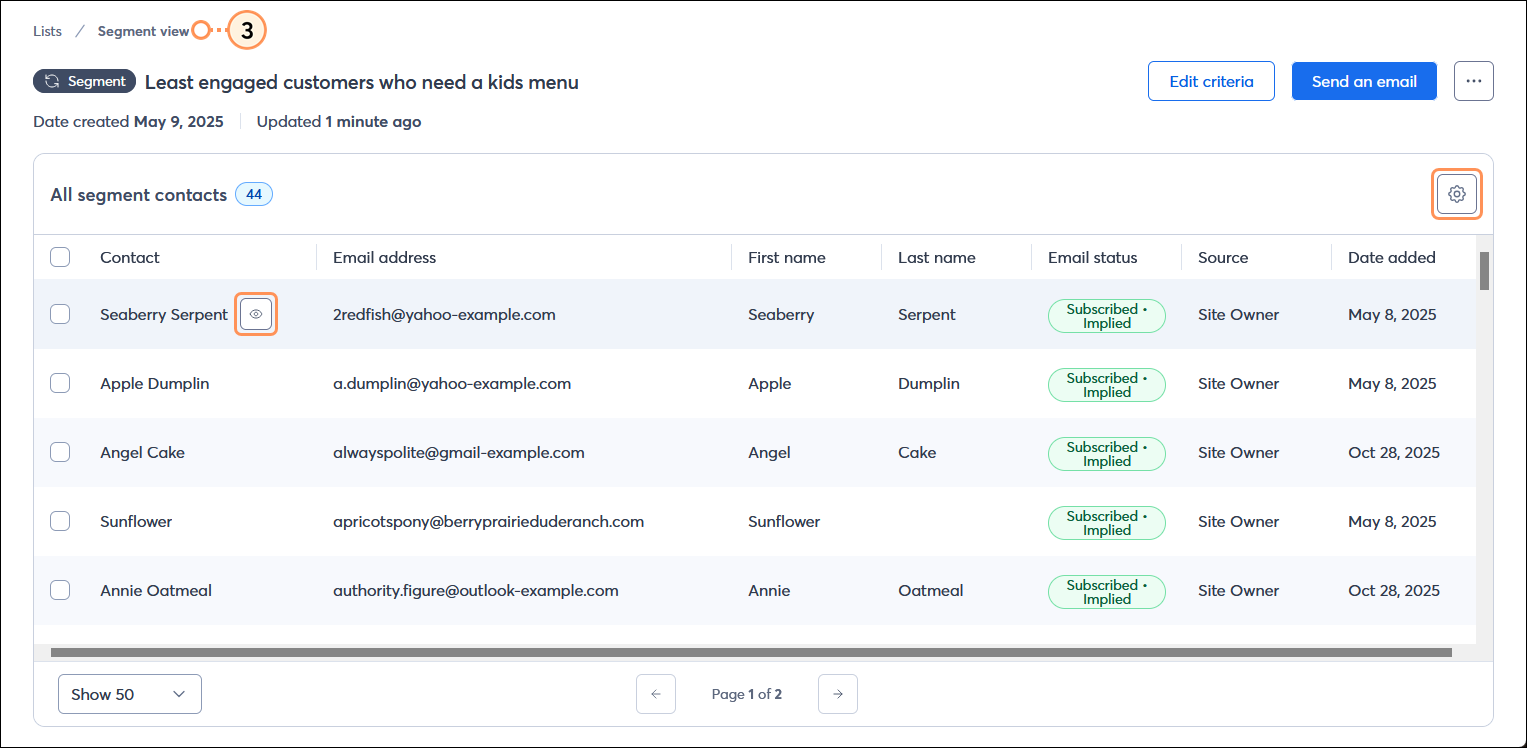
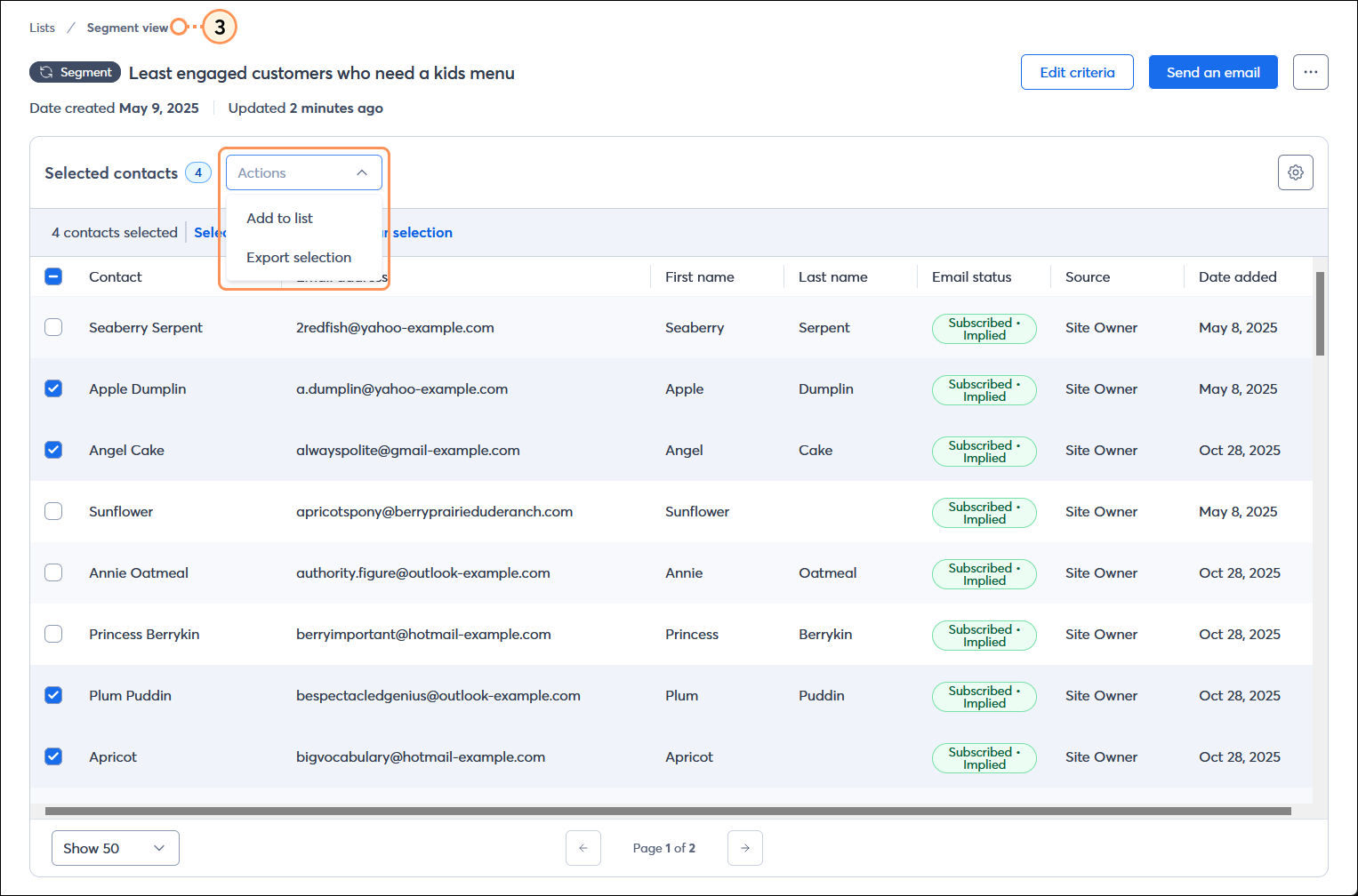
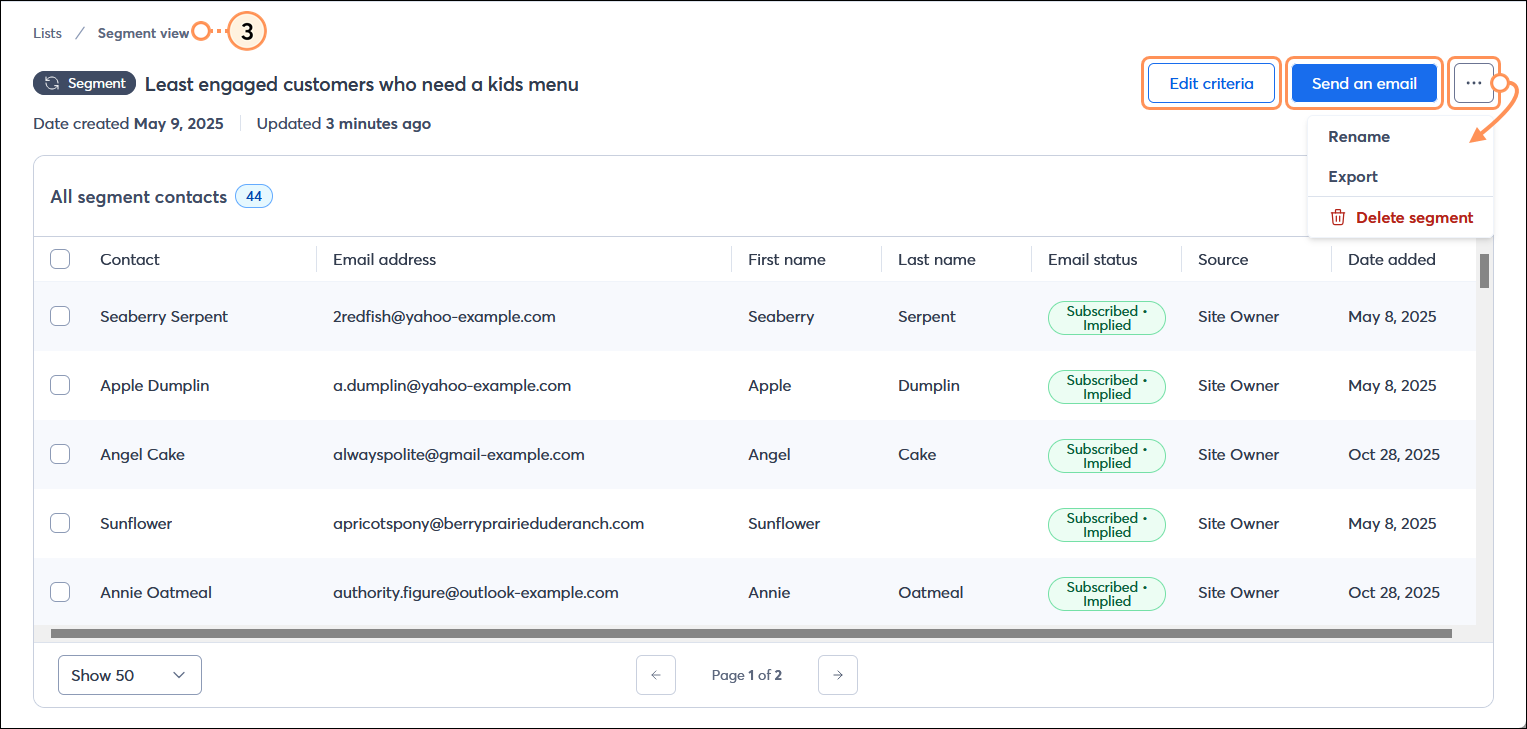
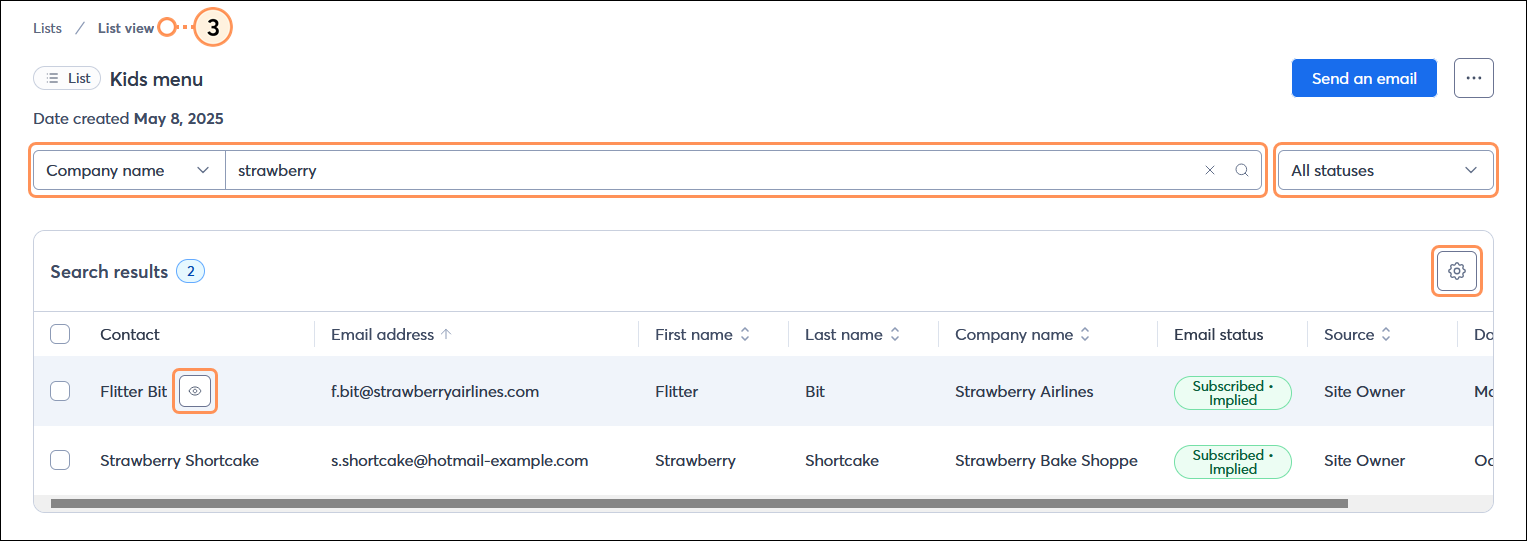
  3. From the List view or Segment view page you can view and manage the contacts that are part of your list or segment, and manage different aspects of the list or segment:
  • List view page
  • Segment view page


Questions?

Ask the Community

Did this article answer your question?


Constant Contact Logo

Copyright © 2026 · All Rights Reserved · Constant Contact · Privacy Center