Email and Digital Marketing
How can we help you?
Search our help articles, video tutorials, and quickstart guides

You've got this. You've got us. Search our Knowledge Base to quickly find answers to your questions.

Search for a contact list or segment

Article: 000035745
Updated: October 30, 2025

Find a specific contact list or segment by searching for its exact name or by searching for a few characters within its name

Creating multiple lists can help you stay organized and keep your contacts segmented, but as the number of lists and segments in your account increases over time, it can take time to find the one you're looking for. The good news is that it's pretty easy to find the list or segment you need through a search:
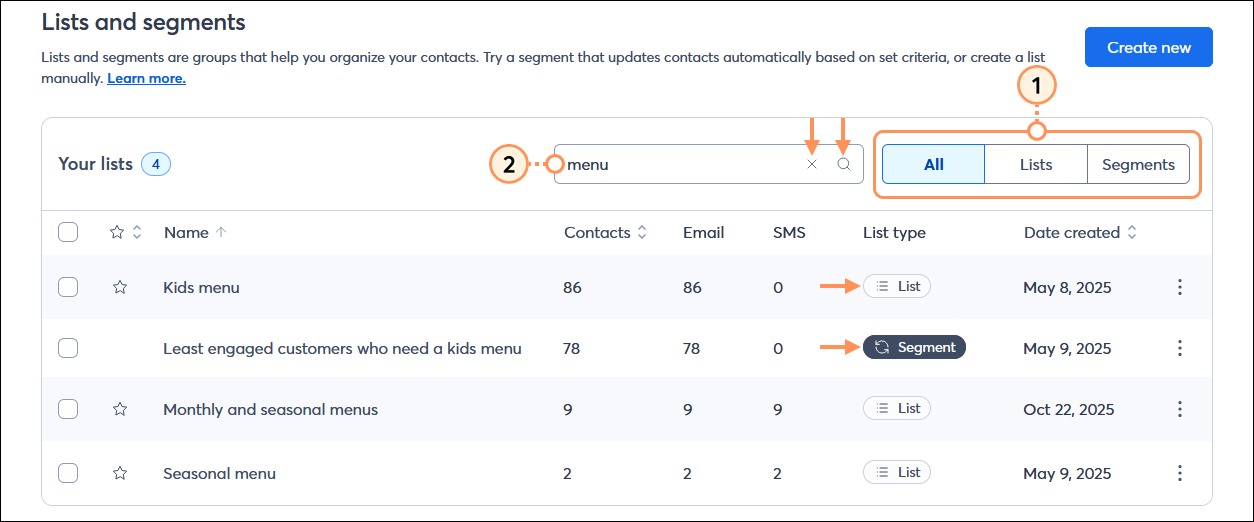
  1. From the Lists and Segments page, click the List types drop-down menu to expand it and select the "Lists" option or the "Segments" option to help narrow your search.
  2. Enter the list name, or a few letters that the list name contains, into the Search field. The search is flexible and looks for letters in the middle of words. The search results automatically update as you type.
    Note: To clear a search, just click the X in the Search field and all your lists display again.

    Lists and segments page with All list types menu expanded and Search field with search term and delete option

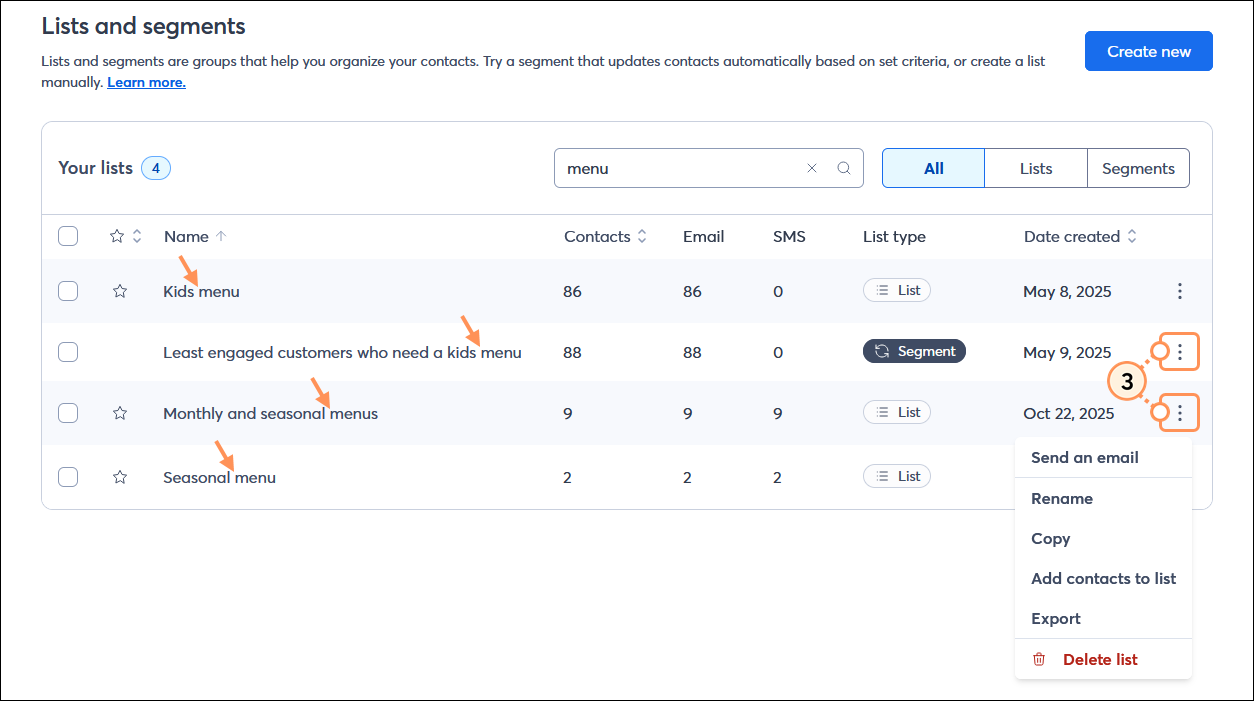
  3. All the lists and segments that fit your search criteria display, and you can click on the list or segment to view the contacts, or click on the three dots on the right-hand side of the list or segment to expand its menu and:


Questions?

Ask the Community

Did this article answer your question?


Constant Contact Logo

Copyright © 2026 · All Rights Reserved · Constant Contact · Privacy Center