Segmentation is the act of dividing your contacts into smaller groups, or segments, based on shared information or common characteristics. If you have multiple audiences to engage with, segmentation can help you deliver the right message to the right people at the right time.
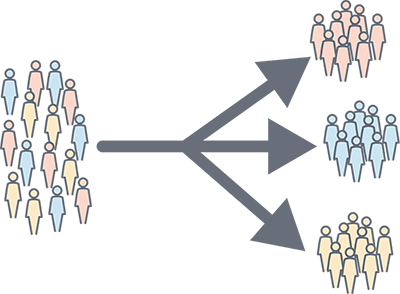
When you send an email, you want your contacts to open it, read it, and answer your call-to-action. If your contacts find your content relevant, they're more likely to open and engage with your next email, improving your open and click rates. Segmentation helps you break your audience down into smaller groups, allowing you to send more targeted messages to the contacts who will find them the most interesting.
When your contacts are segmented, you can send:
 | Be a better marketer: Learn more about the power of segmentation. |
Lists are the most basic way to segment your contacts and are very flexible! If you're sending emails, you've already got at least one contact list that you're actively adding your contacts to, but did you know that you can create up to 1000 unique lists in your account? Once you've got your lists mapped out, it's easy to get your contacts onto them:
List segmentation isn't fancy, but it's highly effective, and adding tags takes your list segmentation to the next level. Individual contacts can be labeled with a tag, allowing you to create a segment of contacts across multiple lists or divide one list into multiple segments. You can have up to 500 unique tags, and they're easy to create and manage.
When sending an email, choose the list, combination of lists, or combination of lists and tags to reach the right audience with your message. (See below.) For example, the contact in the image below is on the Monthly Specials list and tagged as a dessert eater. If the restaurant wants to promote desserts, it can choose to send an email only to contacts on the Monthly Specials list who also have the "dessert eater" tag, putting that tasty treat in front of diners who are most likely to be interested in eating it.
 | Did you know? Your list size can help determine the optimal combination of lists, tags, and custom segments for you. Learn more. |
Our Segments Builder is a powerful tool that helps you find the relevant contacts when you need them. You have lots of control over how targeted you want to be. When you create a segment, you can filter out contacts using any combination of:
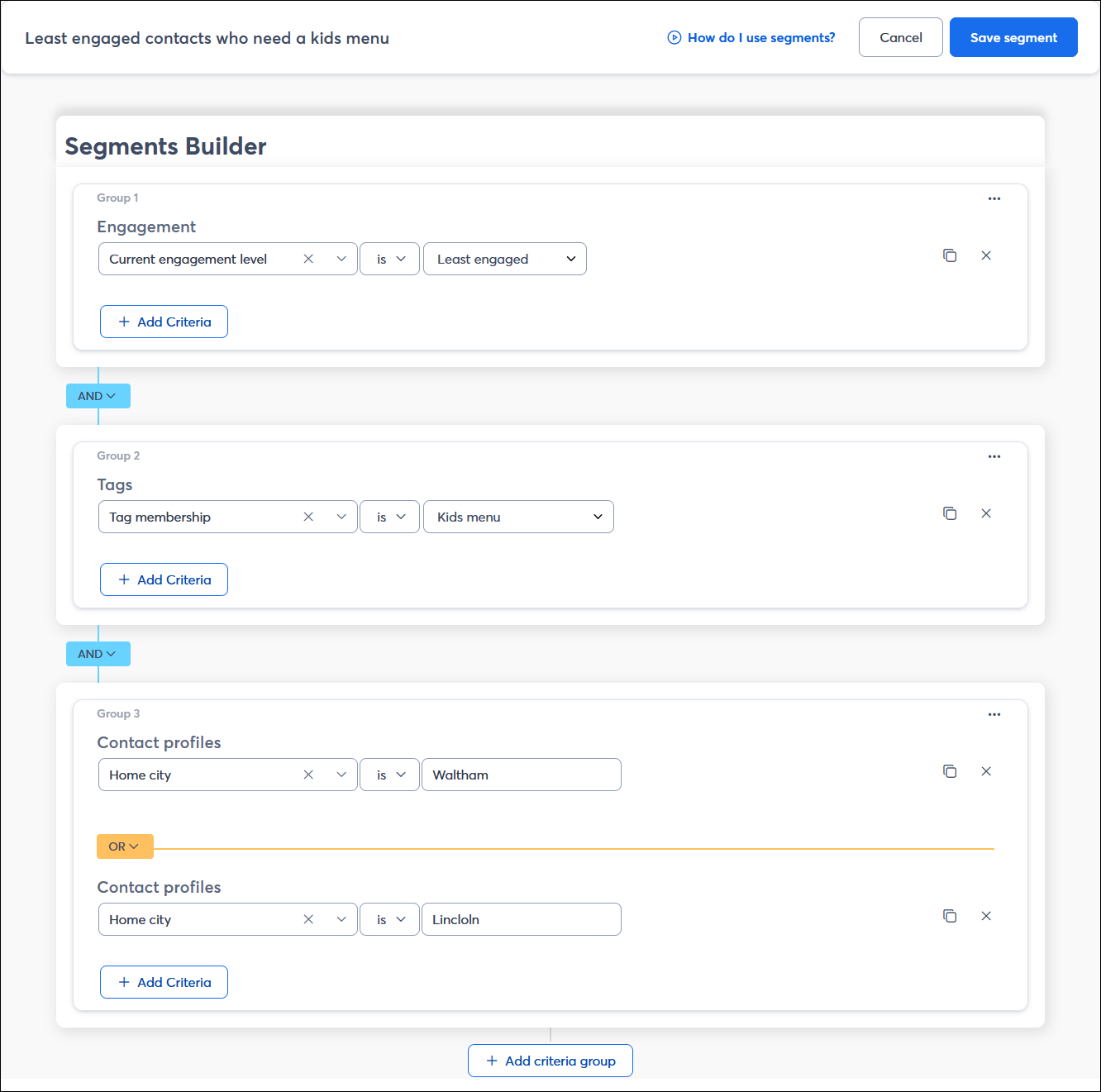
Once your segment is created, you can then send emails to it. The segment refreshes so that only the most current group of contacts that meet all of your chosen criteria is included on the email. Over time, some contacts may fall out of the segment while other contacts are added, preventing you from sending email to contacts who won't find it relevant.
If you have text links, buttons, or clickable images in your emails, click segmentation is a straightforward way to start segmenting your contacts. Anytime someone clicks on a link, they're added to a contact list of your choosing so that you can follow up with related content later.
When you insert the link into your email, just check the box to "Enable click segmentation and choose your list. You can even create a new list if you need one. Want to take things a step further? Set up an automated email that triggers when a contact is added to a list so you can reach your contacts when they're highly engaged.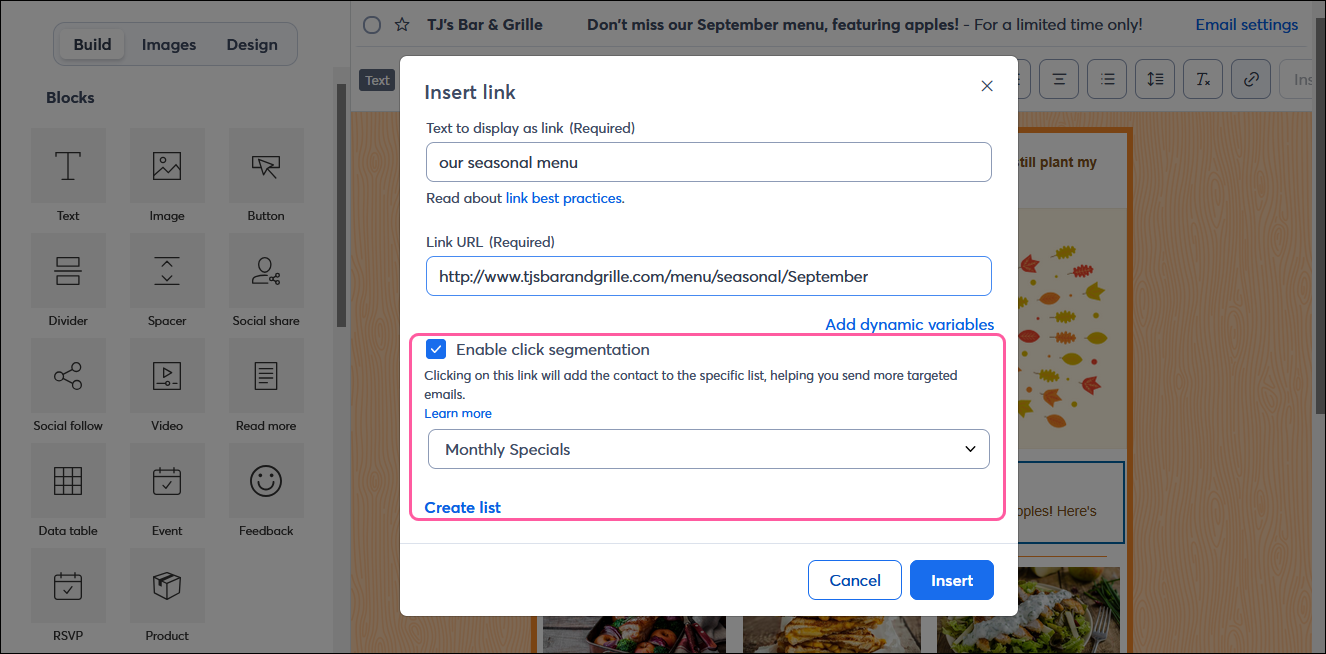
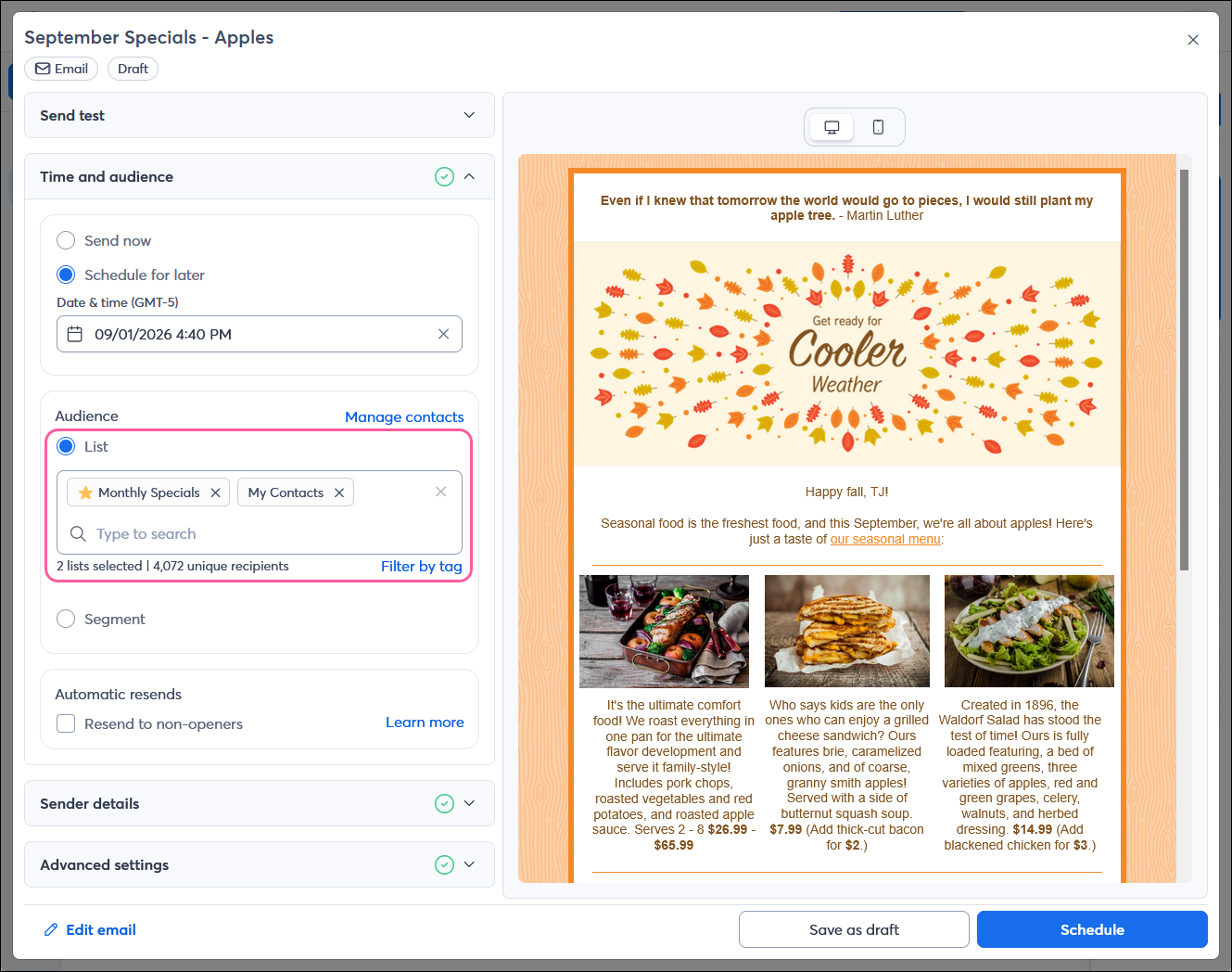
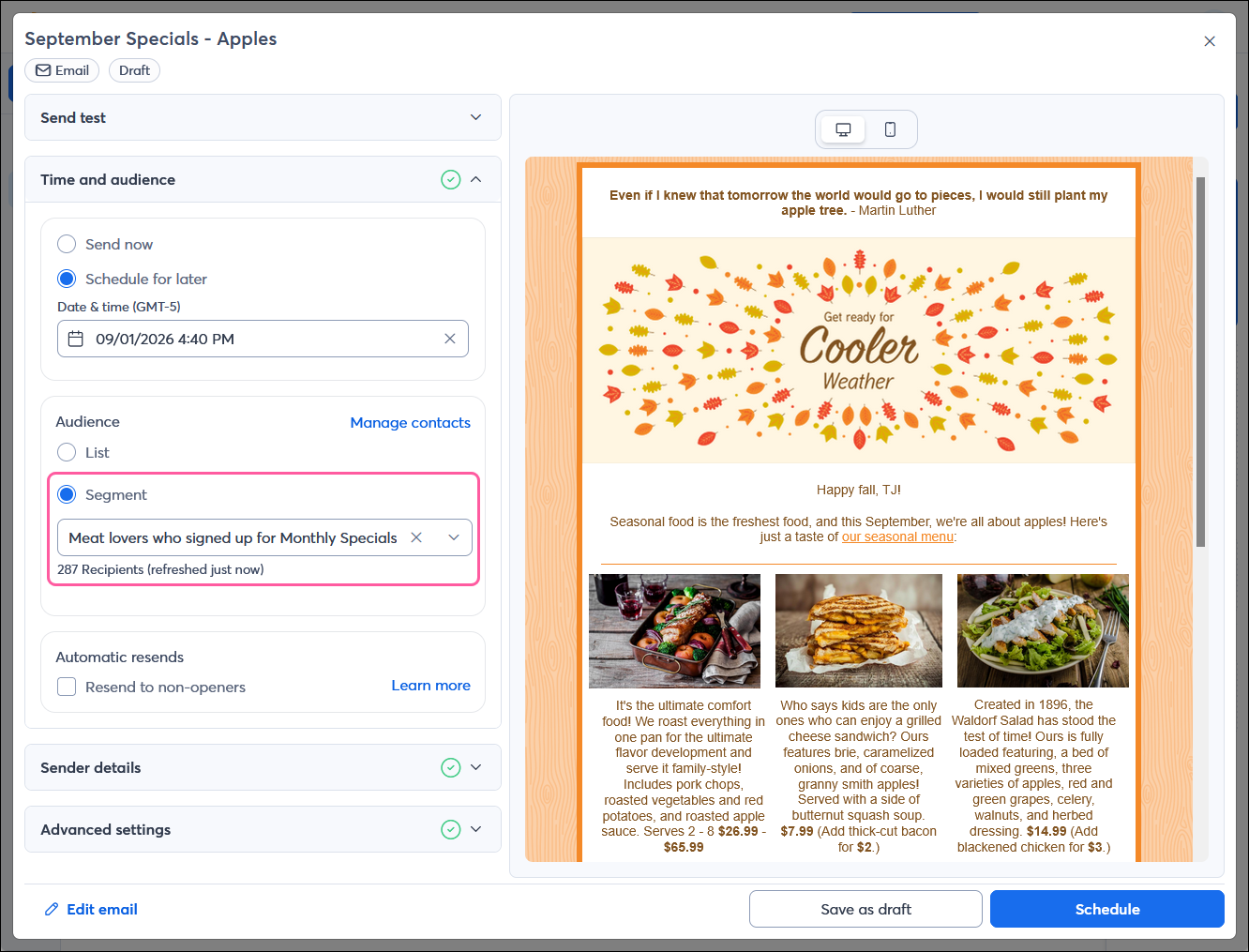
If you've taken the time to segment your contacts, it pays off when you're ready to send them emails. From the Schedule Page, you can send to:

Your sign-up form is your most important list growth tool, and can be used to segment your contacts from the start. Using the right sign-up form at the right time helps you get your contacts onto the right list, and ultimately makes it easier for you to send the most relevant content.
Automated emails can be triggered whenever a contact is added to a list, making them a natural pairing if you're segmenting your contacts through sign-up forms or click segmentation. The Automation Path Builder is a time-saving tool that gives you lots of control over the email and SMS content your contacts are seeing, and lets you set the timing for when they see it.
Learn more about marketing and Constant Contact through our free, live webinars.
|
|
Do you need help getting started with Email Marketing? Our recurring services plan will allow you to get started with confidence. We’ll set up your account, provide you with list growth tools, and create professionally designed emails just for you. Sign up for recurring services today! |
Copyright © 2026 · All Rights Reserved · Constant Contact · Privacy Center
