When you use the Segment Builder to group your contacts from across multiple lists into a segment, it's really easy to send them targeted email content, whether you have the email ready to go or not!
 | Did you know? The segment is refreshed just before you send, so you know you're always sending to the most relevant contacts who meet your selected criteria. |
After you create a segment, the next step is to create a new email and then send it to the segment. The segment can be used over and over again for different emails, too!
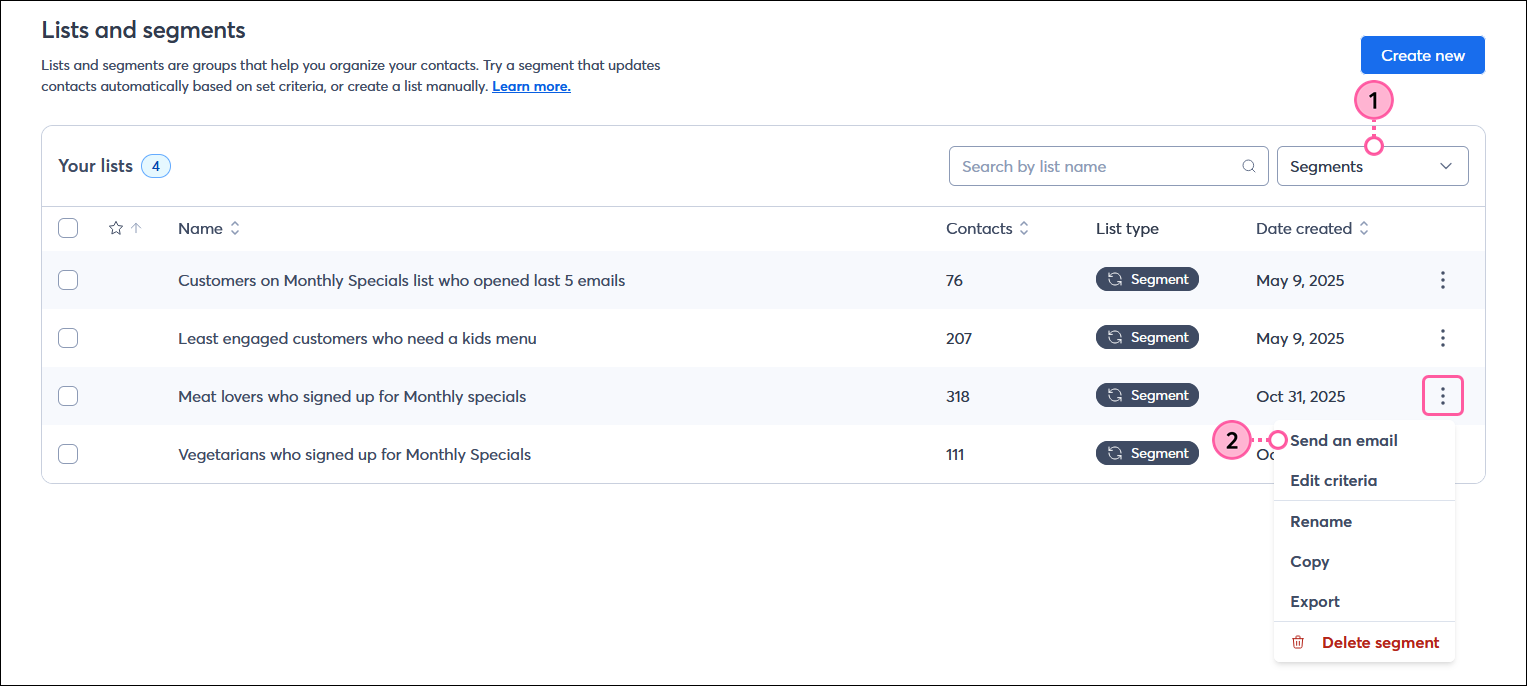
Now you can choose an email template, fill it with your branding and content, and choose when to send it. When you reach the email's Schedule page, your chosen segment is preselected, even if you save your draft and come back to it later.
 | Save time: You can always save an email as a draft and then work in the Segment Builder to create a new segment to send it to, but if you want a nice, continuous process, it's best to create the segment before you create your email. You can create multiple segments in advance, and they automatically refresh before you send, so you know you're always sending to the right audience. |
When you create or copy an email, you can choose to send it to a segment instead of a list when you're ready to schedule it. You can either select a custom segment that you built yourself or send to a pre-defined segment of contacts based on their overall engagement with your emails.
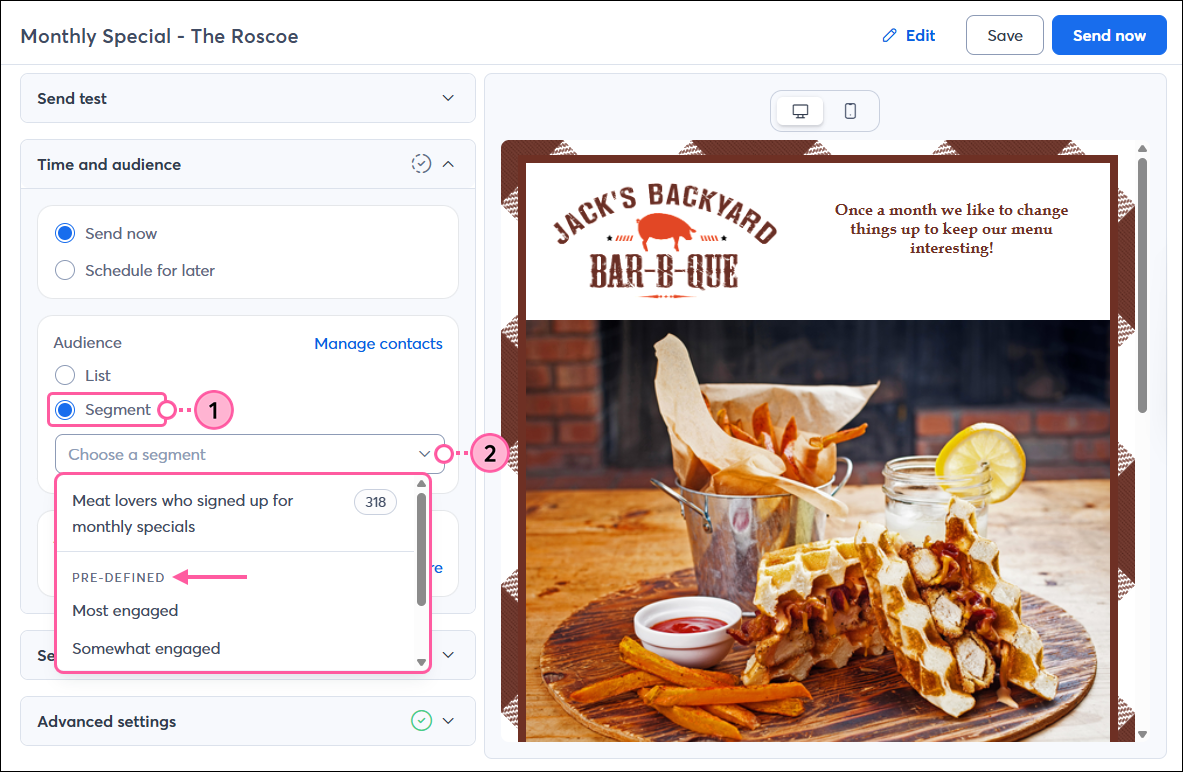
Now you're ready to hit the Schedule or Send button! After you've given your contacts some time to open your email, view its results on the Email Details page to see how it performed.
Copyright © 2026 · All Rights Reserved · Constant Contact · Privacy Center