 | Save time: Need to send to only the most up-to-date group of contacts in your segment? You can also send an email directly to a segment of contacts without adding them to a list first. |
Using segmentation to find the right audience helps you send targeted, more meaningful content to your contacts. You can add a segment to an existing list or create a new one just for the segment.
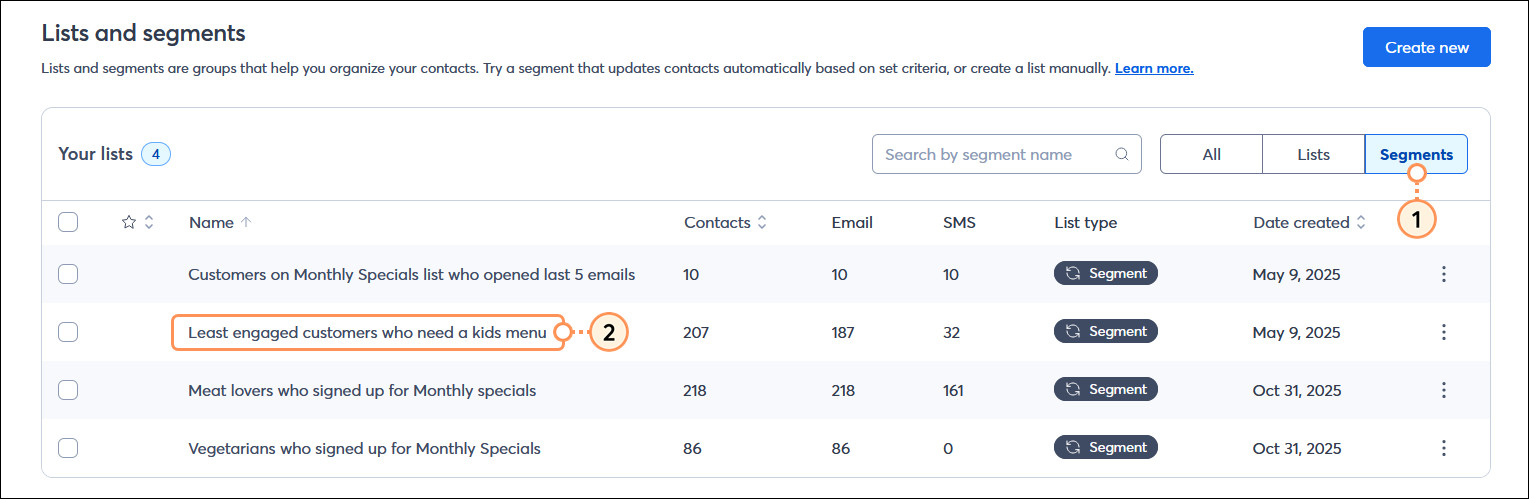
![Segment view page with Contacts option selected, and Select all [number] contacts option](https://imgssl.constantcontact.com/kb/Segmentation/26098/segment-view-page-with-contact-option-selected-and-select-all-contacts-option-step3.png)
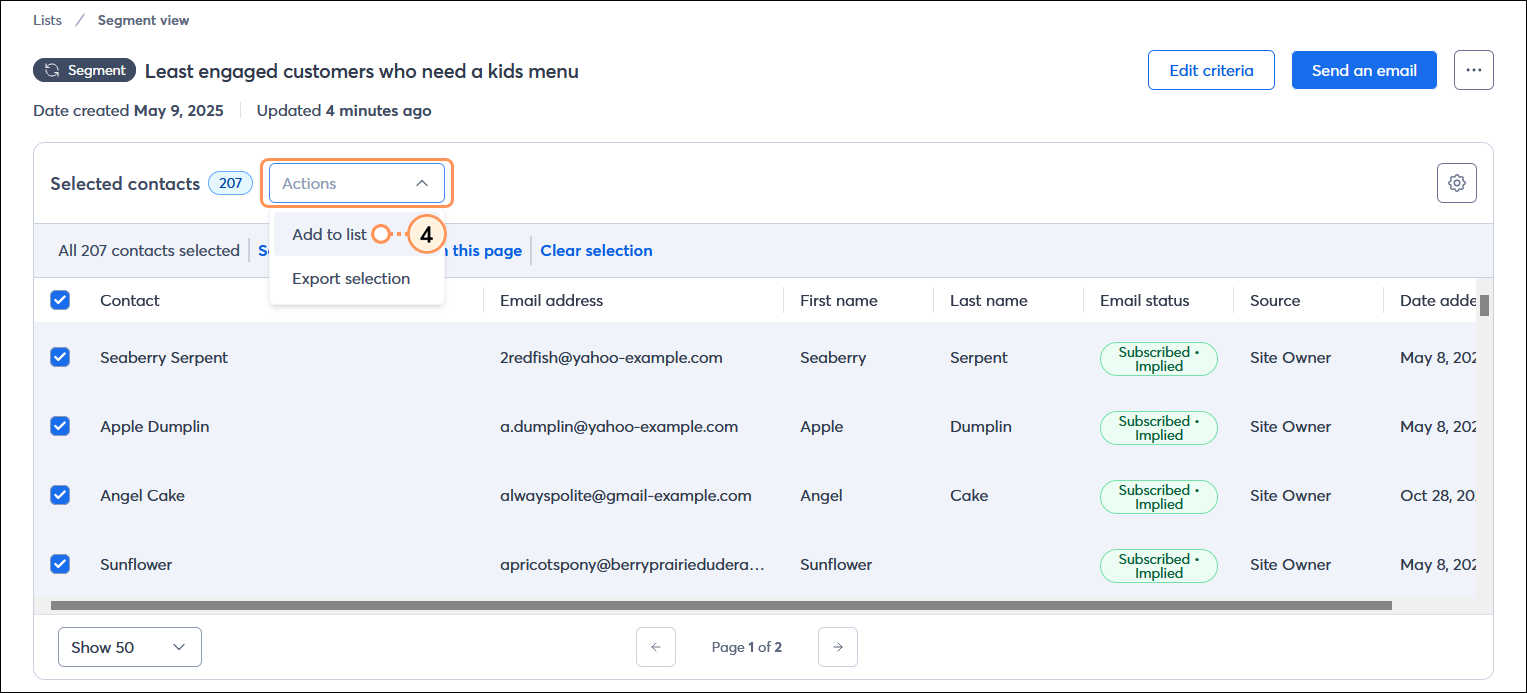
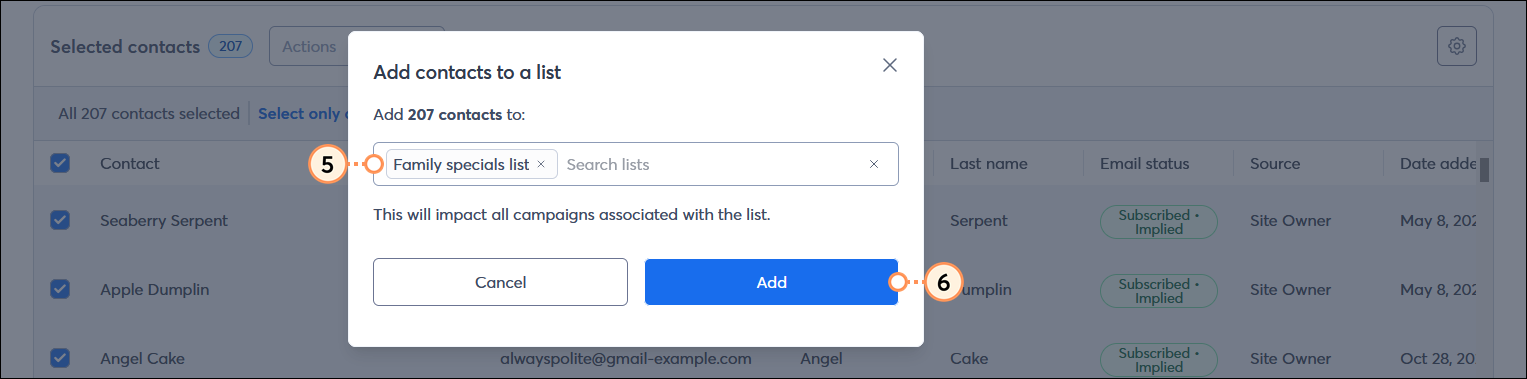
Repeat the steps for each segment you want to add to a list. Once the segment has been added to your list, you can engage with the contacts by sending an email with targeted and personalized content to the list. If your resulting list includes contacts who are opted into SMS marketing, you can also send an SMS message to the list.
Copyright © 2026 · All Rights Reserved · Constant Contact · Privacy Center