 | Important: Don't forget to periodically check for contacts who aren't on any list so you can start engaging with them again. |
Keeping a well-managed contact list helps you organize your contacts so you can get the right content in front of them. Sometimes you have to change the lists your contacts are a part of when your contacts' interests, behaviors, or engagement change:
 | Save time: You can automate the process of adding or removing contacts from a list based on your contacts' behavior and engagement using our Automation Path Builder! |
Over time, a contact can end up on multiple contact lists. You can see exactly which lists an individual contact is on by viewing their contact record. From there, you can remove the contact from a list, add it to another existing list, or create a new list to add it to.
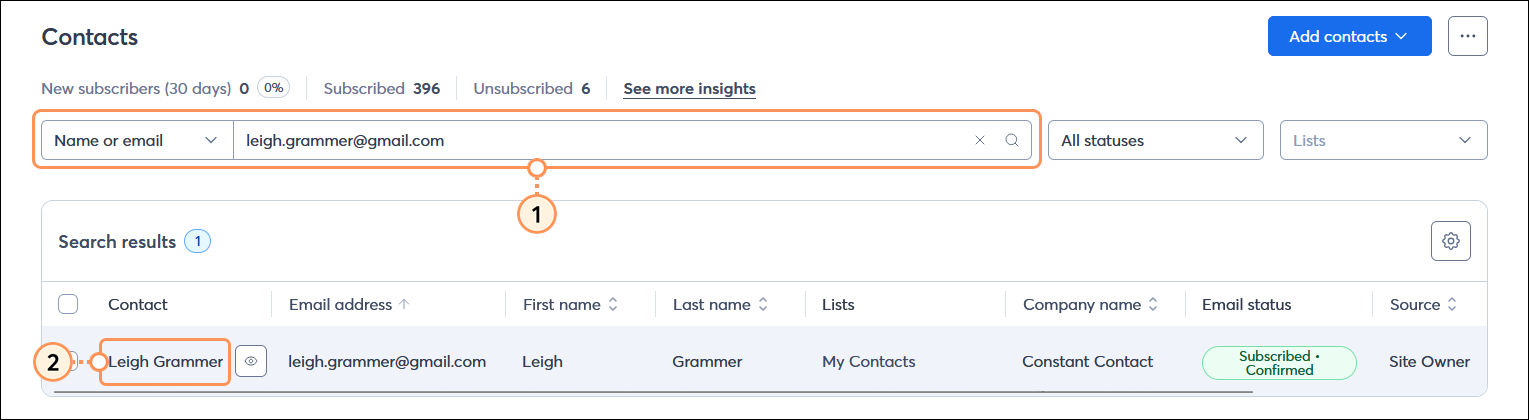
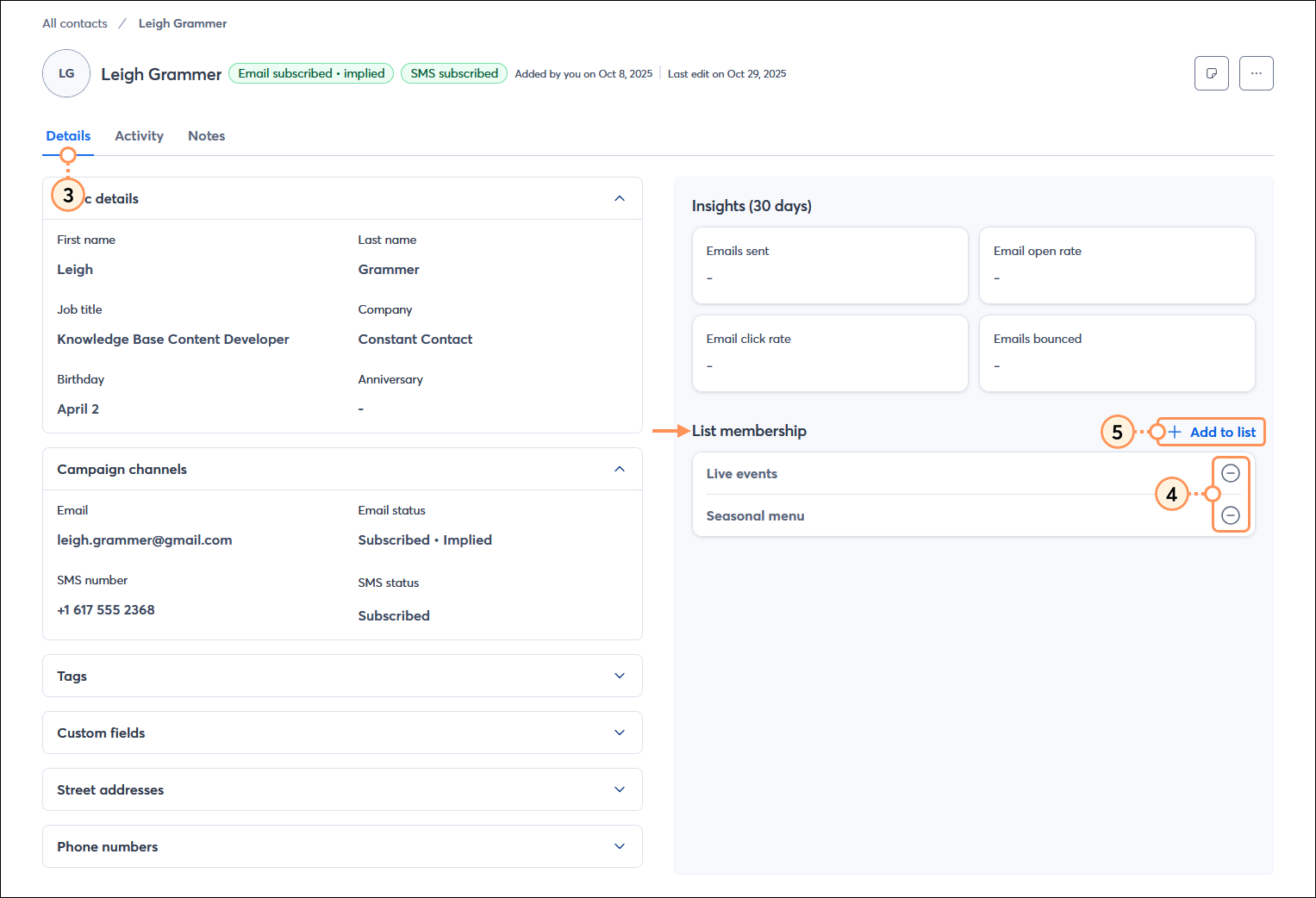
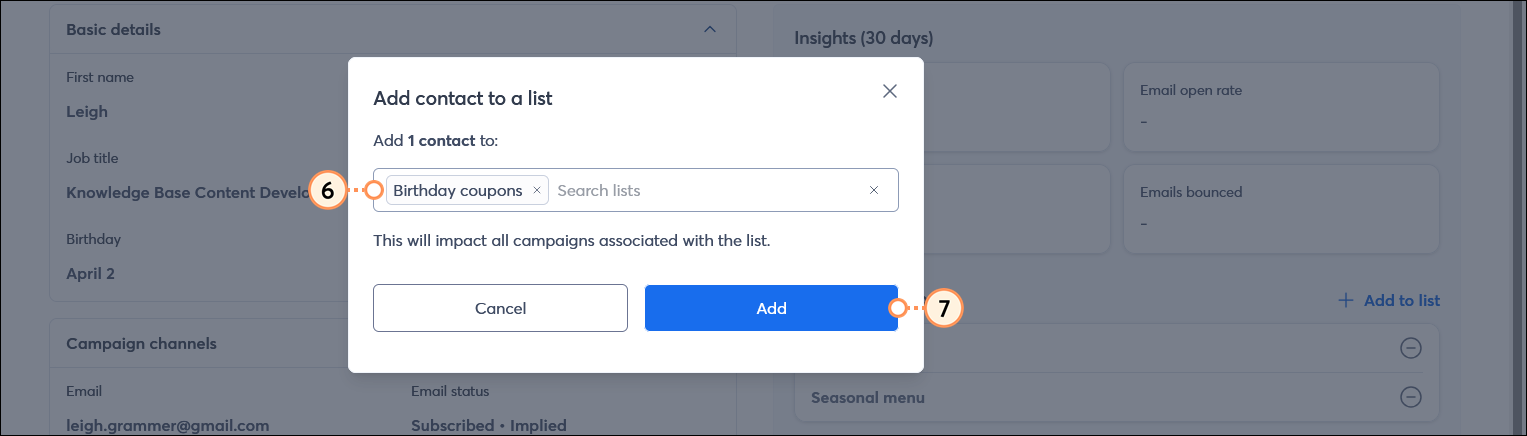
 | Did you know? In the All contacts table, you can easily see the lists that each of your contacts is on by adding the Lists column. |
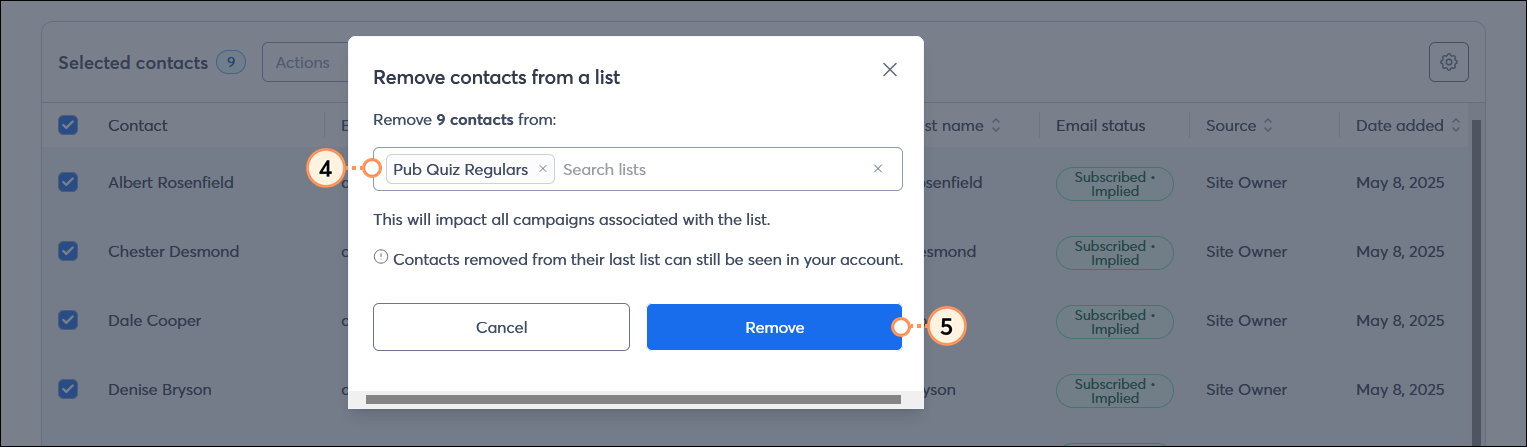
Your contacts can be on multiple lists to help you better target your email content to the right audience. However, if a contact isn't a good fit for a particular list, you can move them to a new list and remove them from the old one to keep things organized.
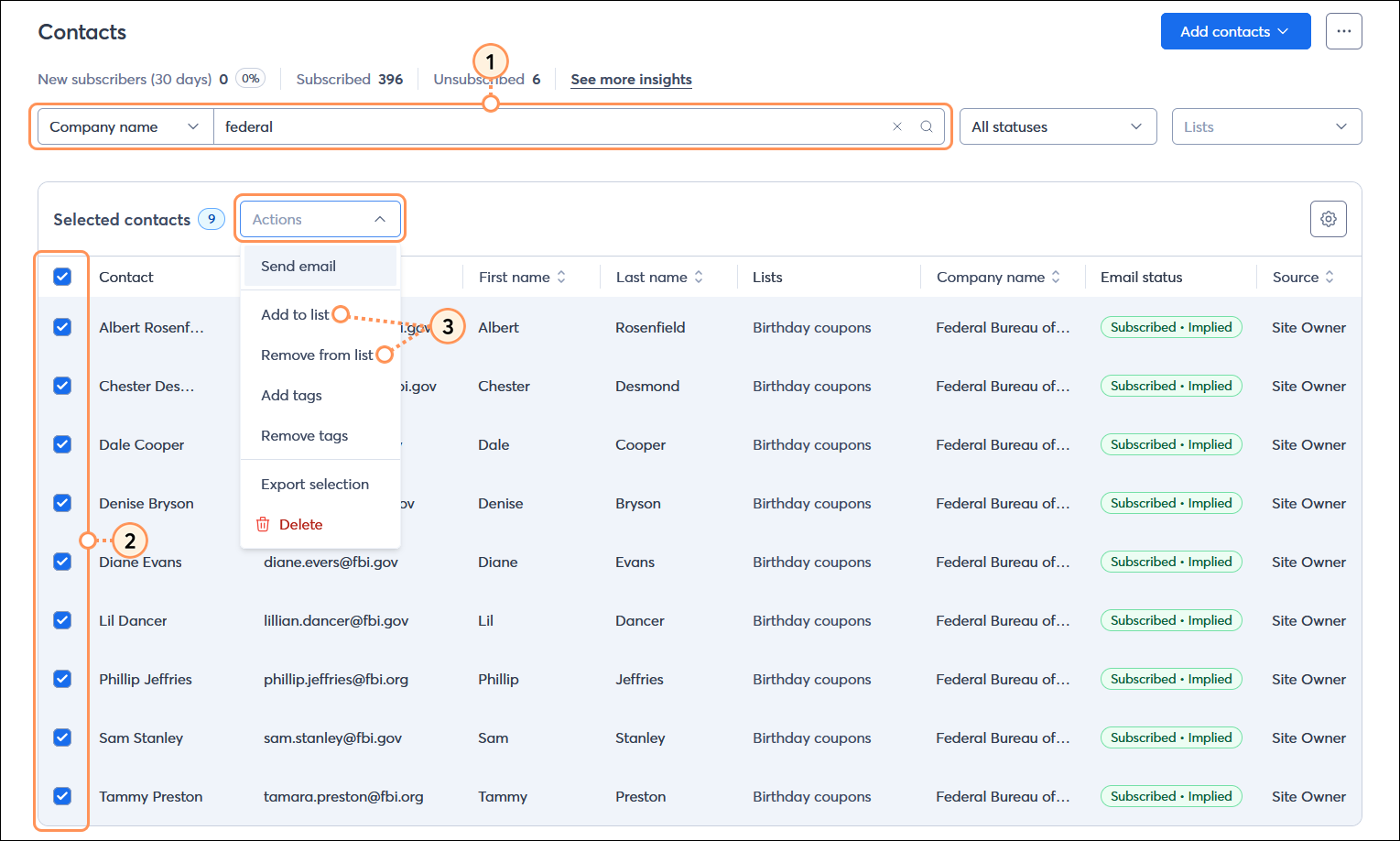
![Add contacts to a list overlay with list selected, Drop-down menu expanded with + Create new [list name] option, and Add button](https://imgssl.constantcontact.com/kb/NextGenContacts/33119/add-contacts-to-a-list-overlay-list-selected-create-new-list-option-and-add-button-steps45.png)
 | Did you know? To better segment your contacts, you can also select multiple contacts and apply tags to them. |
Copyright © 2026 · All Rights Reserved · Constant Contact · Privacy Center