 | Did you know? There are a couple of different ways to resend an email to new contacts and to those who didn't open your original email. Before using Send your email to new contacts, make sure it's the right solution for you! |
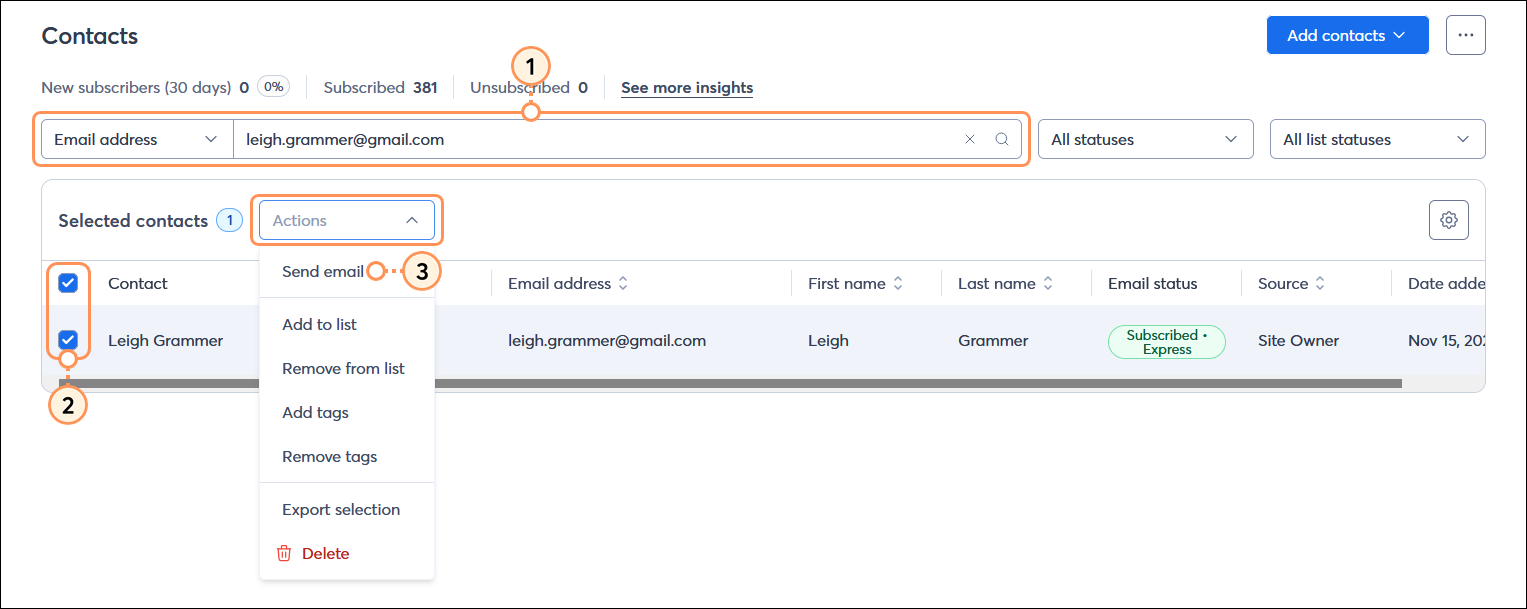
You can resend any email from the last 12 months to your new contacts. From the Contacts page, select from 1 up to 5,000 people - even across different lists - and then choose the previously sent email you wish to share.
 |
Important: The "resend" feature is a simplified option with limitations. It's not the right solution if you need to:
In these cases, you must create a new copy of the email. |
To send an email that has previously been sent to specific contacts:
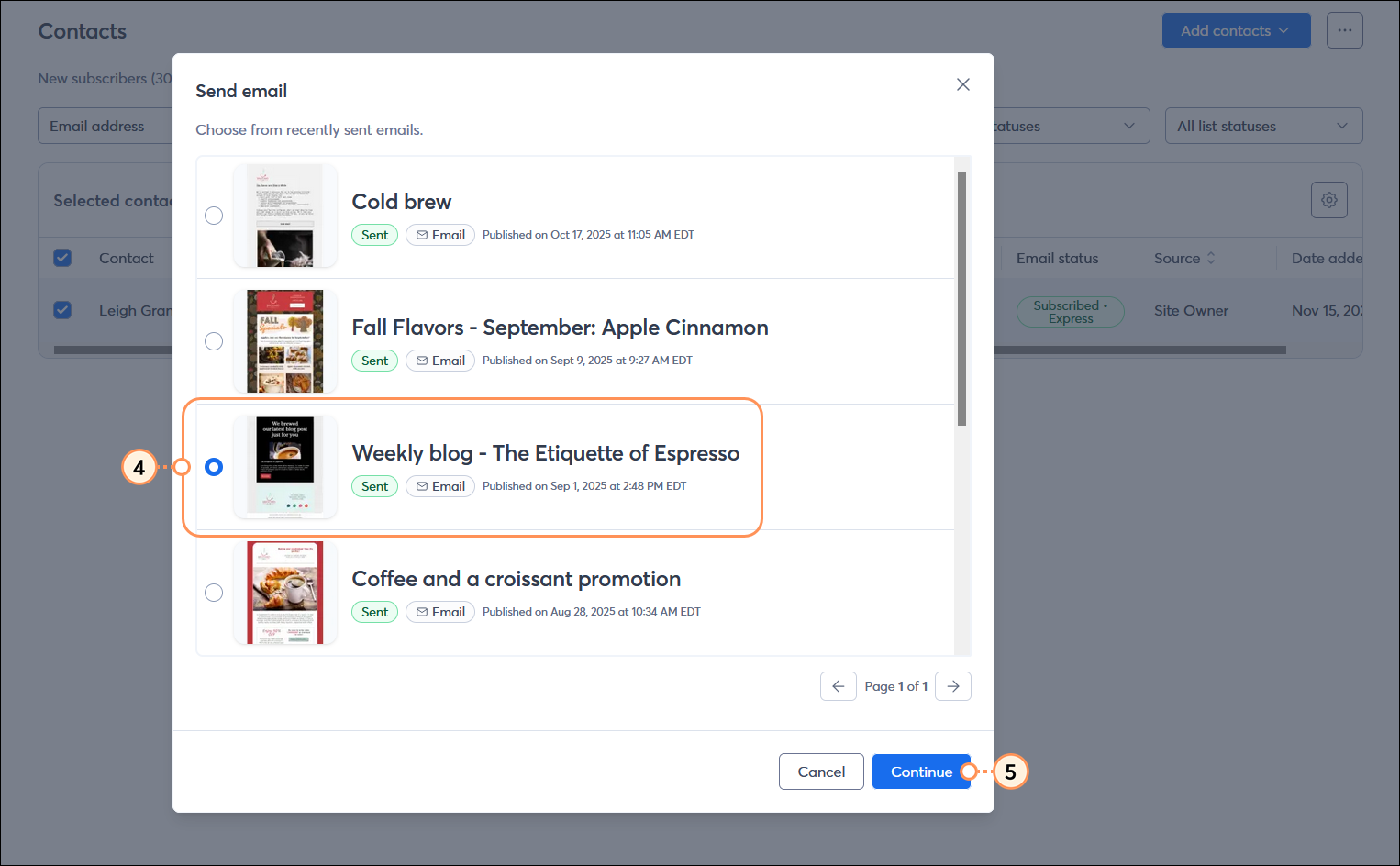

Emails resent to new contacts are temporarily placed in the "Scheduled" status. You can find them by clicking Channels > Email in the left-hand menu and then filtering your emails by the "Sending" option, and then once they are sent, by the "Sent" option. Once sent, the original email reporting is updated to include any new data (sends, opens, clicks, bounces, and unsubscribes) that result from sending to new contacts. There is no reporting available that separates out the resend data. Reporting for the original email is available on the Email Details page, and within your reporting.
 | Did you know? Automation can help you get the right content to the right contacts at the right time! If you find yourself constantly sending "evergreen" content to new subscribers, try using the Automation Path Builder to automatically send the email when a contact triggers it. |
Copyright © 2026 · All Rights Reserved · Constant Contact · Privacy Center