If you've noticed that your open rates have been dropping, it's time to re-engage those contacts who aren't reading your emails.
 | Did you know? Email engagement isn't as scary as it sounds! It looks at the number of contacts you send to, vs. the number of contacts that open the email, vs. the number of contacts that engage with that email by clicking a link or completing your call-to-action. Learn more. |
Engage your contacts from the start
The best way to keep your contacts engaged is to plan for it from the beginning, though it's never too late to use any of these tools:
- Embrace SMS - SMS marketing messages have a better engagement rate than email overall. They're a quick and effective way to reach your contacts wherever they are, because they usually have their mobile device on hand. You may find that some existing contacts respond better to short, to-the-point text messages than they do to longer, more stylized emails. You can even invite your current email contacts to join your SMS list!
- Create multiple sign-up forms - Not all contacts can be enticed to join your list in the same way. Having multiple sign-up forms that can be customized for each audience lets you better target your messaging. Each sign-up form can be associated with a different list, too, so you can easily get started with segmentation. Sign-up Landing Pages and text-to-join also help you grow your SMS contacts.
- Set up a Welcome Path - A welcome email or SMS message starts you off on the right foot to engage your contacts. Set up unique welcome paths for individual lists to start segmenting your contacts from the start. This is also a great place to use click segmentation in your emails!
- Segment your list - When you break your contacts into groups based on their shared interests, it lets you send targeted emails that are shorter and more focused to each group. You'll find yourself sending more frequent emails, but not to the same contacts, making the emails you send more meaningful and engaging!
Find your least engaged contacts
There are a couple of ways to find your least engaged contacts:
- Send to a pre-defined segment - The quickest and easiest way to find your least engaged contacts is to use the "least engaged" segment on an email's schedule page. The best part is that you can automatically create and send an email to the segment without having to create a new list or move contacts around!
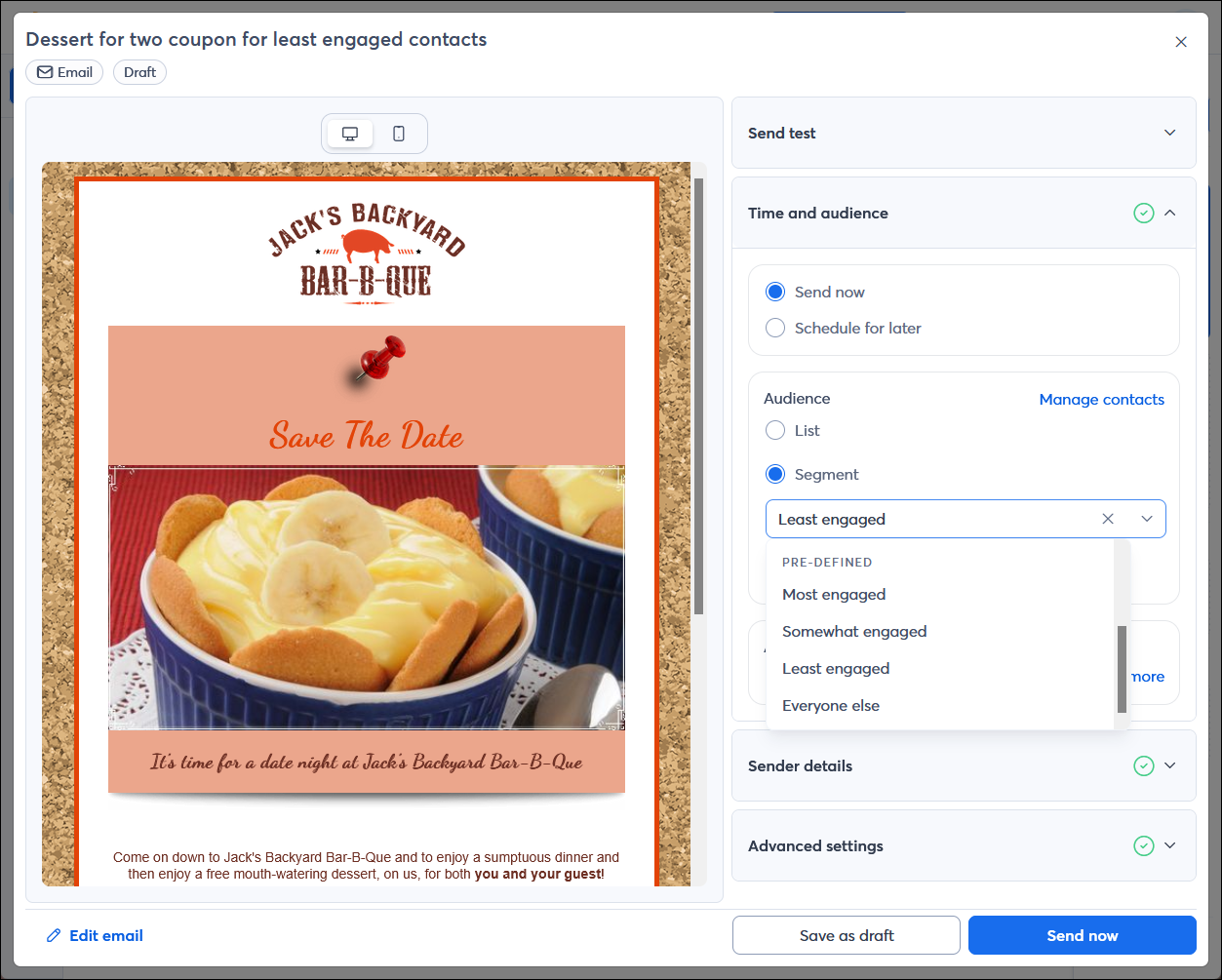
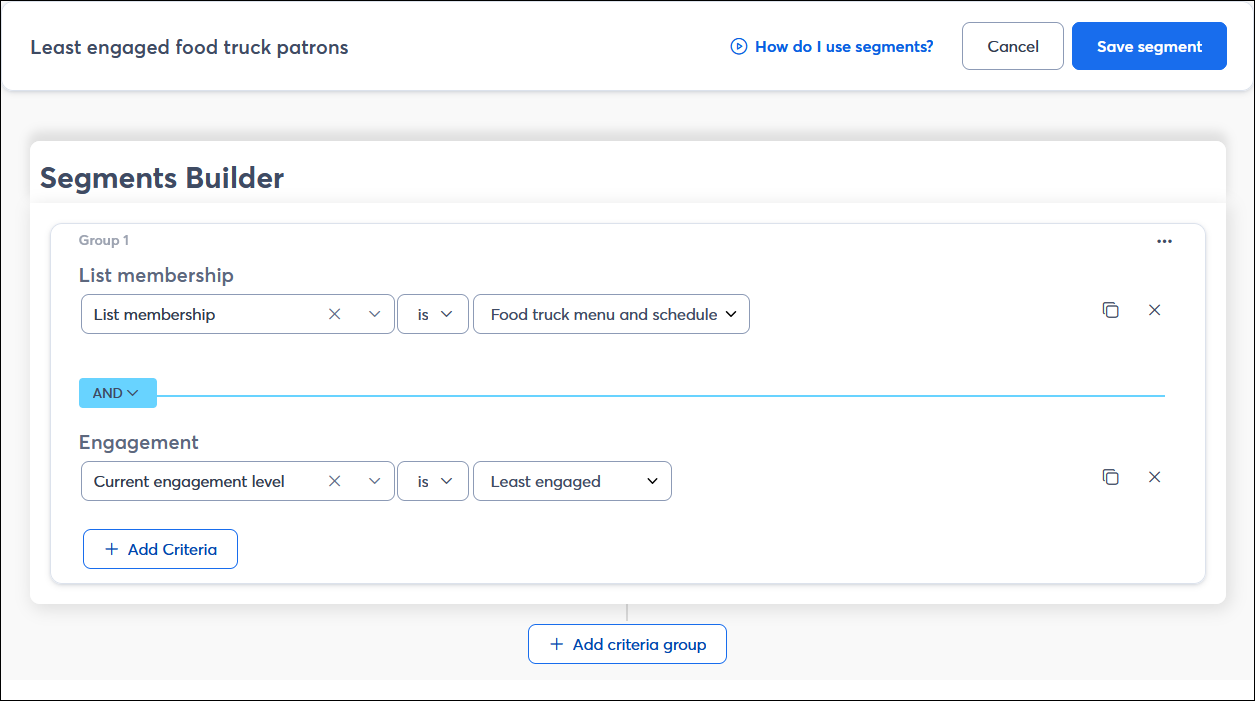
- Create a custom segment - When you want a little more control over your segmentation criteria, creating a custom segment gives you the option to filter your contacts out by their open and click habits, or by a specific date range. After you craft your reengagement email, just choose your segment from the Schedule page, and the segment automatically refreshes to include the most current contacts that meet your criteria.
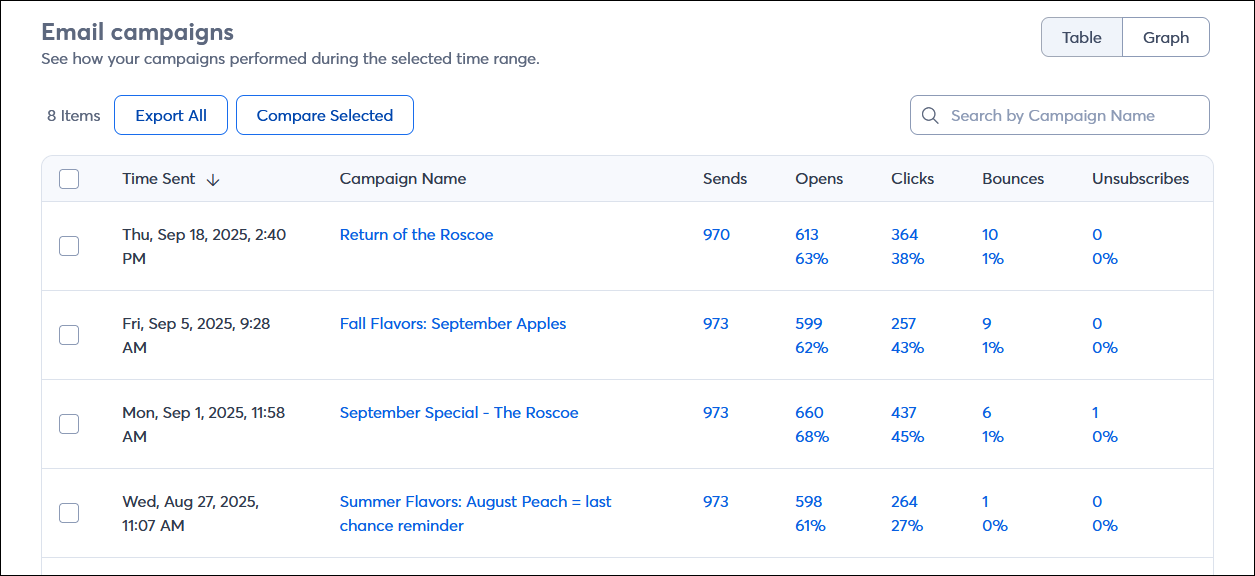
- Check your email reporting regularly - Your email reporting includes the number of sends, the number of opens, and the number of links your contacts click in each email. Clicking on any of the stats brings you to a list of the contacts that they apply to.
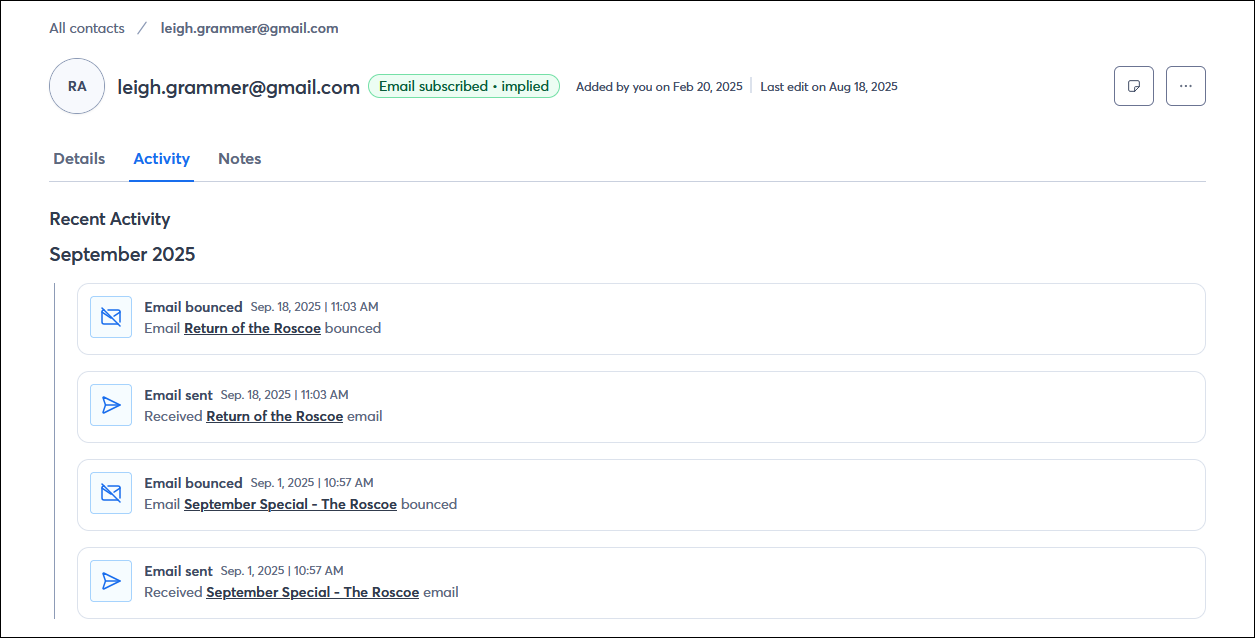
- Check an individual contact's email engagement - You may notice a specific contact isn't opening your emails. You can check their engagement history through their contact record.
Now that you know which contacts are disengaged, it's time to try to re-engage them!
Send a special offer to get them in the door
Sometimes all your contacts need is a little push. Consider sending your least engaged contacts a special offer to entice them to open your email. It not only helps to increase your open rate, but also drives more business! Your offer doesn't even have to be monetary, either:
- Early access
- Exclusive content
- Free samples or branded swag
- A discount or coupon; our email editor includes a Coupon block in the Layouts section that you can customize for your offer.
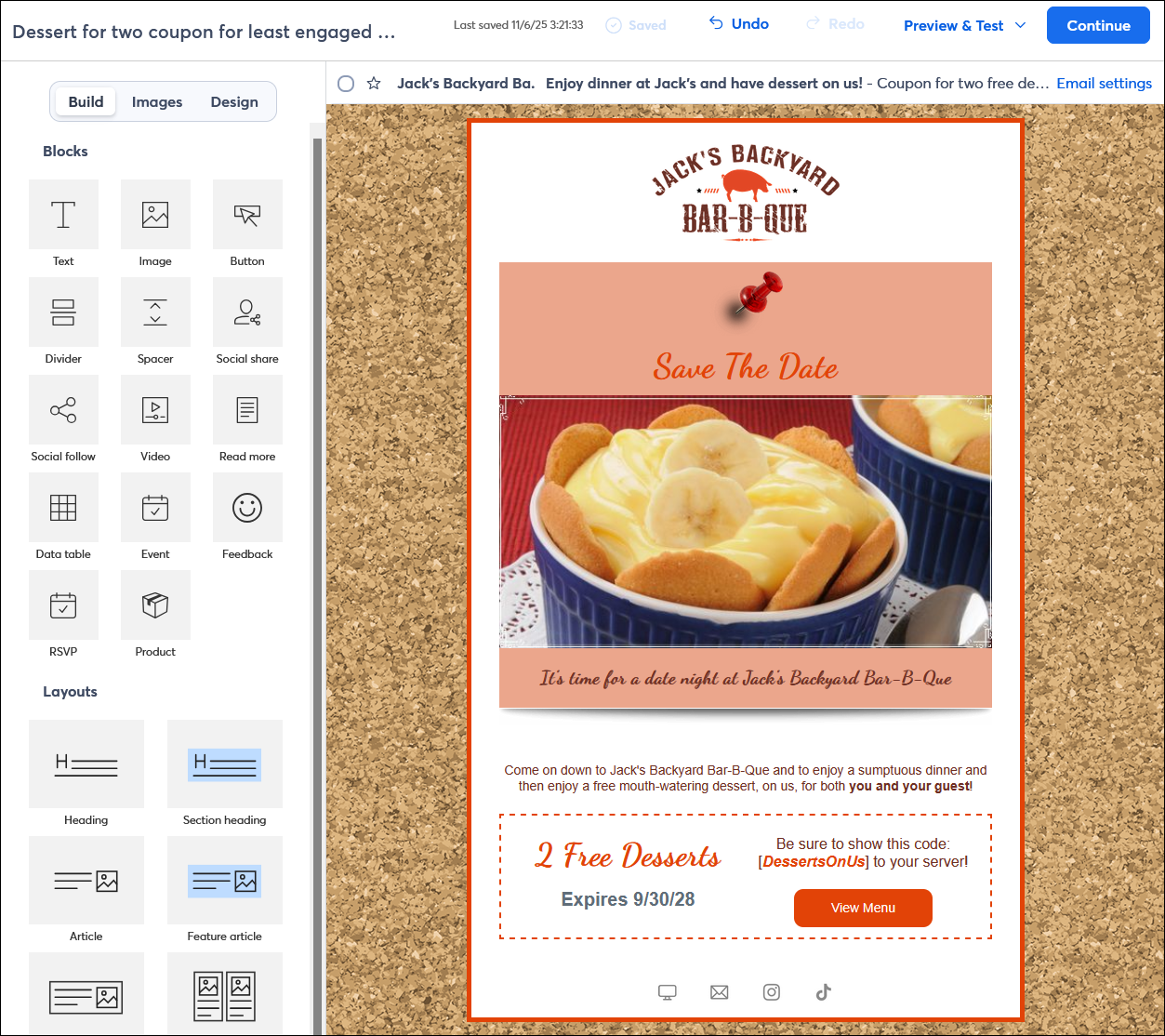
Whatever you choose, remember that these contacts are disengaged, so use a compelling subject line and preheader to catch their attention! Try using the recommended subject lines available when you schedule your email!
Get direct feedback
Send a poll
Adding a poll to your email can open up a direct line to your contacts, allowing them to provide feedback by answering a question. Each Poll block is designed to answer a single question, so think about what the most important thing you need to know from your least engaged contacts, like:
- How frequently they want to hear from you.
- What time they’re likely to check their email.
- How long they prefer your emails to be.
- What kind of content they're interested in receiving.
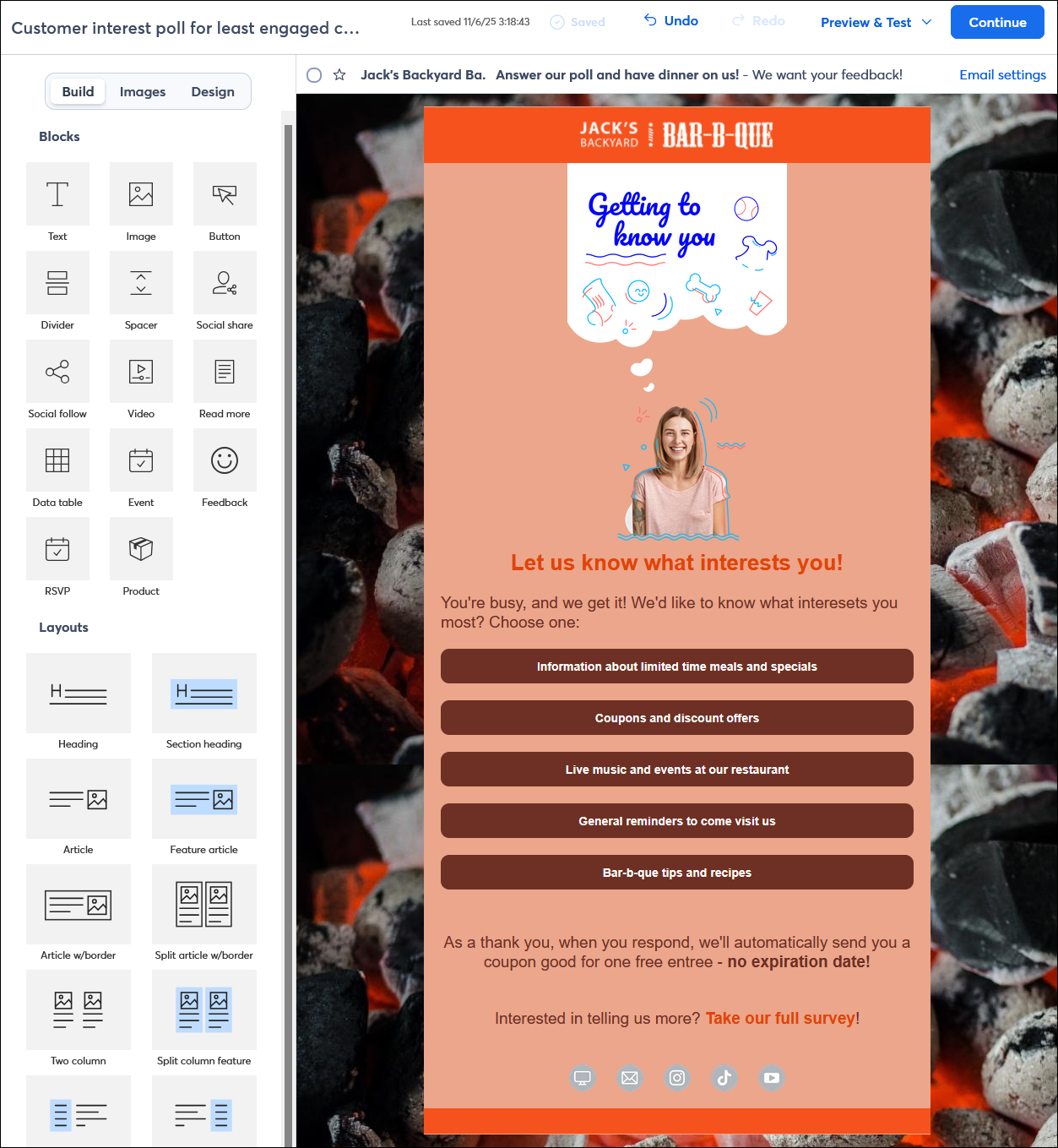
Though you can put more than one Poll block in your email, remember that these contacts are disengaged, and you don't want to overwhelm them. Once you start receiving responses, you can group the respondents who answered similarly into unique lists and customize your content or email frequency based on their answers.
Share a survey
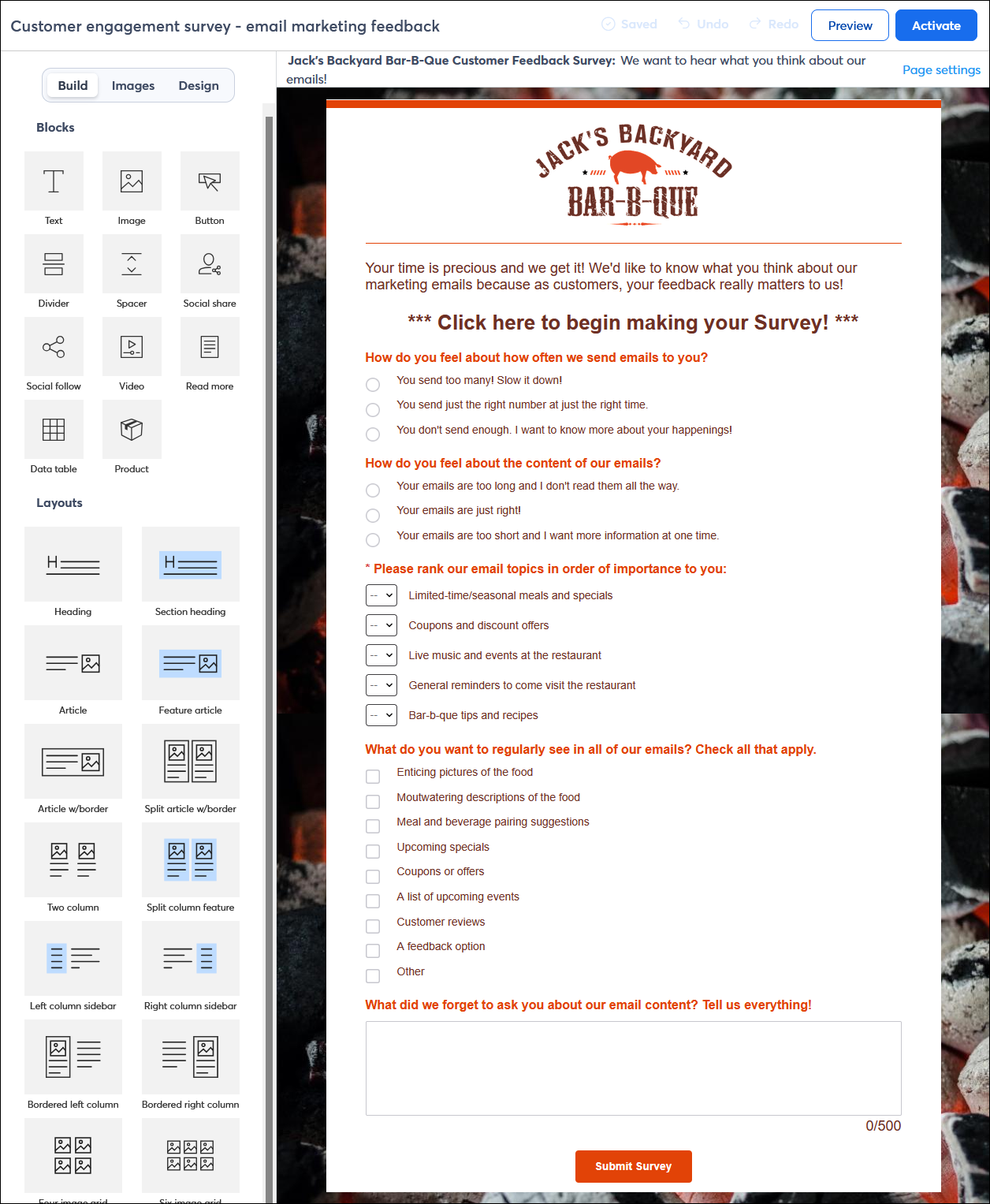
Need to gather more data at one time? Try creating a Survey Page! The survey can be linked in an email to share with your contacts and provide some context for why you're requesting the information. Additionally, a survey can be shared online to collect feedback from visitors to your website, those who view your social media presence, or readers of your blog, among others.
Other ways to improve your open rate
Now that you've reached out to your least engaged contacts to win them back, it's time to make sure you're continually working to improve your open rates. Here are a few other things you should be doing on a regular basis:
- Understand your email engagement - Check your contact insights to see a breakdown of your subscriber growth and your email marketing engagement so you know which contacts you need to focus most of your time and effort on.
- Clean your contact lists - Regularly cleaning your contact lists ensures you have accurate email addresses, which is an essential part of maintaining a healthy open report. After your reengagement efforts, if the same contacts consistently aren't opening or clicking through your emails, consider removing them from your account.
- Send more targeted emails - Segmenting your contacts and creating more personalized emails are proven ways to increase open and click rates. When you tailor your email to a smaller, more targeted audience, they're more likely to engage with it.
- A/B test your email subject line - The content of your email gets ignored when your subject line doesn't catch your contacts' interest. Try writing your subject line a couple of different ways, and pick your two favorites. When you send, a portion of your contacts are sent each subject line, and the subject line with the best engagement gets sent to the rest of your contacts.
Note: Need help with your subject line? Check out these tips for writing an effective subject line. - Let your contacts choose - To help with your targeting efforts, make a point of asking your contacts to update their profiles in your emails. This gives your contacts control over which email lists they're on and helps you know what types of information they are interested in receiving.
- Promote your email on social media - Most people check their social media feeds more frequently than their inboxes. Put your email where your contacts are spending their time and quickly share your email on your social media accounts. You can also plan a social media campaign by scheduling multiple posts during a period of time.
- Get comfortable with automation - Automation requires a bit of planning up front, but is great for the "what ifs" of engagement. When you build the path for your automation, you select the trigger that puts your contacts on the path and then you plan for every step, including forks in the road. Contacts that open an email continue down a different part of the path than the ones that don't, and you have a chance to engage the ones that don't to entice them to finish the path.
