Email and Digital Marketing
How can we help you?
Search our help articles, video tutorials, and quickstart guides

You've got this. You've got us. Search our Knowledge Base to quickly find answers to your questions.

Use a recommended subject line and preheader for your email

Article: 000040152
Updated: November 12, 2025

Choose from a list of recommended subject lines and preheaders based on your email content and industry

Email Plus IconReview your plan: This feature is not available in all Constant Contact plans. If you don’t have full access, you may need to upgrade your plan.


Need help coming up with an enticing subject line or preheader? When editing your email, you can choose one of our recommended subject lines and preheaders to help improve your email engagement! We automatically scan your email content, including images with text, to provide recommendations optimized for audiences in the nonprofit, retail, or real estate industries.
Note: At this time, our recommended subject lines and preheaders are only available for emails in English.

When editing your email header:

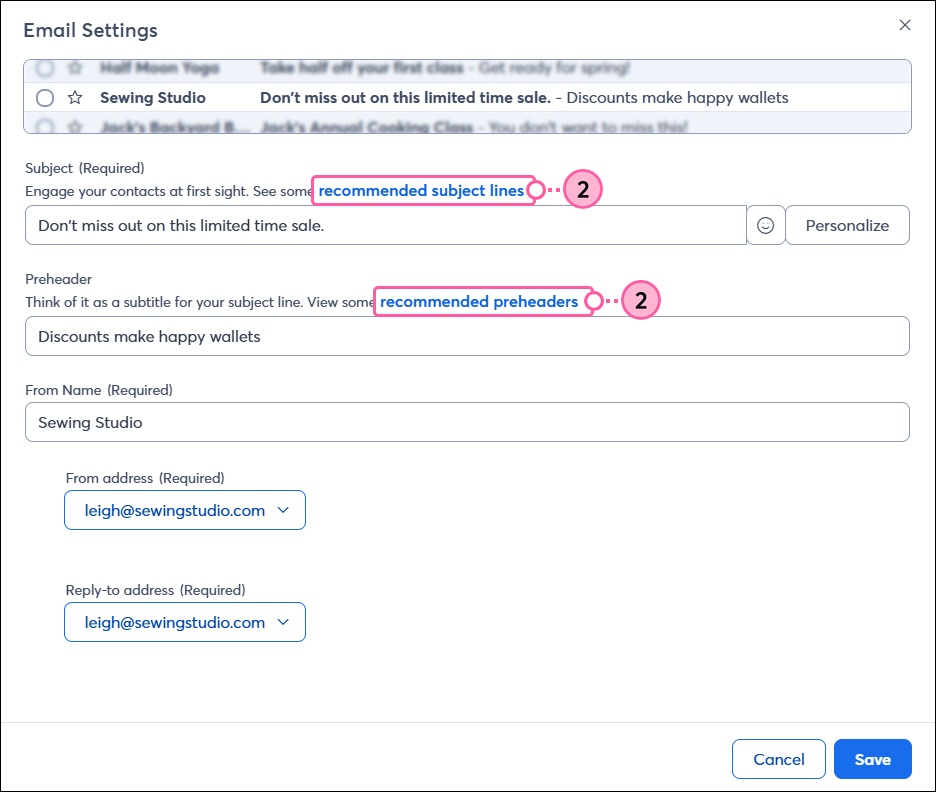
  1. Click the “recommended subject lines” or "recommended preheaders" link.

    Email settings page with Subject Line and Preheader Recommendations links
     
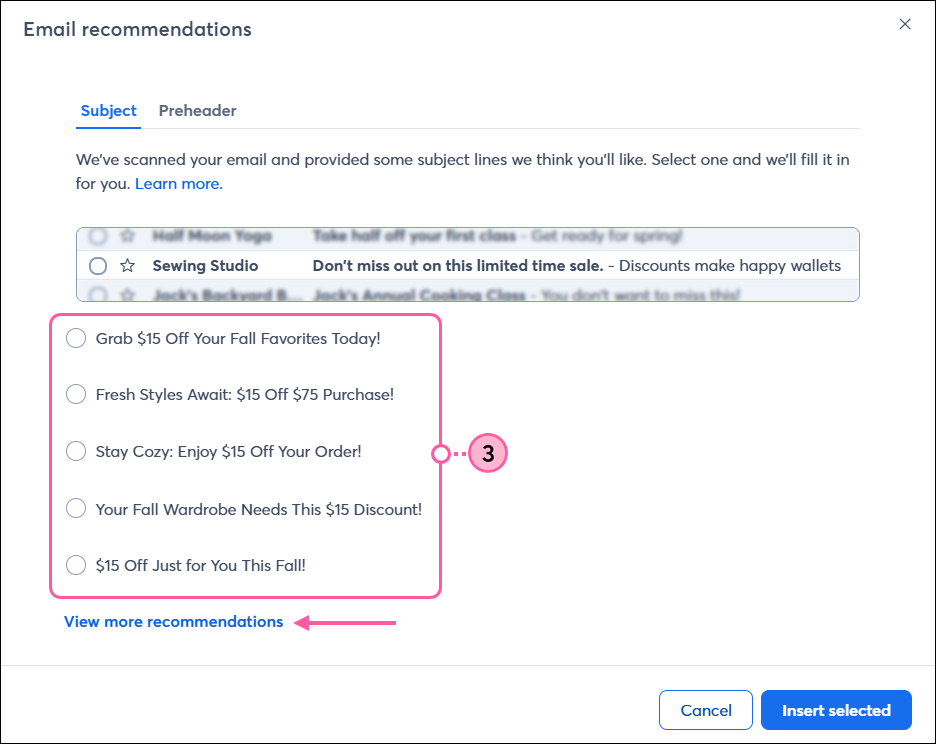
  2. On the Subject tab, select one of the recommended subject lines. To see more options, click "View more recommendations."

    Email recommendations, Subject tab, Subject line options, and View More Recommendations link
     
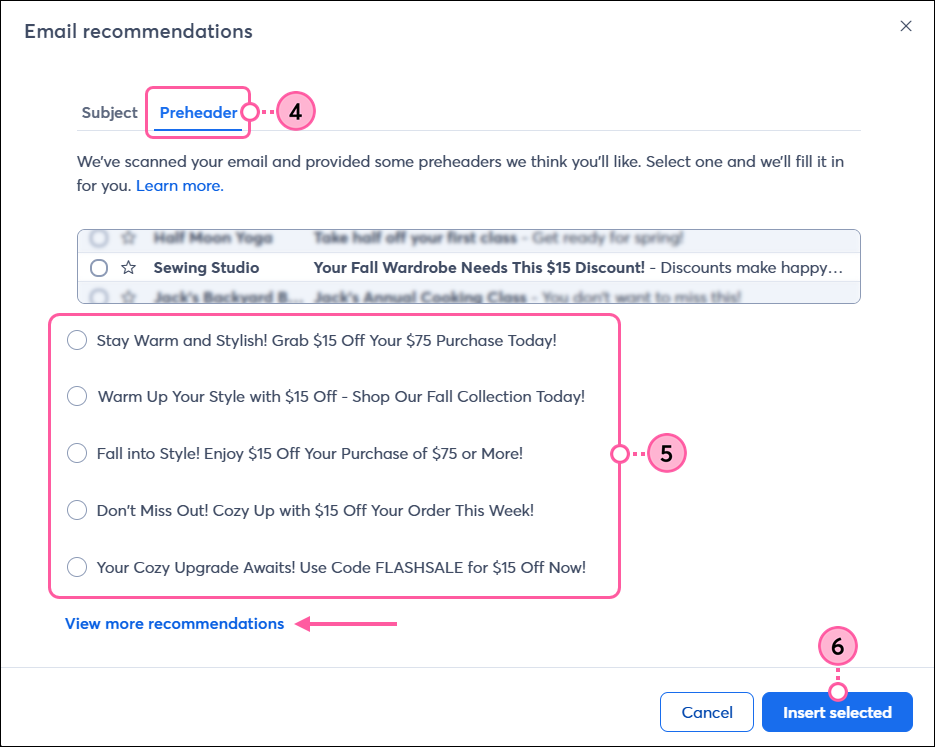
  3. Click the Preheader tab.
  4. Select one of the recommended preheaders. To see more options, click “View more recommendations.”
  5. Click Insert selected to use the selected subject line and preheader. 

    Email recommendations, Preheader tab, preheader options, View More Recommendations link, and Insert Selected button


Light Bulb IconTip: Not sure which subject line will resonate more with your contacts? Try A/B testing two different subject lines


Once your email is sent, give your contacts some time to open it and then check your reporting to see how it performed.


Questions?

Ask the Community

Did this article answer your question?


Constant Contact Logo

Copyright © 2026 · All Rights Reserved · Constant Contact · Privacy Center