We're making it easier to get around Constant Contact with a brand new left navigation. Not all accounts have that change yet, so if your navigation looks different from our articles, that's why–but everything from the top can now be found on the left!

Email and Digital Marketing
How can we help you?
Search our help articles, video tutorials, and quickstart guides

You've got this. You've got us. Search our Knowledge Base to quickly find answers to your questions.

Unsubscribe an individual contact

Article: 000033123
Updated: September 19, 2025

Keep your contact list integrity by manually marking a contact as "unsubscribed" to prevent accidental mailings

There are times when contacts may reach out directly to you and ask to be removed from your contact list instead of clicking the "unsubscribe" link in the footer of their email. Whenever this happens, you have the power to manually change a contact's status to unsubscribed:
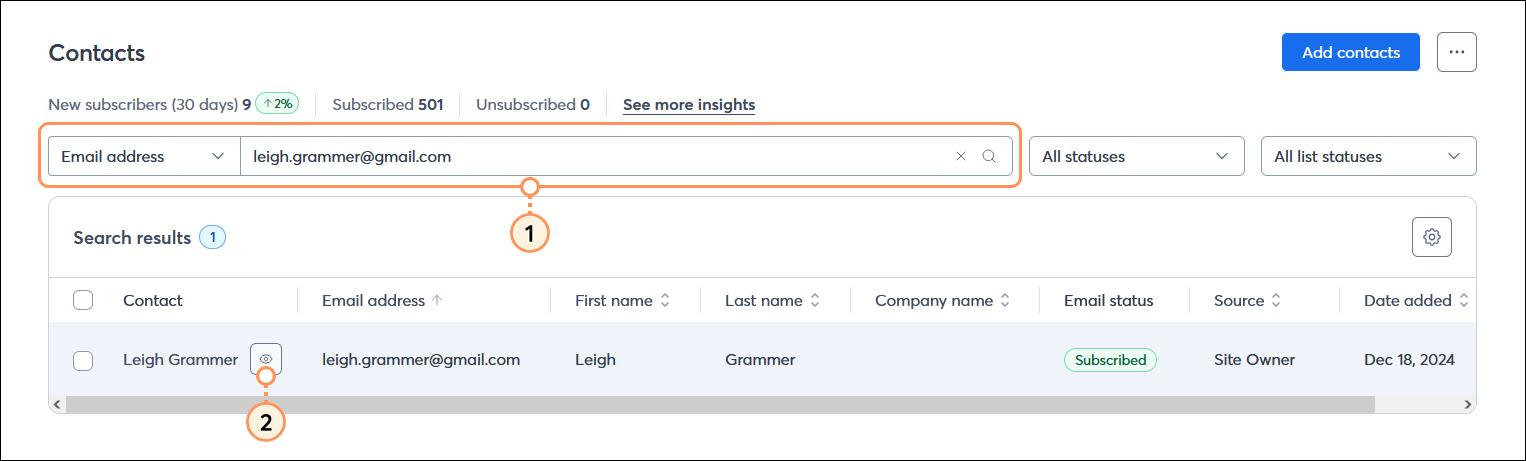
  1. Search for the contact you want to unsubscribe.
  2. Place your cursor over the contact's name and click the View (eye icon) button.

    All contacts table with Search field and Email address option selected, and search results with View button visible

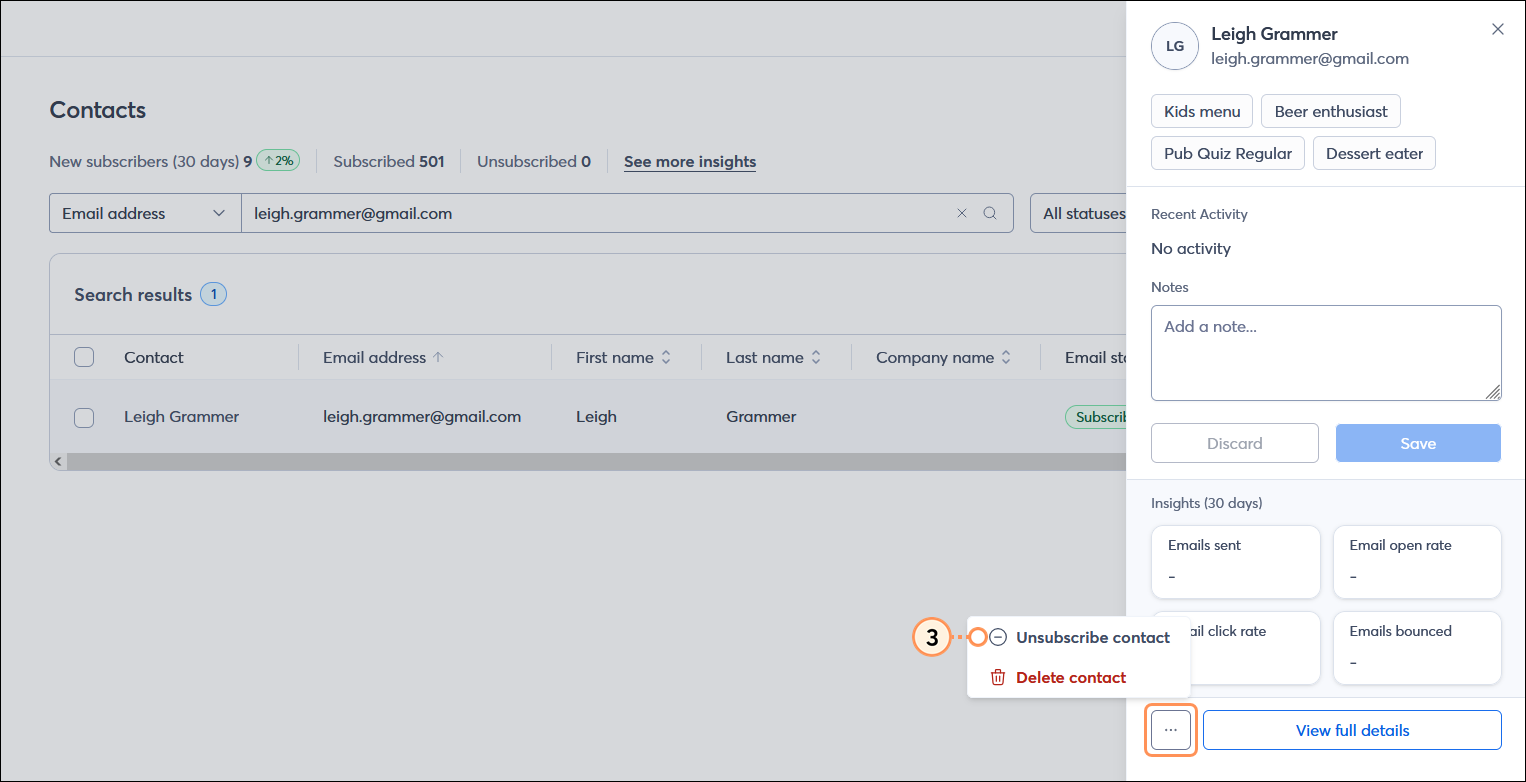
  3. From the panel on the right-hand side of the page, click . . . > Unsubscribe contact.

    Contact panel with menu expanded and Unsubscribe contact option selected

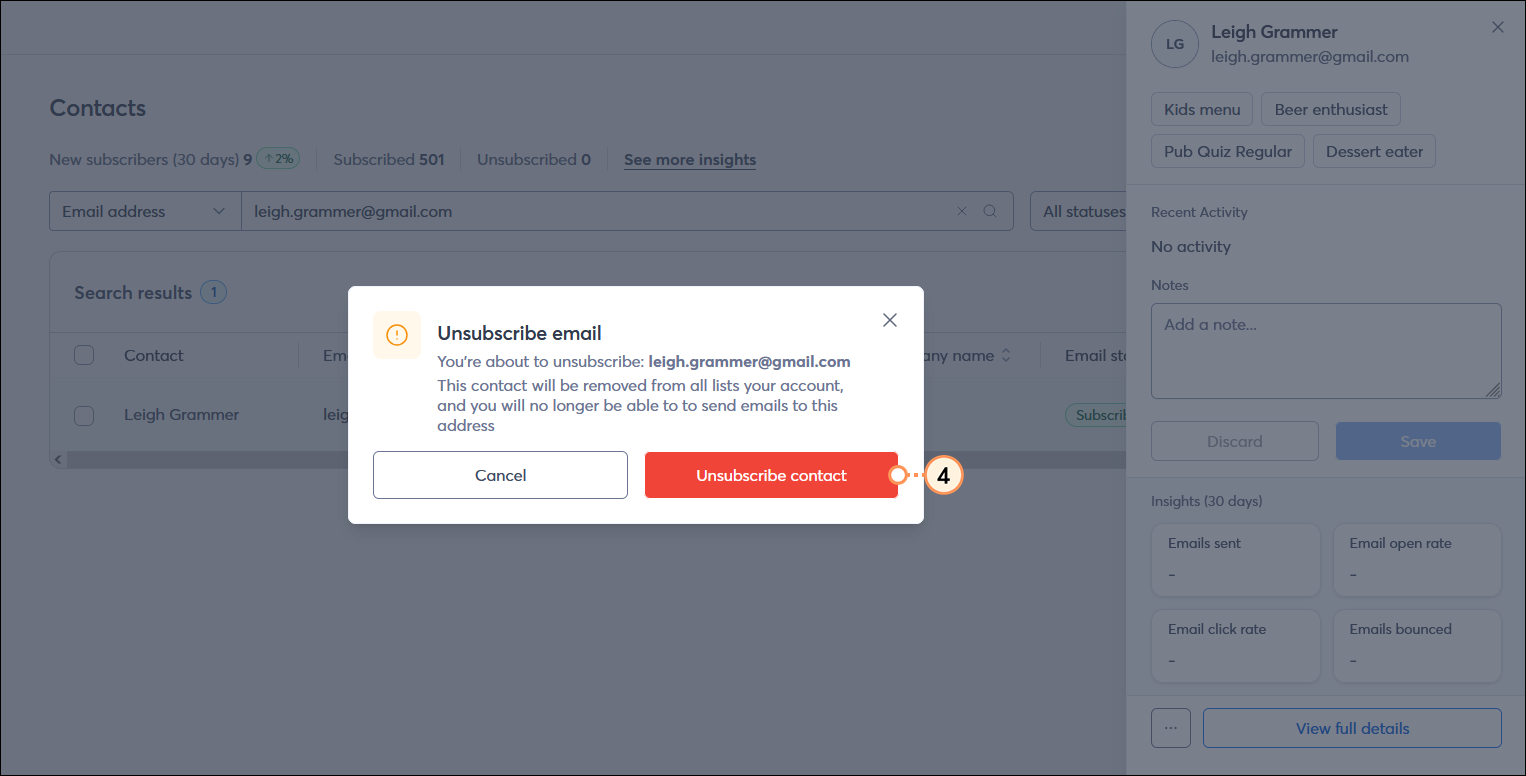
  4. From the Unsubscribe email overlay, click the Unsubscribe contact button.

    Unsubscribe email overlay with Unsubscribe contact button selected

Once contacts have unsubscribed, you can't send them an email again unless they rejoin your list through one of our sign-up tools.


Light Bulb IconDid you know? It's best practice to keep track of your unsubscribed contacts. If you've been keeping a list on your own or have a list of unsubscribed contacts from a previous email marketing provider, you can import them in bulk directly into Constant Contact. This way, you don't accidentally send unwanted email to them, and you stay compliant with the CAN-SPAM Act.


Questions?

Ask the Community

Did this article answer your question?


Constant Contact Logo

Copyright © 2025 · All Rights Reserved · Constant Contact · Privacy Center