A well-segmented contact list ensures you're getting the right content to the right contacts. It's okay to move contacts from one list to another when they no longer meet the list's criteria! Or, maybe sometimes you want your contacts to be on multiple lists for different reasons, that's ok, too! When you add a contact to a different list, our Automation Path Builder lets you send an email or SMS message to engage with them.
 | Did you know? Welcome automations are triggered when a contact joins your list through a sign-up form, but list-join automations are triggered any time a contact is added to the list you choose, including when they sign up, when you manually move them, or when they are added to a list through an automated process. |
Follow the steps to create an automation path using a pre-built template and select the following template:
Once your list-join path is created and saved, you can find it again by selecting the Automations option in the left-hand menu of your account.
 | Important: If you have a welcome path already active for a specific list, either choose a different list for your list-join trigger or deactivate the welcome path. If both paths are active for the same list, a contact who joins the list will trigger both paths and potentially receive duplicate or conflicting content from you. |
You can control which list triggers your automation path, and you can even select multiple lists.
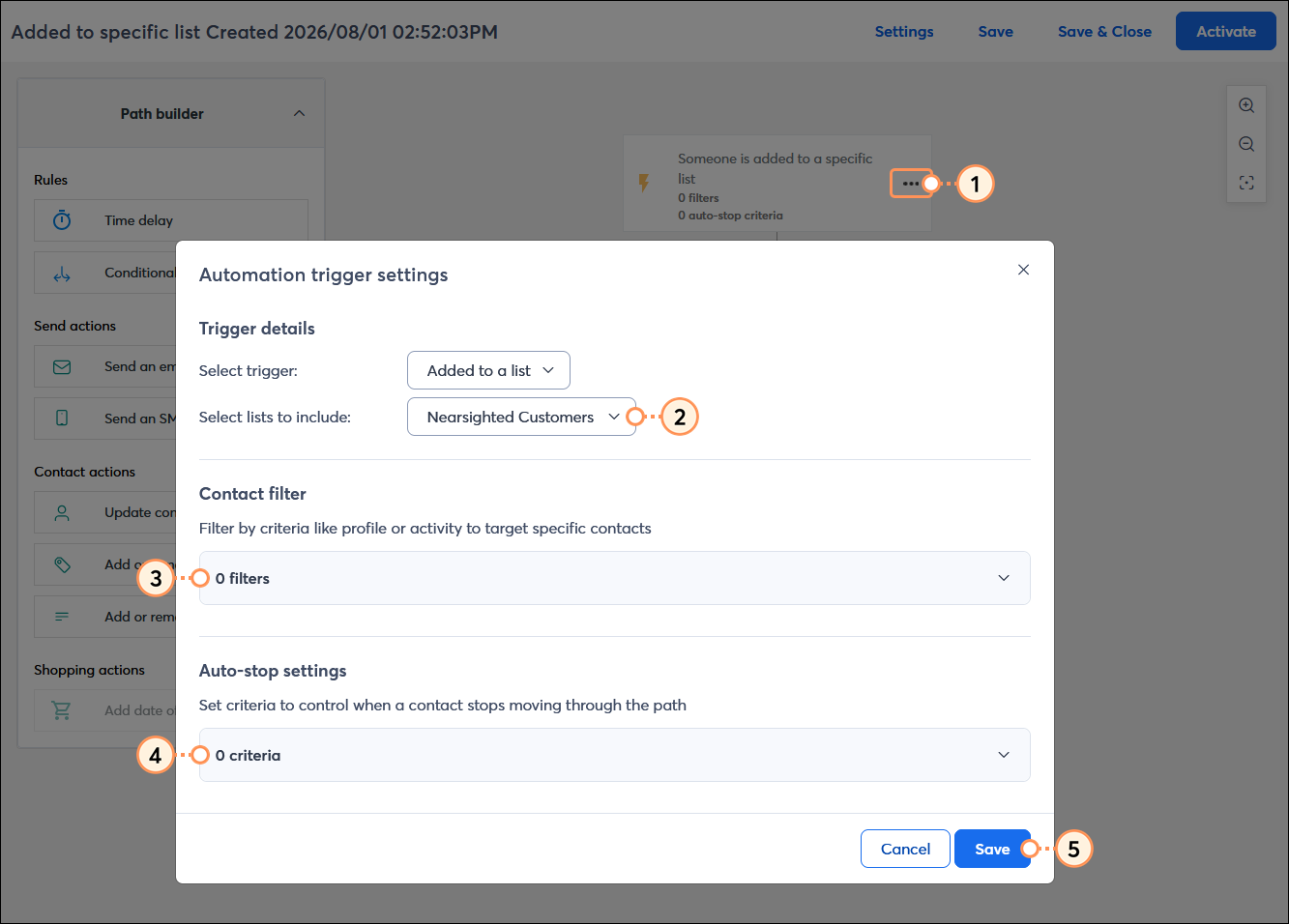
 | Design tip: Want to learn more about the triggers in your automation path? Check out this article for understanding triggers. |
Your message content is fully customizable! It can be a simple "welcome" message or used to dive into the details for your target audience. Emails offer the most content flexibility, while SMS messages are more likely to be read and engaged with.
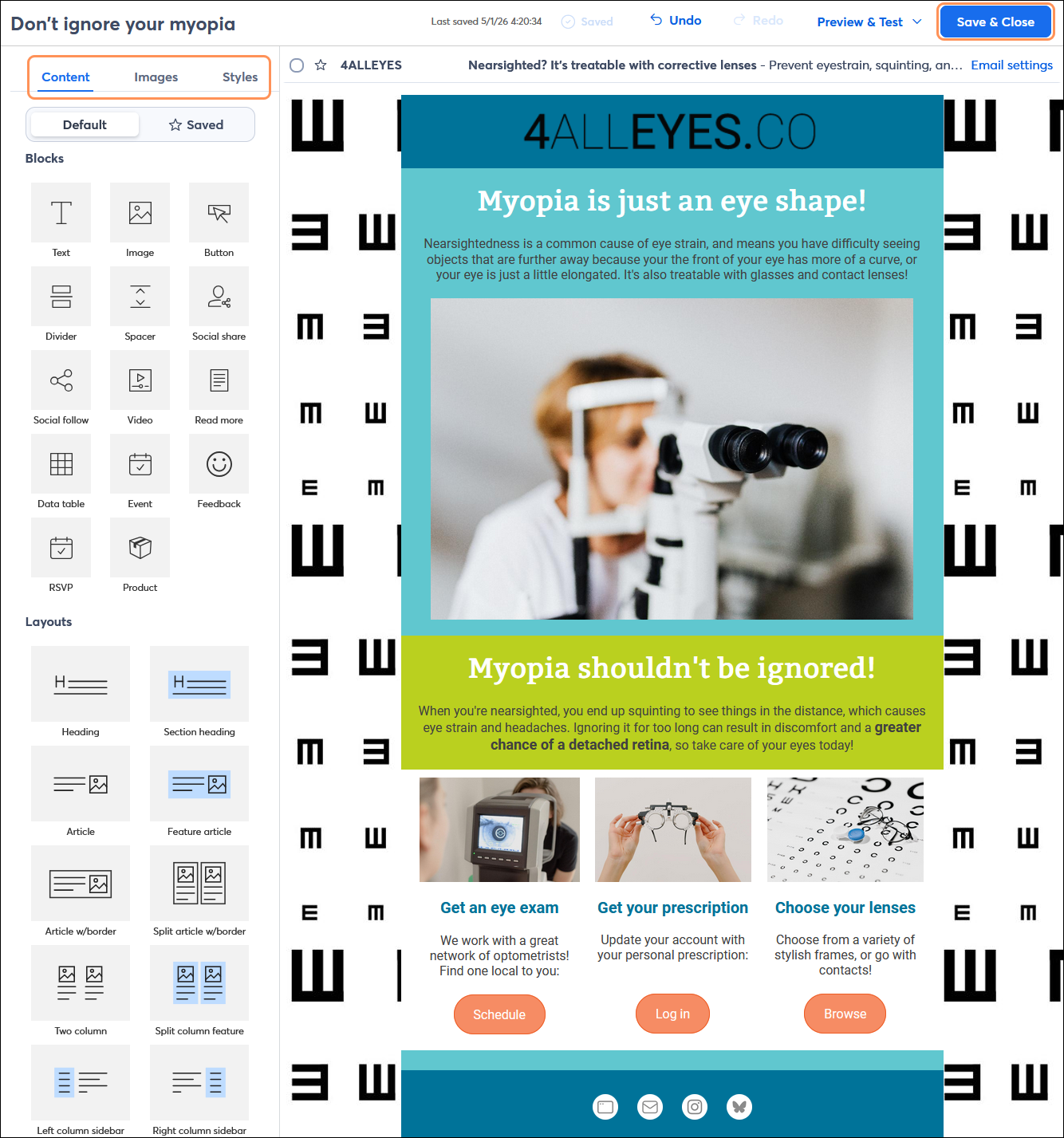
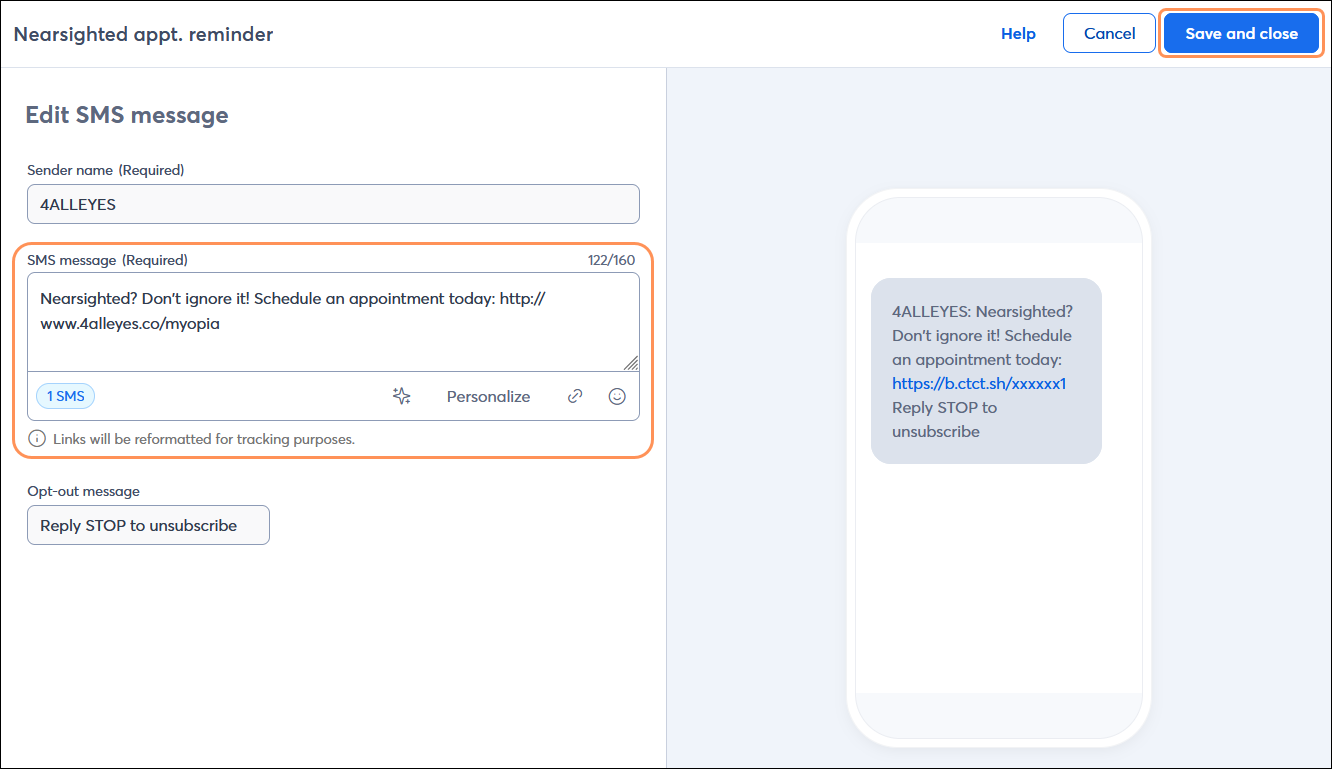
Repeat the steps for each email or SMS message in your path.
| Design tip: The "added to specific list" template doesn't include SMS by default, but if you're registered for SMS marketing, you can add SMS messages to your path too! |
The "added to specific list" template provides a basic path that just needs the message content added, but you can also make your path more complex by adding additional messages. Emails offer the most content flexibility, while SMS messages have a higher likelihood of being read and engaged with.
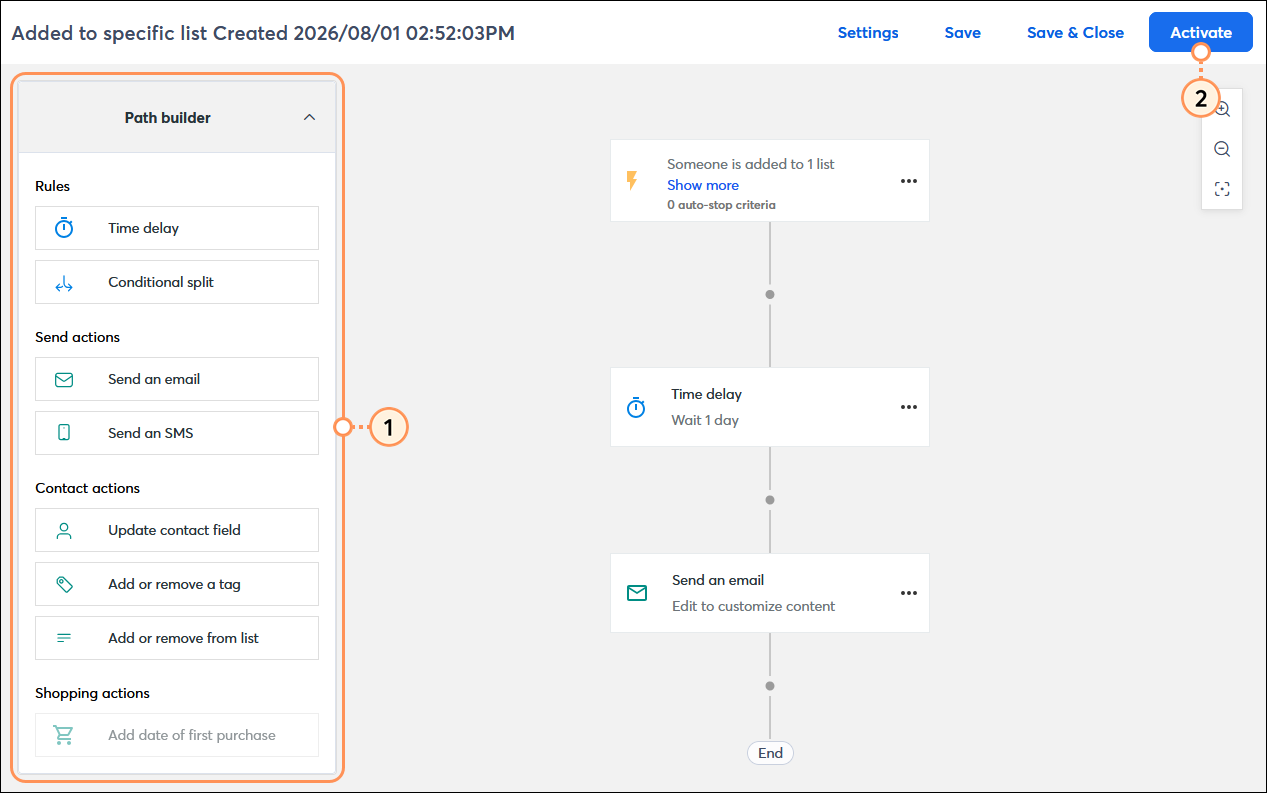
Once your automation path is activated, you’re brought to the details page where you can review your performance and reporting information.
Copyright © 2026 · All Rights Reserved · Constant Contact · Privacy Center