Email and Digital Marketing
How can we help you?
Search our help articles, video tutorials, and quickstart guides

You've got this. You've got us. Search our Knowledge Base to quickly find answers to your questions.

Payment options for your account

Article: 000005775
Updated: January 15, 2026

Review the options available to pay for your Constant Contact subscription

Constant Contact is a digital marketing product that you pay for on a monthly basis, and you can cancel anytime. There are several ways you can pay for your subscription:

To view or update your plan, payment method, and billing information, click the profile name in the upper-right, select Settings, and then click the Billing tab.
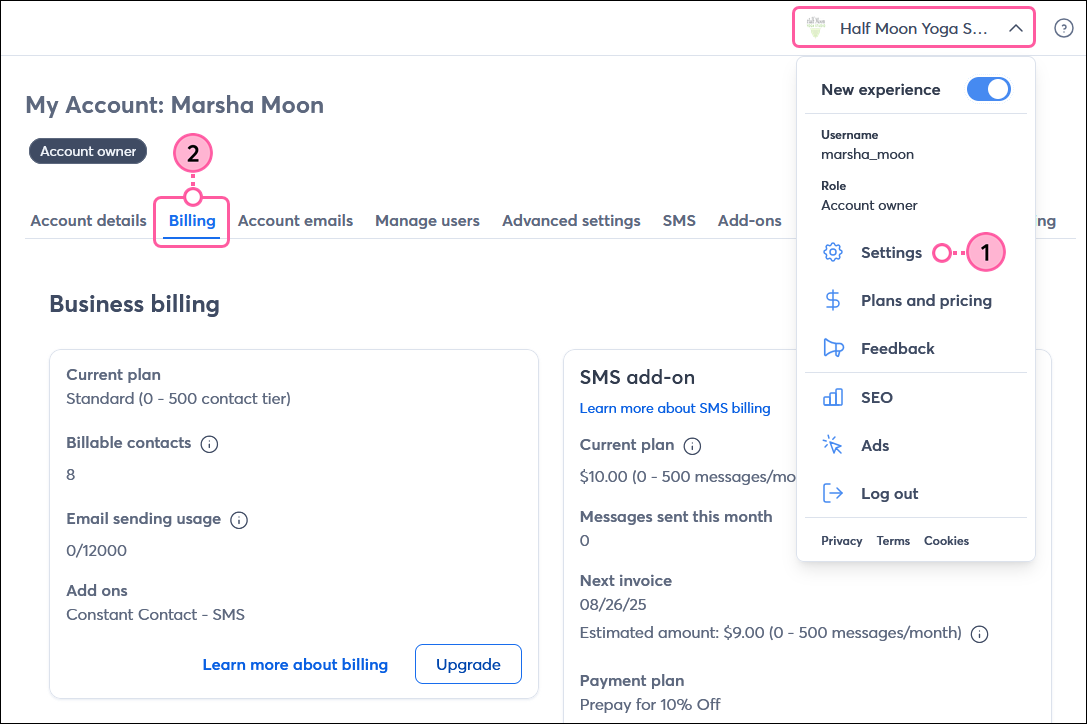

Profile name drop-down, Settings option, and Billing tab


Exclamation Point IconImportant: If you're looking for information on Constant Contact's prices, please check out the Plans & Pricing page in your account.

Payment methods and currencies

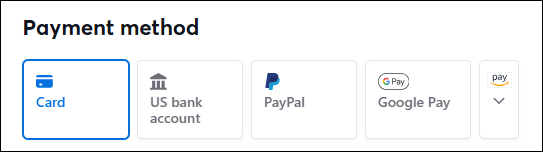
You can pay for your Constant Contact account with:

You cannot pay with cash.

Note: A valid payment method on file is required at all times, and you can't add more than one credit card or delete a credit card from the account entirely; you can only update it to a different card. If you want to remove the credit card from the account entirely, please contact our Billing Department and have an alternate payment method ready.


List of payment methods
 

Currently, Constant Contact accepts these currencies:

  • USD ($) - United States Dollar
  • AUD ($) - Australian Dollar
  • BRL ($) - Brazilian Real
  • CAD ($) - Canadian Dollar
  • EUR (€) - Euros
  • GBP (£) - Great British Pound
  • INR (₹) - Indian Rupee
  • MXN ($) - Pesos
  • NZD ($) - New Zealand Dollar

Important: The account currency is automatically selected for you based on your location when you create your Constant Contact trial account. While in trial, you can change the currency in your account if needed. However, the currency cannot be changed once you’ve made a payment through your account. 


Pay monthly

When you choose a monthly payment plan, your payment method on file is automatically charged each month. The amount you pay is based on a combination of:

  • The email plan you've selected.
  • Your contact tier.
    • This is based on the highest number of contacts you've had in your account, regardless of the count at the end of a month. For example, if you start with 400 contacts, increase to 525, and then decrease to 410, your bill will be based on the 501 to 1,000 contact tier.

You're charged monthly, regardless of whether you send a campaign. Learn more about how you're billed for Constant Contact.


Exclamation Point IconFor customers in India: Effective October 1, 2021, banks in India can no longer process auto-renewal transactions exceeding 5,000 rupees without additional consent from account holders. As a result, customers in India must select a 6- or 12-month prepay option.


Prepay and get a discount

Constant Contact offers discounts if you prepay your monthly bill:

Note: The option to prepay is not currently available for new customers in Canada joining as of October 1, 2025.


Prepayments may last longer or run out sooner if your contact tier changes. For example, if you prepay for 501-1,000 contacts and your list increases to more than 1,000, your pricing will adjust, and your prepayment will end sooner than the 6- or 12-month period. You won’t be notified when your contact tier changes, but you will receive an email notification to your verified billing email address when your prepaid balance is running low. Learn more about your prepaid account balance.

If your prepayment balance can't cover the anticipated charges for the following billing period, you'll be automatically renewed for prepayment. No refunds will be offered. If you don’t want your prepayment to auto-renew, please contact our Support Team.


Questions?

Ask the Community

Did this article answer your question?


Constant Contact Logo

Copyright © 2026 · All Rights Reserved · Constant Contact · Privacy Center