 | Important: To update your billing information, you must be logged in as the Account Owner and using a web browser on a computer or mobile device. Billing information isn't accessible through our mobile app. |
You can change your payment method or update the credit card used to pay for your account at any time in your account settings. If your account was deactivated due to a credit card failure, a failed e-check payment, or an invalid PayPal account, update your payment method to reactivate it.
 | Did you know? A valid payment method must be on file at all times. You can't add more than one credit card to your account or delete a credit card entirely from the account; you can only update it to a different card. If you want to remove the credit card from the account entirely, please have a new payment method ready and contact our Billing Department. |
If you need to update the credit card information or use a different credit card for your payment method:
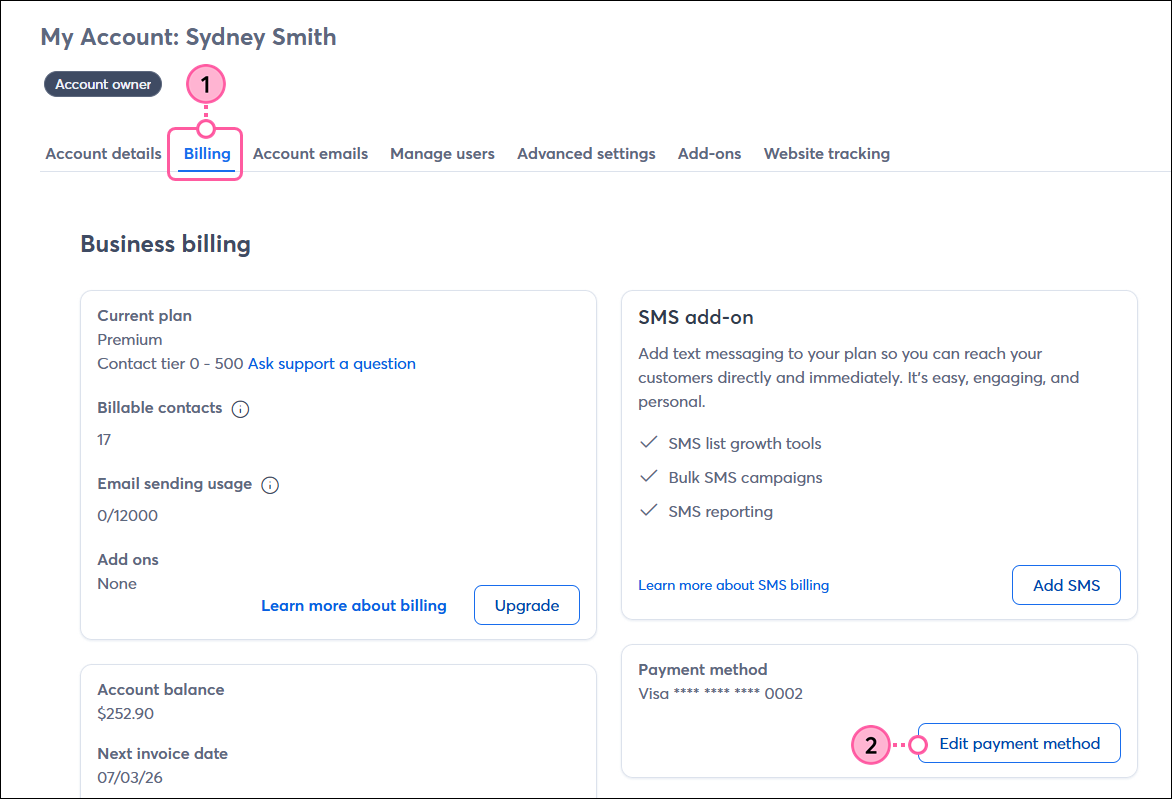
| Note: If your account looks different than what's shown below, please refer to this article instead. |
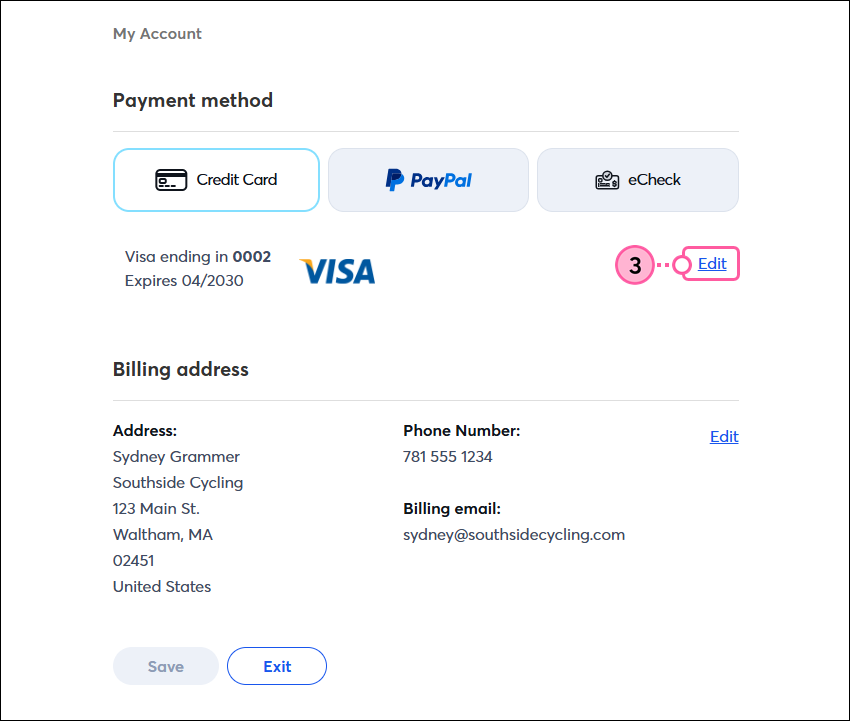
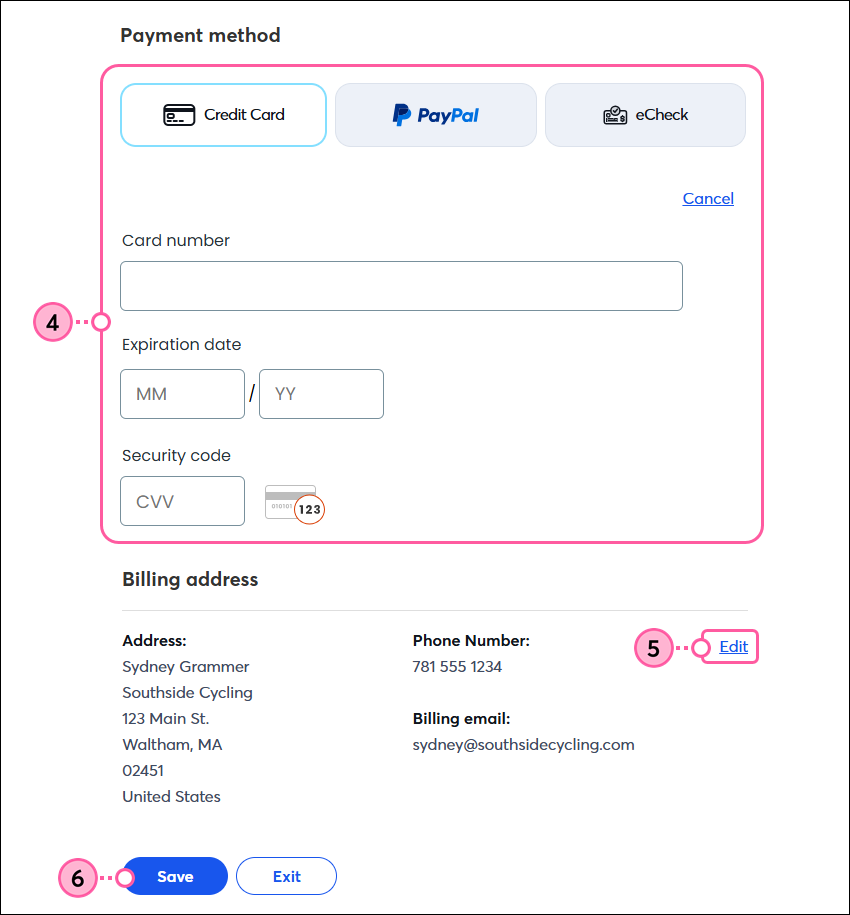
Now that you've updated your payment method, you can print or email the invoice for your record-keeping.
If you have a past due balance on your account because your payment method has expired or is no longer working:
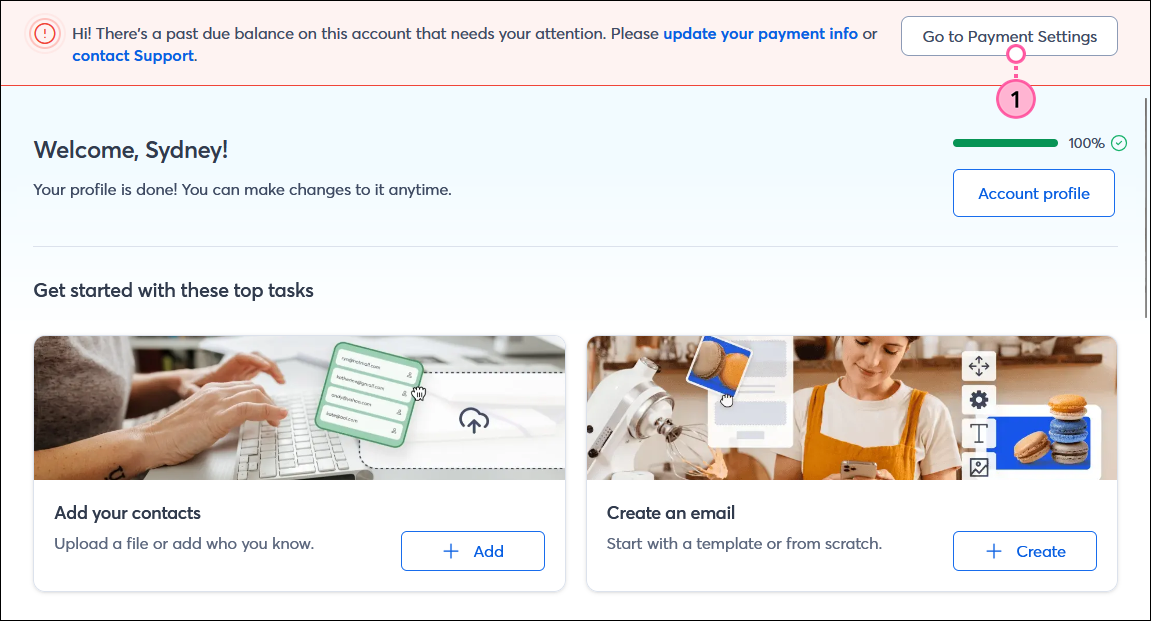
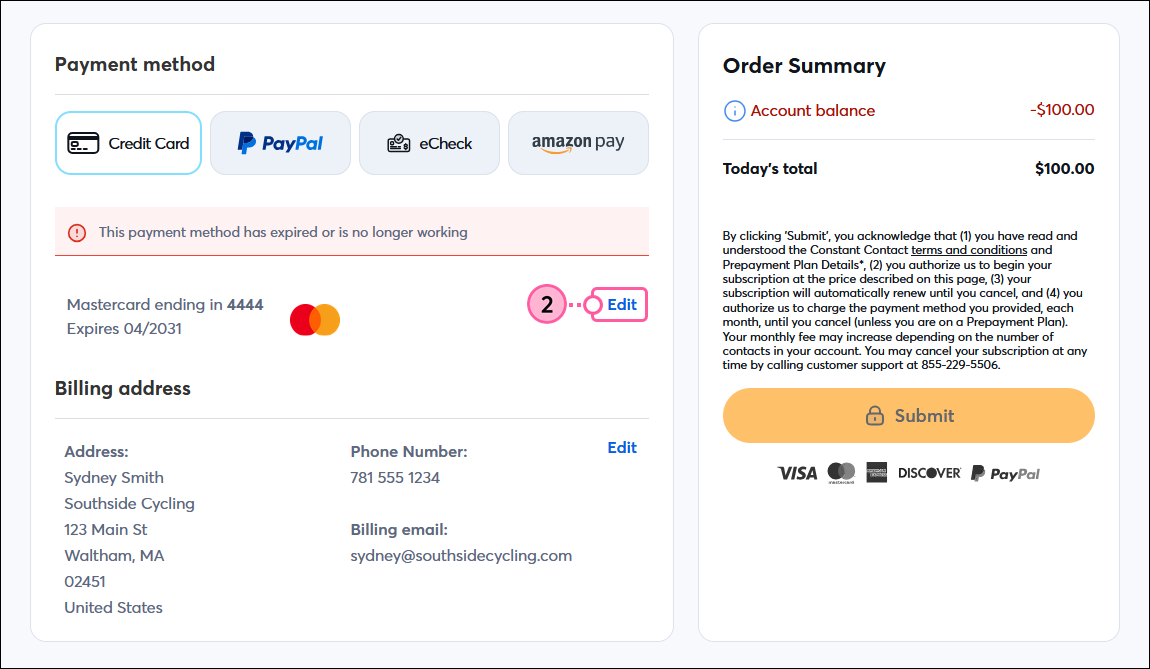

Now that you've updated your payment method, you can print or email the invoice for your record-keeping.
Copyright © 2026 · All Rights Reserved · Constant Contact · Privacy Center