Email and Digital Marketing
How can we help you?
Search our help articles, video tutorials, and quickstart guides

You've got this. You've got us. Search our Knowledge Base to quickly find answers to your questions.

Change or update your payment method

Article: 000054800
Updated: January 27, 2026

Update your credit card information to keep your account in good standing and avoid credit card failures

You can change the credit card used to pay for your account at any time in your account settings. If your account was deactivated due to a credit card failure, a failed e-check payment, or an invalid PayPal account, update your payment method to reactivate it. You have to be logged in as the Account Owner to do this.


Update your credit card information

If you need to update the credit card information or use a different credit card for your payment method:
  1. Click the profile name in the upper-right and select Settings from the drop-down.

    Profile name and My Account dropdown option

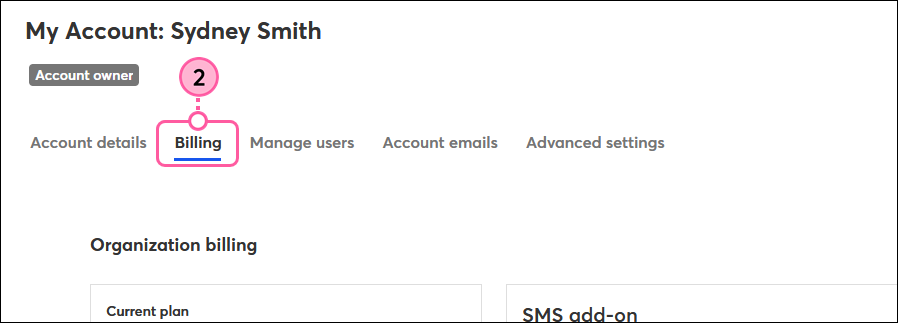
  2. Click the Billing tab.

    Billing tab
     
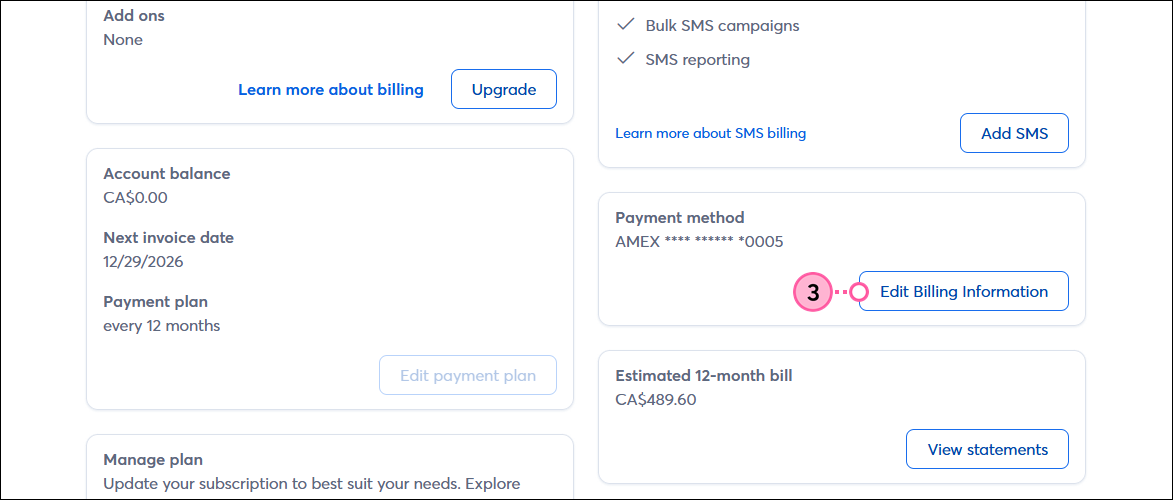
  3. Scroll down to the Payment method section and click Edit payment method.

    Billing tab, Payment Method section, and Edit Payment Method button  
     
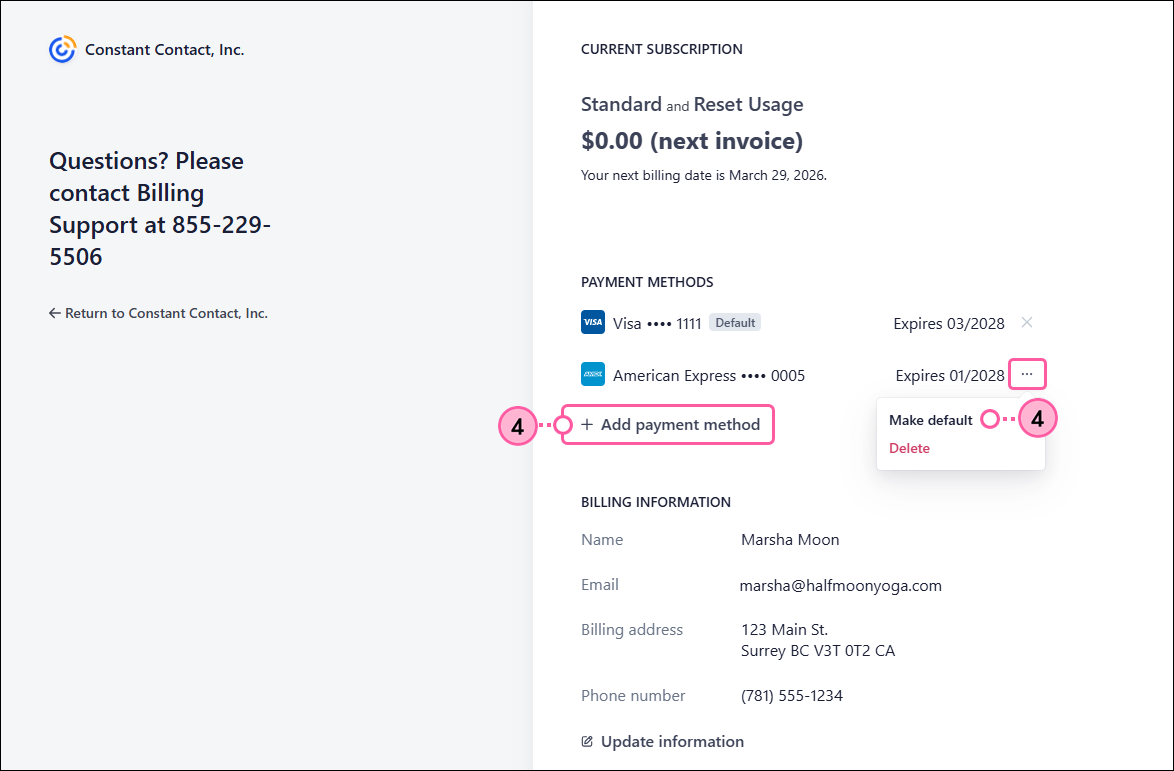
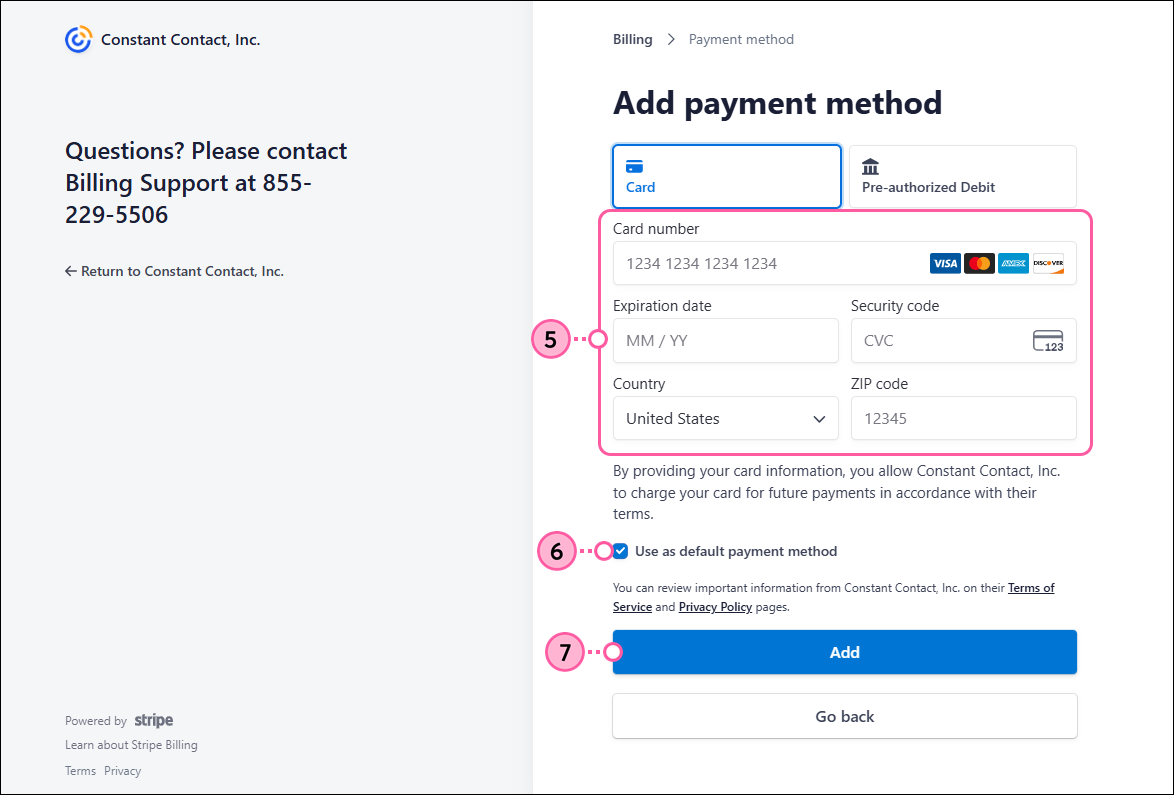
  4. Enter your credit card information in the fields, or select a different payment method to use.
  5. Click Add.
    Exclamation point iconNote: If your account looks different than what's shown below, please refer to this article instead.

    Credit card info fields and Add button 
     
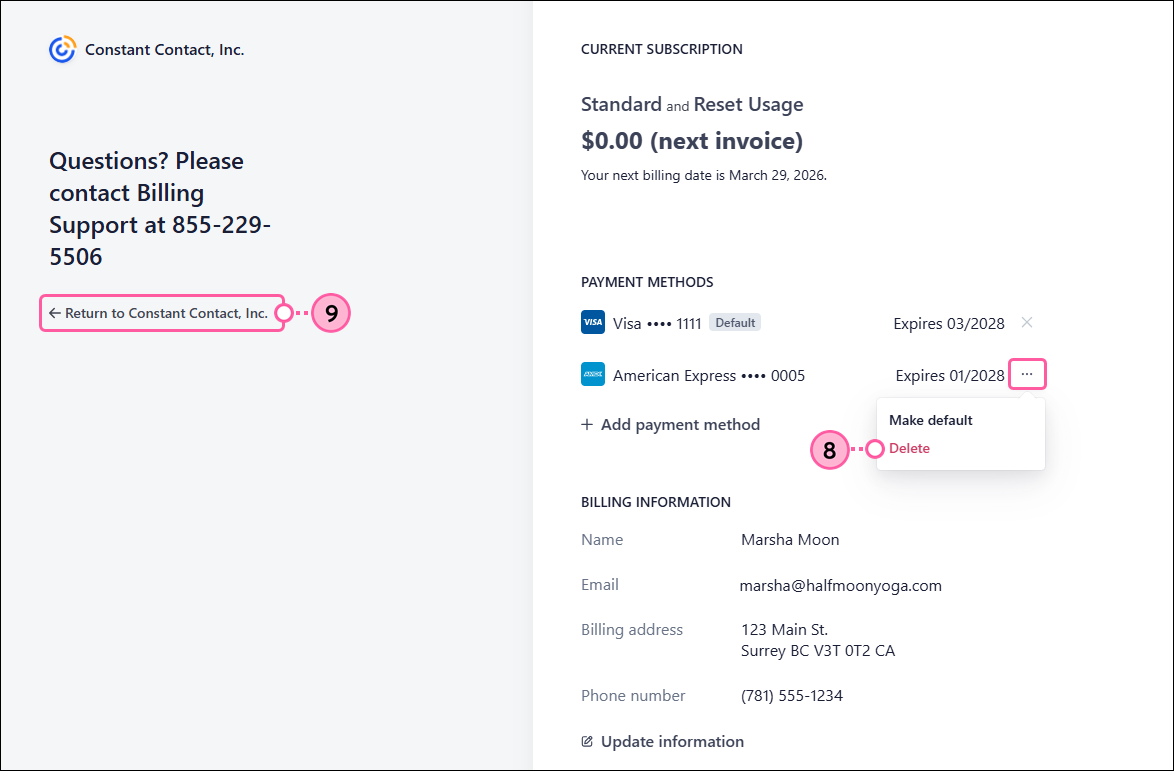
  6. Click “Return to Constant Contact” to return to your account settings.

    Stripe dashboard, Payment Method Updated, and Return to Constant Contact link 


Now that you've updated your payment method, you can download the invoice for your record-keeping.


Update an expired or invalid payment method

If you have a past due balance on your account because your payment method has expired or is no longer working:
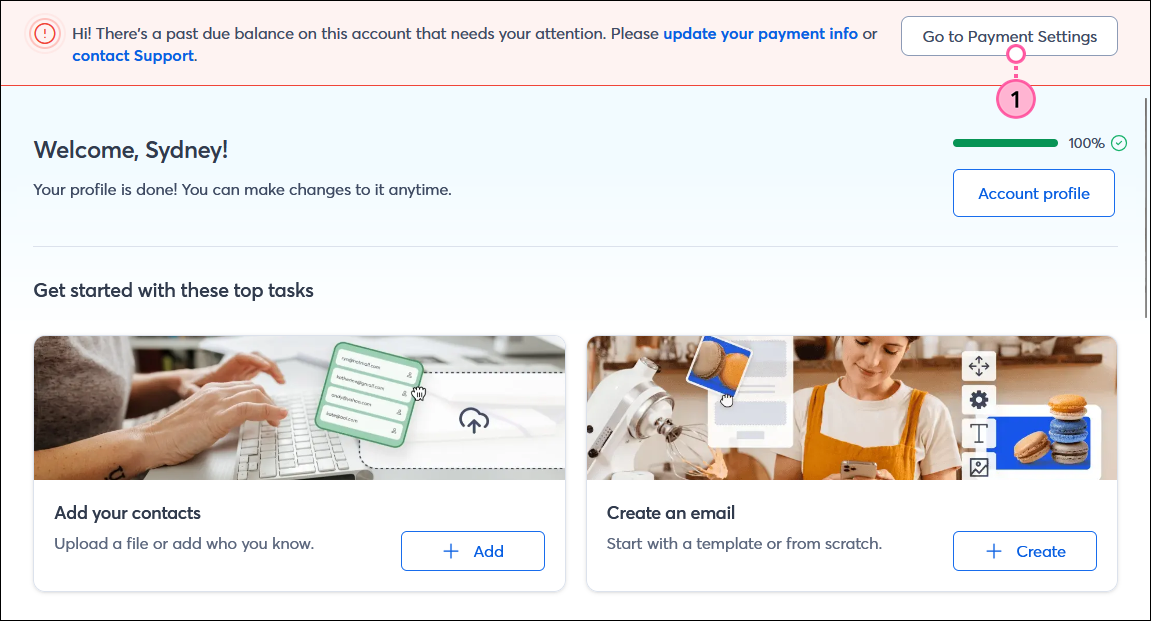
  1. Click the Go to Payment Settings button in the banner at the top of your account.

    Dashboard with Past Due Balance banner and Go to Payment Settings button
     
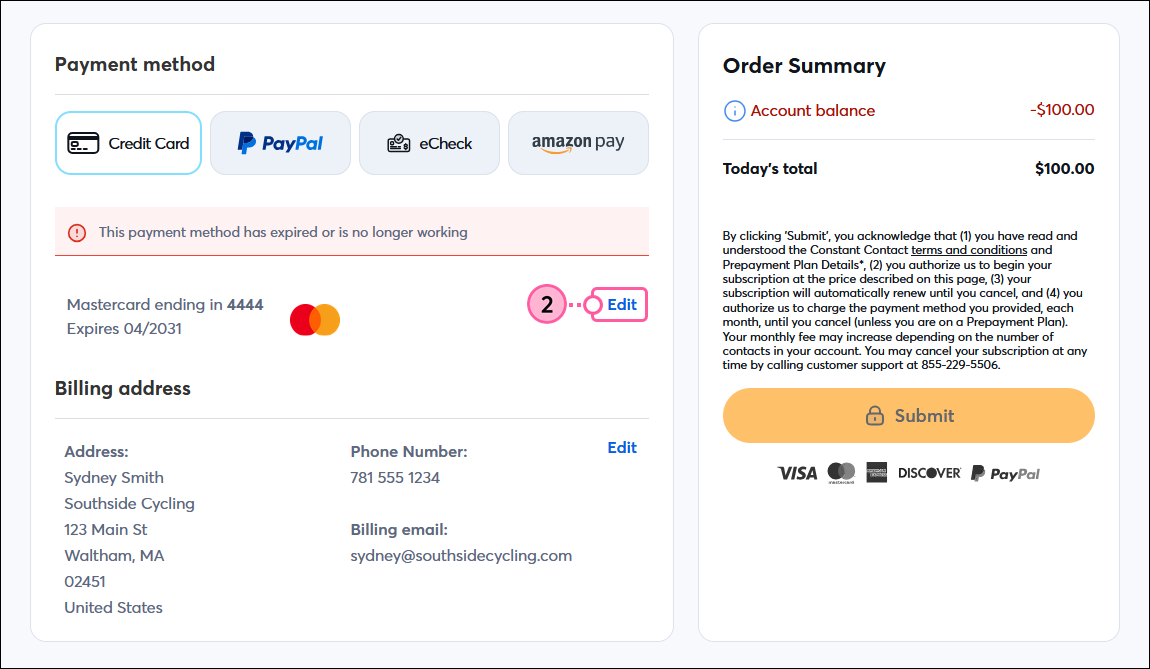
  2. Click Edit in the payment method section.

    Payment Method, Credit Card option, Edit

  3. Enter your credit card information in the fields, or select a different payment method to use.
  4. Make sure your Billing address, email address, and phone number are correct. If necessary, click Edit to make changes.
  5. When you’re finished, click Submit.

    Save Credit Card and Billing Address Info 


Now that you've updated your payment method, you can download the invoice for your record-keeping.


Questions?

Ask the Community

Did this article answer your question?


Constant Contact Logo

Copyright © 2026 · All Rights Reserved · Constant Contact · Privacy Center