Email and Digital Marketing
How can we help you?
Search our help articles, video tutorials, and quickstart guides

You've got this. You've got us. Search our Knowledge Base to quickly find answers to your questions.

Pay for your account with a Pre-authorized Debit

Article: 000054798
Updated: January 5, 2026

Use a pre-authorized debit (PAD) to pay for your Constant Contact account

Exclamation point iconNote: This payment option is only available to customers in Canada paying with CAN currency. 


A pre-authorized debit (PAD) is a common and secure way to pay for your Constant Contact subscription by automatically drawing funds directly from your checking or savings account for the recurring payments.


Exclamation point iconImportant: Stripe, our payment processor, charges a fee for PADs, typically 1% + $0.30 CAD per transaction. There may also be fees for instant bank account verification and failed/disputed payments.


You can set up PAD as your payment method when upgrading from a trial to a paid account or when changing your email plan:
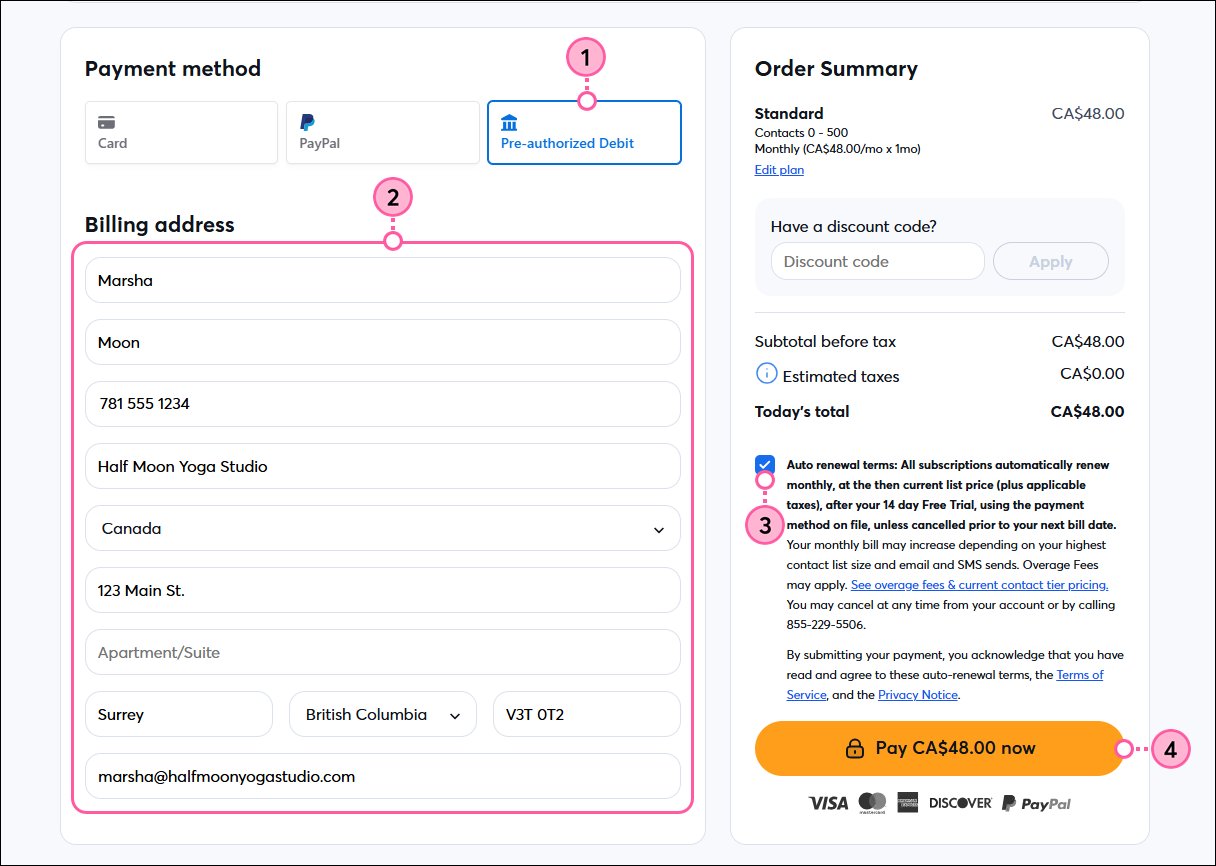
  1. On the payment method screen, select Pre-authorized Debit.
  2. Enter or update your billing address.
  3. Review the terms and check the box to agree.
  4. Click Pay now.

    Checkout page with payment method options, Pre-authorized Debit selected, Billing address fields, Terms checkbox, and Pay Now button

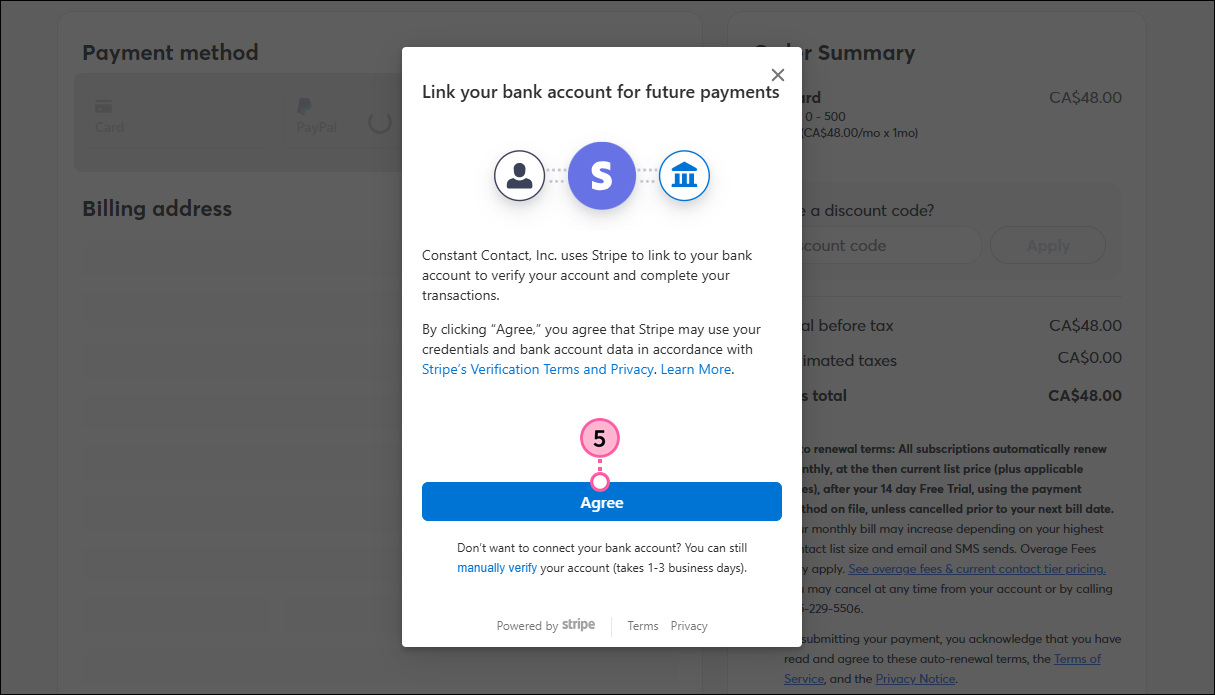
  5. Click Agree.

    Checkout page with pop-up to link bank account and Agree button

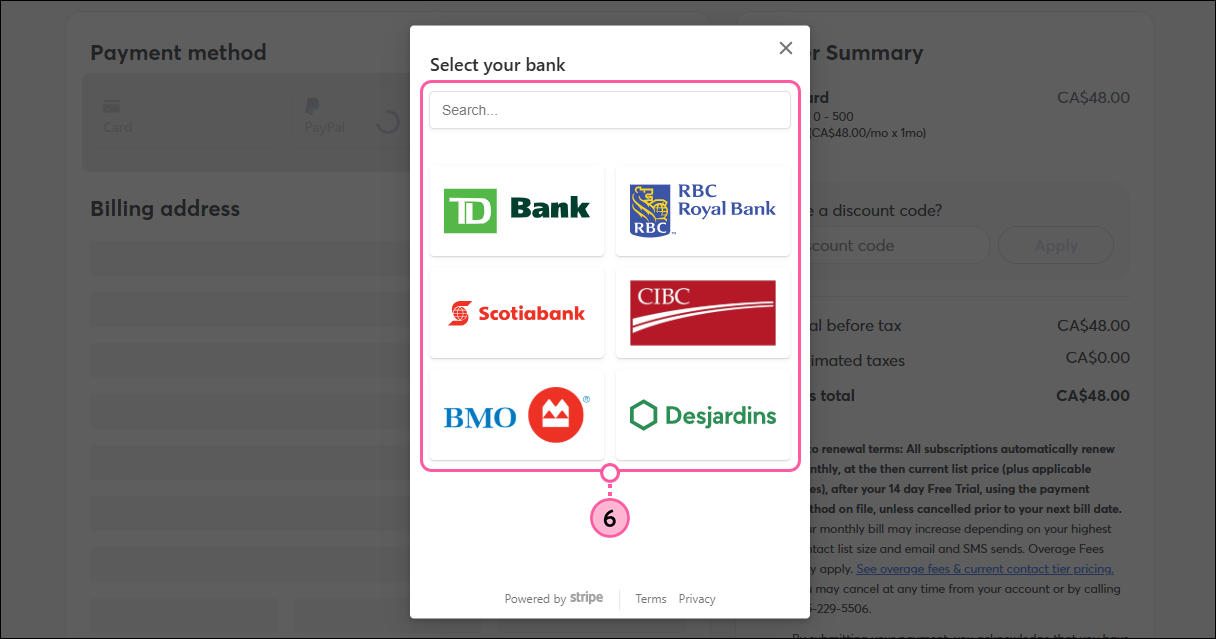
  6. Select your bank and then log in to your bank account.

    Checkout page with pop-up to select your bank

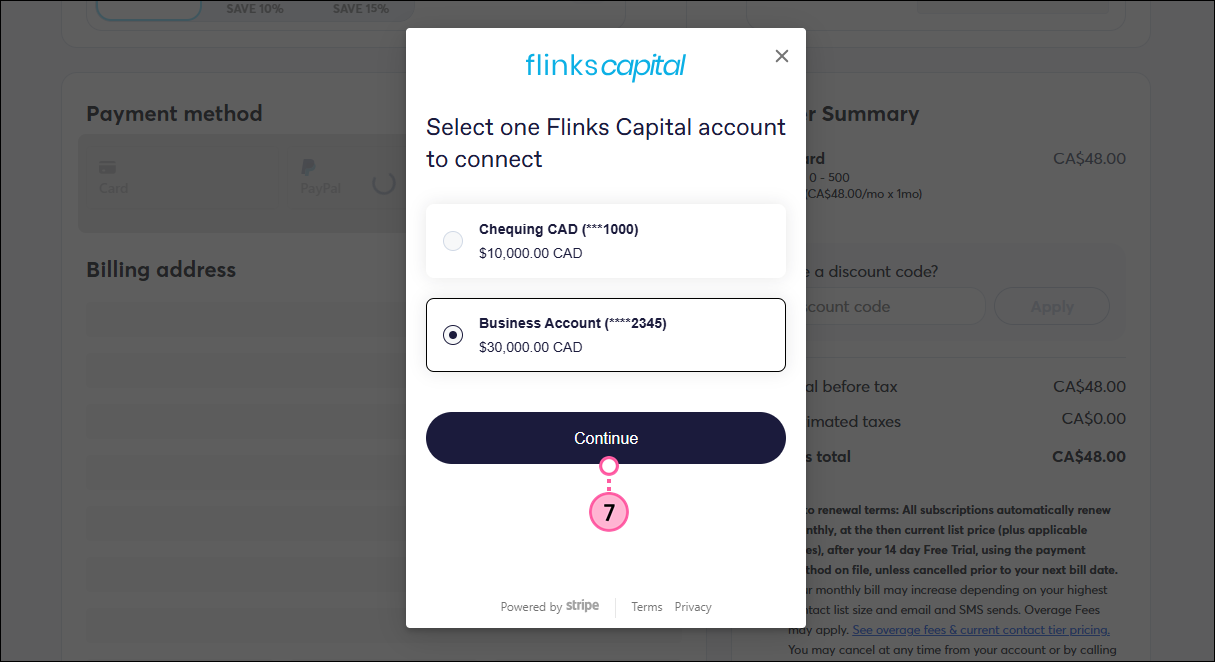
  7. Select the account you want to connect and click Continue.

    Checkout page with pop-up to select bank account to connect and Continue button

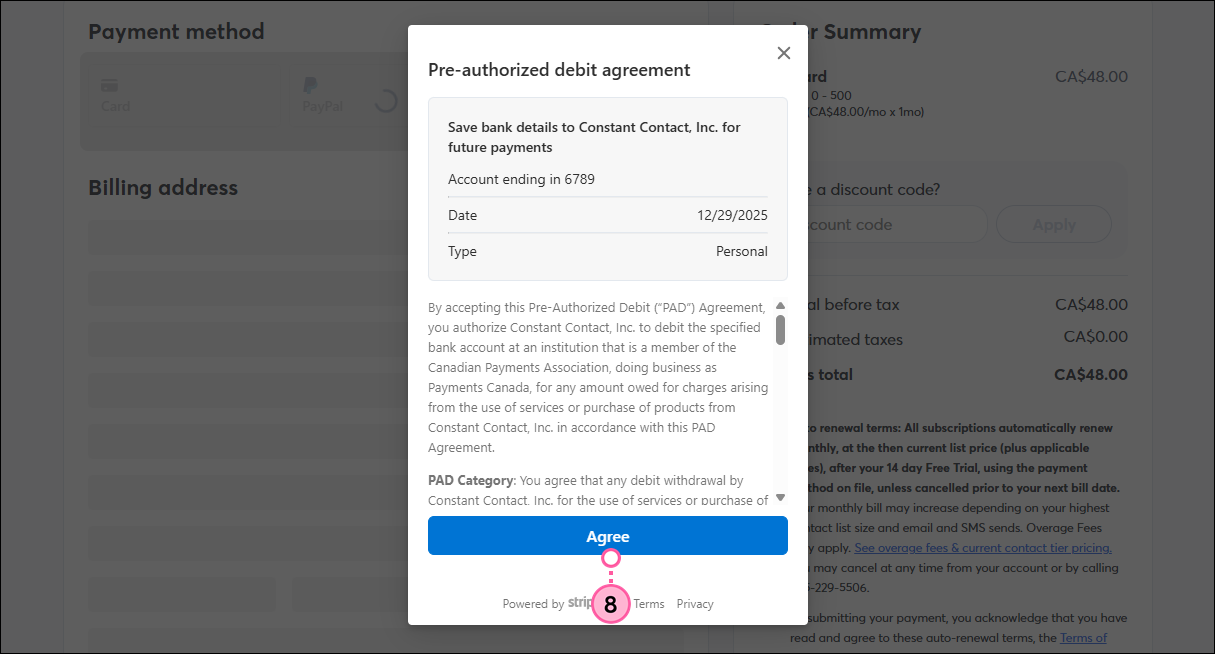
  8. Click Agree.

    Checkout page with pre-authorized debit agreement pop-up and Agree button

Note: Unlike credit cards, it can take several business days for a PAD payment to be fully processed, but you’ll have access to your Constant Contact account and all features within your selected plan right away.


Questions?

Ask the Community

Did this article answer your question?


Constant Contact Logo

Copyright © 2026 · All Rights Reserved · Constant Contact · Privacy Center