Email and Digital Marketing
How can we help you?
Search our help articles, video tutorials, and quickstart guides

You've got this. You've got us. Search our Knowledge Base to quickly find answers to your questions.

Pay for your account with Stripe Link

Article: 000055192
Updated: March 24, 2026

Use Stripe Link to pay for your Constant Contact account

Exclamation point iconNote: This payment option is not currently available to all customers.


Stripe Link is an easy and secure way to pay for your Constant Contact account, allowing you to set up recurring payments using a saved payment method in your Link wallet.


You can set up Link as your payment method when upgrading from a trial account or changing your email plan:
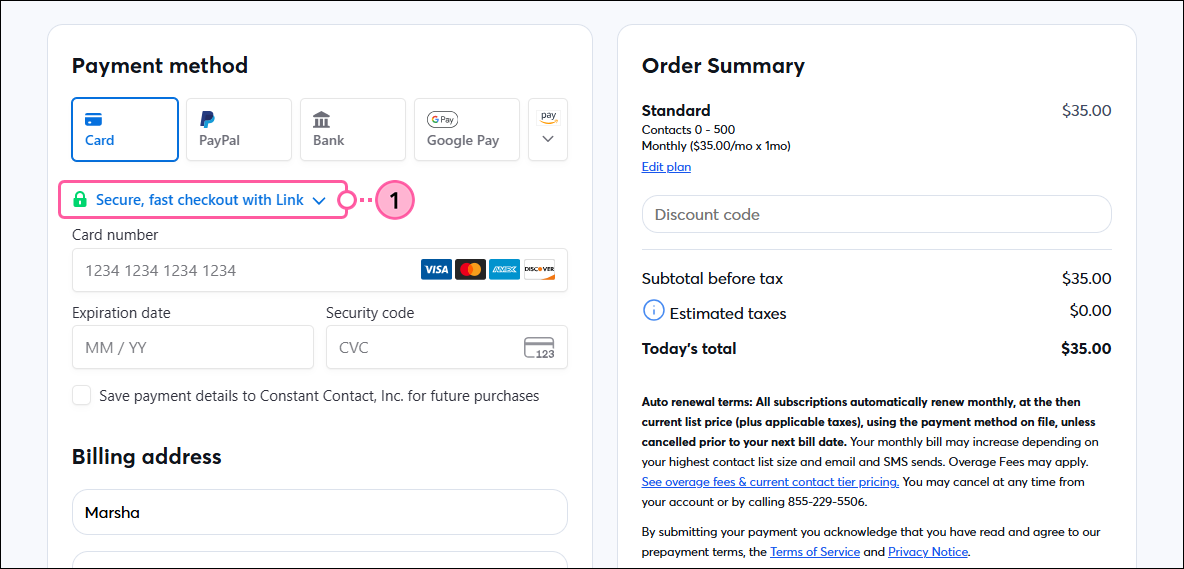
  1. On the payment method screen, click the “Secure, fast checkout with Link” link.

    Checkout page, Payment method section, and Stripe Link link

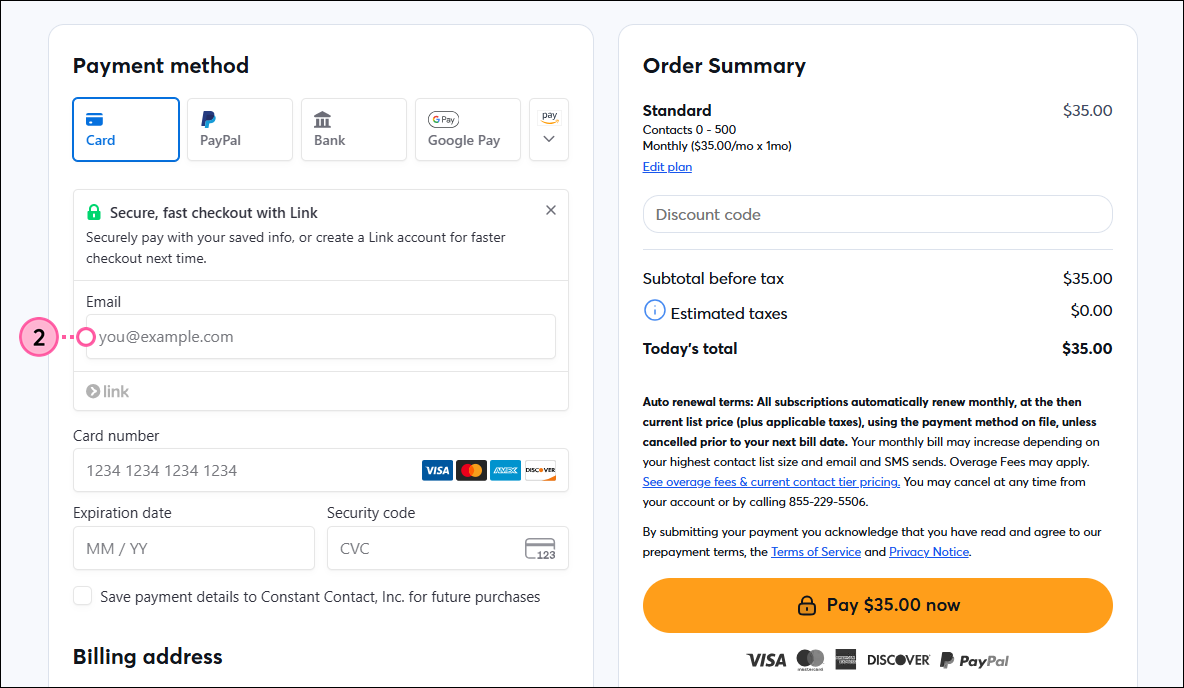
  2. Enter the email address associated with your Link account. If you don’t already have a Link account, you can choose to have one automatically created for you after entering a payment method and completing the purchase. 

    Checkout page, Payment method section, Stripe Link expanded with email address field

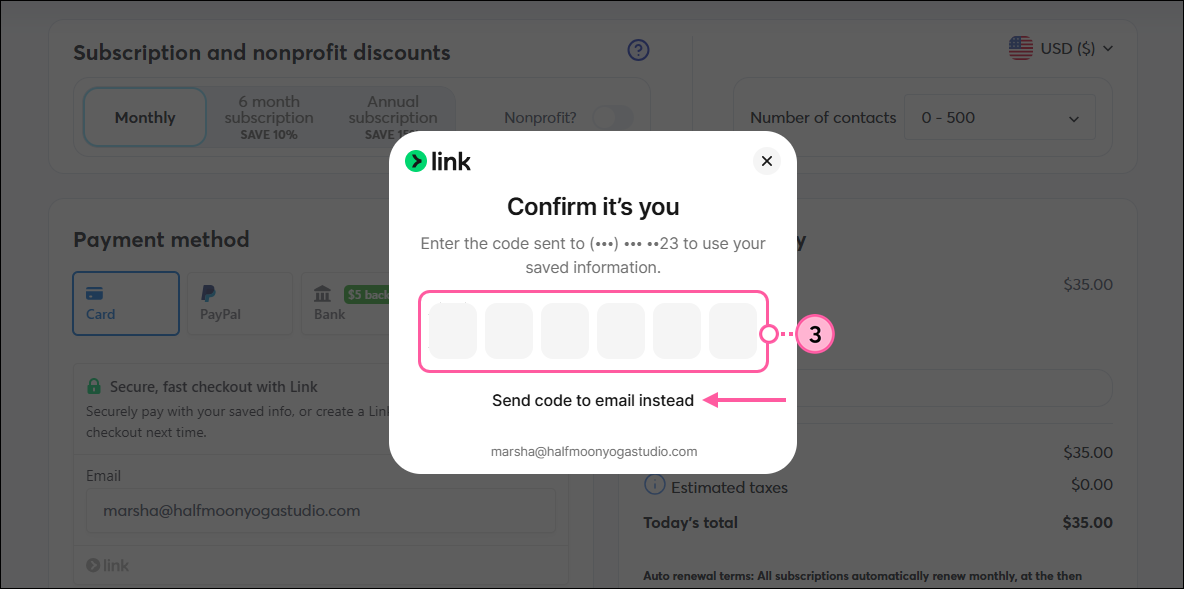
  3. A verification code may be sent to the phone number associated with your Link account. You can also have the code sent to your email address instead. Enter the code to confirm it’s you.

    Checkout page with pop-up to enter Link confirmation code

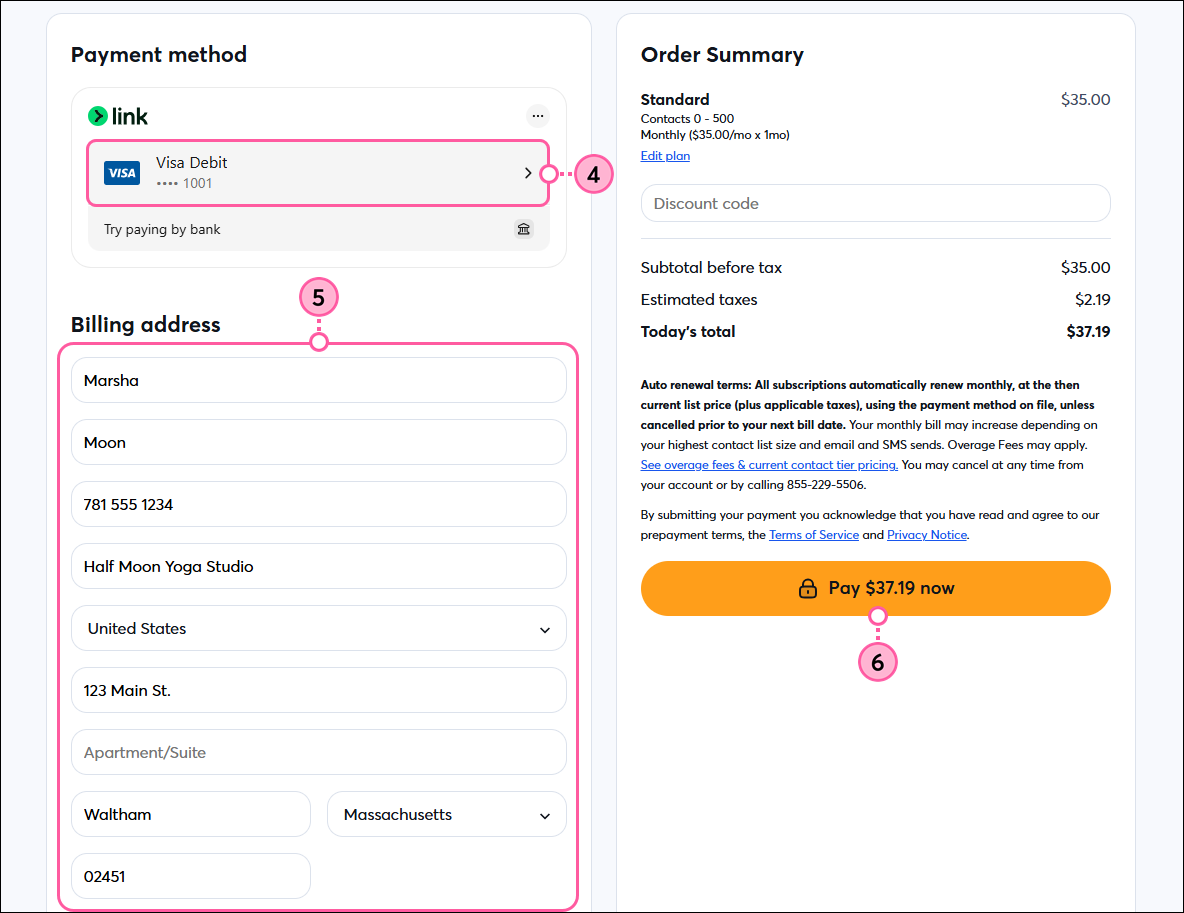
  4. Your default payment method from Link will automatically be selected, or the newest one you’ve added if you don’t have a default set. Click on it if you want to choose a different one or add a new one.
  5. Enter or update your billing address.
  6. Review the terms, then click Pay now.

    Checkout page with Link payment method connected, Billing Address fields, and Pay Now button

All of the features available in your selected plan are ready to use as soon as your payment is processed. Future billing dates are determined based on the date you upgraded to a paid account. You can change your email plan at any time.

When viewing your payment method in your account settings, you’ll see the credit card attached to your Stripe Link account, which you can update as you would any other payment method


Questions?

Ask the Community

Did this article answer your question?


Constant Contact Logo

Copyright © 2026 · All Rights Reserved · Constant Contact · Privacy Center