 | Important: The Amazon Pay option is not yet available to all customers. Due to limitations with Stripe, our payment processor, only US currency is supported. |
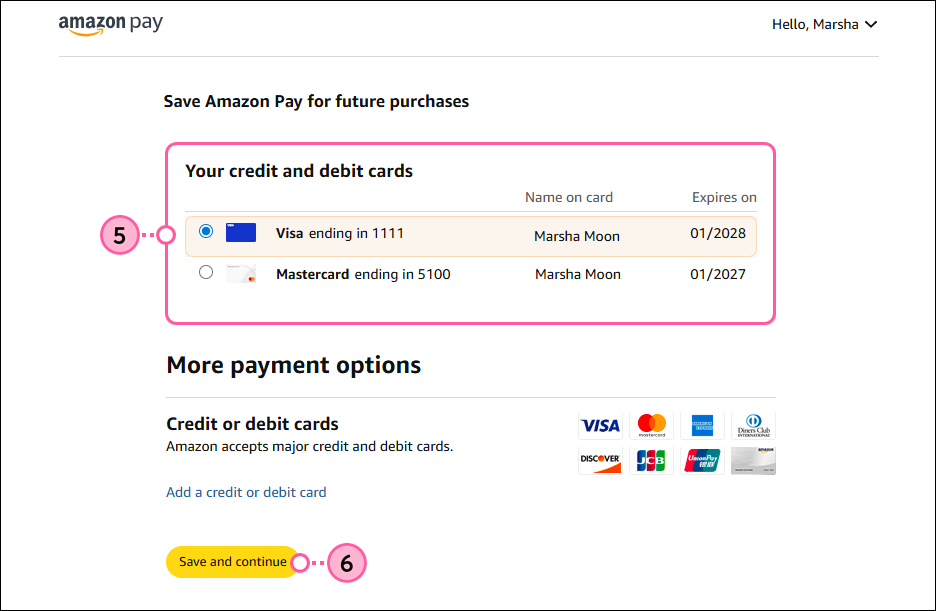
Amazon Pay is a convenient and secure way to pay for your account. Set up recurring payments using the stored payment methods in your Amazon account and skip the worry of credit cards expiring or changing, which can affect your account status.
You can set up Amazon Pay as your payment method when upgrading from a free trial to a full account or when changing your email plan:
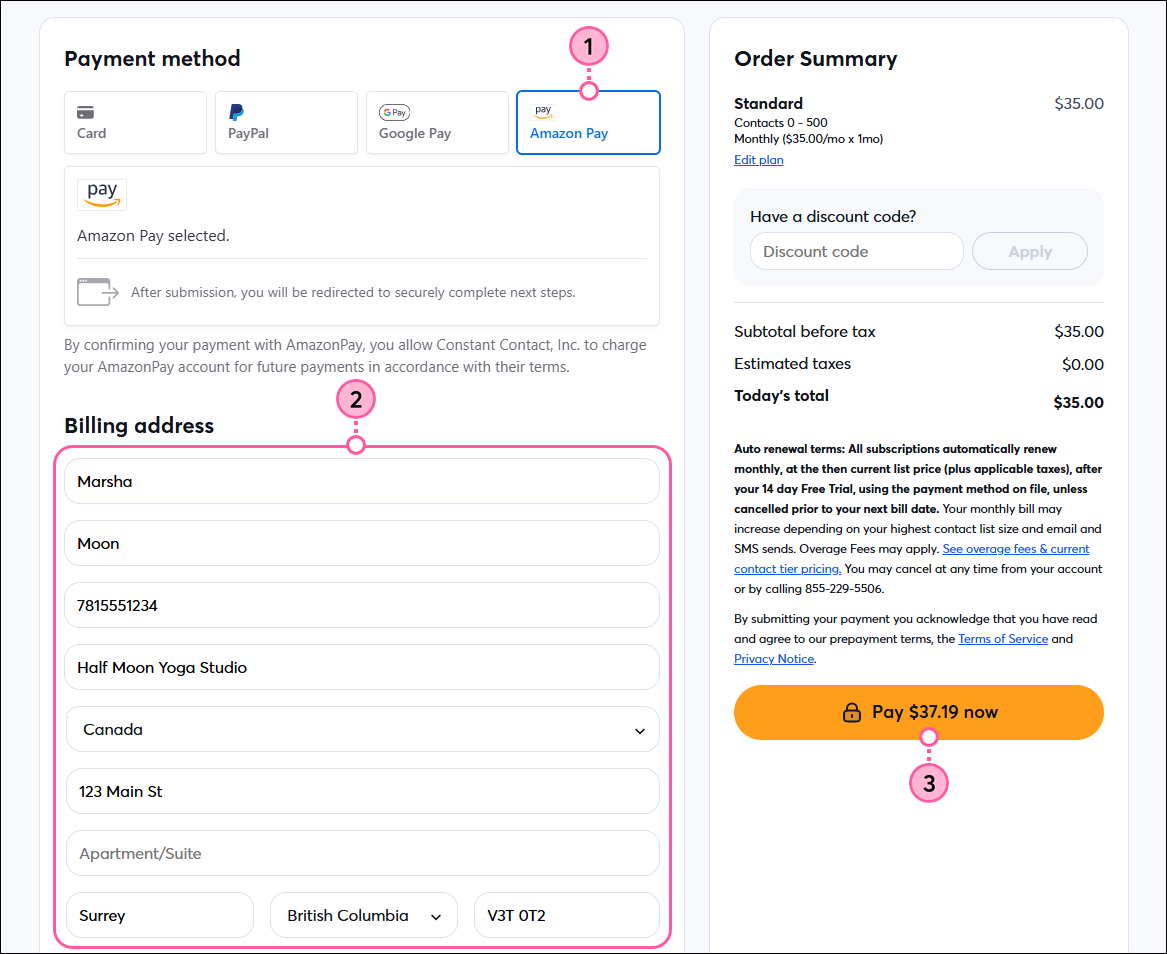
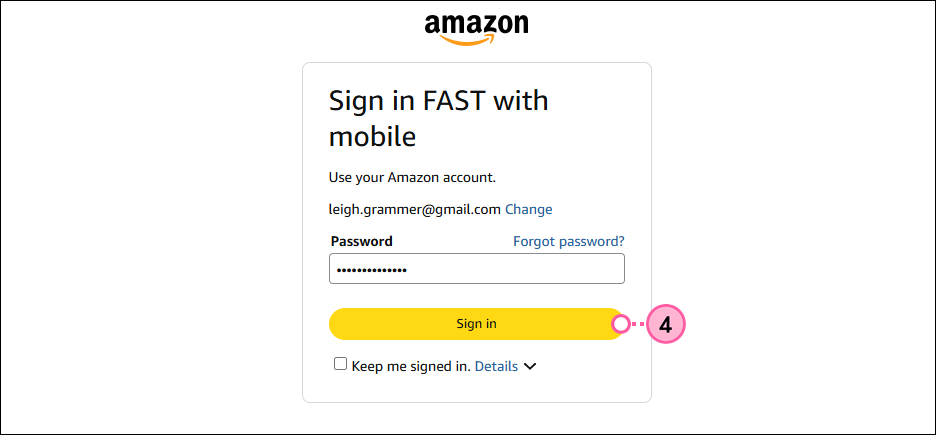
All of the features available in your selected plan are ready to use as soon as your payment is processed. Future billing dates are determined based on the date you upgraded to a paid account. You can change your email plan at any time.
When viewing your payment method in your account settings, you’ll see the credit card attached to your Amazon Pay account, which you can update as you would any other payment method.
Copyright © 2026 · All Rights Reserved · Constant Contact · Privacy Center
