For US Customers:
 | Important: Our SMS marketing tools are only available to US customers (excluding Puerto Rico and the US Virgin Islands) with a valid 9-digit Tax ID Number (TIN), or an Employer ID Number (EIN) for businesses assigned by the IRS. Sole proprietors who are the only employee do not need to enter Employer ID Number (EIN). Contacts with phone numbers from Puerto Rico can join your list and receive text messages. Learn more. |
For Australian Customers:
| Important: Our SMS marketing tools are only available to Australian customers with a valid 11-digit Tax ID Number (ABN). Learn more. |
Marketing through a text message is a quick and direct way to connect with your audience! Once you begin collecting SMS consent from your contacts, you can start sending SMS campaigns to connect with them in a much more personal way.
 | Did you know? When someone receives a text message, they're likely to look at it, but you must be careful not to abuse this connection, or you risk damaging the relationship with your SMS contacts. |
SMS messages can only be sent to contacts who have opted in to receive them.
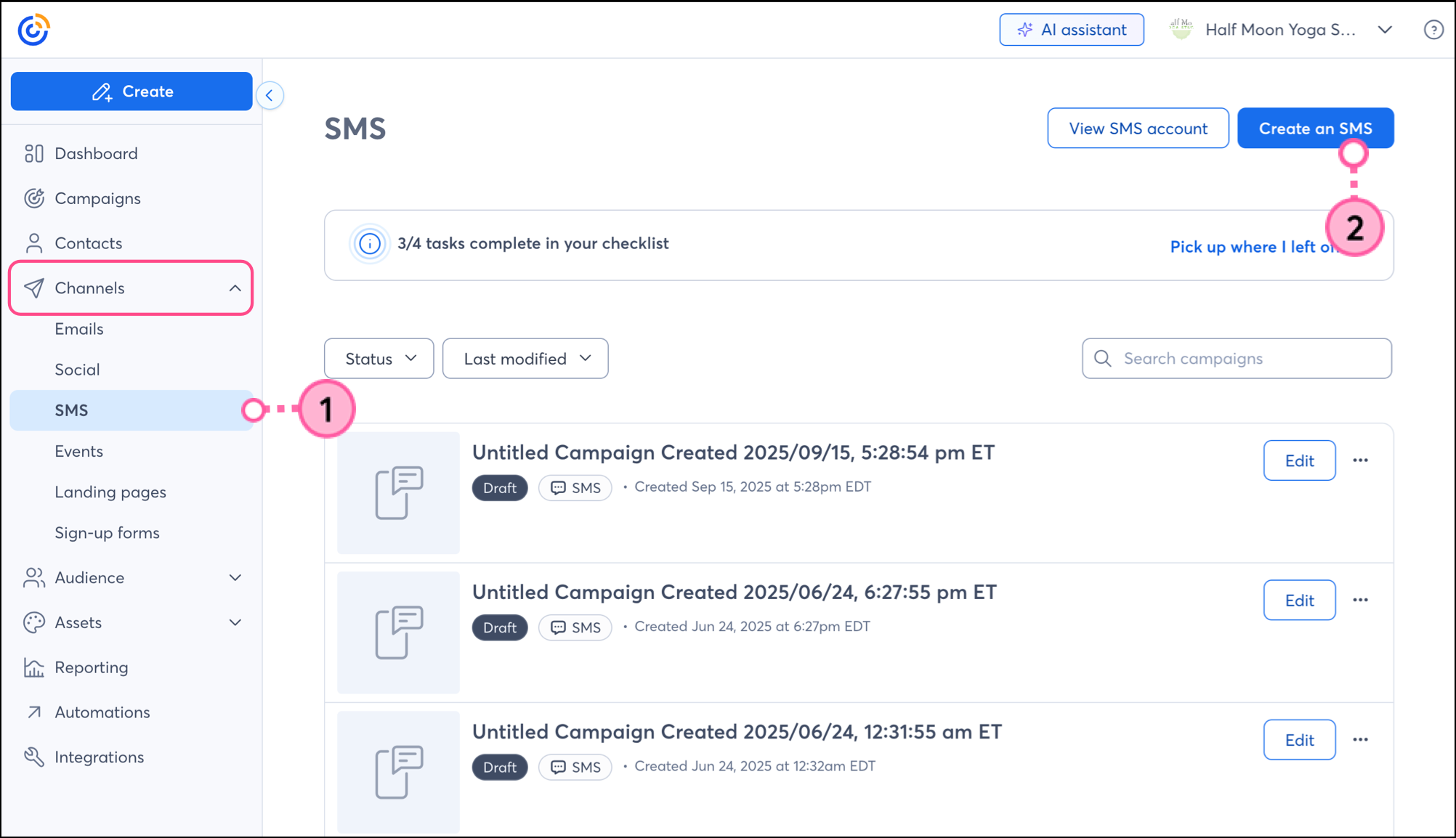
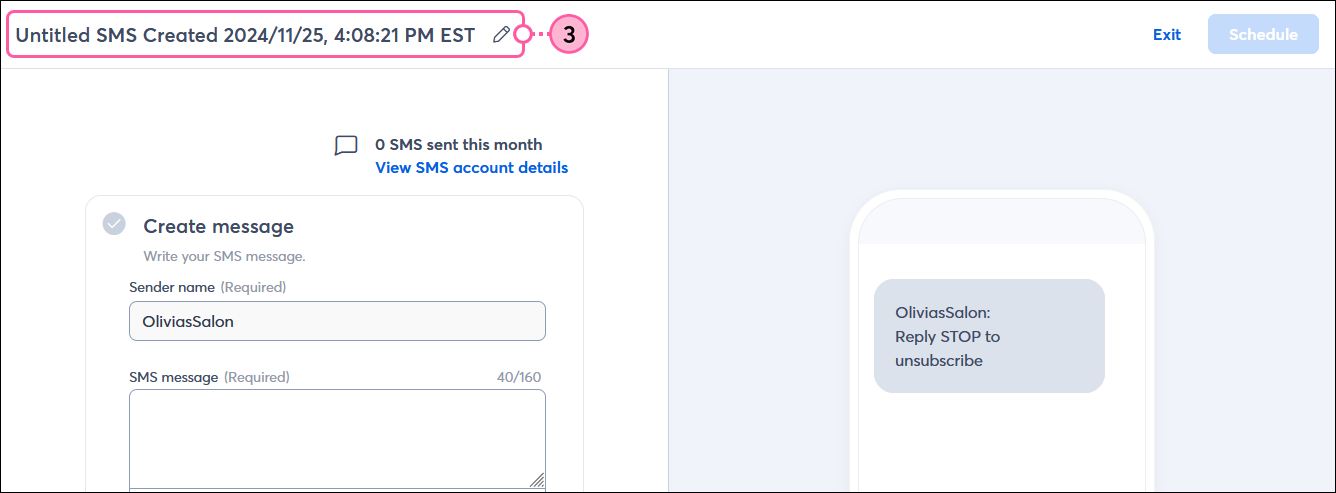
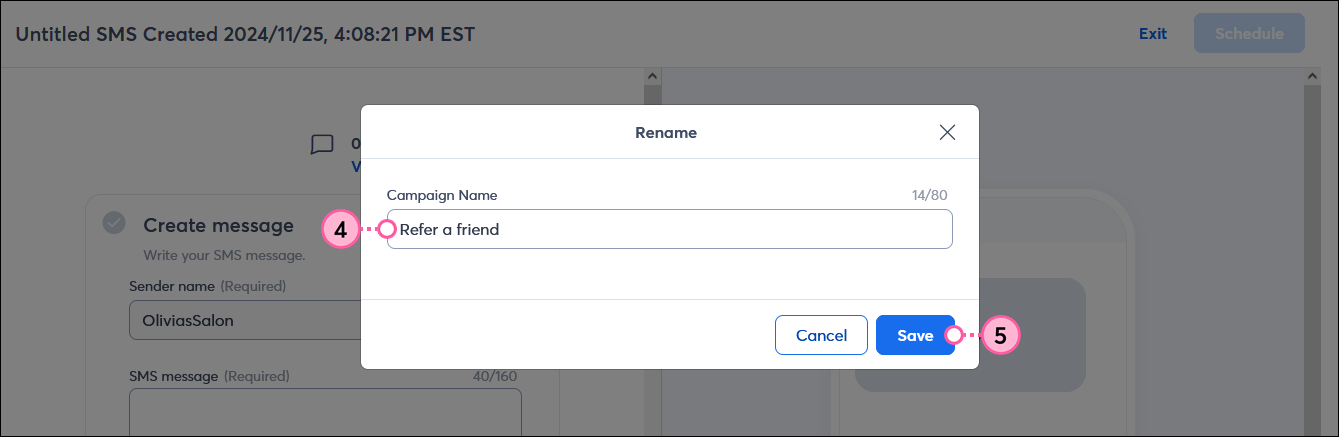
Feeling a little stuck with what to write? Our AI Content Generator can help you get started with just a few keywords. It's free to use, and you can make changes to the result too! Here's how it works:
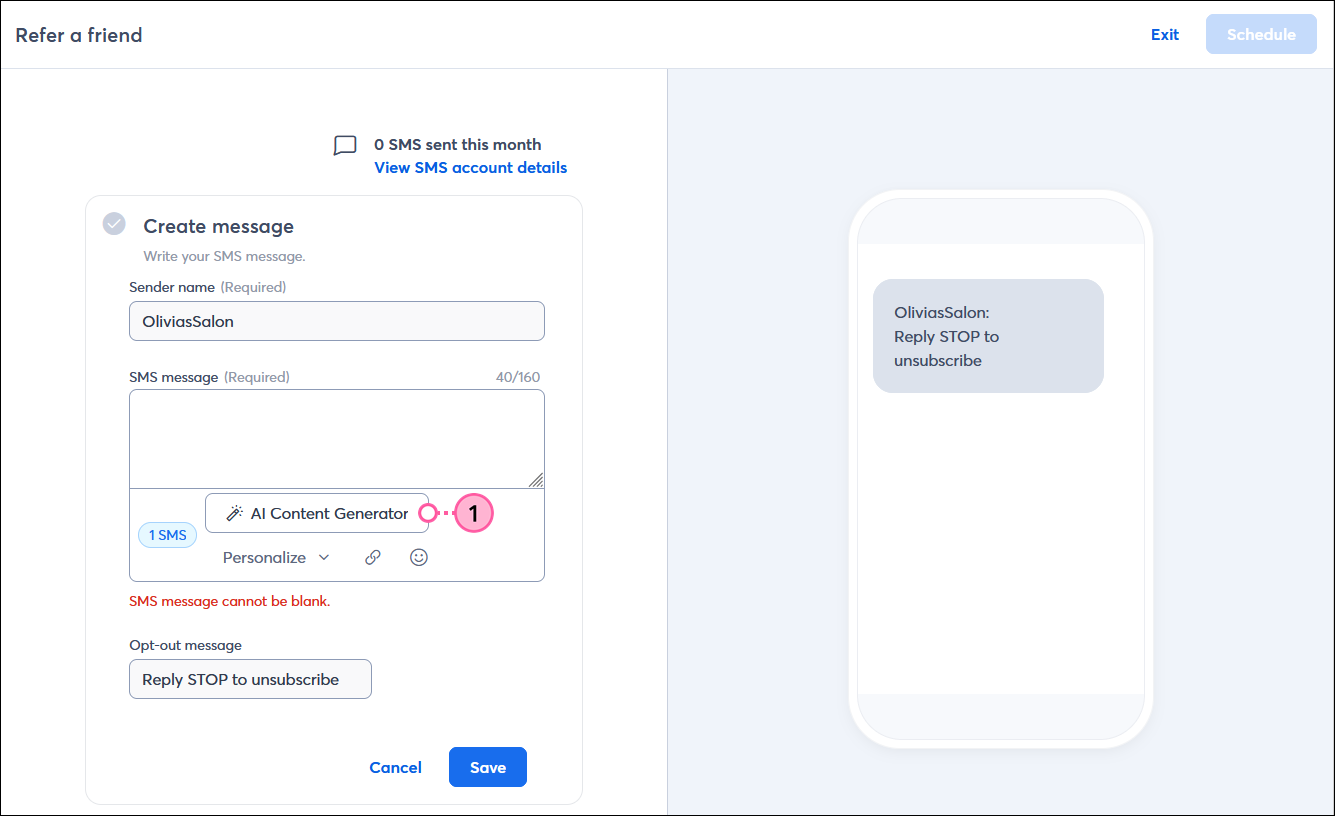
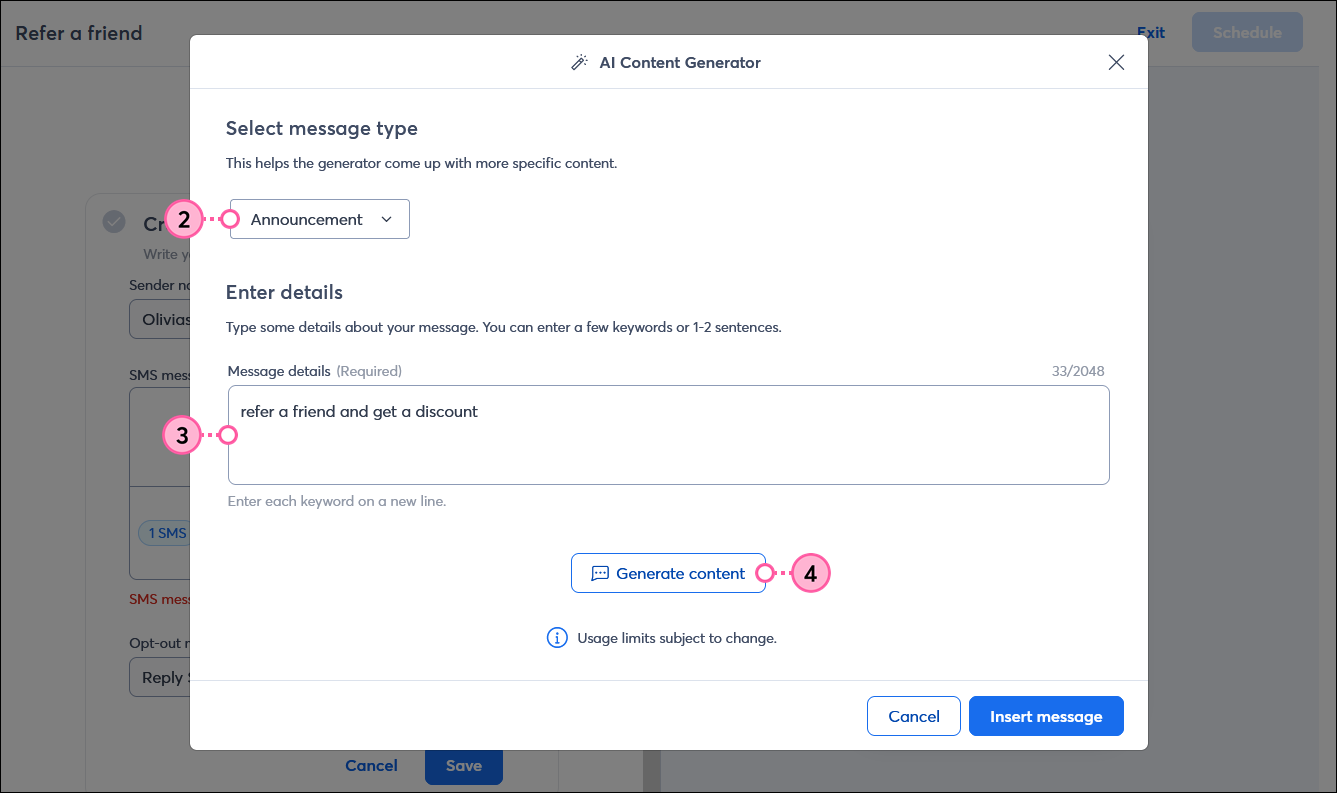
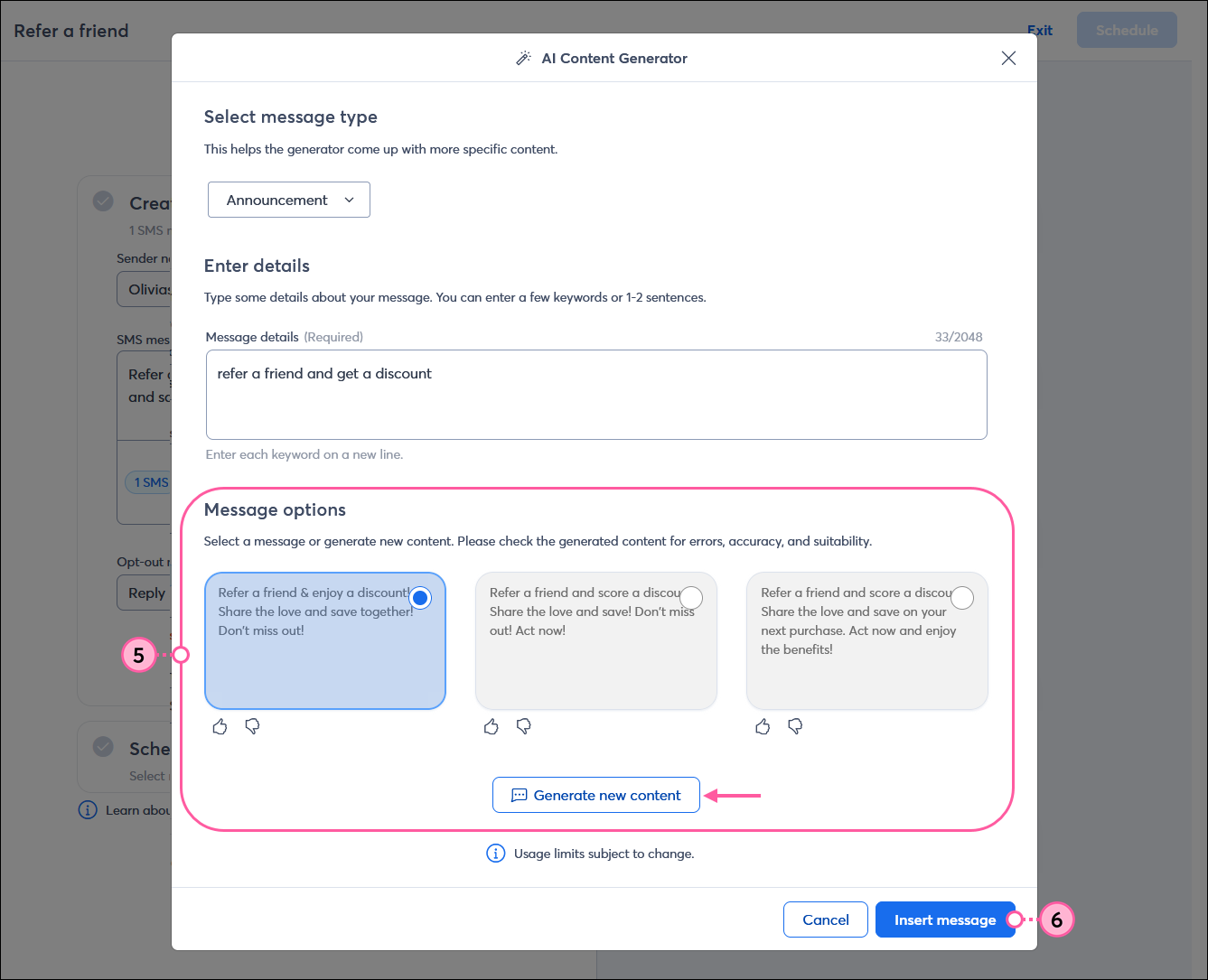
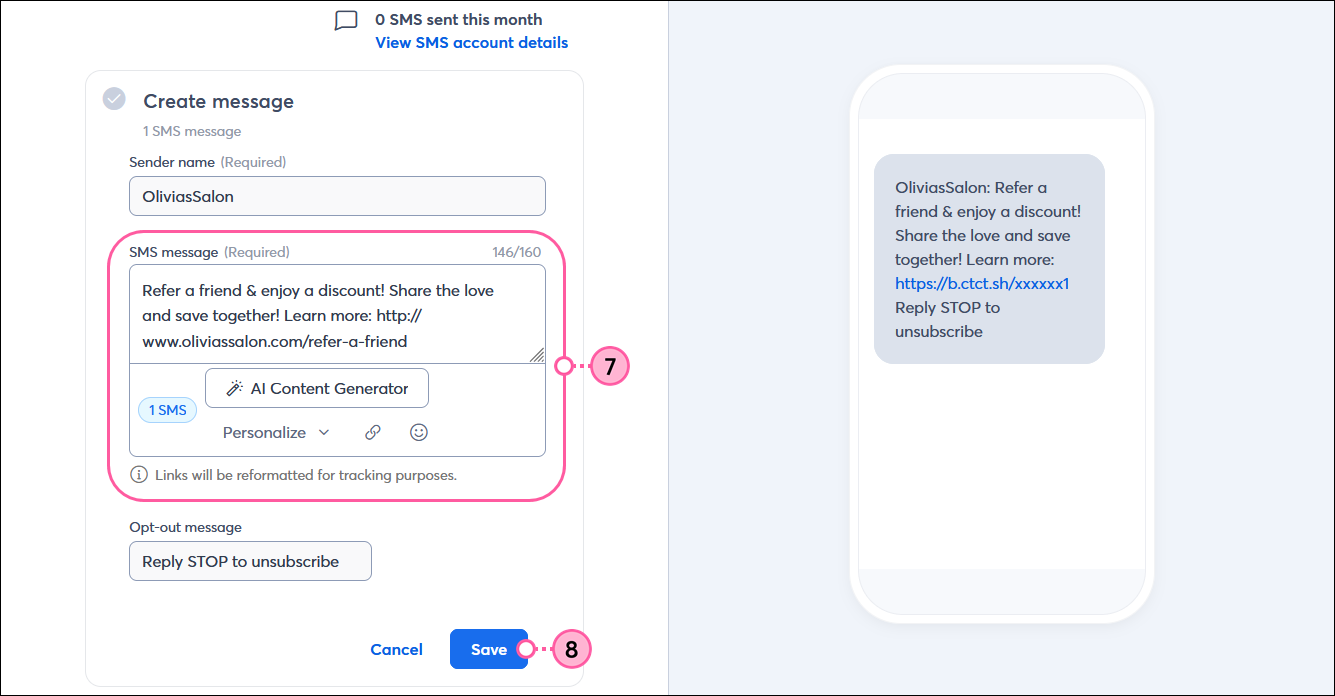
 | Be a better marketer: Need a little inspiration? Explore our Best practices for creating SMS message content and be sure to try our AI Content Generator! |
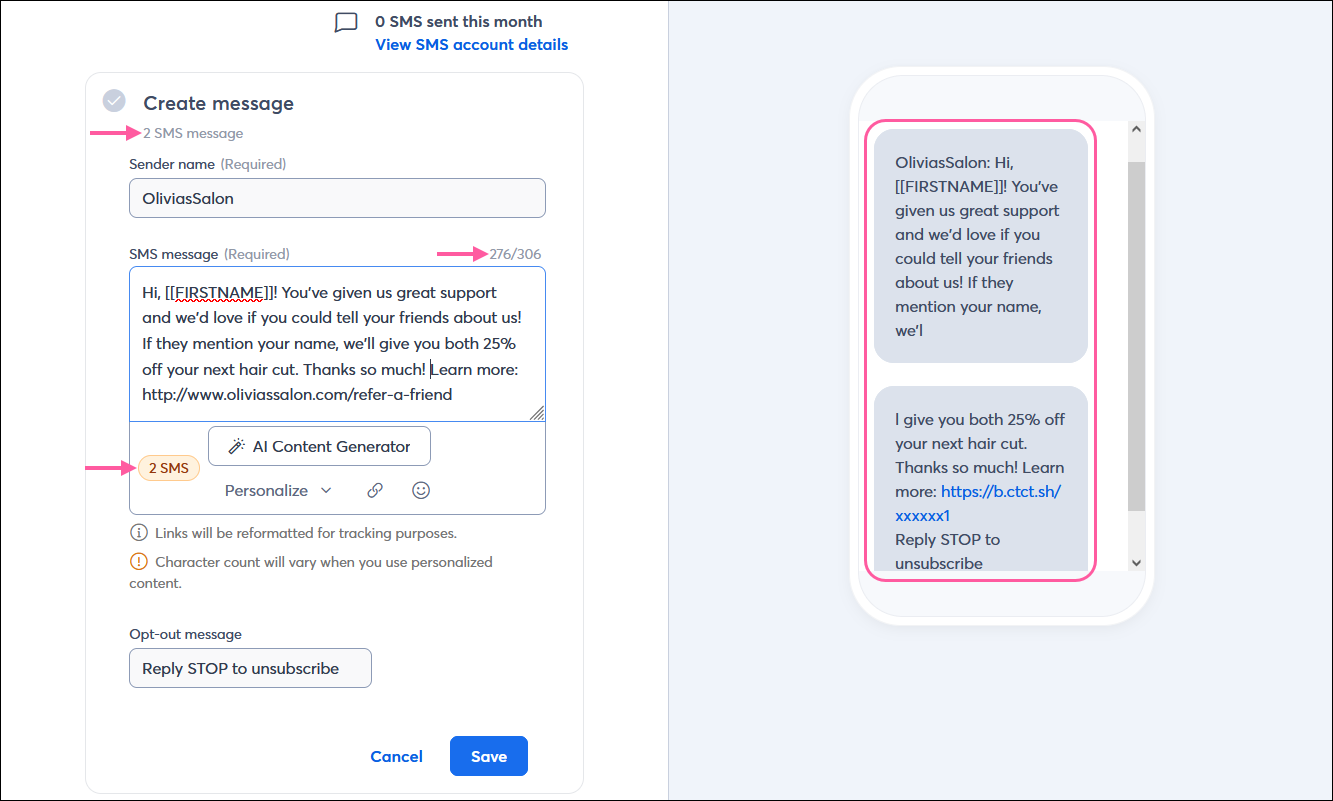
The message preview shows how your message is broken up, giving you a better idea of how it affects your monthly message limit. When your message is sent to your contacts, messages with multiple segments usually appear in the correct order as a single, unbroken text message because the carrier combines them for you.
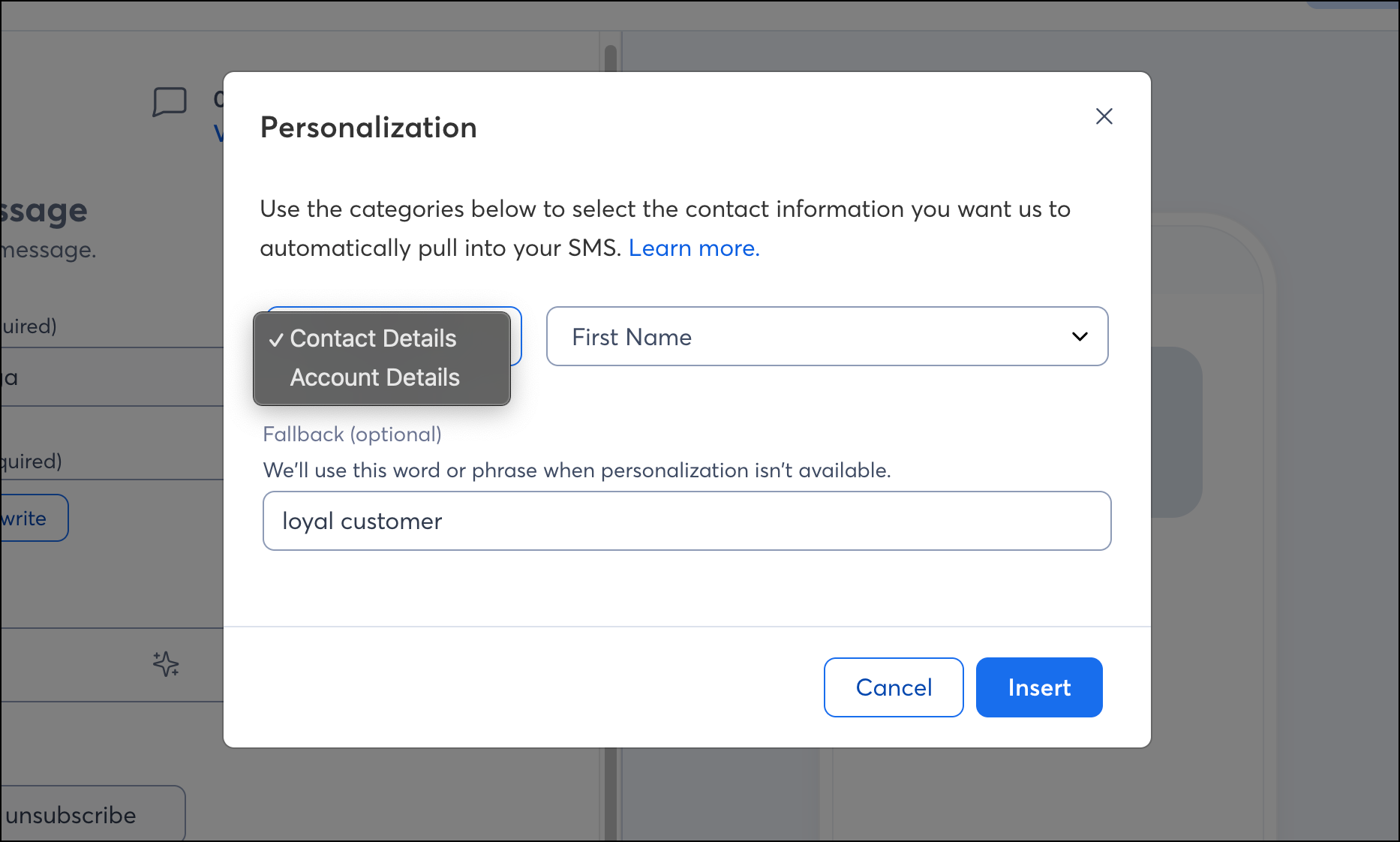
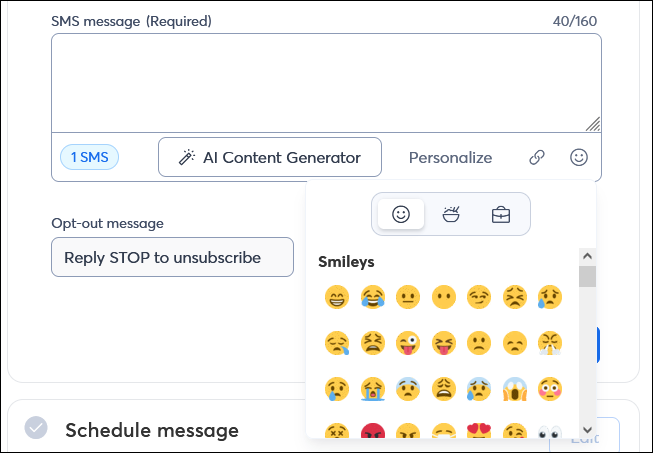
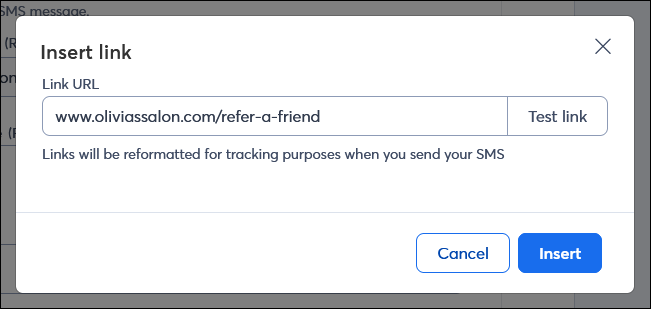
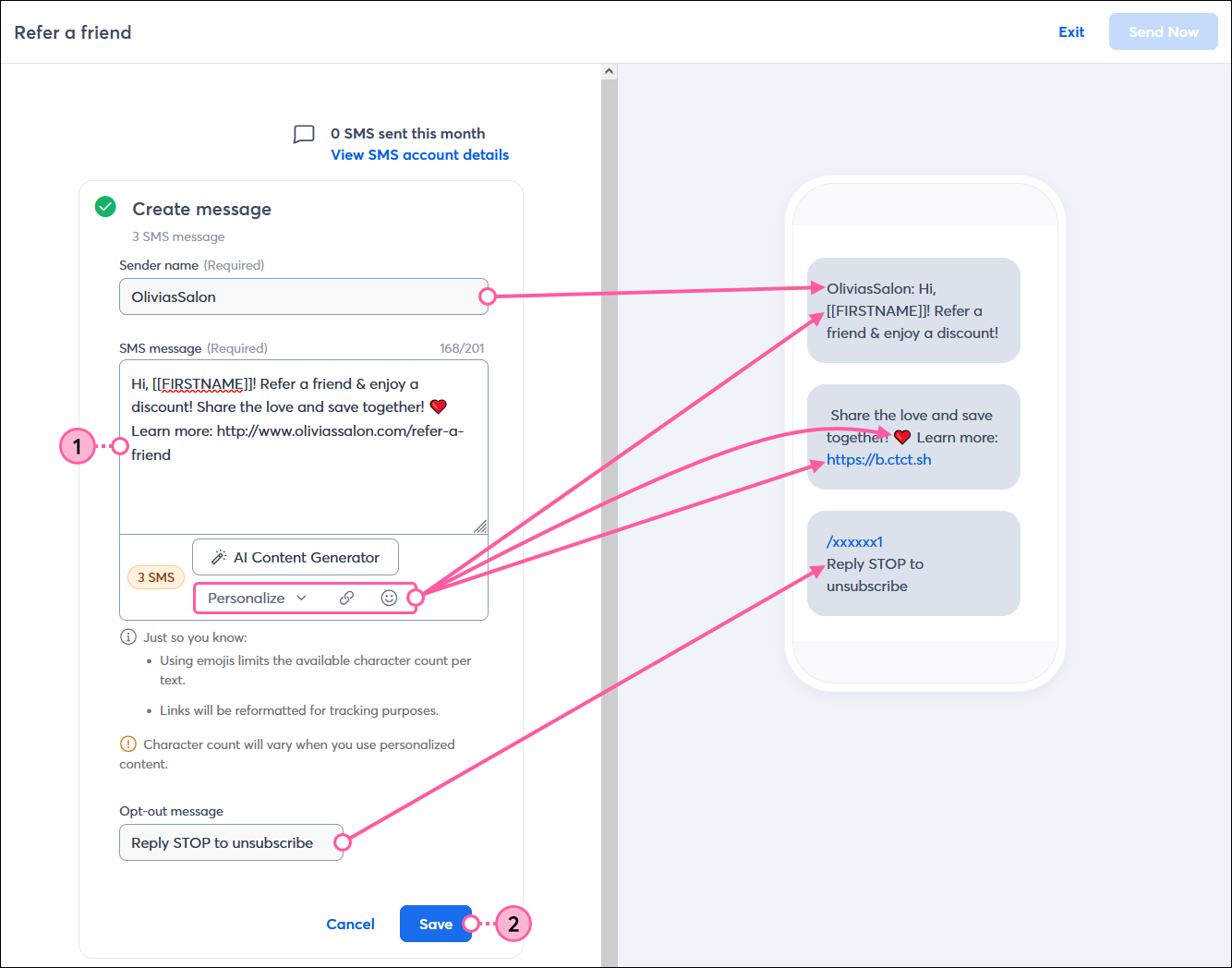
Note: Test your SMS messages by sending them to a registered phone number to see what your contacts will see. This lets you view exactly what your contacts will experience before launching full campaigns. Read Send test SMS messages to learn how.
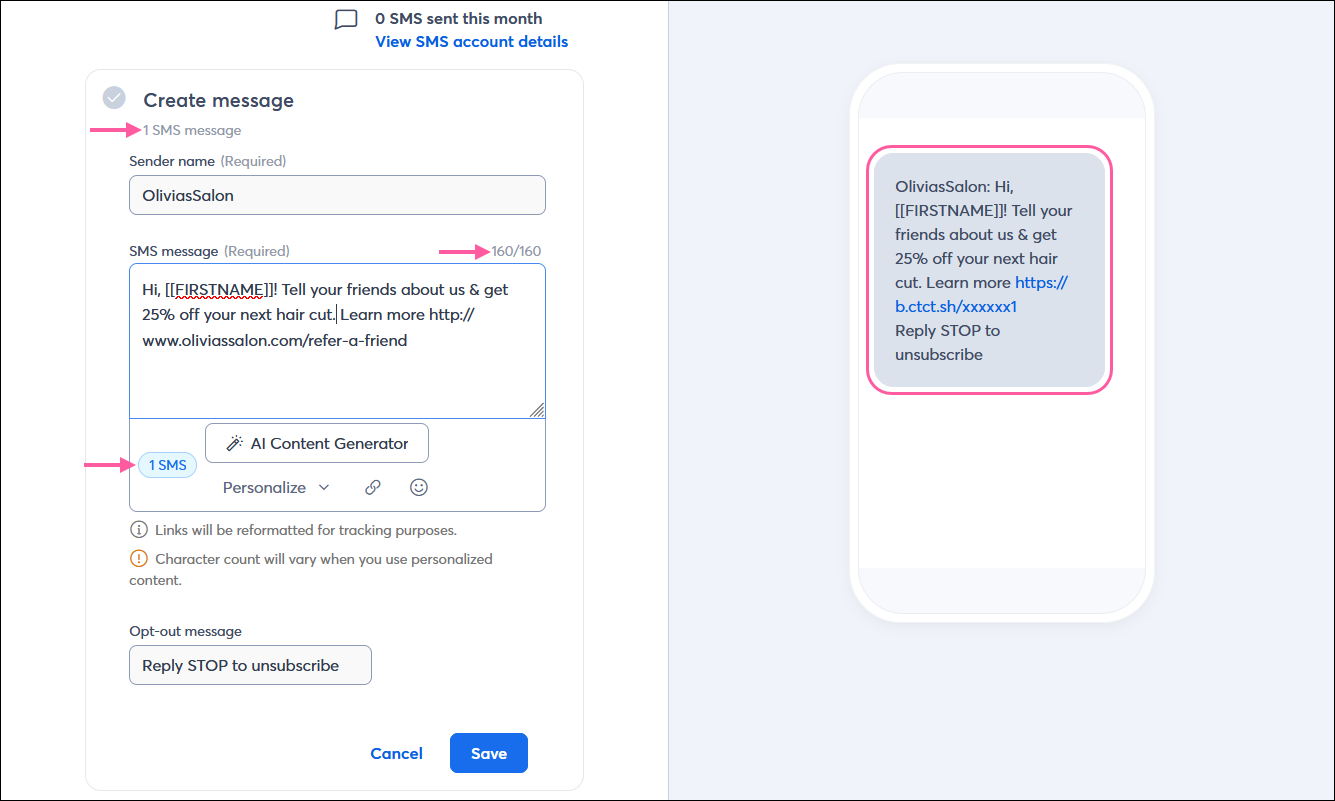
Your message can have up to 1950 characters. It’s broken down into individual text messages (or segments) with about 160 characters each, or 70 characters when emojis are used. When your message has more than one segment, it uses more of your monthly text message budget. Cutting out everything but the most important content shortens the message. It reduces the cost to your monthly budget—your sender name and opt-out message are required in your message and account for 40 characters before you even start adding your content. If you add a URL, it's automatically shortened for you to conserve characters.
Our SMS message editor tells you the number of text message segments your message will be broken into in multiple places, and shows the character count you're using so you can make better content decisions:
| Be a better marketer: Do you need help shortening your message? Explore our Best practices for creating SMS message content and try our AI Content Generator! |
We prevent you from sending during quiet hours by default to keep you compliant with the TCPA and to avoid sending messages when they're likely to bother the people who opted in to receive them. Quiet hours are between 8:00 p.m. and 8:00 a.m., based on the time zone you selected in My Account. Phone numbers outside your time zone are also prevented from receiving SMS messages during quiet hours for that time zone, based on the phone number's area code. Messages begin sending once the quiet hours have ended.
In the Schedule message popup, click the To section.
Use the radio button to choose Lists or Segments, and from the dropdown menu that appears, select the segment or list you want to send your message to. It's ok if your list has a mix of email and SMS contacts. Only contacts who have opted into SMS marketing are returned in the contact count; only those contacts receive your message. If you created a list from a segment, it must have SMS contacts, or it won't be available.
Note: Broken messages count as multiple messages towards the monthly message limit. For example, if the message is split into two text messages and 161 contacts are on the selected list, each contact receives two text messages, even though they appear as a single message. Therefore, a total of 322 messages are sent, and they count towards the monthly message limit.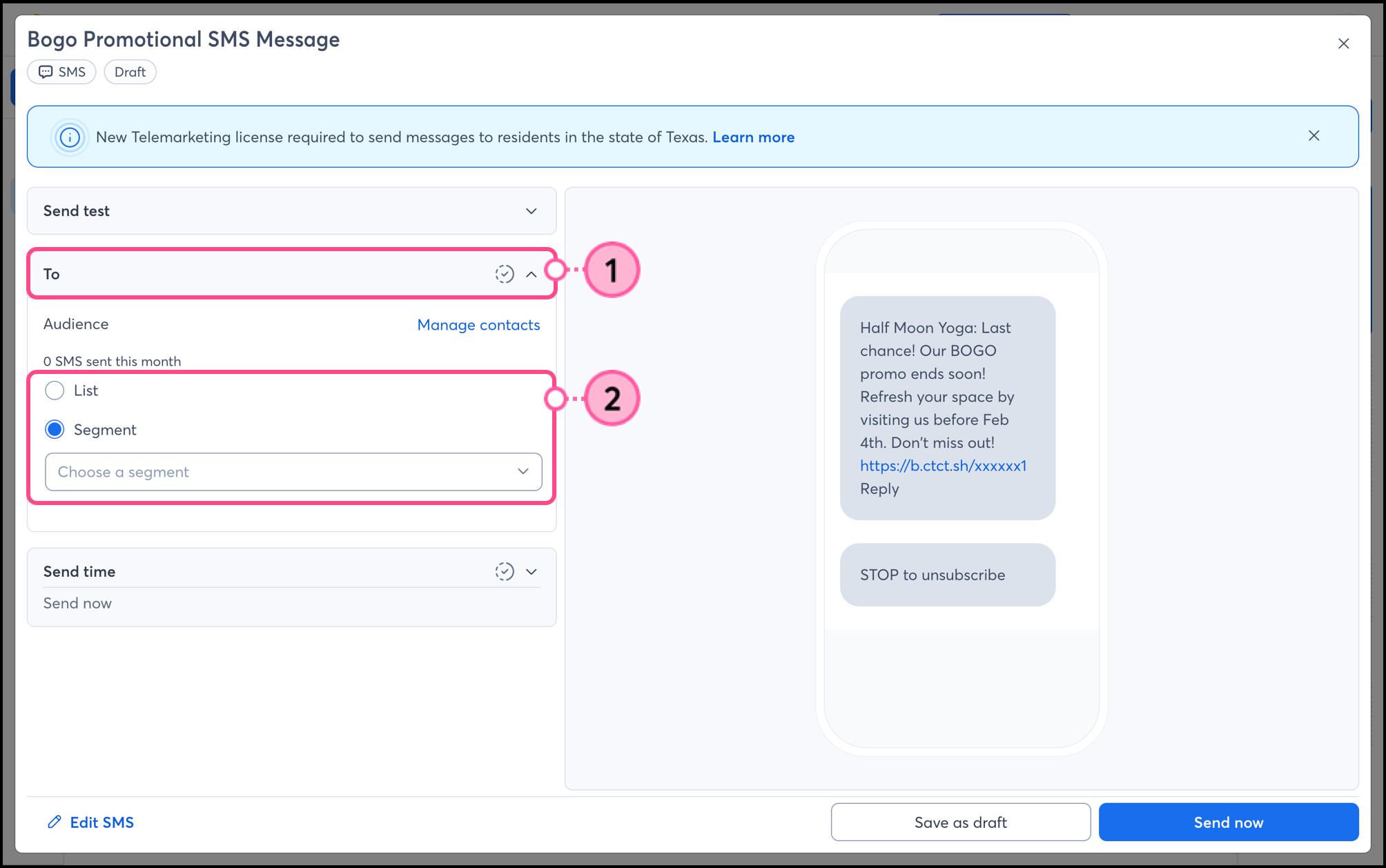
Expand the Send time section and select either:
Schedule for later —This lets you select a date and time in the future to send your text message. You can't select times that fall within the quiet hours.
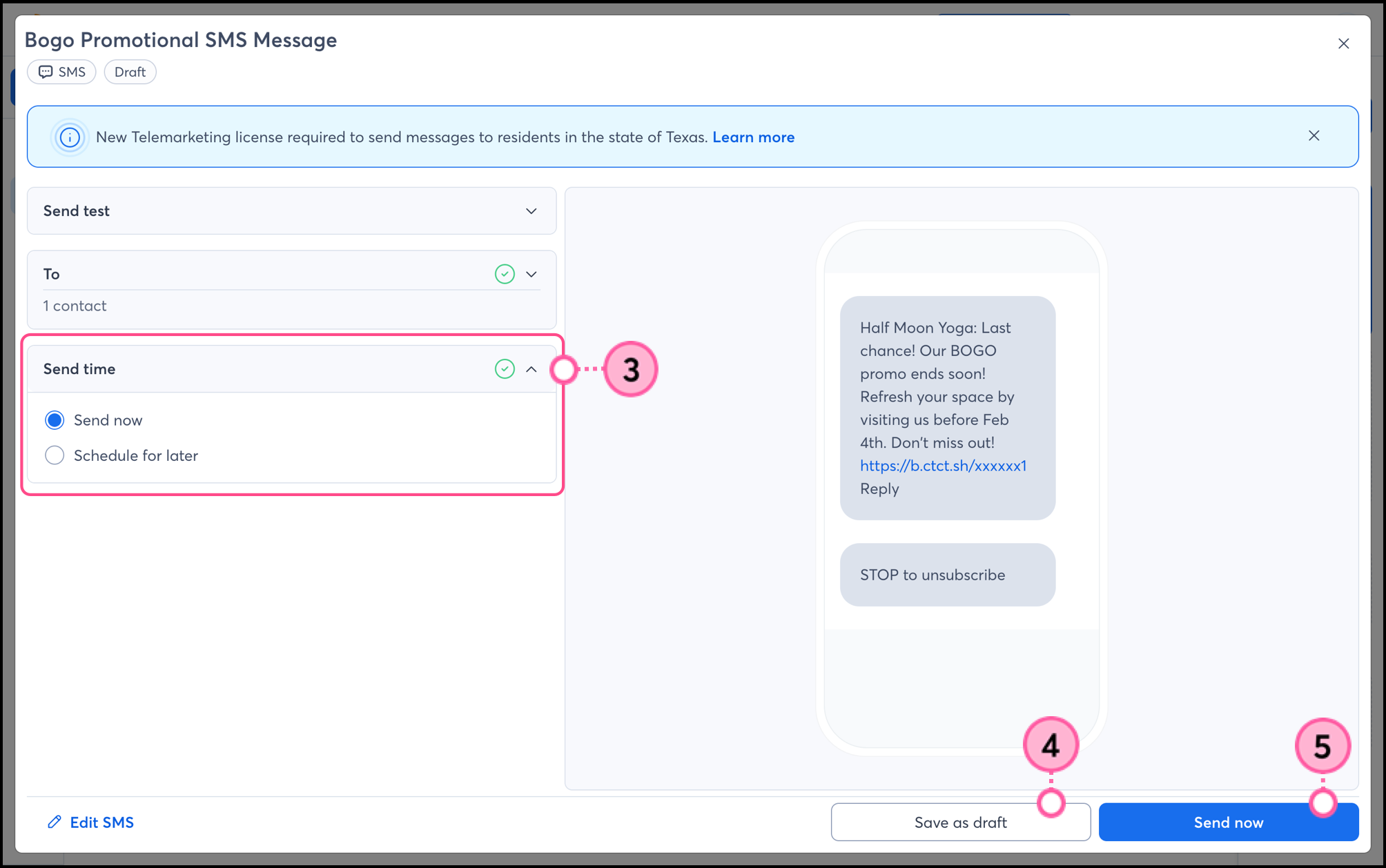
If you don't want to schedule or send right now, save your campaign as a draft and send it whenever you're ready. SMS campaigns in "scheduled" status can be unscheduled and edited at any time, but once the status changes to "sent," the campaign can't be recalled. After sending your SMS campaign, give it a little time and then check your reporting to see how it did.
 | Save time: Our Automation Path Builder lets you create SMS messages in advance and automatically send them when your contacts trigger them! Learn more. |
Any links we provide from non-Constant Contact sites or information about non-Constant Contact products or services are provided as a courtesy and should not be construed as an endorsement by Constant Contact.
Copyright © 2026 · All Rights Reserved · Constant Contact · Privacy Center