 | In need of multiple accounts? Our multi-account solution is designed for organizations seeking unique accounts for their various locations, departments, or users. Take advantage of bulk pricing, product features for brand control, customized onboarding, and more! |
Create emails, sign-up/lead generation landing pages, custom landing pages, and SMS campaigns within your primary/hub account, and then copy them into one or several subaccounts/workspaces as a draft.
 | Did you know? This article covers how to copy an email, landing page, or SMS campaign from a primary/hub account to subaccounts/workspaces, but you can also copy a campaign created within a subaccount/workspace to other subaccounts/workspaces. Additionally, you can copy and/or share an automation path from a primary/hub account to subaccounts/workspaces. |
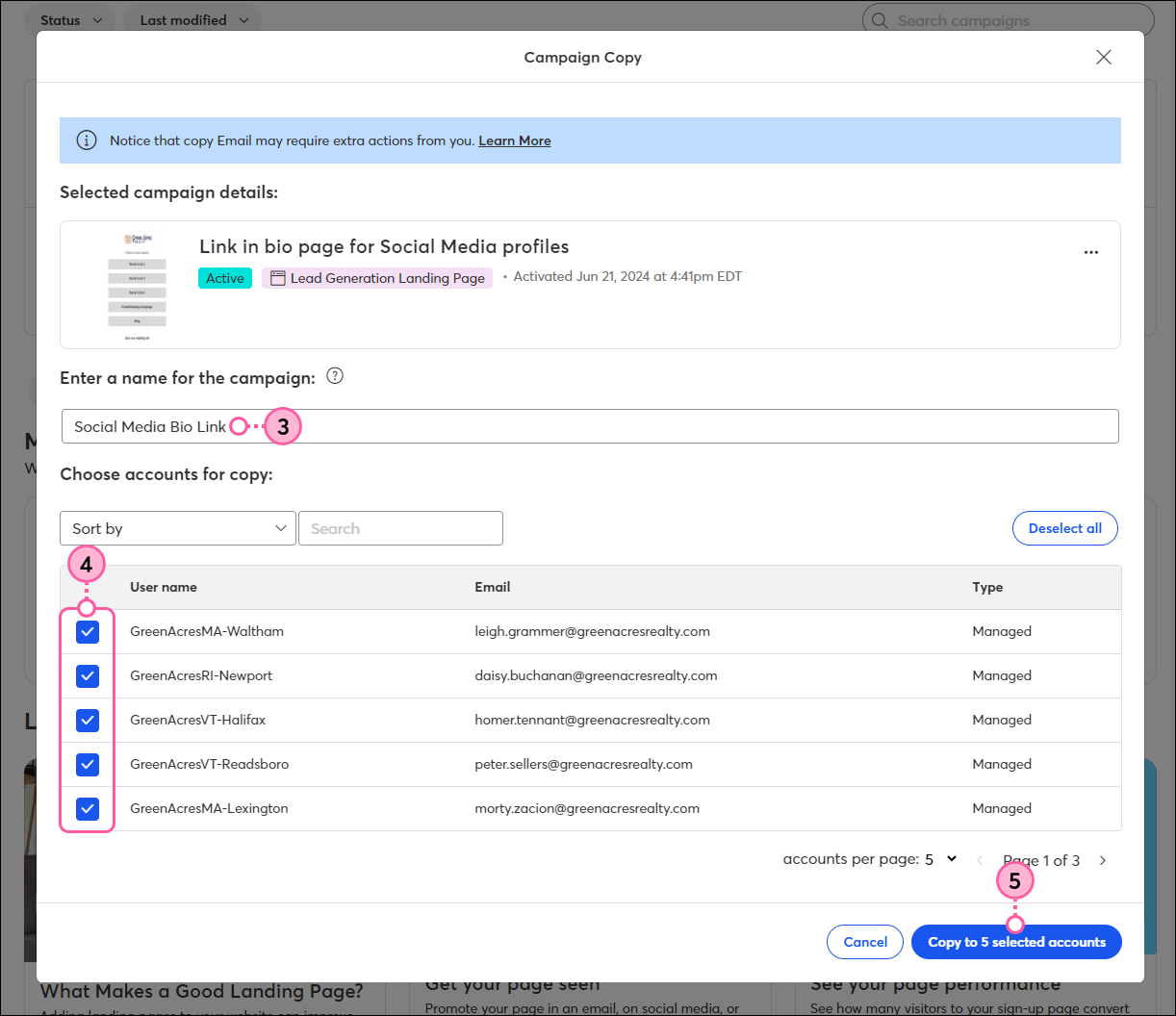
 | Important: When sharing a Lead Generation Landing Page, you must have a list selected before you can copy it to your subaccounts/workspaces. |
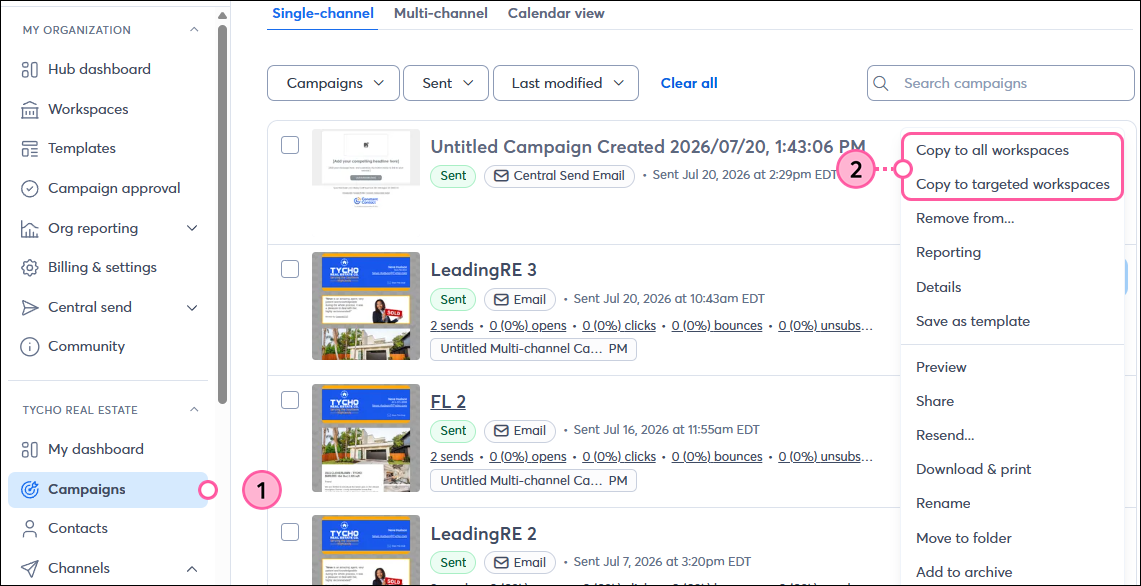
You can choose an email, landing page, or SMS campaign created within the primary/hub account and then choose the subaccounts/workspaces you want to copy it to:
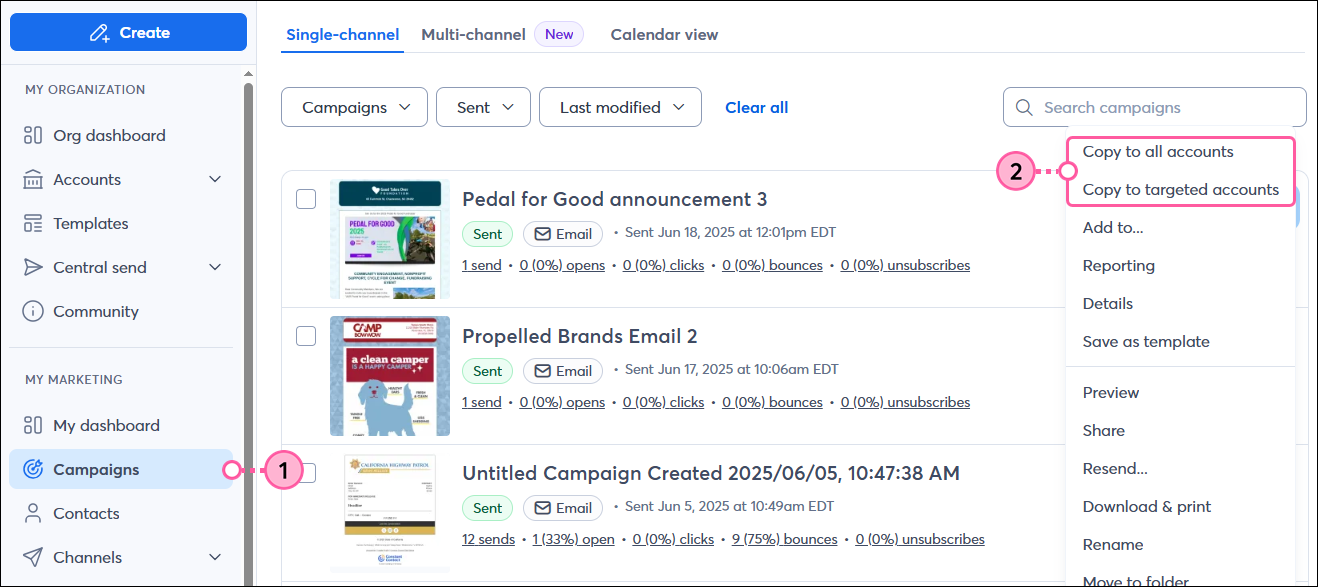
Teams Accounts:
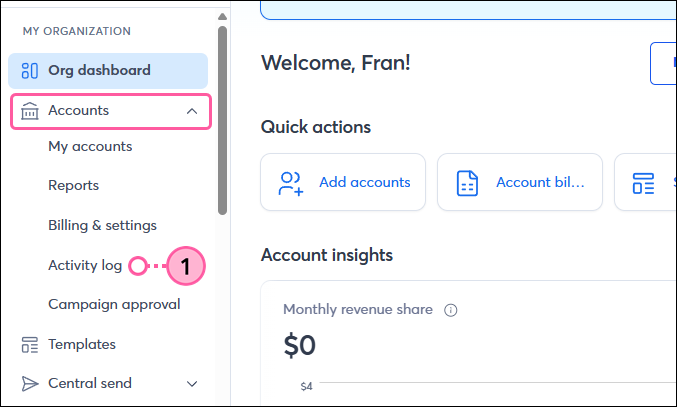
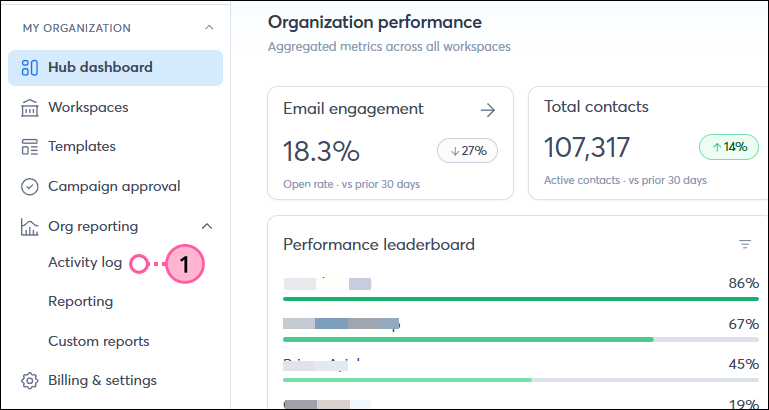
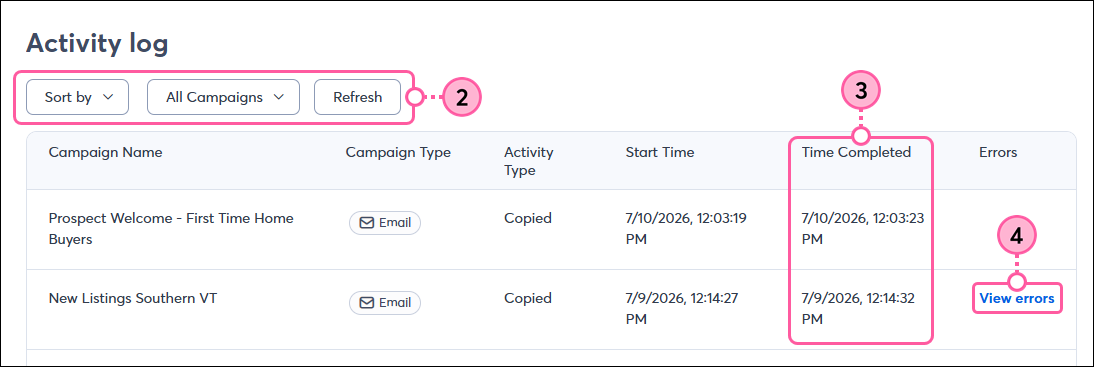
Access a list of your copied campaigns at any time and check the start and completion time of the copy:
Looking for more information? Please see our articles to:
Copyright © 2026 · All Rights Reserved · Constant Contact · Privacy Center