Determining if your email is "successful" is an important part of email marketing. Being able to reproduce successful emails and learn from the emails that weren't as successful will improve your future campaigns. If you're unsure where to start, you're in the right place! Once you know where to go, you'll be able to analyze your statistics quickly going forward. Let's get started:
 | Be a better marketer: Want to learn more about your email performance? Check out How to Interpret Your Email Reporting! |
Not sure when to start checking your reporting? You can get opens and clicks immediately, but it can take a day or two for the bulk of your email engagement to happen. The Early Results Email provides a brief summary of your email's open and click performance within the first 48 hours after it was sent, delivered directly to your inbox. All you have to do is ensure the "Receive early results" box is checked when you schedule the email.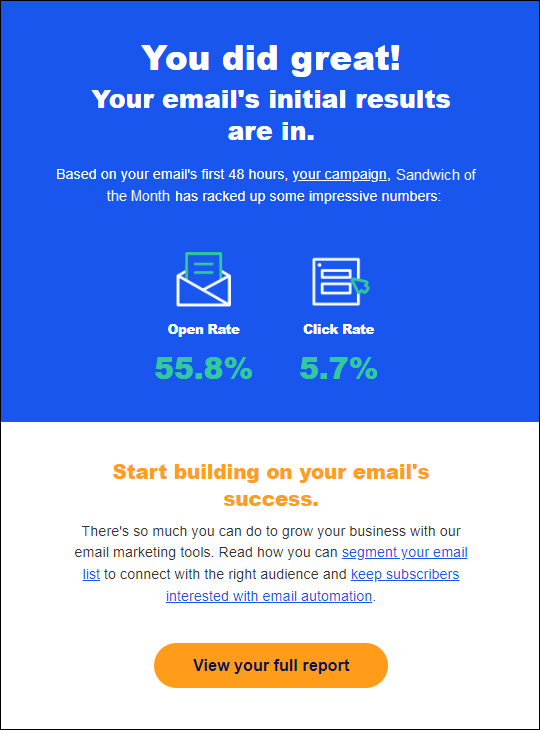
When you're ready to review more detailed reporting for an individual email, the Email Details page provides a comprehensive report of the email's performance, including opens, clicks, bounces, and even revenue, if applicable. In addition to a high-level overview, you can drill down into the numbers to view the individual contacts who opened, clicked, bounced, etc., and see a Heat Map of the links your contacts clicked the most within your email. This information can provide valuable insights into how to format your next email!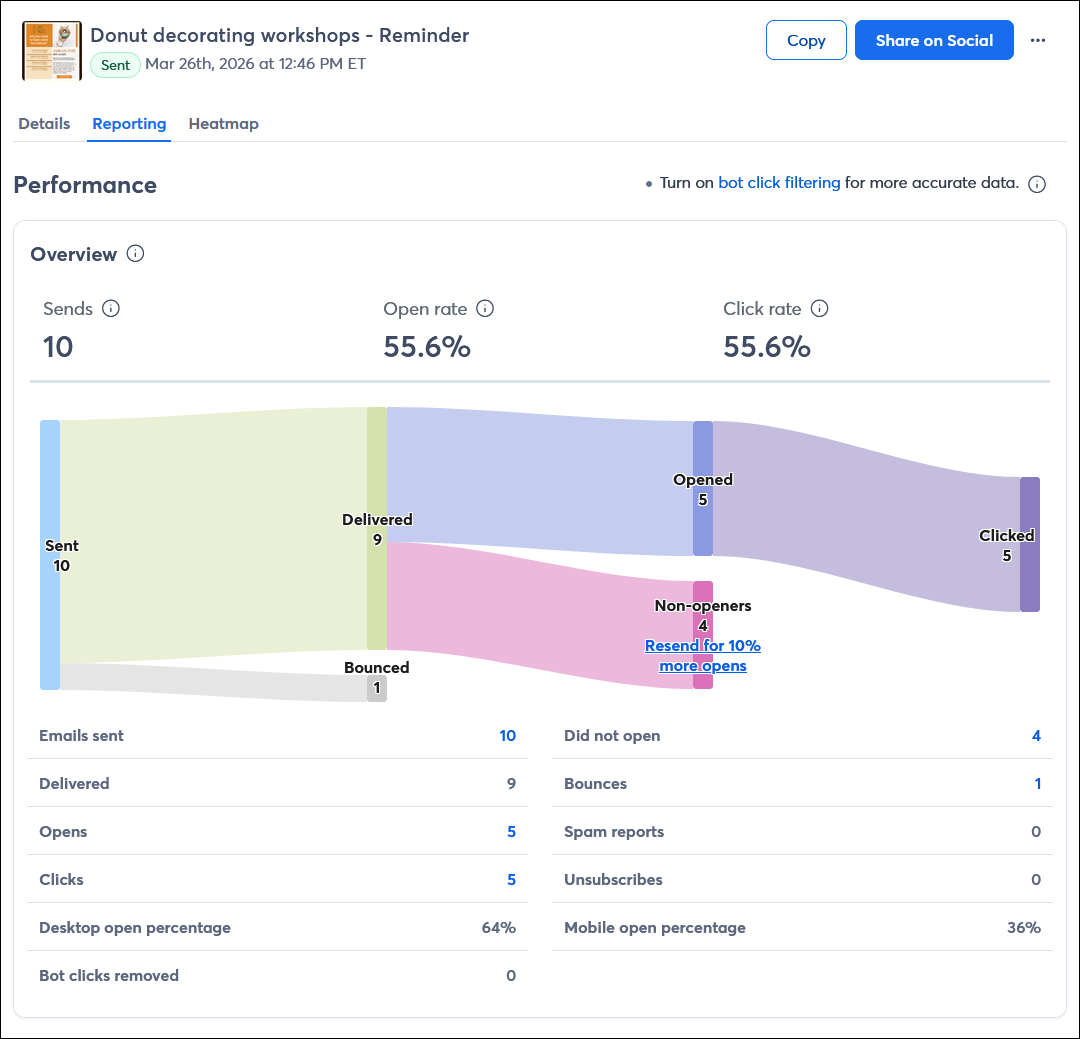
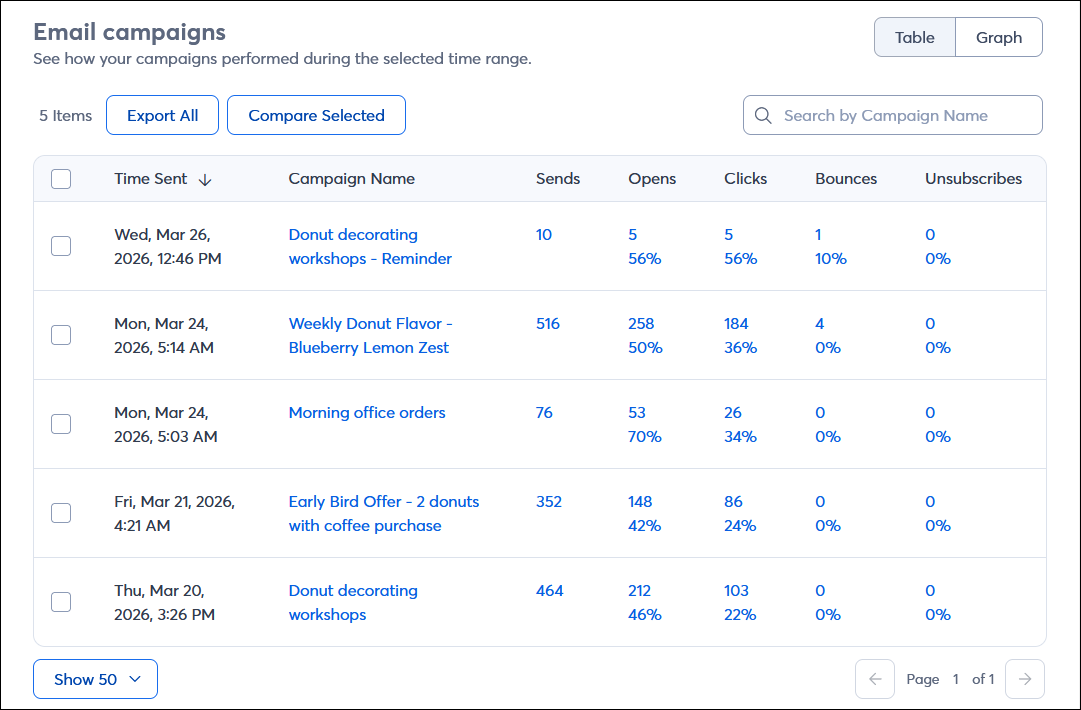
After you've sent a few emails, the Email campaigns table in your email reporting lets you compare their performance. To narrow down what you're looking at, use the checkboxes to compare up to 5 similar emails. If one was wildly successful, determine what differentiated it from the other emails so you can replicate that success again; it could be a combination of the subject line, content, and even the day and time it was sent. You can also click on the hyperlinked numbers to drill down into the report to see the contacts associated with the engagement activity; these four reports give you an idea of which contacts are engaged with your content, and can help you manage your contacts to improve your open rates:
Now that you've seen how your previous emails did, take what you've learned and apply it to future emails. Here are some places to start:
| Be a better marketer: Want to make sure you're sending the best emails possible? Be sure to avoid these 40 common email marketing mistakes! |
Copyright © 2026 · All Rights Reserved · Constant Contact · Privacy Center