Email and Digital Marketing
How can we help you?
Search our help articles, video tutorials, and quickstart guides

You've got this. You've got us. Search our Knowledge Base to quickly find answers to your questions.

Receive the Early Results email

Article: 000005628
Updated: November 25, 2025

Review your email's performance 48 hours after sending with the Early Results email

Of the contacts who are going to open your email, 89% of them will do so within the first two days of receiving it. The Early Results email provides a quick glimpse into your email's overall performance within the first 48 hours after it was sent.


Line Graph IconThe data shows: You'll get better results when you send your email at a time when most people are likely to open it.

Receive the Early Results email

The Early Results email is a helpful tool for determining an email's success and can be enabled on the Schedule page for your email. Once your email is sent, you won't be able to deactivate or reactivate the Early Results email.

While scheduling your email to send:
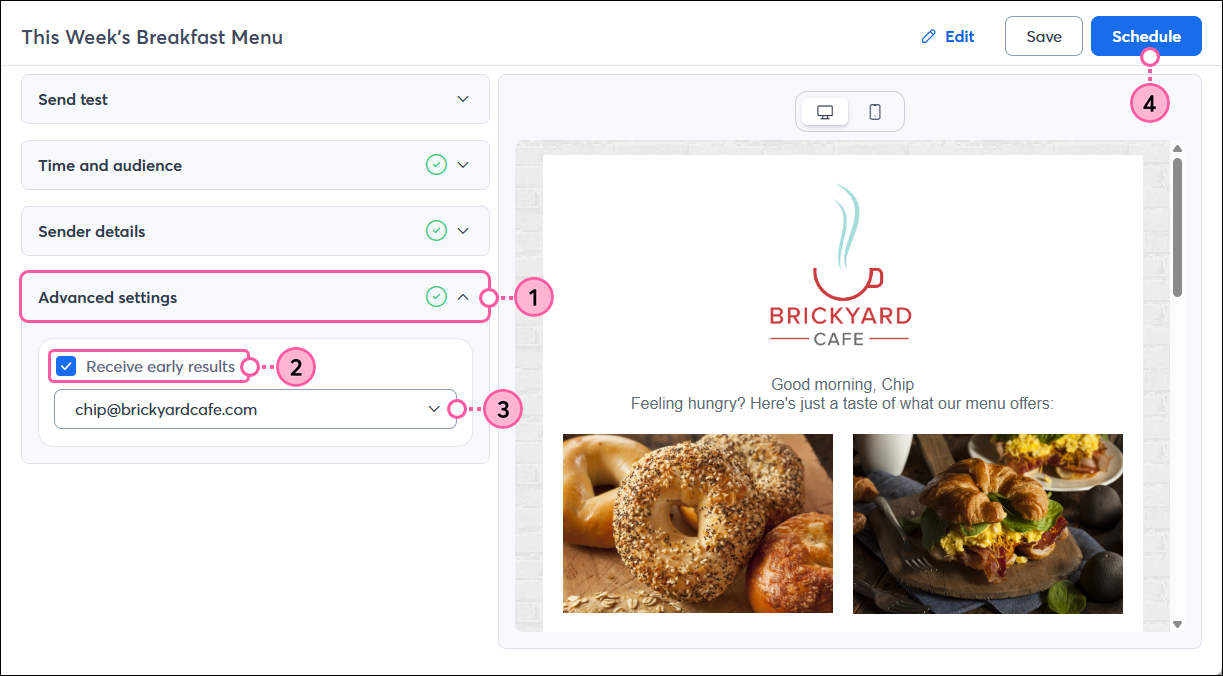
  1. Click to expand the Advanced settings section.
  2. Check the "Receive early results" box.
    Note: The Early Results email isn't available if you're running a subject line A/B test.
  3. From the drop-down, select the verified email address you want the Early Results email sent to. If you don't see the email address listed, select "Add another email" from the drop-down to verify it.
    Note: You can only send the Early Results email to one email address.
  4. When you're ready, click the Send now or Schedule button.

    Email schedule page, Advanced Settings section expanded, Early Results Option and Email Drop-down Menu, and Schedule Button


When your Early Results email arrives in your inbox, it looks something like this:
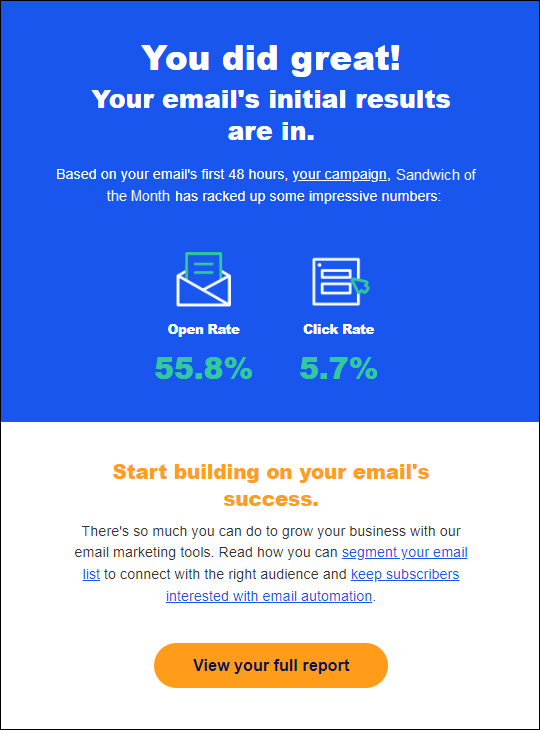
early results email
 

Light Bulb IconwDid you know? If your results aren't what you were expecting, we have some suggestions to improve your open rate and click rate.


Types of emails that offer early results

You have the option to receive the Early Results email for any email or email copies:

  • Standard emails
  • Survey invitations
  • Event invitations, emails to registrants, and emails to non-responders
  • Copied emails or invitations
  • Copies of a Subject Line A/B Test emails


You won't have the option for the Early Results email for recurring emails or emails that are being resent:

  • Resending an email
  • Sending an email using QuickSend
  • Welcome emails
  • Automated email series
  • Birthday or Anniversary emails
  • Subject Line A/B Test emails


Questions?

Ask the Community

Did this article answer your question?


Constant Contact Logo

Copyright © 2026 · All Rights Reserved · Constant Contact · Privacy Center