When you've completed creating and customizing a Lead Magnet contact form or survey, it's time to share it. There are two ways to do this:
Once you've shared your Lead Magnets, you can track the contacts you collect from them. When a lead fills out your Lead Magnet form, you are notified by email and/or SMS.
Share a Lead Magnet link online
Download and print a Lead Magnet's QR code
View contacts collected from your Lead Magnets
Export your list of Lead Magnet leads
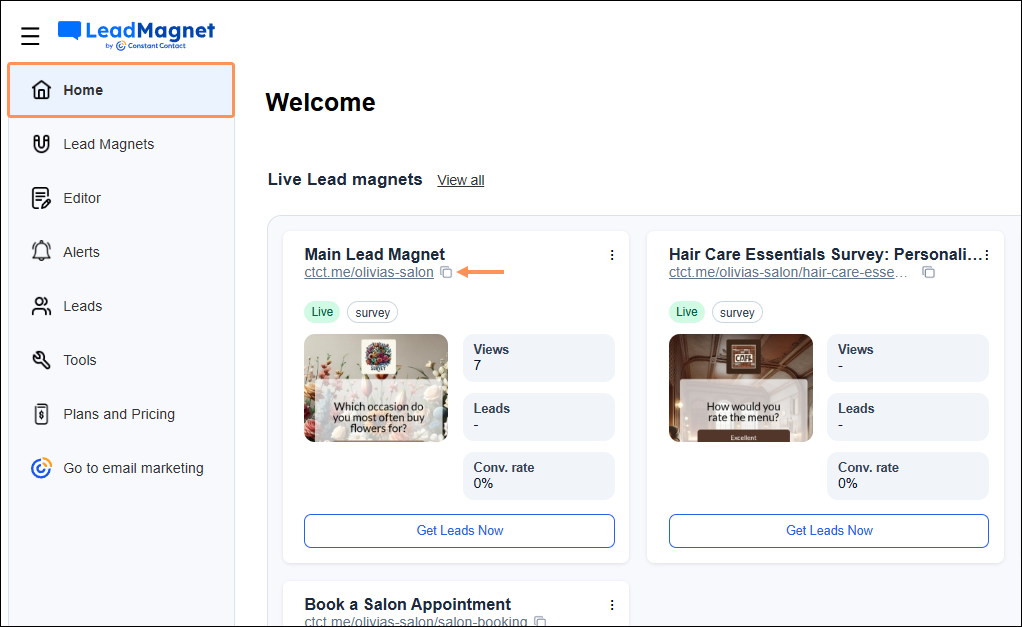
To share your Lead Magnet on your social media pages, your website, or anywhere else online, you can easily copy the Lead Magnet's URL. On the Home screen, click the copy icon:
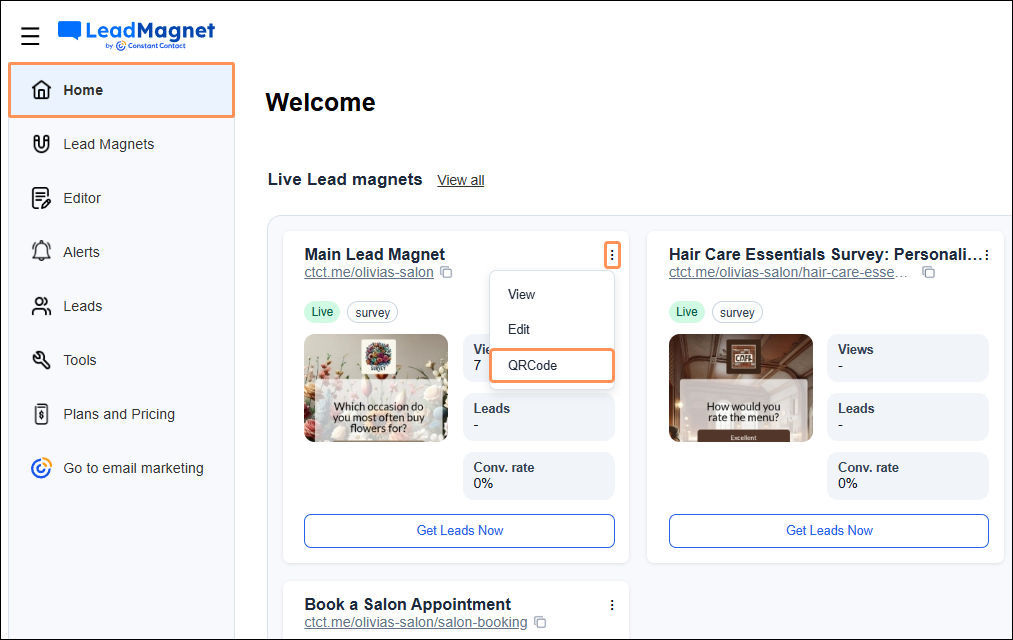
Use a scannable QR code to give your followers quick access to your form. From the Home screen, click the three dots, then select QR Code from the dropdown.
Don't like the look of the pre-generated QR code? You can also customize your QR code.
To see a list of all your leads collected from your shared Lead Magnets, click the Leads tab from the left-hand menu:
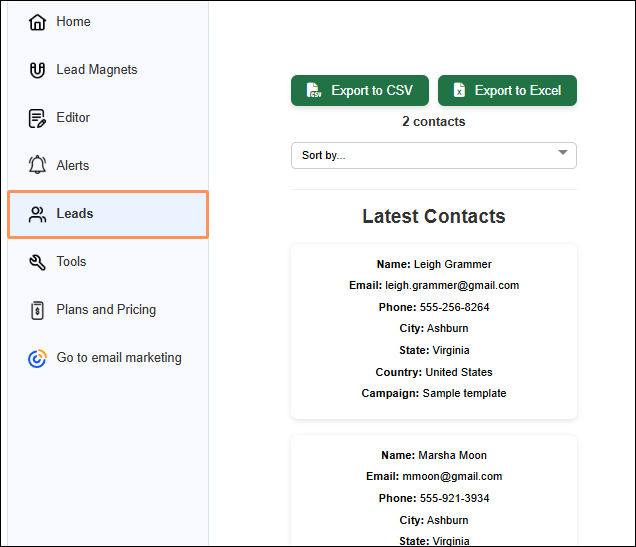
Note: Customers with an Unlimited Lead Magnet plan can also export leads from this page. This export includes survey questions and answers. If you don't see the export option, go to Plans and Pricing to upgrade your plan.
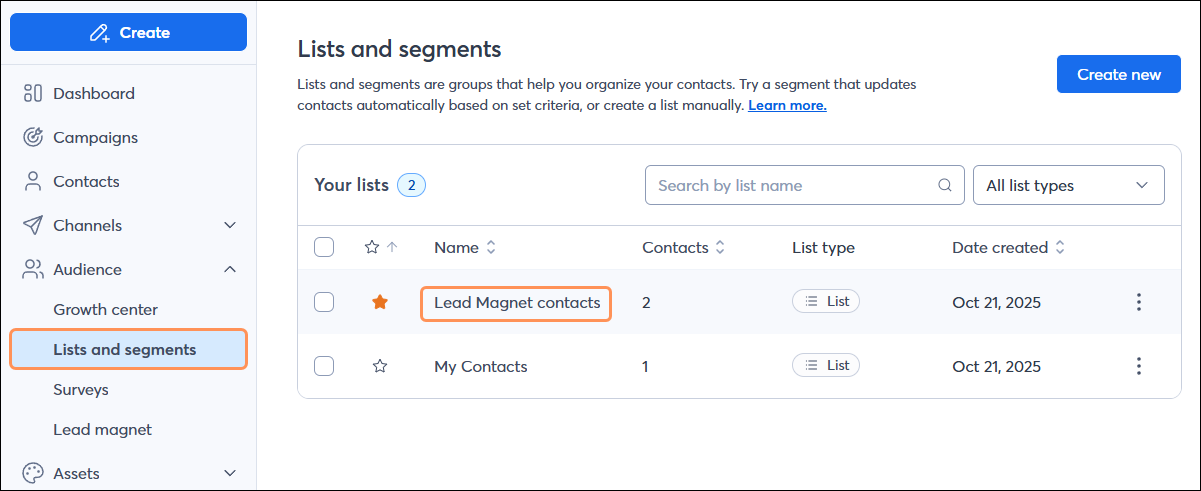
If you have a Constant Contact email marketing plan, you can also view your leads within Constant Contact by clicking Audience > Lists and segments. When contacts fill out your Lead Magnet forms, their submissions are sent to the "Lead Magnet contacts" list. The lists to which leads are added cannot be changed; however, you can build automation workflows to manipulate your contacts and lists as needed.
You can export the list of leads you’ve gained from your Lead Magnet. On the Tools page, select the Export option.
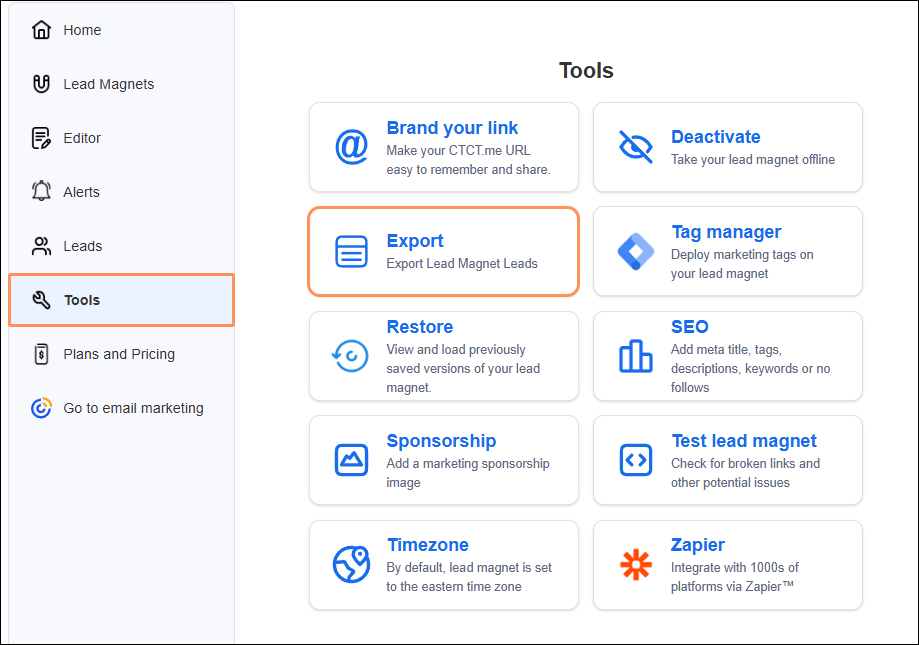
Once the export is complete, you can download your exported file within 24 hours. After 24 hours, your file expires.
Your file will include the following columns of data:
When a lead fills out one of your Lead Magnet contact forms or surveys, you will be notified by email and, if you opted in, by SMS. If you didn't initially opt in to SMS alerts, you can do so at any time. You can also add additional phone numbers and emails, and remove any that are no longer needed.
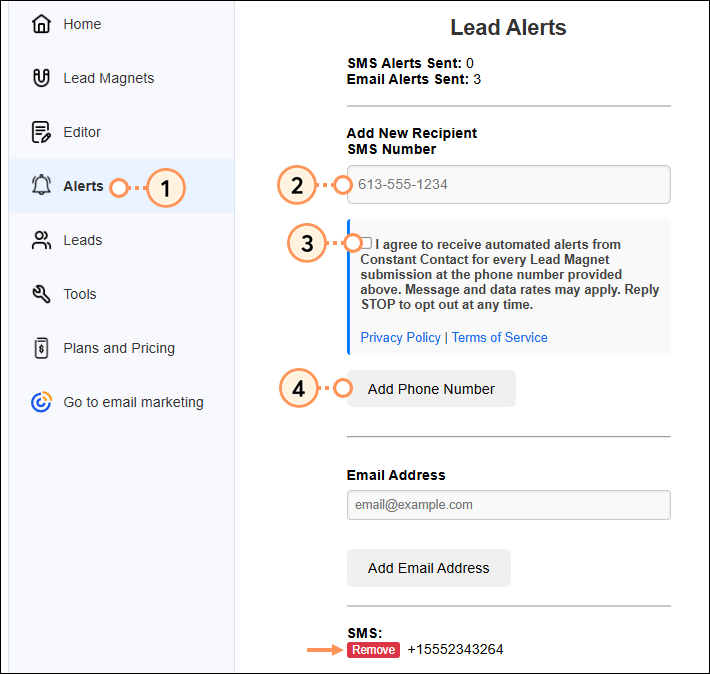
The phone number entered will begin receiving text message notifications for each Lead Magnet submission.
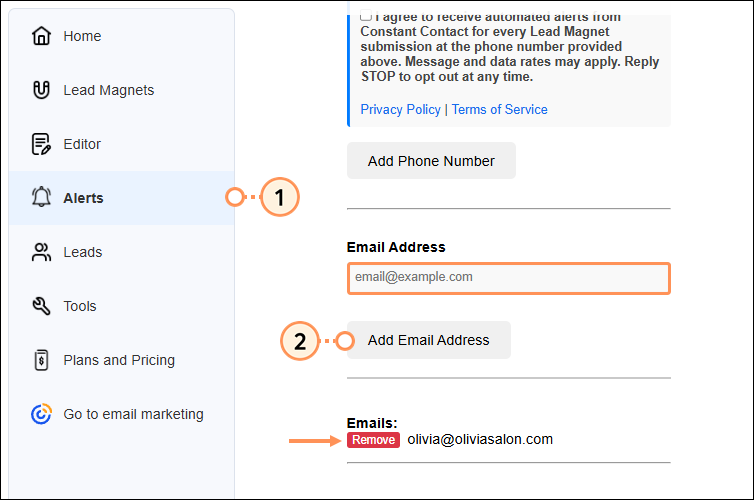
The email address entered will begin receiving email notifications for each Lead Magnet submission.
Copyright © 2026 · All Rights Reserved · Constant Contact · Privacy Center