 | Review your plan: This feature is not available in all Constant Contact plans. If you don’t have full access, you may need to upgrade your plan. |
Using segmentation to stay engaged with your most active subscribers not only builds a stronger relationship with them, but also helps to increase your open rates because they'll be looking for your emails in their inbox. However, over time, you may notice that some customers aren't engaging with your content as much as they once were. Using segmentation to find the contacts who consistently do not open your emails gives you the opportunity to re-engage with them too.
 | Save time: When you create and send an email, you have the option to send to a segment instead of a contact list. In addition, you can send to a custom segment that you made yourself, or send to a pre-defined segment that we generate for you. Choose from: most engaged, somewhat engaged, or least engaged. |
Using a custom segment lets you combine contact engagement data with other criteria, like list membership, contact details, and ecommerce behavior. Emails that were sent less than 24 hours ago aren’t factored into a contact’s engagement level.
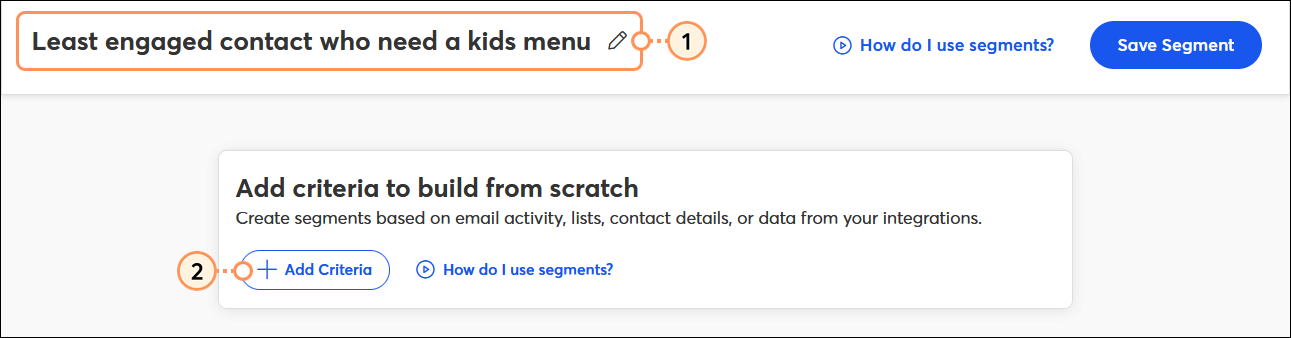
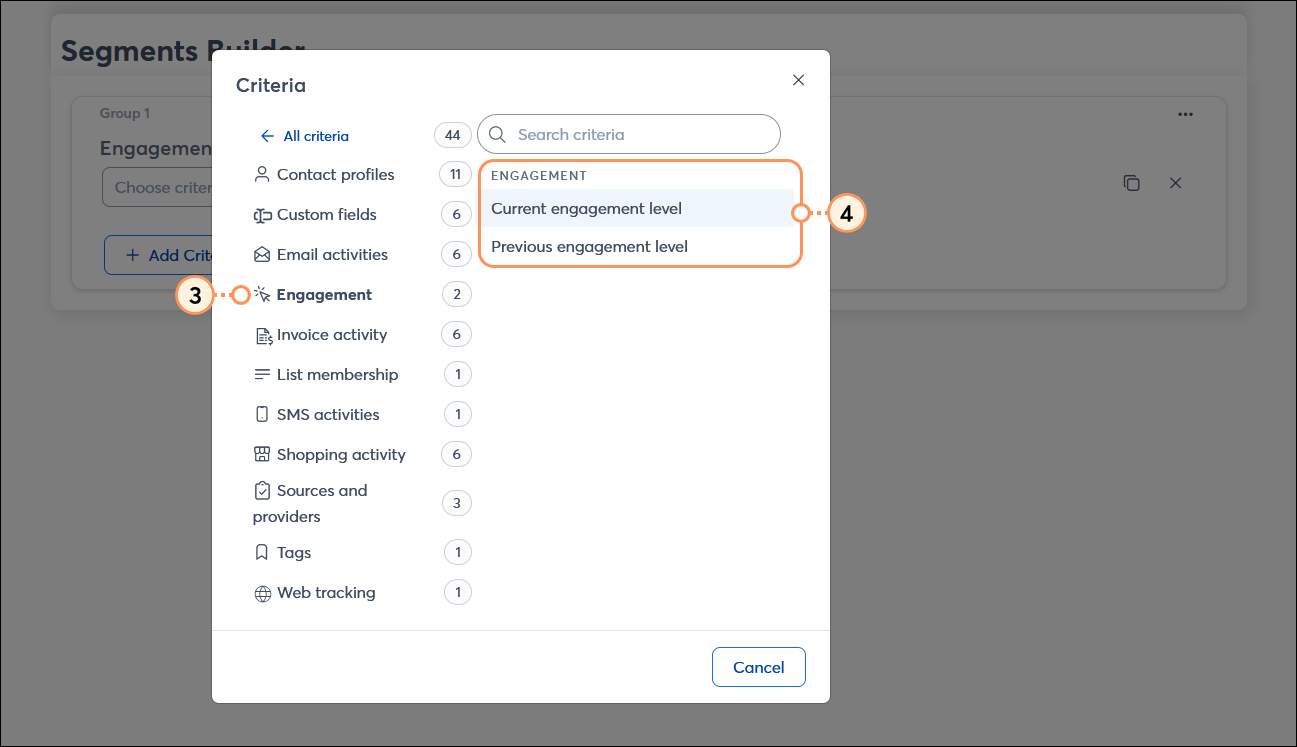
| Engagement criteria | Operator 1 | Operator 2 |
| Current engagement level |
|
|
| Previous engagement level |
|
|
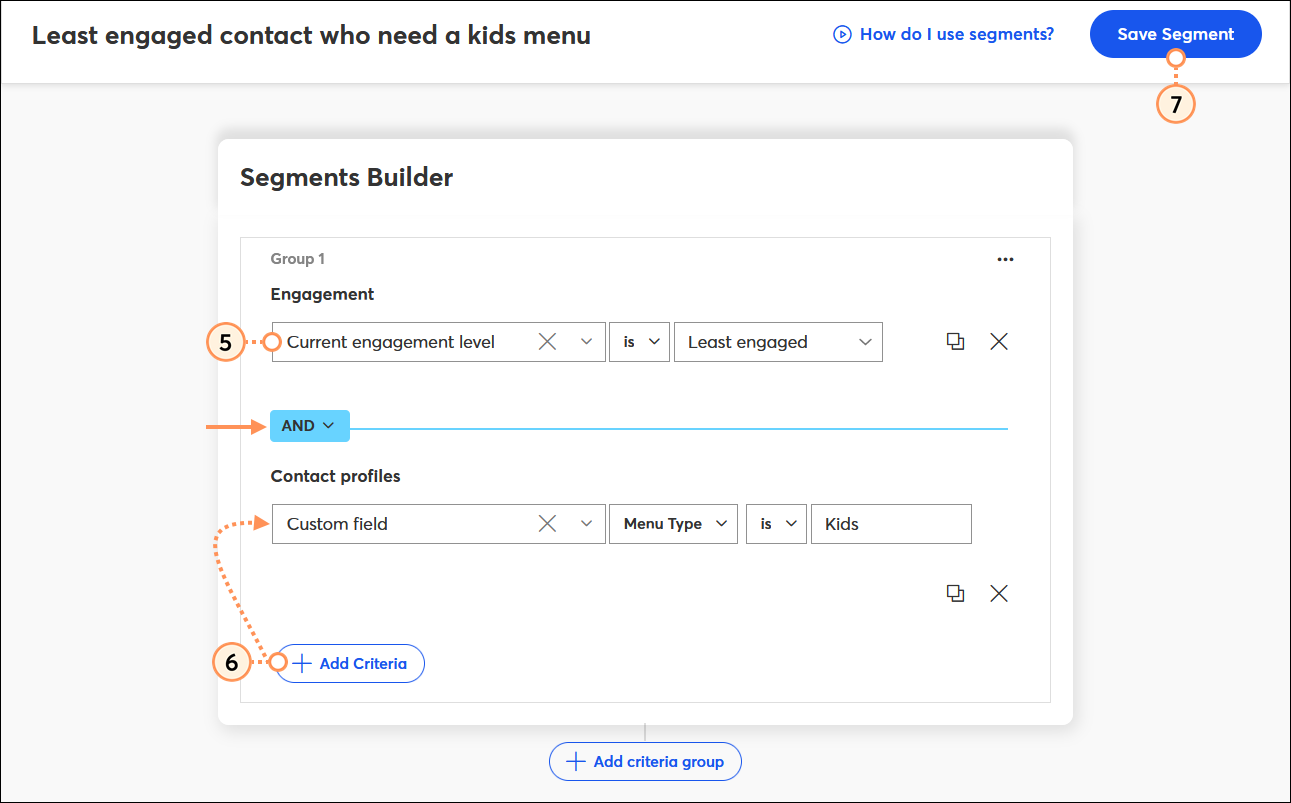
Now that you've created a segment, you have a couple of choices for handling the contacts:
 | Learn more: Looking for more information about how your contacts engage with your emails? Your contact insights can give you the bigger picture and help you better understand engagement. |
Copyright © 2026 · All Rights Reserved · Constant Contact · Privacy Center