ActiveCampaign is an email marketing and automation platform that sends behavior-triggered, personalized email campaigns. Import contacts and emails from your ActiveCampaign account into Constant Contact with our integration.
Emails imported from ActiveCampaign can be modified within the Constant Contact email editor, just like any other Constant Contact email.
The ActiveCampaign integration is a one-way sync: Only subscribed contacts from ActiveCampaign will be brought over to Constant Contact. Data will not be sent back from Constant Contact to Active Campaign.
Connect your ActiveCampaign account to your Constant Contact account to import contact information and emails. Imported contact information will include the following fields: first name, last name, email address, tags, and phone number.
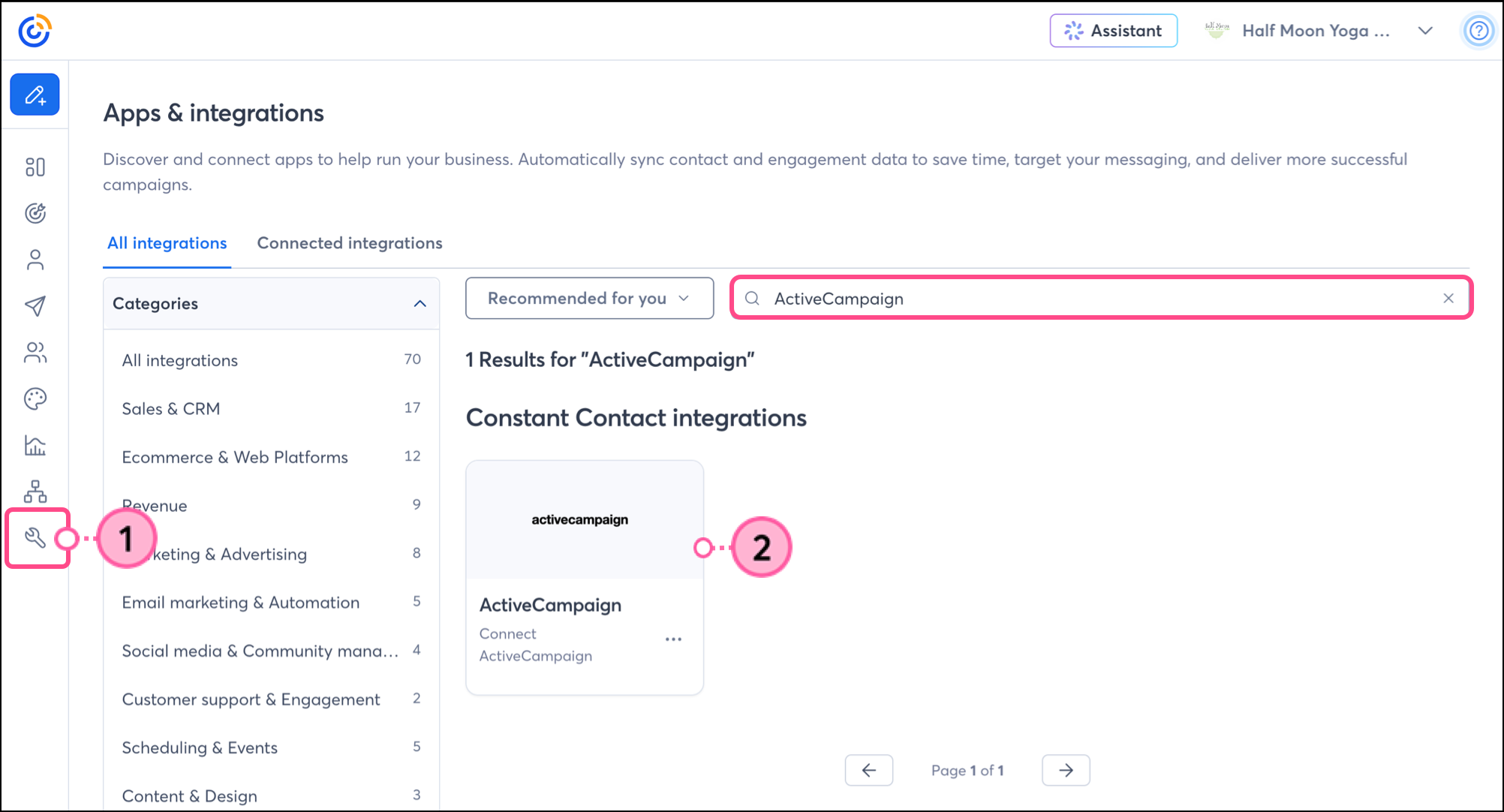
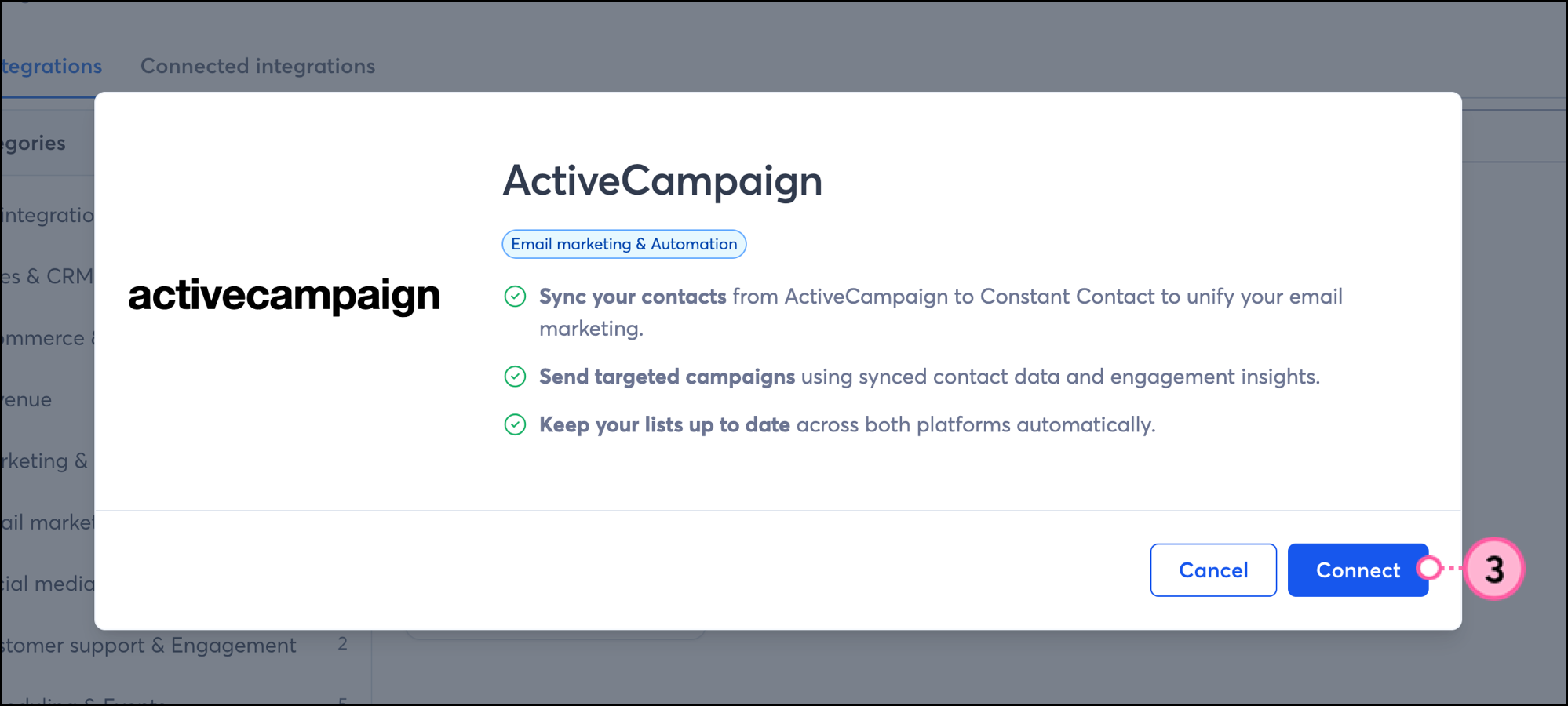
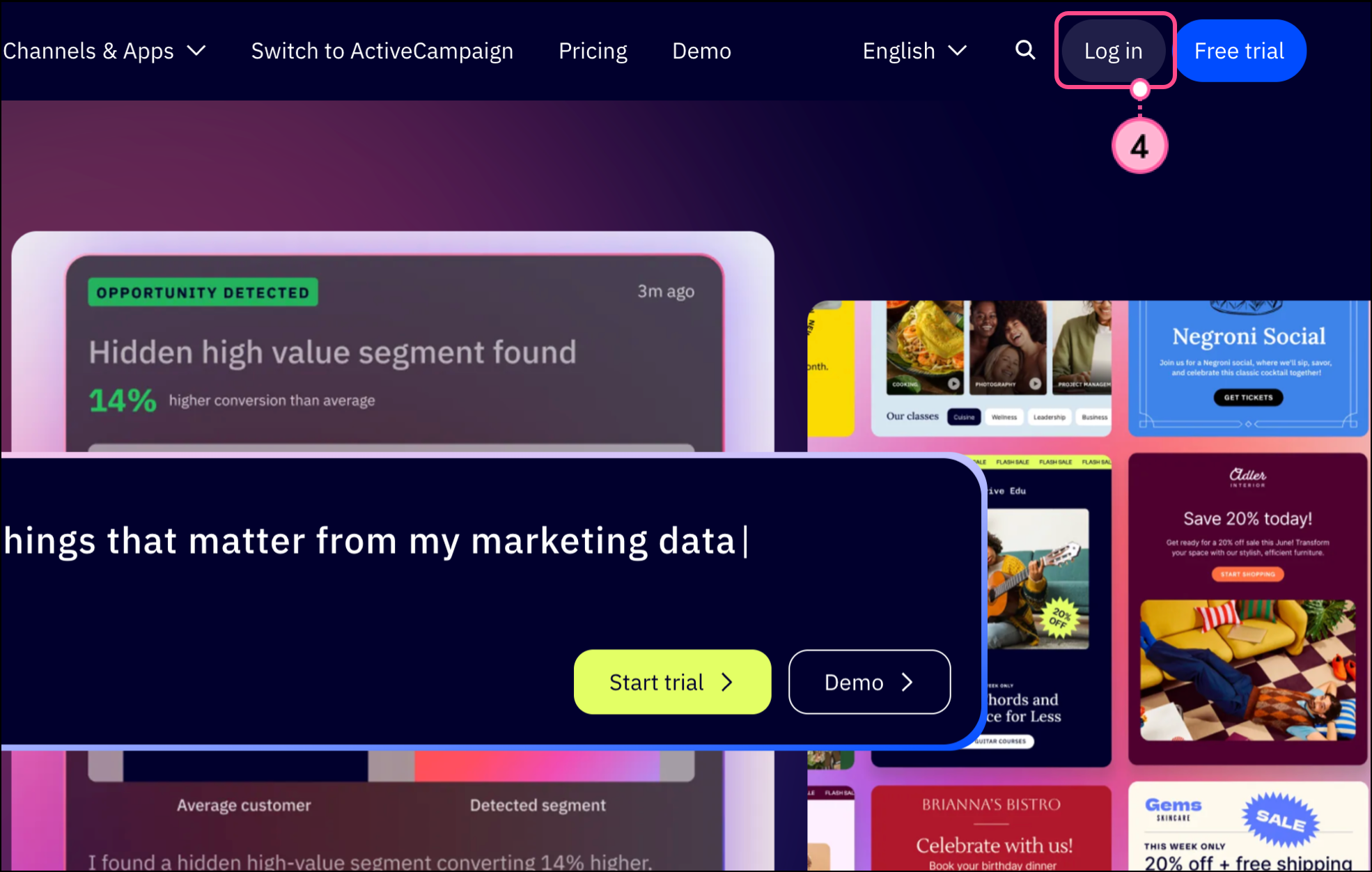
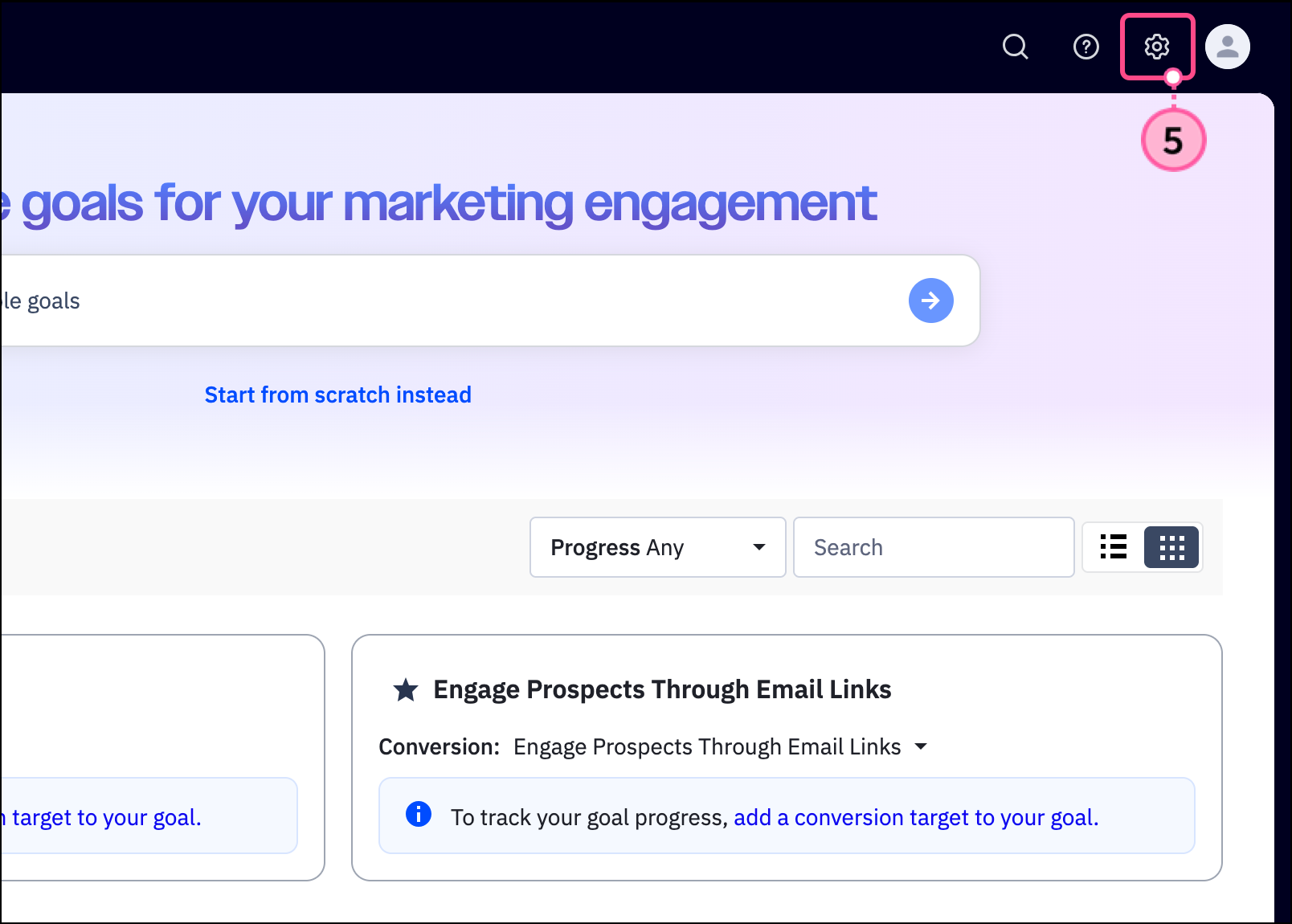
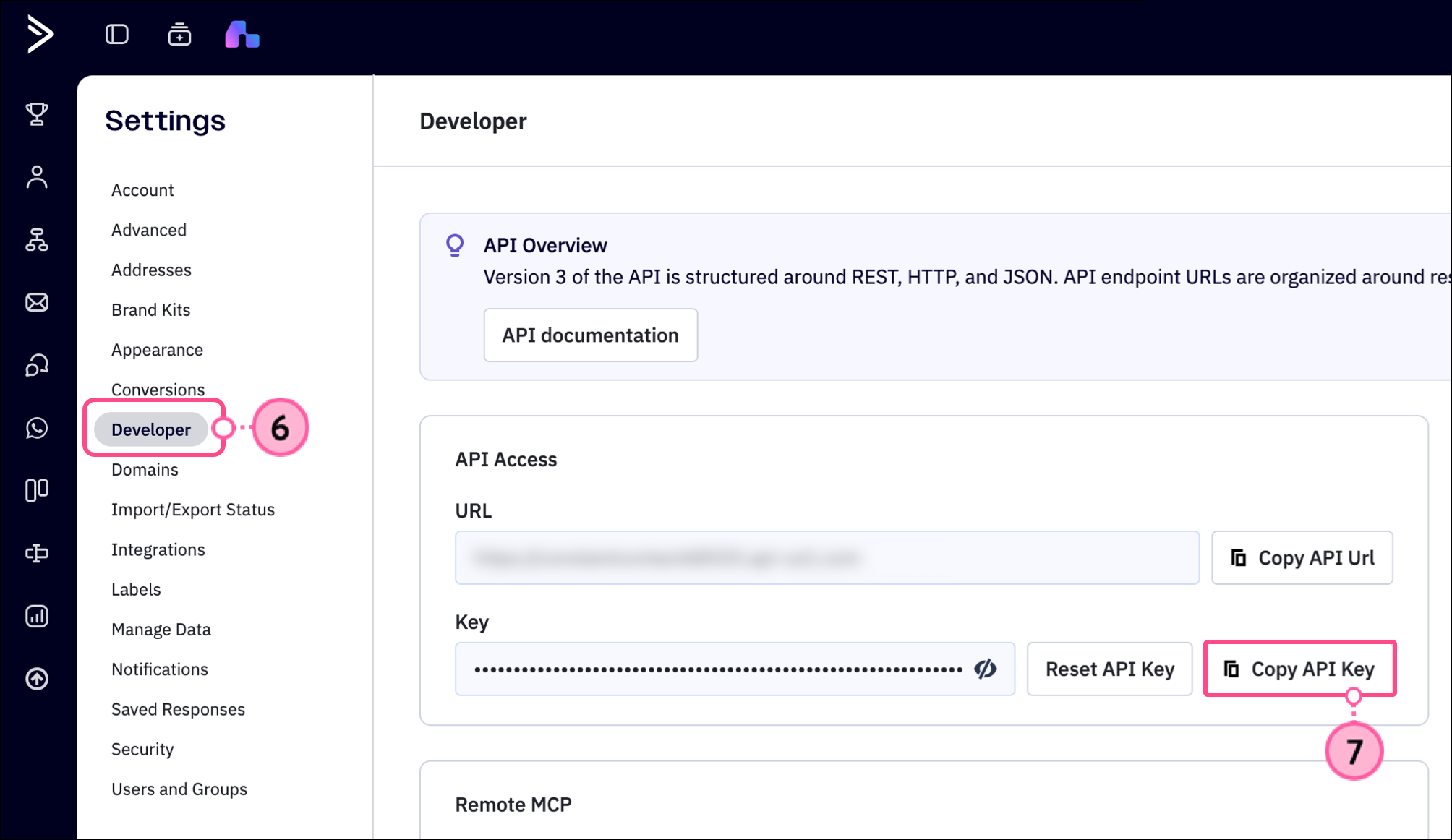
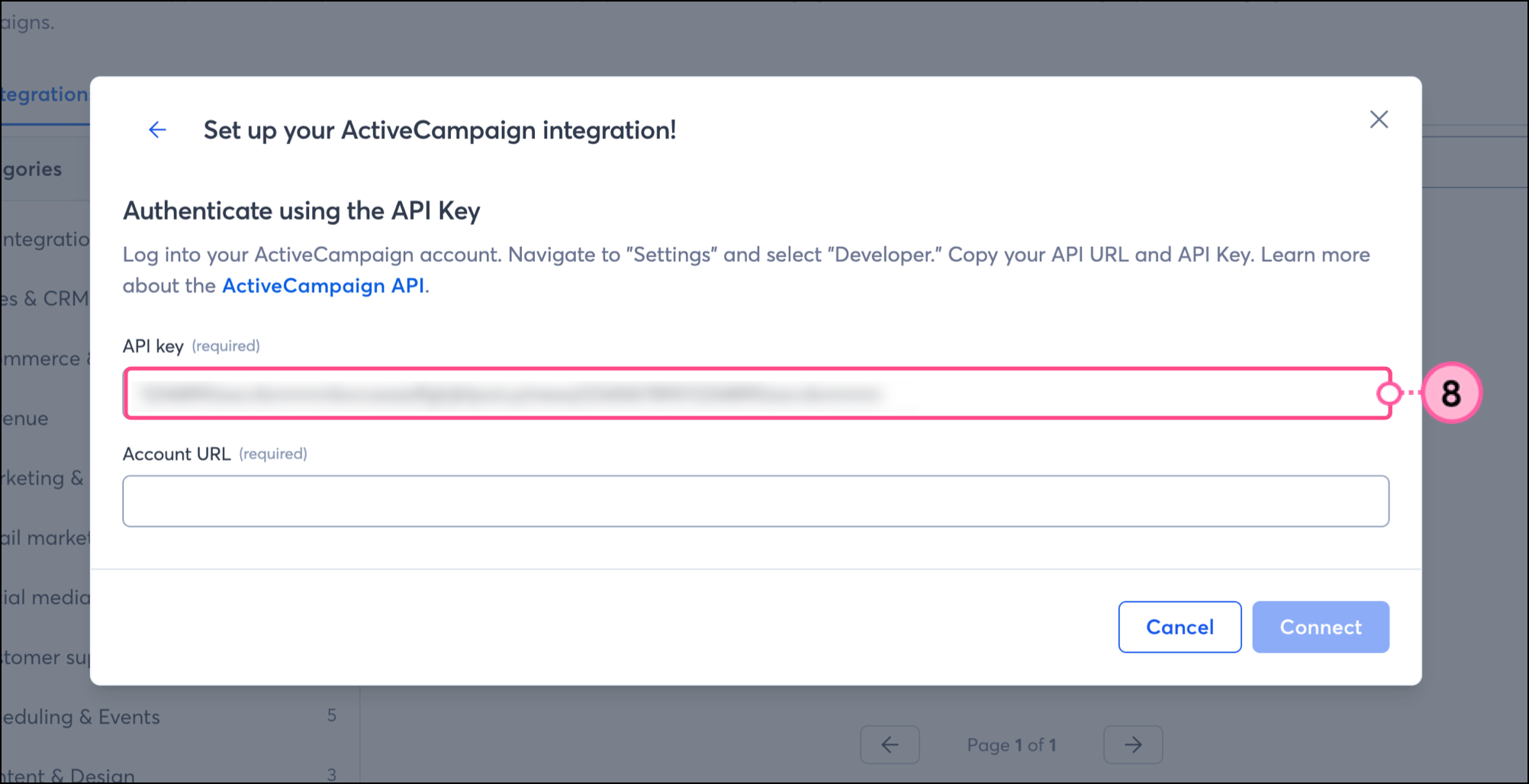
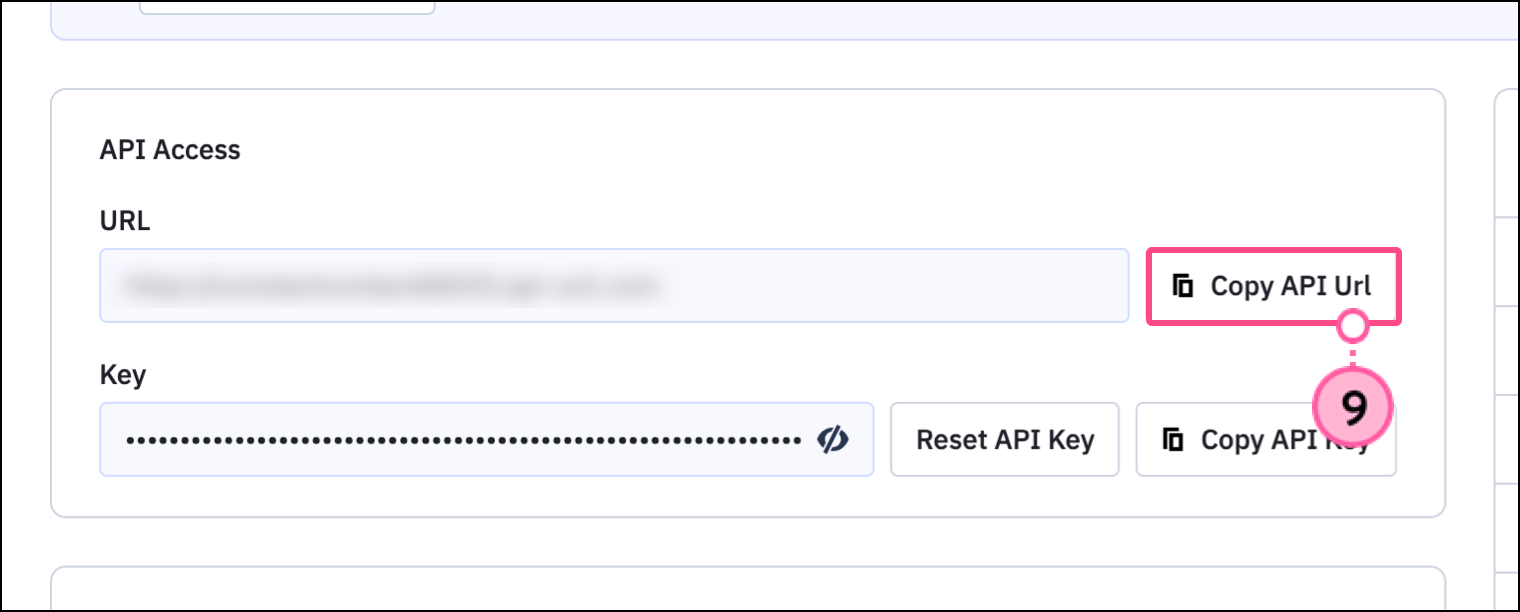
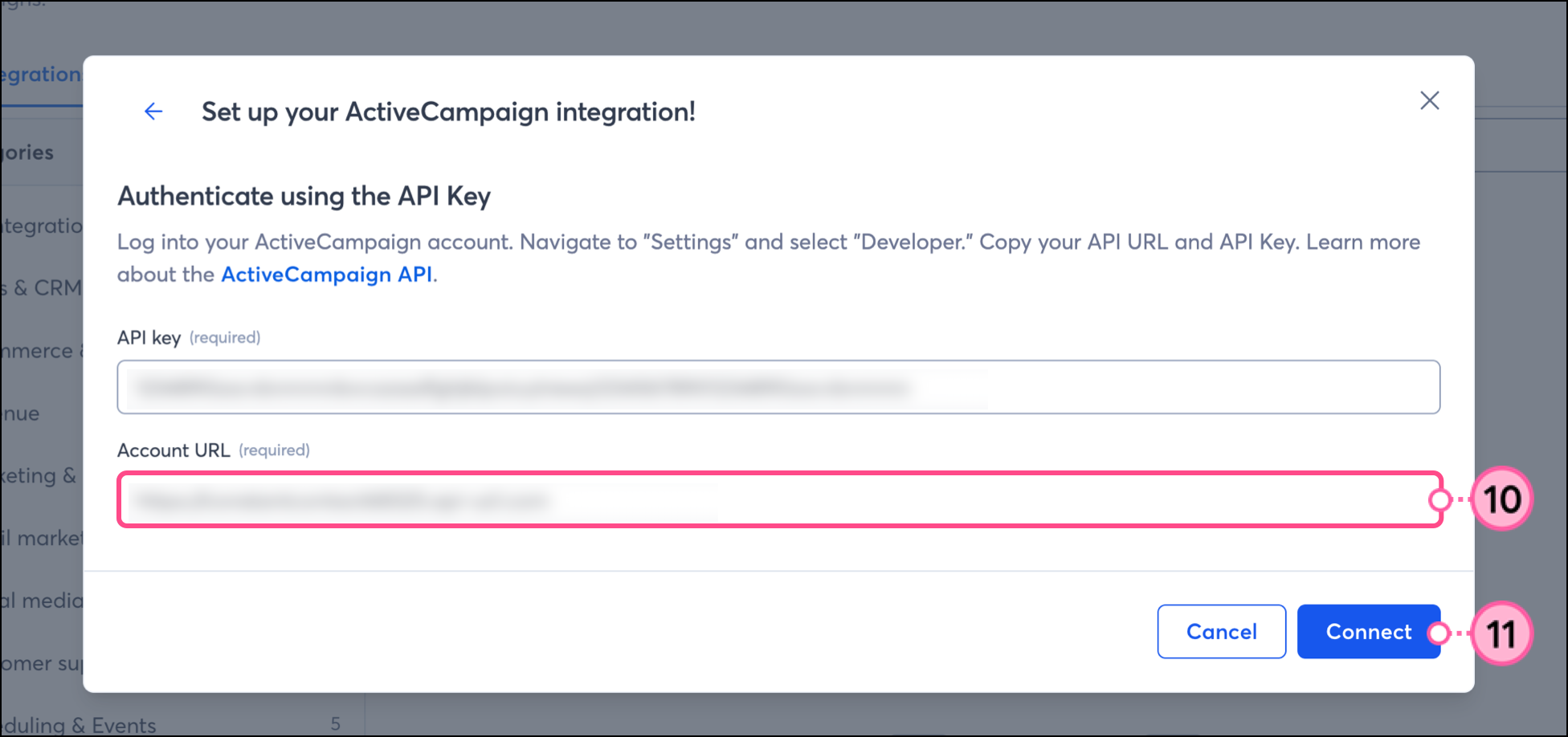
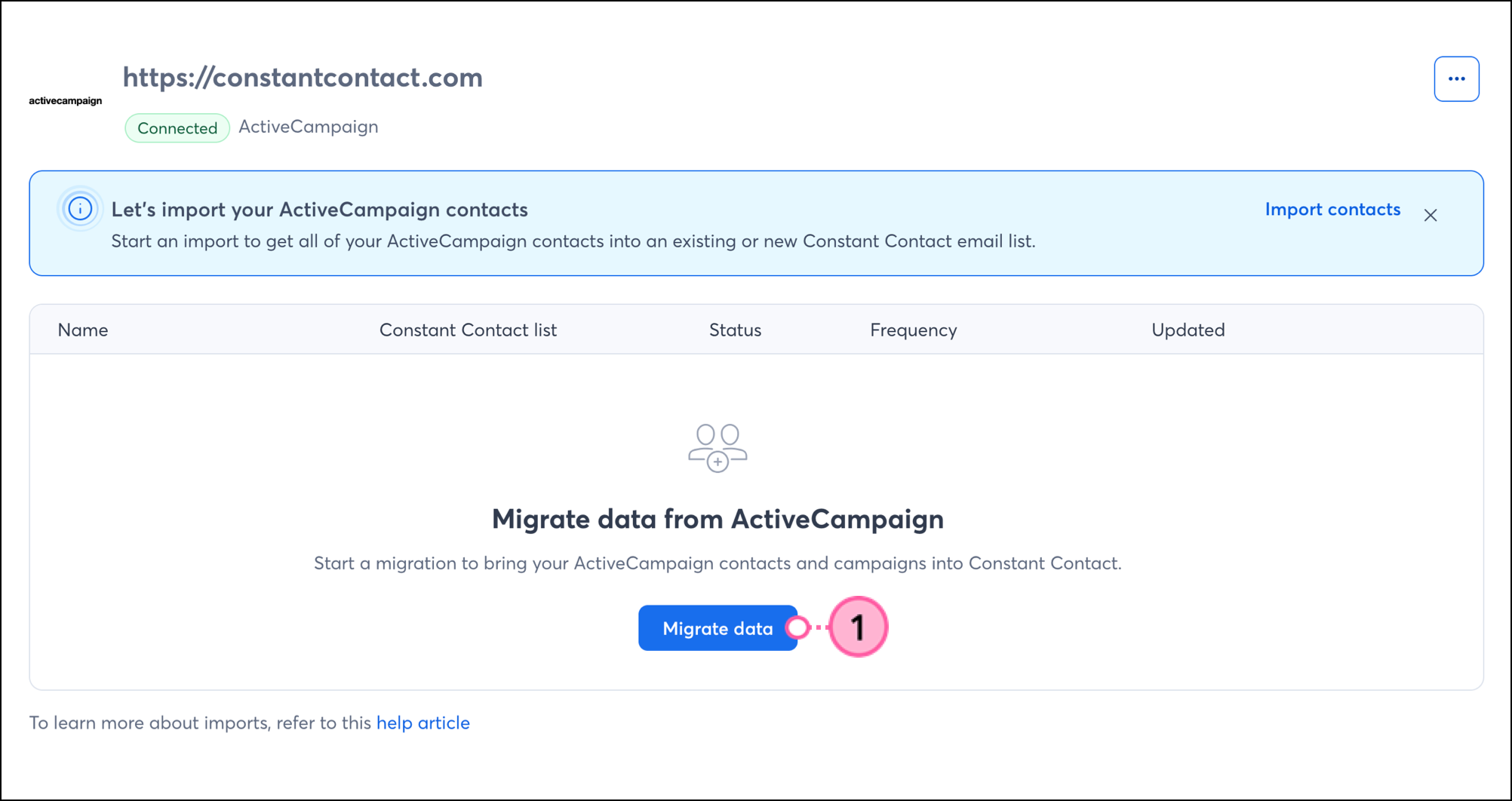
Your ActiveCampaign account is now connected to Constant Contact. You can now migrate your data, including contacts and emails.
Once connected, migrate your contacts and emails from ActiveCampaign to Constant Contact.
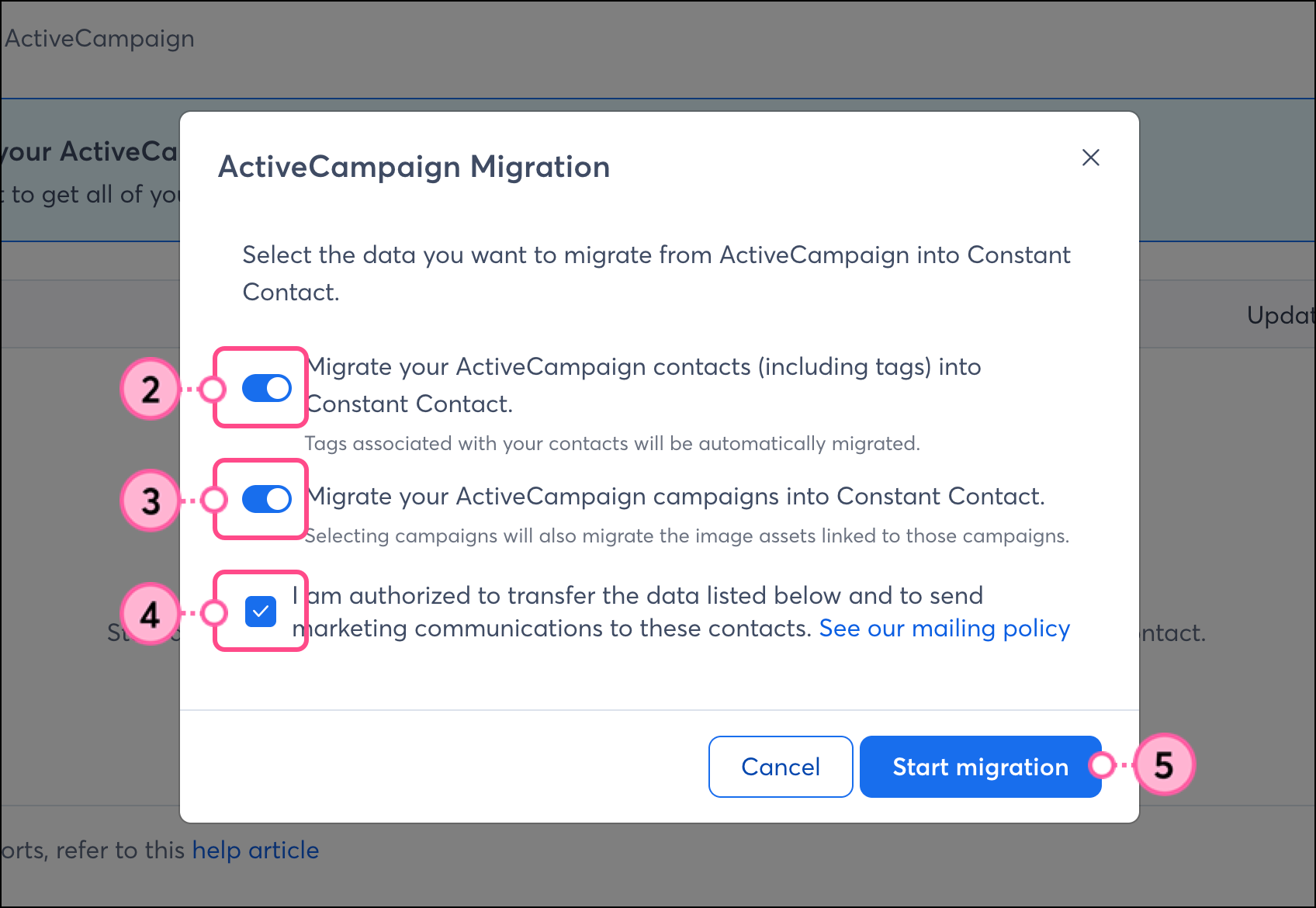
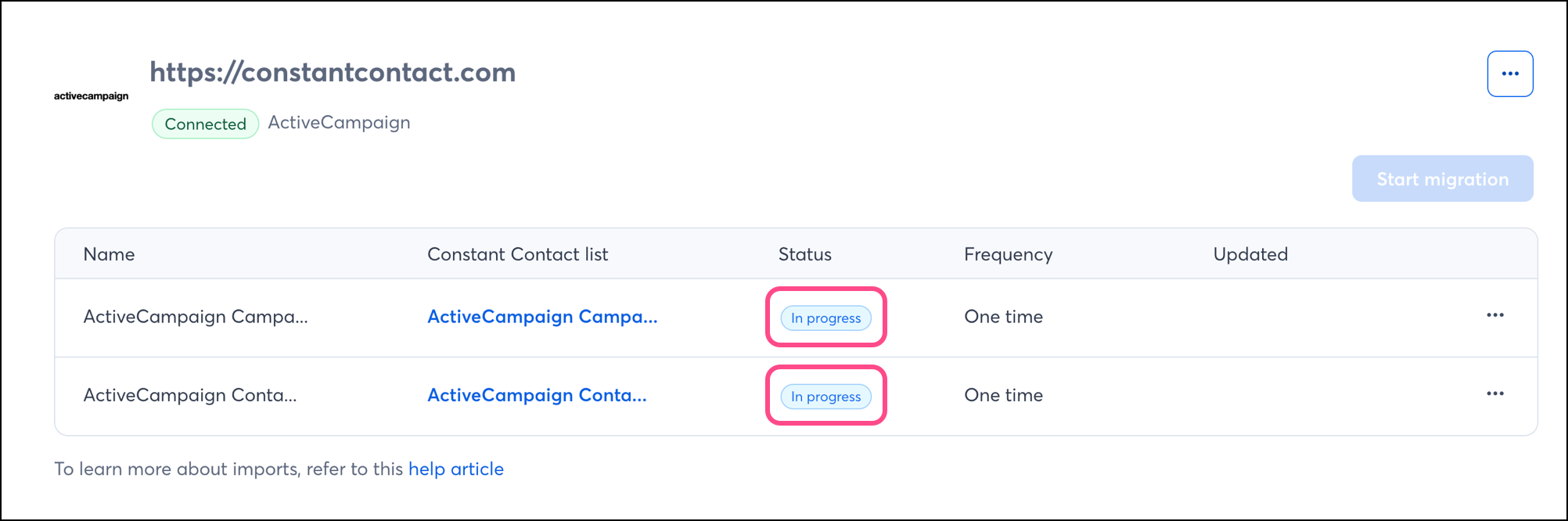
Your import will start. The status will reflect In progress until the migration is complete.
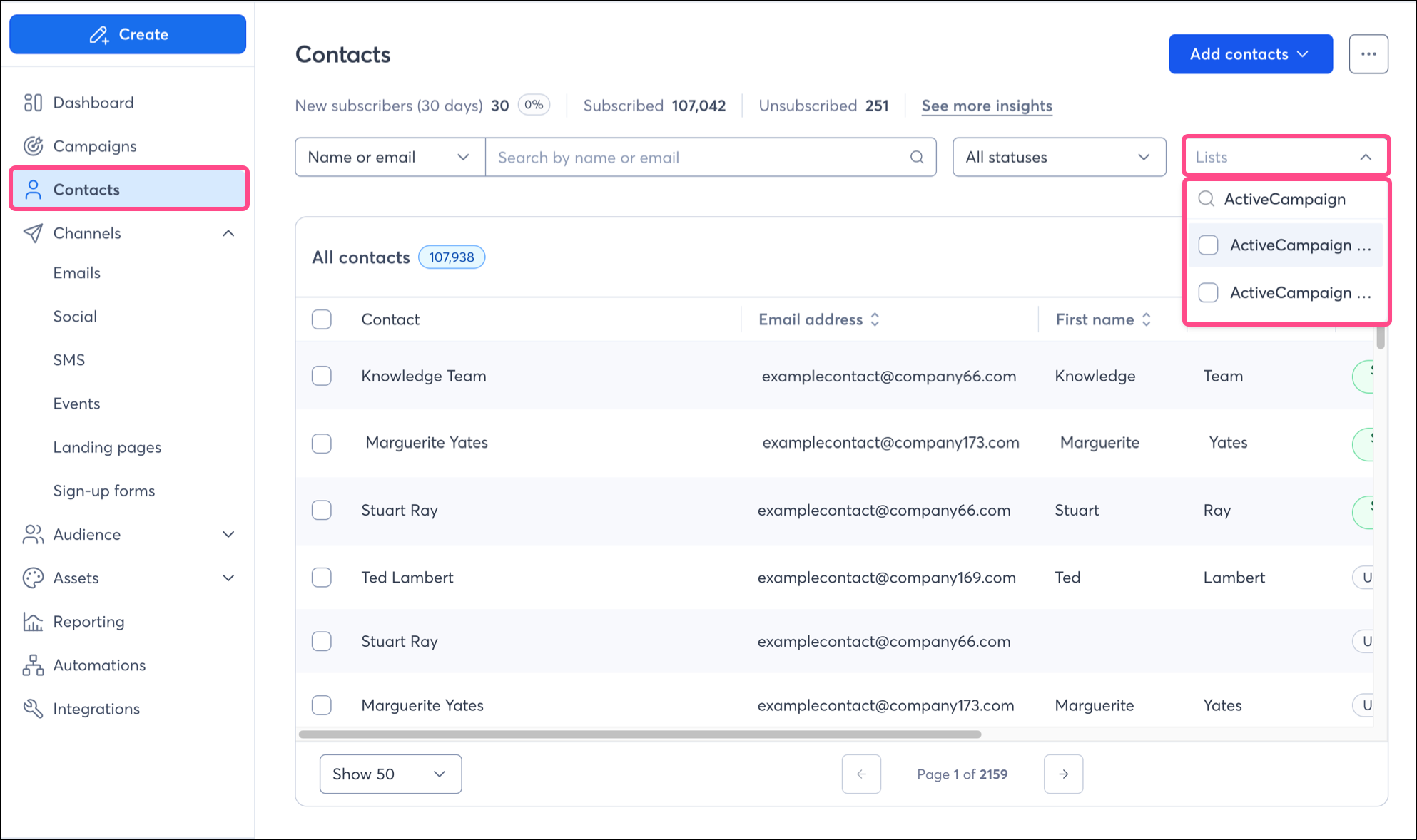
Once your contacts have been imported, you can find them in your Constant Contact account by going to the Contacts tab. You may use the List dropdown to search for ActiveCampaign.
To learn more about managing your contacts in the Constant Contact platform, read the following articles:
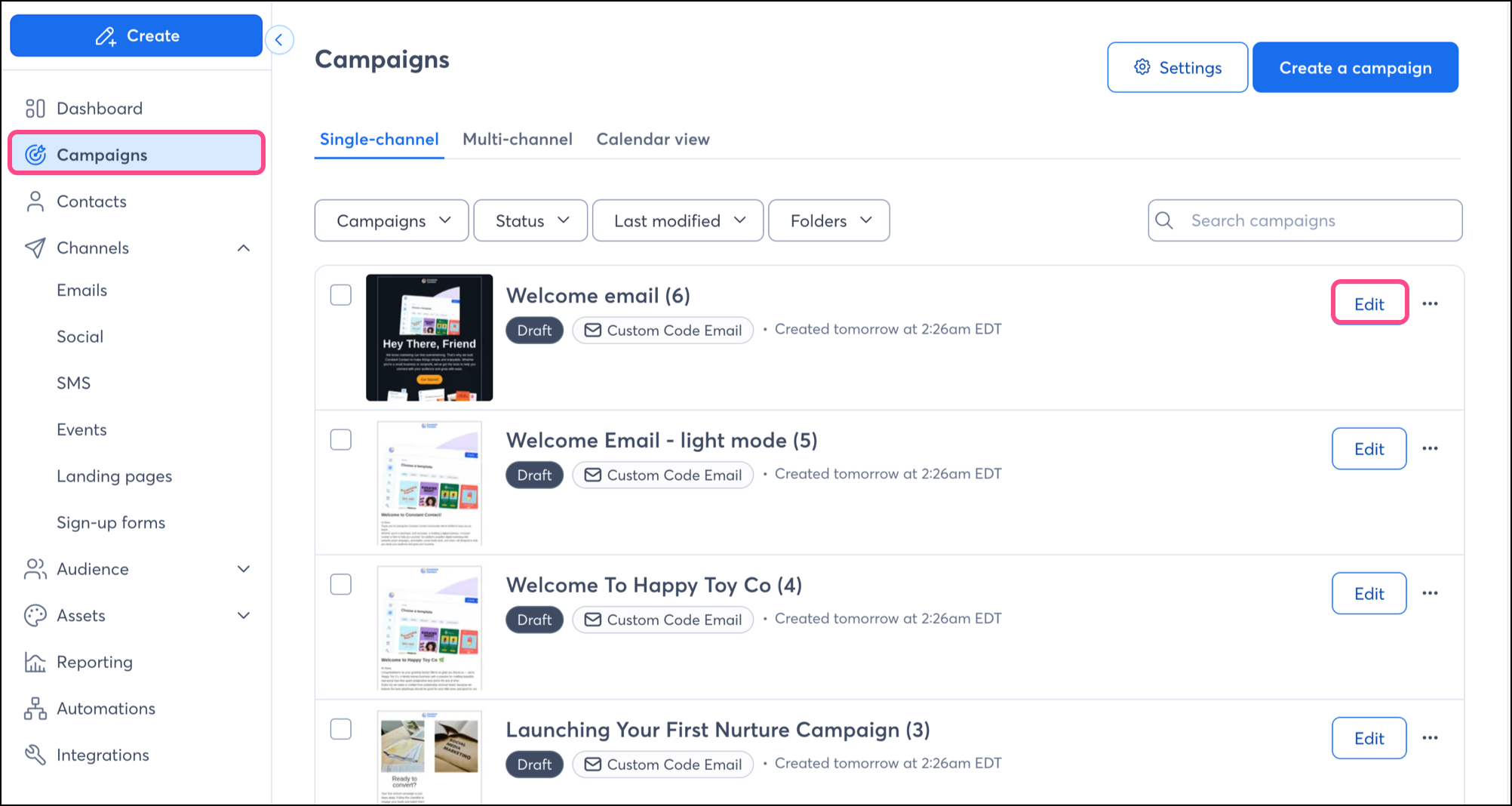
To locate imported emails, go to the Campaigns section. You can click the Edit button next to an imported email to modify it in the Constant Contact email editor. Even active campaigns will be imported into your Constant Contact account.
To learn more about editing your emails, read the following articles:
Once you've set up your imports and your ActiveCampaign contacts are successfully syncing into Constant Contact, there are a variety of ways to target those contacts with customized messaging.
When importing from ActiveCampaign, contacts will be imported into an "ActiveCampaign" titled list. But maybe you want to segment these contacts even further, to send specific, targeted messaging. You can do so by creating a custom segment of contacts.
Create personalized automated communications via email and SMS for your customers based on their actions, including welcome emails, thank you series, requests for review, and more.
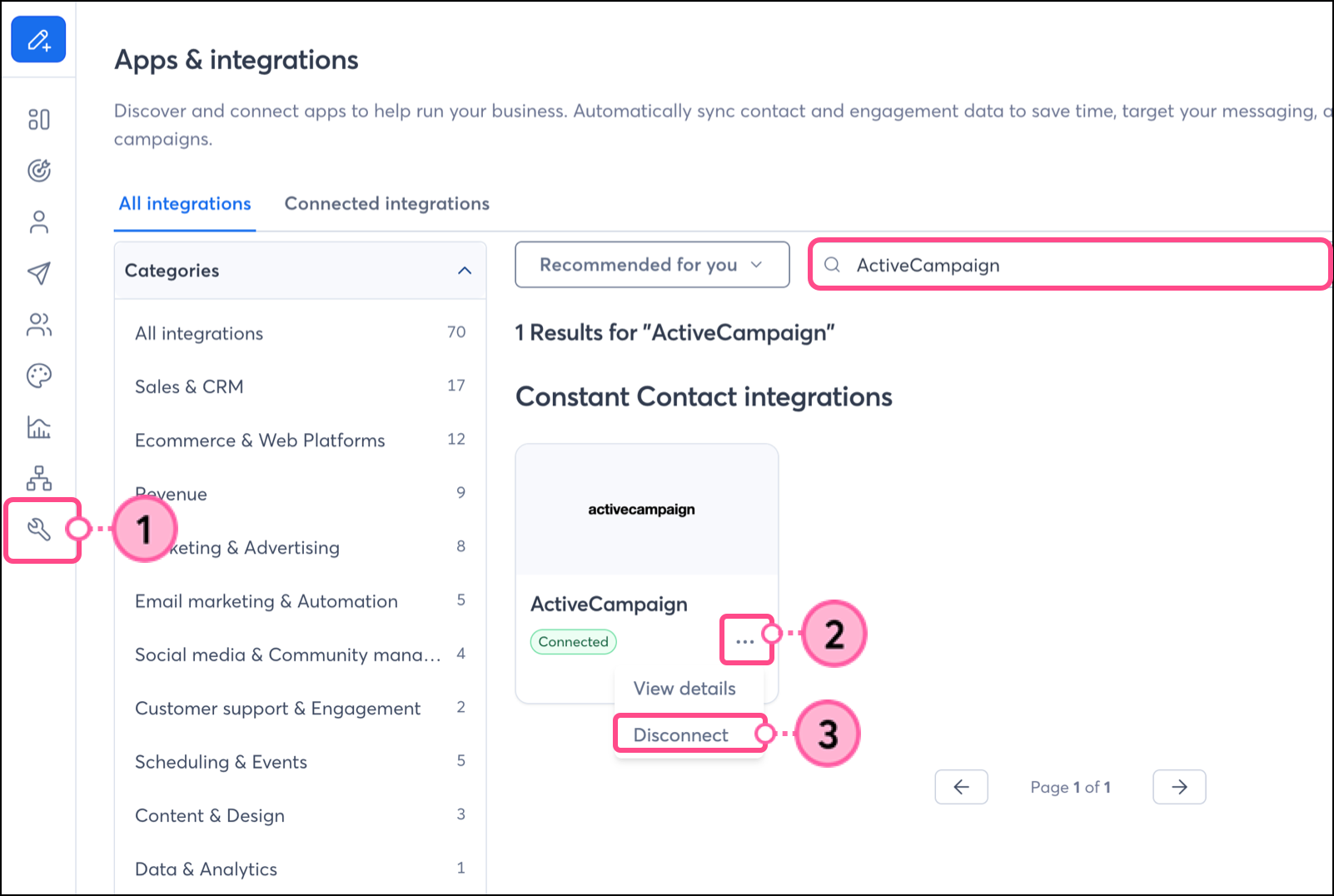
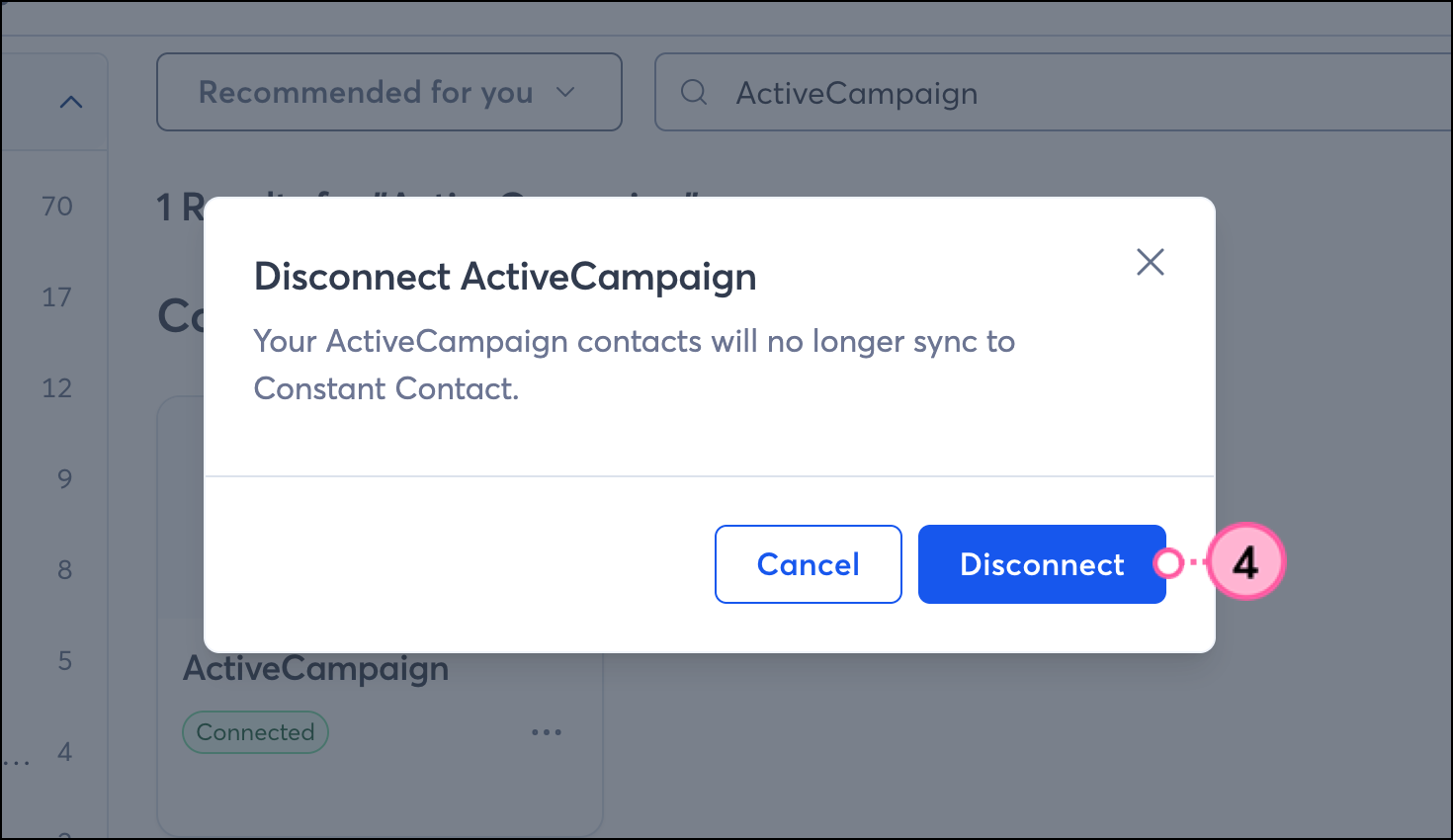
If you disconnect the ActiveCampaign integration, your imported contacts and emails will remain in your Constant Contact account. New ActiveCampaign data will no longer be imported into Constant Contact.
Click Integrations.
Any links we provide from non-Constant Contact sites or information about non-Constant Contact products or services are provided as a courtesy and should not be construed as an endorsement by Constant Contact.
Copyright © 2026 · All Rights Reserved · Constant Contact · Privacy Center