On the Email Reporting dashboard, see campaign performance at a glance without having to impersonate each of your workspaces. Select a time frame, and view your entire organization's performance or drill into one or more workspaces to see filtered, location-specific data. Automatically compare data to previous date ranges, and identify underperforming campaigns, such as "opens below 15%" with metric thresholds.
Create an export of the data, adhering to any filters you set, and have the file sent to the verified email address of your choosing. Access the export at any time under the Exports tab.
View your reporting
Export your reporting
View your reporting
To access the Reporting dashboard:
- Click Org reporting > Reporting.
- Click the Email subtab.
- Set your filters:
- Select a date range to view.
- View data for all of your workspaces or select specific workspaces from the dropdown.
- Optionally, click "More filters" to select a metric threshold.

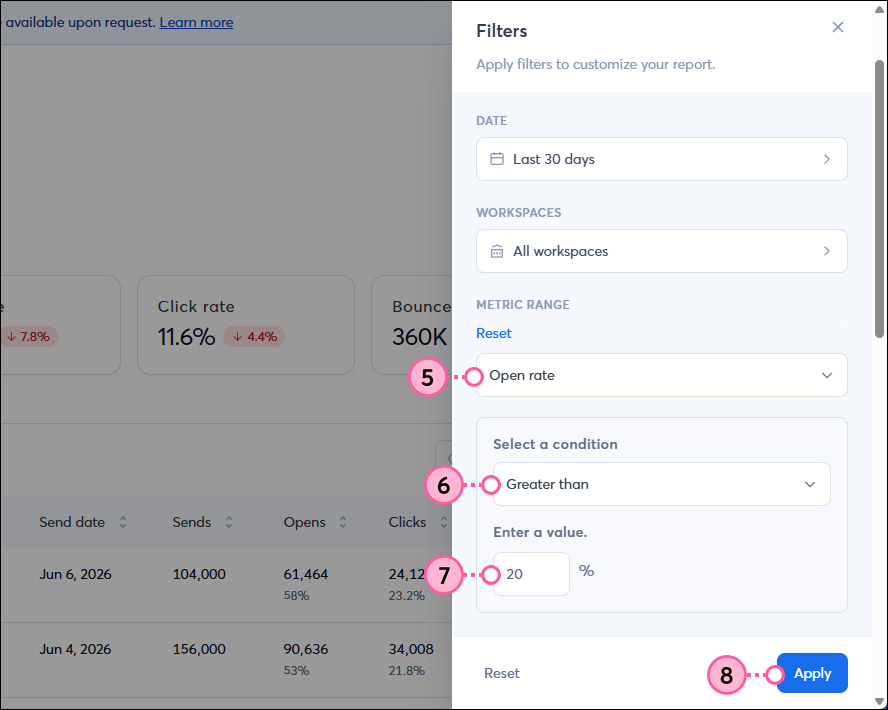
- Select a metric from the dropdown - either open rate, click rate, bounce rate, or unsubscribe rate.
- Select a condition from the dropdown - either equals, greater than, less than, or between.
- Enter the value(s) to use as a threshold.
- Click Apply.
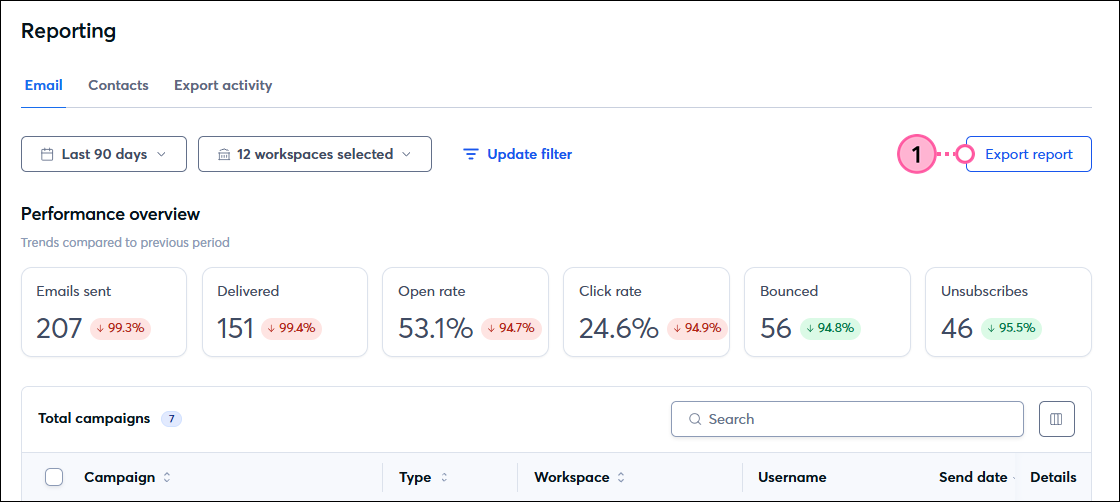
- In the Performance Overview section, see high-level metrics for the selected time period, account(s), and filter. Additionally, for each metric, you can see a comparison to the previous time frame.
- Below the Performance Overview section, you'll see the Campaigns table. The campaigns listed match your selected time period, accounts, and filter. For each campaign, you can view the following metrics. Scroll to the right within the table to see all metrics.
- Campaign name - This is the campaign name along with the send date and time.
- Type - Either a single send or central send campaign.
- Workspace - The workspace that sent the campaign or total number of workspaces, if multiple.
- Send date - Date that the campaign was sent.
- Sends - This is the total number of contacts the email was sent to.
- Opens - This shows both the total number of unique opens for your email and the open rate.
- Clicks - This shows both the total number of unique clicks the links in the email received and the click rate.
- Bounces - This shows both the total number of bounces and the bounce rate for the email.
- Unsubscribes - This shows both the total number of unsubscribed contacts and the unsubscribe rate for the email.
- Click "View details" to be brought to the campaign's Email Details and Reporting page.
- Optionally, to export individual campaign data as a CSV, checkmark one or more campaigns and then click Export selected. To export all data on the page, use the Export tool.

Export your report
To export your filtered report:
- Click Export report.
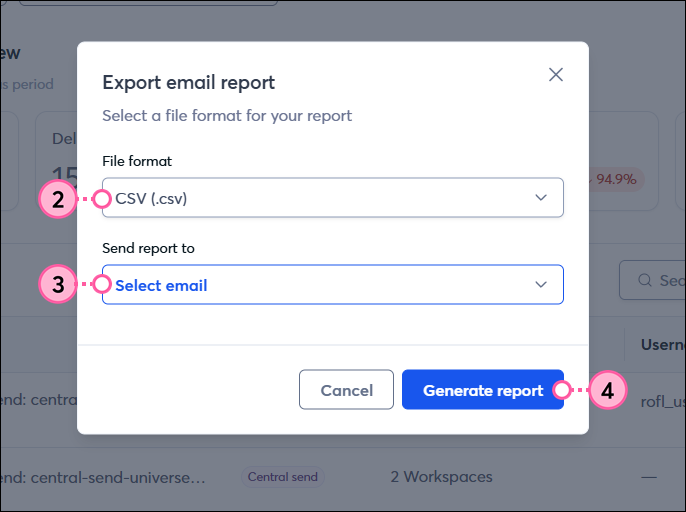
- Choose a file format - either CSV or Excel.
- Select one or more verified email addresses from the dropdown to send the report to.
- Click Generate report.
The report will begin generating and, once complete, will be sent to the specified email addresses.
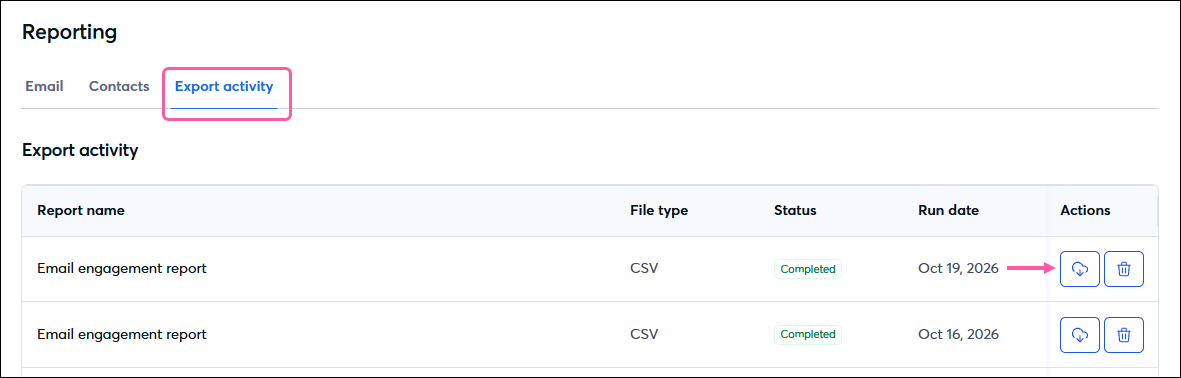
To access all of your exported report, click the Export activity tab. For each export, you'll see the report name, file type, status, and run date. In the Actions column, click the download icon to save the report to your computer or the trash icon to delete the export.