If you are a Constant Contact Teams beta participant, there are exciting features available to you, along with several more coming soon. Check out this overview to learn more!
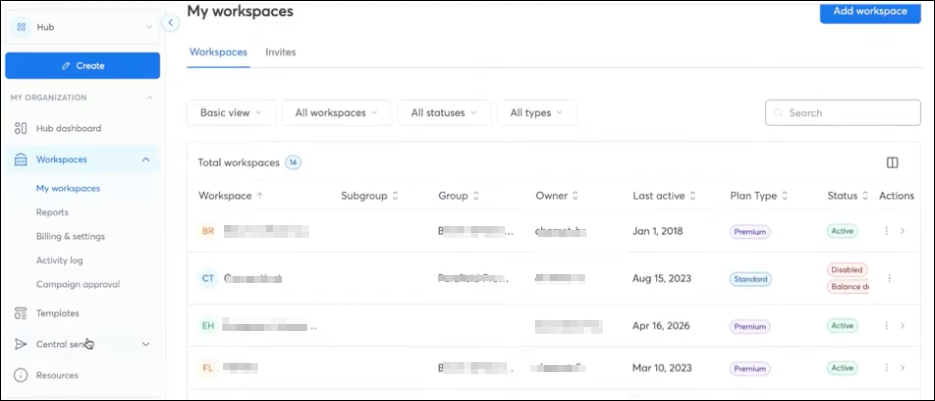
This is an update in terminology to simplify and standardize language within the product:
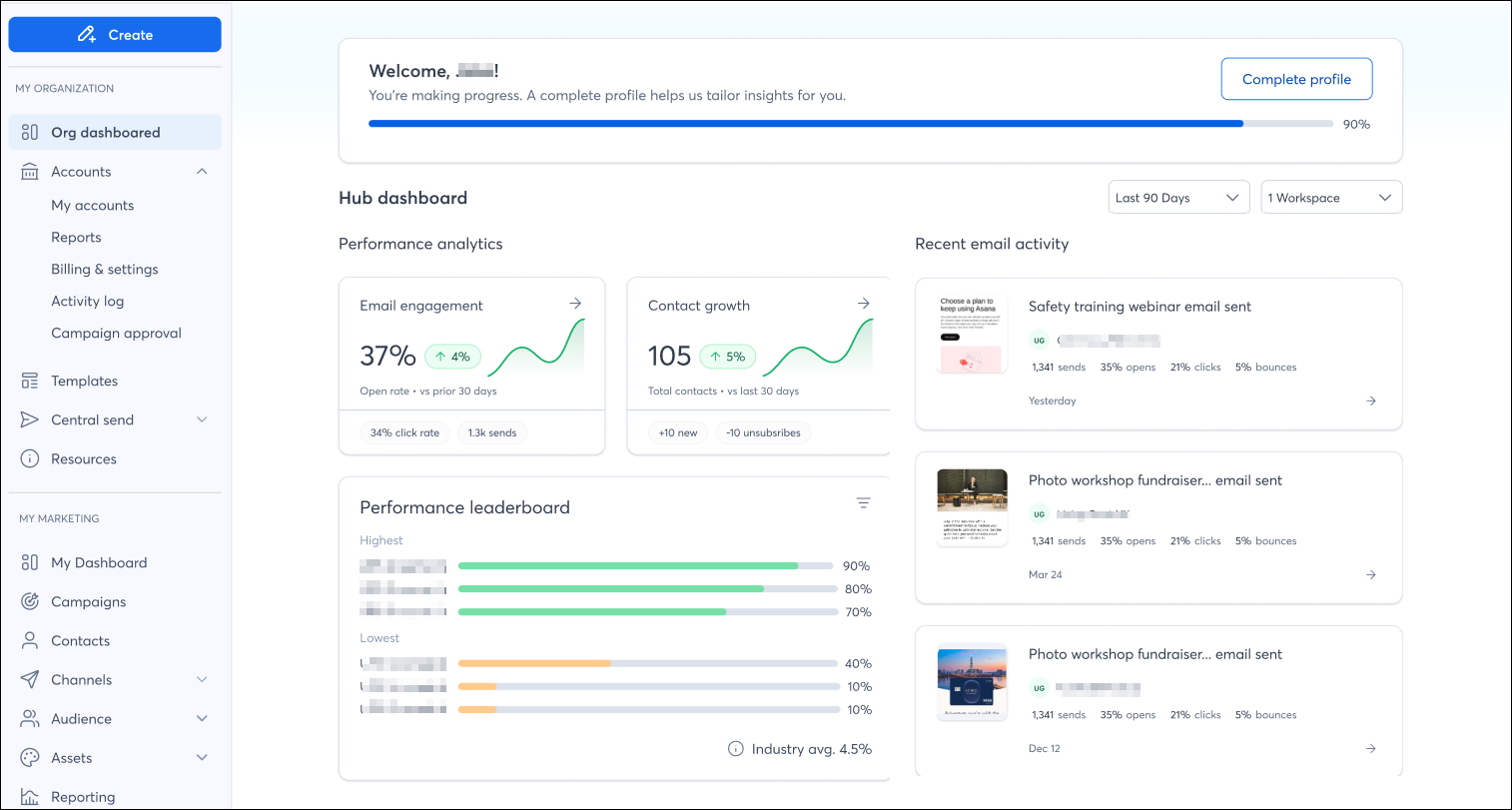
We've designed a new dashboard specifically for our Teams customers, providing visibility into your entire organization so you can analyze performance across all accounts from a single, high-level view.
 | Did you know? This dashboard can be turned on via the Account dropdown menu. If you turn it on, it is turned on for your account only, and not all accounts in the organization. |
Aggregated Email & Contact Metrics
On the dashboard, you'll find new visual tiles that show at-a-glance email engagement and audience growth across all subaccounts, complete with trend lines and performance history.
Leaderboard
An additional feature on the dashboard is a comparison tool, allowing you to see, side-by-side, which accounts or campaigns are performing best.
Recent Campaign Activity
See the most recently sent campaigns across your organization, which workspace sent each campaign, and how the campaign is performing. Click on the campaign to be brought to the campaign details page for deeper reporting.
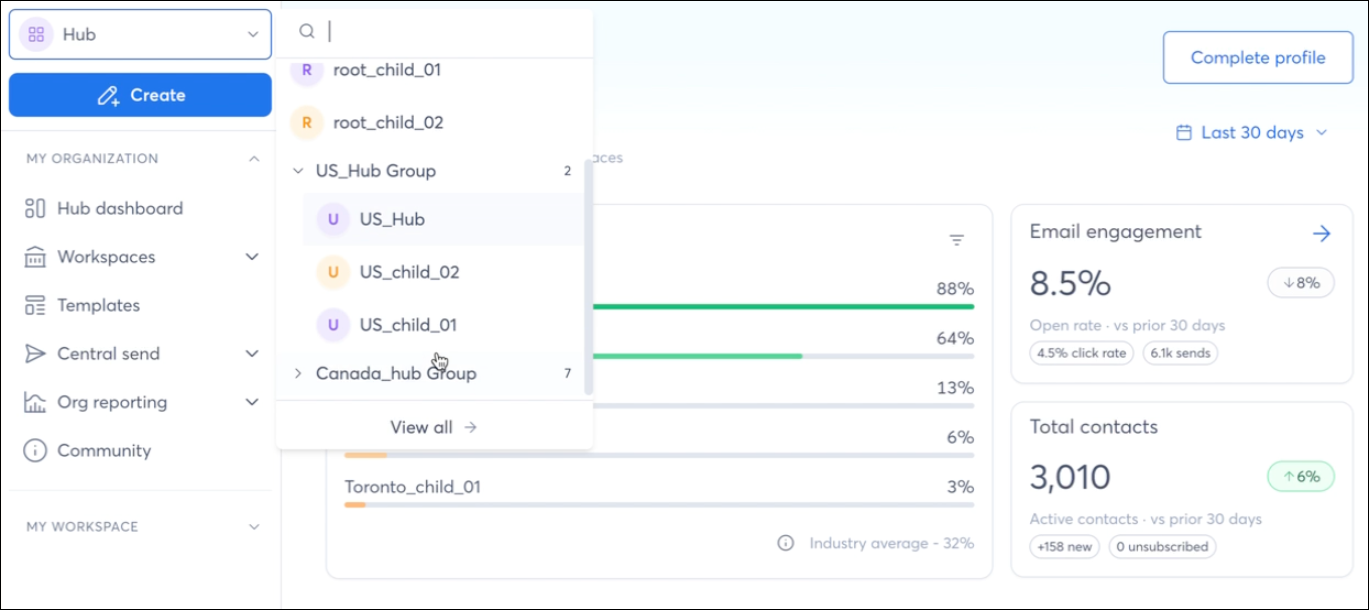
Use a single dropdown to instantly jump and impersonate any workspace with a single click. The dropdown is available on all pages from the left navigation menu, even while already impersonating a workspace. All workspaces and hubs are displayed in a consistent list - search by workspace/group name and expand/collapse groupings. The first two initials of the workspace name appear in the icon for quick identification.
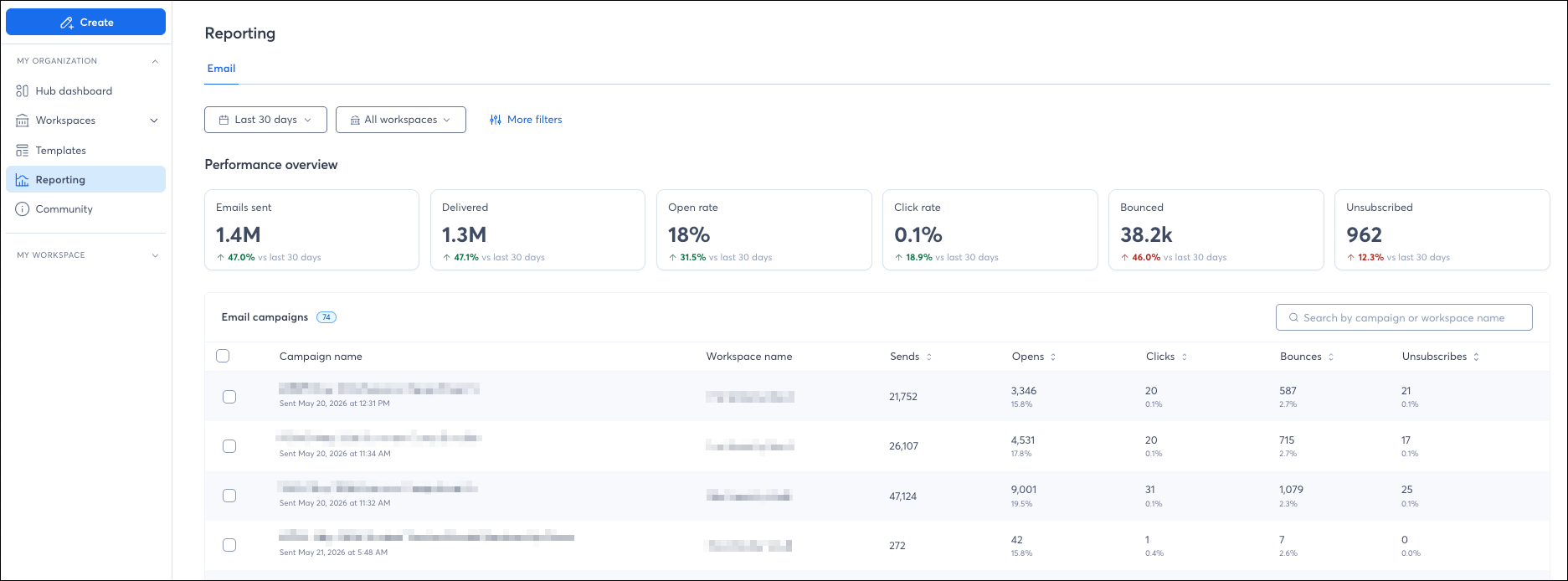
On the Email Reporting dashboard, see campaign performance at a glance without having to impersonate each of your workspaces. Select a time frame, and view your entire organization's performance or drill into one or more workspaces to see filtered, location-specific data.
Automatically compare data to previous date ranges, and identify underperforming campaigns, such as "opens below 15%" with metric thresholds.
Keep an eye out for the following features, releasing soon!
Copyright © 2026 · All Rights Reserved · Constant Contact · Privacy Center