 | Important: You worked hard to create a contact list full of contacts that gave you permission to send email or SMS messages to them. With a little TLC, you can earn their attention back, so before you delete your disengaged contacts, check out ways to reengage them! |
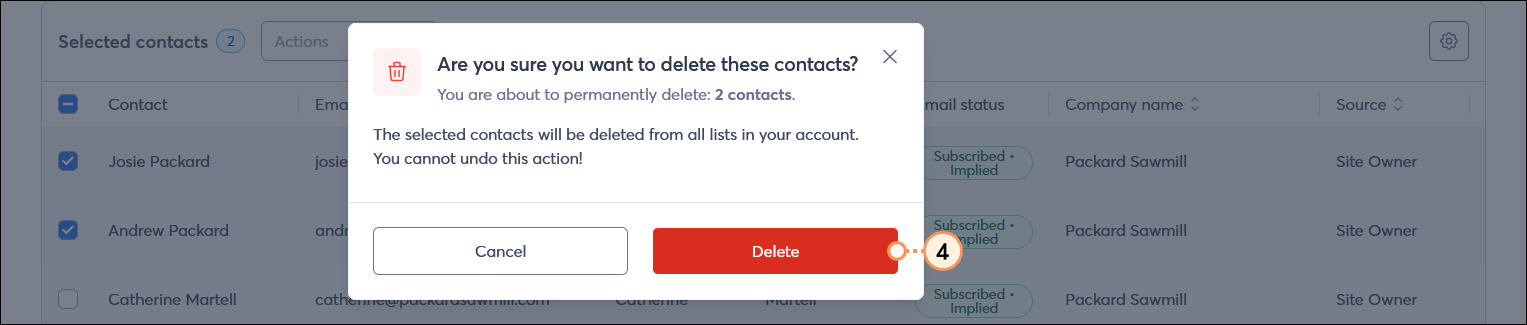
While managing your contacts and cleaning up your lists, you may need to delete a contact or a group of contacts from your account. When you delete contacts from your account, the action can't be undone; however, the contacts can rejoin your list at any time through a sign-up form.
Most contact deletions end up being permanent, but contacts can be re-added to an account at any time, either manually by you or if a contact re-joins your list through a sign-up form. When a contact is re-added to your account, not all of their information is retained. We recommend exporting the information before deleting contacts to prevent permanent loss.
 | Did you know? Contacts that have been deleted are indicated with a strike-through across their email addresses within your email reporting: |
It only takes a couple of clicks to remove an unwanted contact from your account. Depending on the number of contacts you're deleting, it may take a few minutes for the change to be reflected in your account.

If you are looking to temporarily archive or remove a contact from your list(s) but think you might need that contact data again in the future, consider placing the contact in a temporary hold status. Placing a contact on a temporary hold prevents you from sending to them until you're ready to remove the hold and start sending to them again. The temporary hold can be added or removed from an individual contact, by editing their contact record and choosing the "temporary hold" option from the Email status field in the Campaign channels section.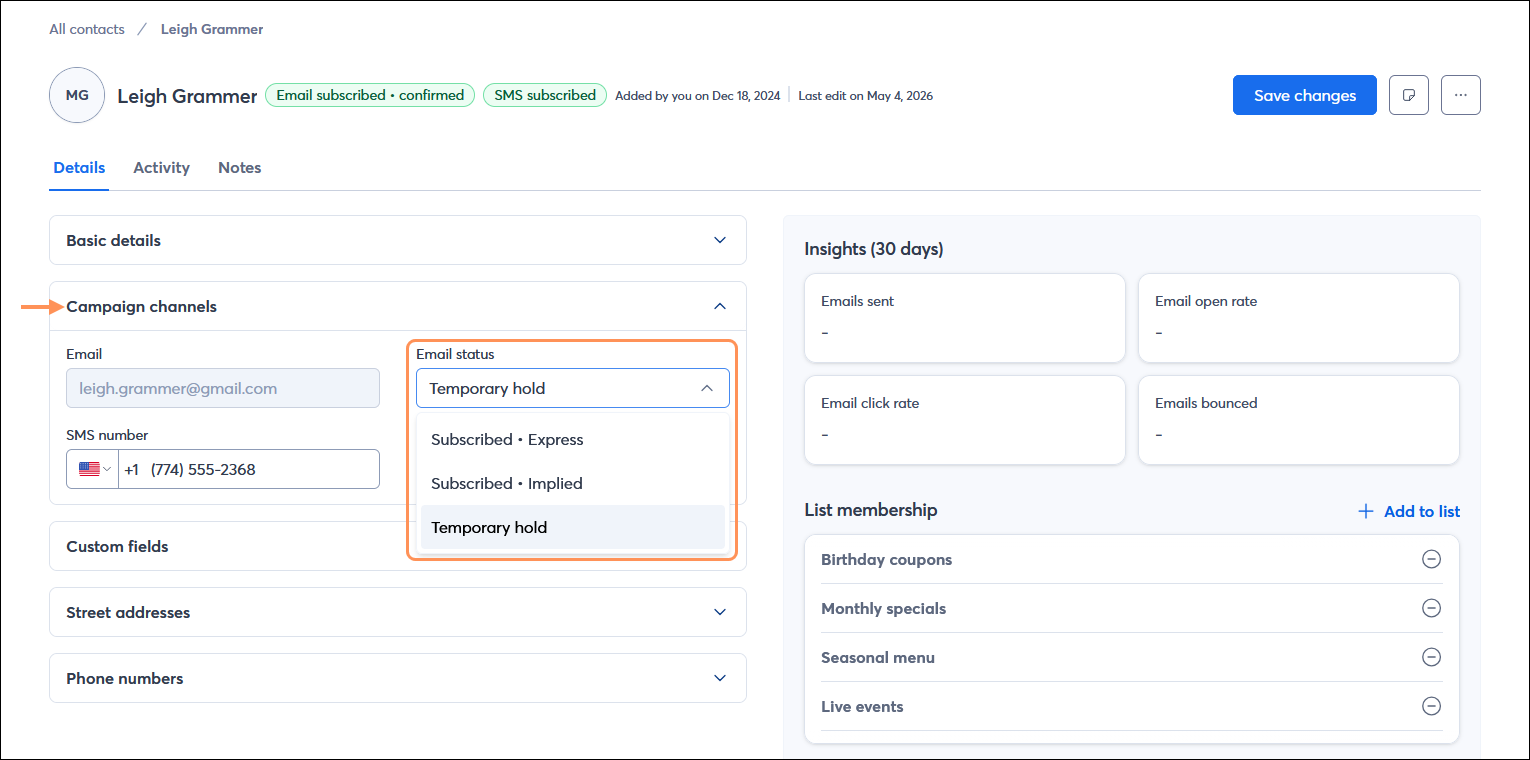
A temporary hold can't be performed in bulk for a group of contacts.
 | Did you know? Contacts can also end up with a temporary hold if they were created using a sign-up form that lacks a method to verify the sign-up is indeed from a human, such as CAPTCHA, and you experience a fraudulent sign-up attack. These contacts should be left alone so that if another fraudulent attack is made with the same group of email addresses, they aren't added to your account again. |
Copyright © 2026 · All Rights Reserved · Constant Contact · Privacy Center