 | In need of multiple accounts? Our multi-account solution is designed for organizations seeking unique accounts for their various locations, departments, or users. Take advantage of bulk pricing, product features for brand control, customized onboarding, and more! |
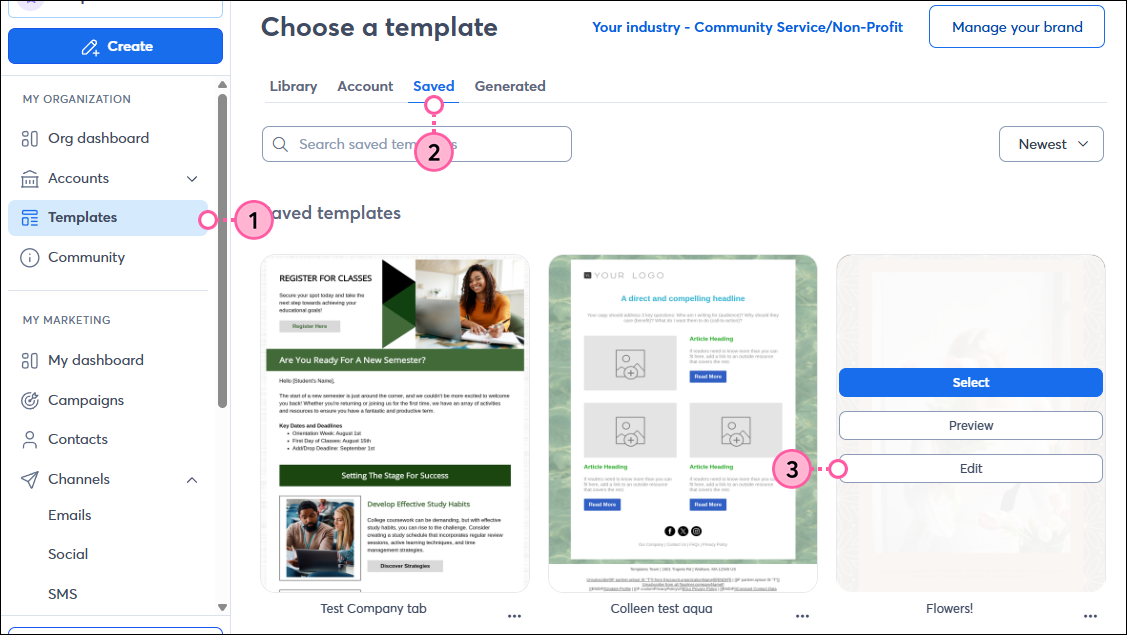
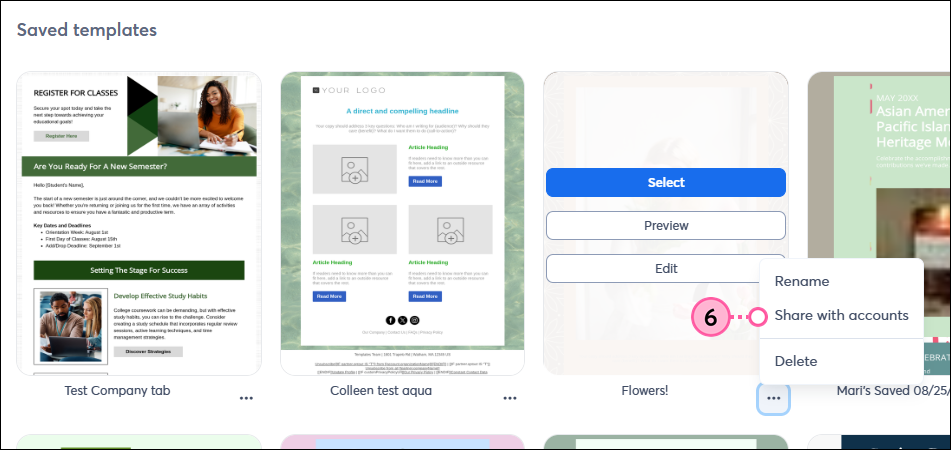
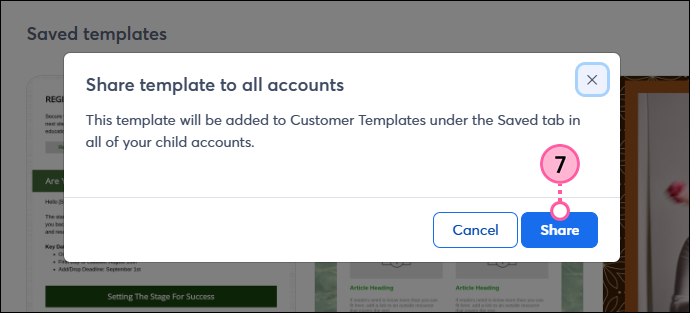
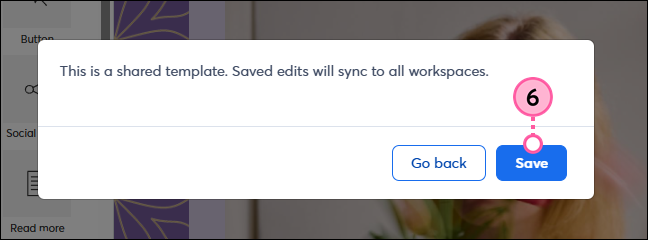
Share your branded, saved templates with your subaccounts/workspaces from within the Template Picker. When sharing a saved template, you have the option to make edits to it first, and then share it. Once shared, you can go back at any time and make edits, and those edits will be applied to the shared template within each subaccount/workspace.
 | Important: This saves your template within the template picker of all subaccounts/workspaces. There isn't a way to select specific subaccounts/workspaces to receive the template. |
 | Did you know? Before you can share a template with your subaccounts/workspaces, you must first create and save an email as a reusable template. |
Follow these steps to share your saved template with your subaccounts/workspaces:
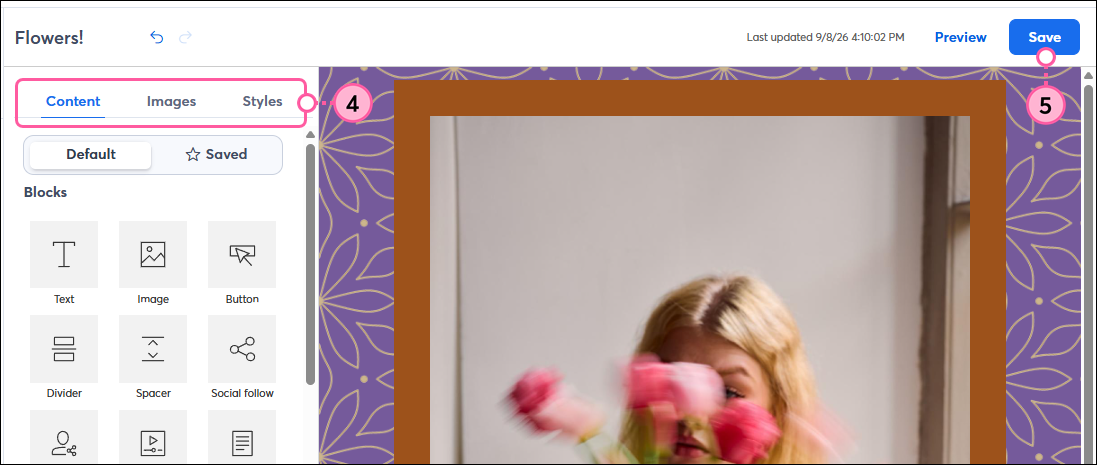
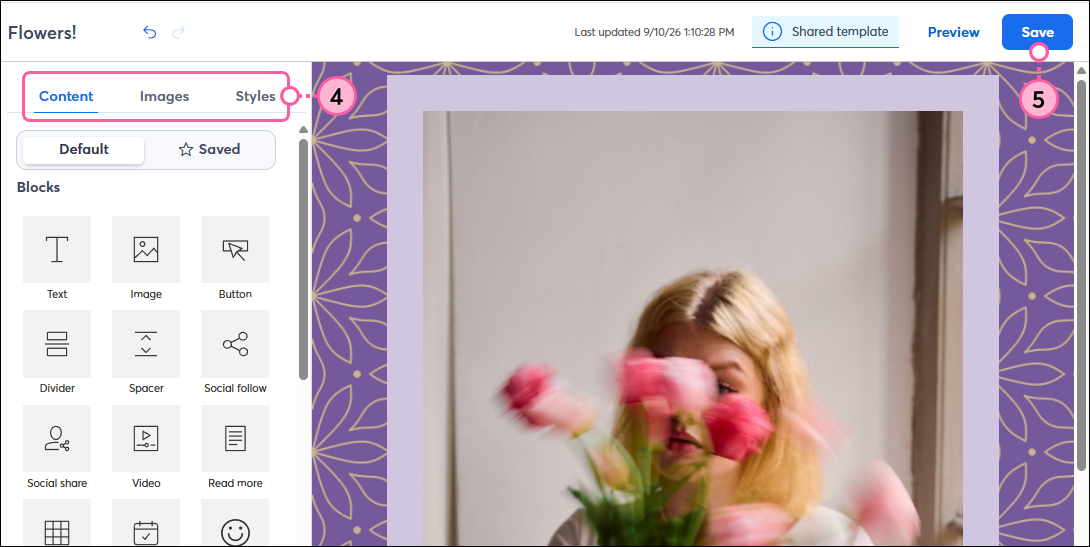
If you have a saved template that is already shared with your subaccounts/workspaces, and you need to make additional edits, you can do so, direclty within the saved template, and then reshare the edited version.
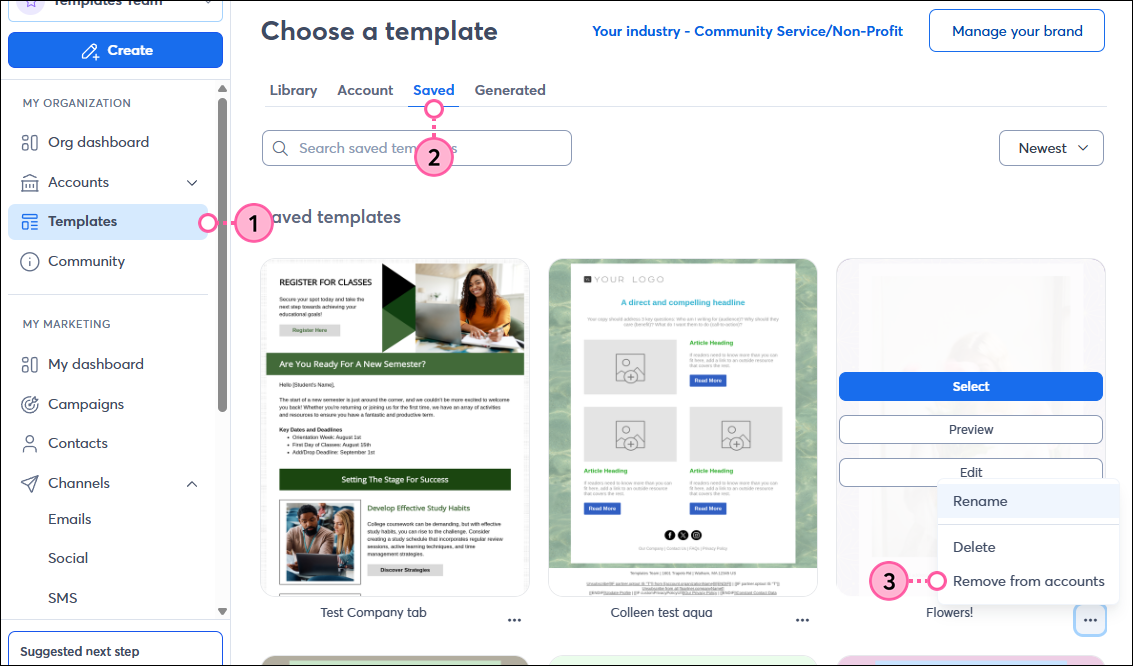
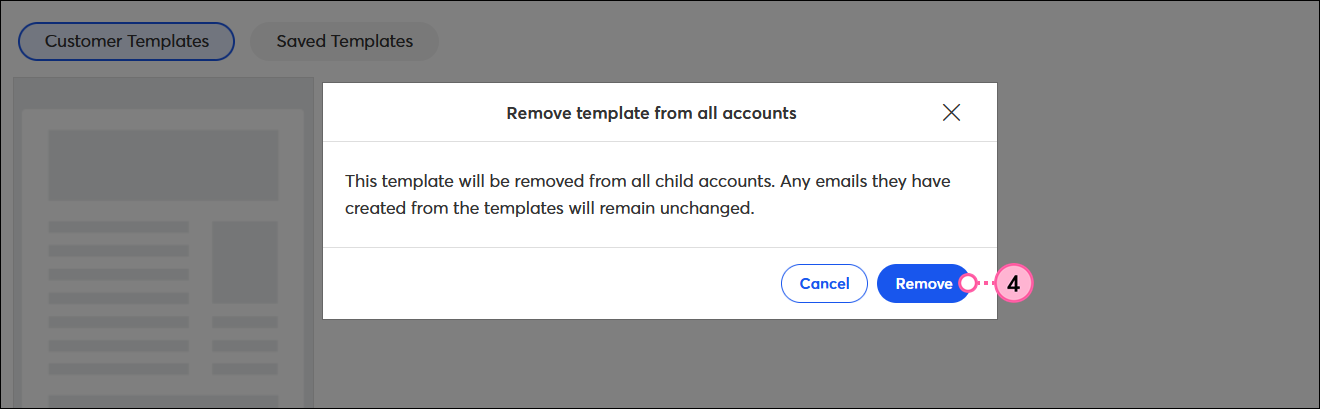
If, for any reason, the template needs to be recalled, follow these steps:
Copyright © 2026 · All Rights Reserved · Constant Contact · Privacy Center