 | Missing this feature? Our AI Content Generator is not available in all Constant Contact plans. If you don’t have full access, you may need to upgrade your plan. |
Having trouble coming up with what to say in your campaigns? Let us do the heavy lifting for you! Our Content Generator uses artificial intelligence (AI) to help you write your content and get your email, landing page, social post, or SMS message created faster.
 | Be a better marketer: Learn more about using AI for marketing your business! |
When selecting an email template, you can use our Content Generator to generate an entire email for you based on a short description, complete with content and images.
From the email template picker, click the Generated tab and then enter a prompt to instantly generate entire emails that you can edit and customize further!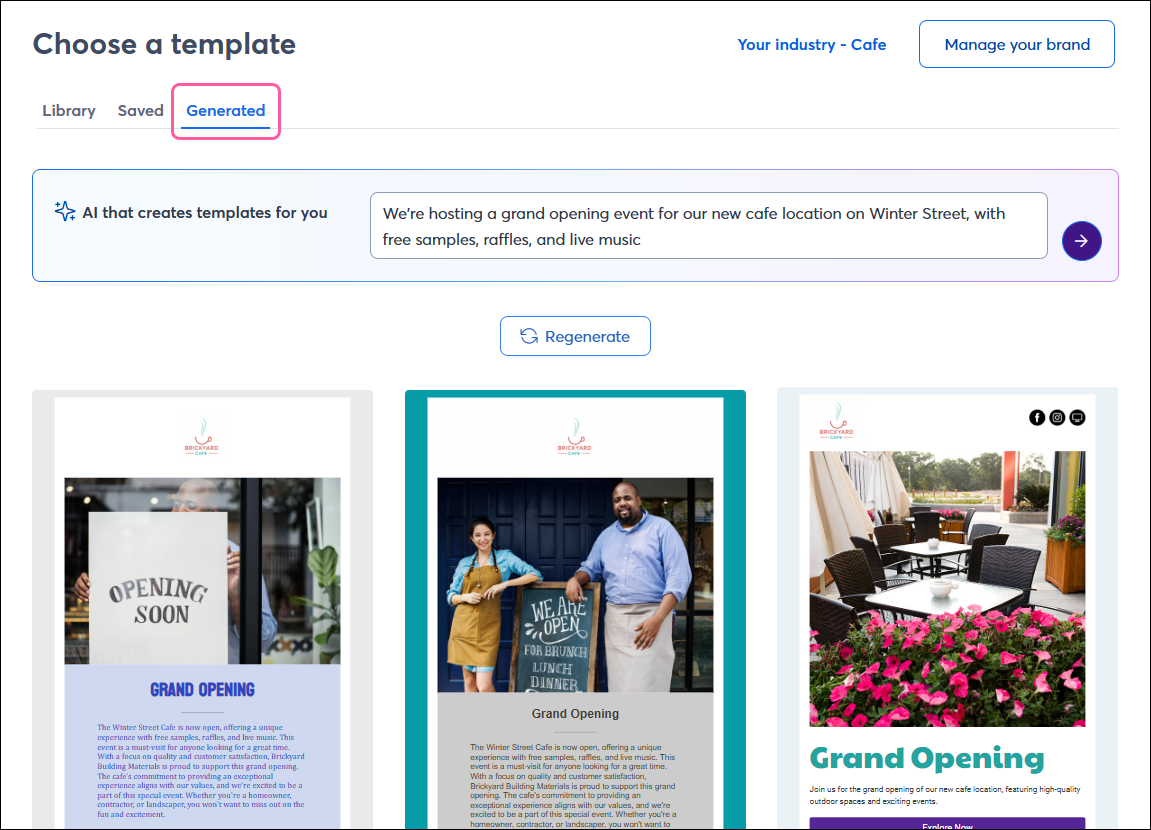
When creating an email, Custom Landing Page, Event Landing Page, Survey Page, or Sign-up Landing Page, you can use our Content Generator right from within the editor to help you write content based on just a few keywords. You can choose a tone to accompany your messaging, and then edit the content to your exact liking after inserting it into your campaign.
While editing a Text block in your email or landing page, just click Write with AI from the panel on the left to give it a go!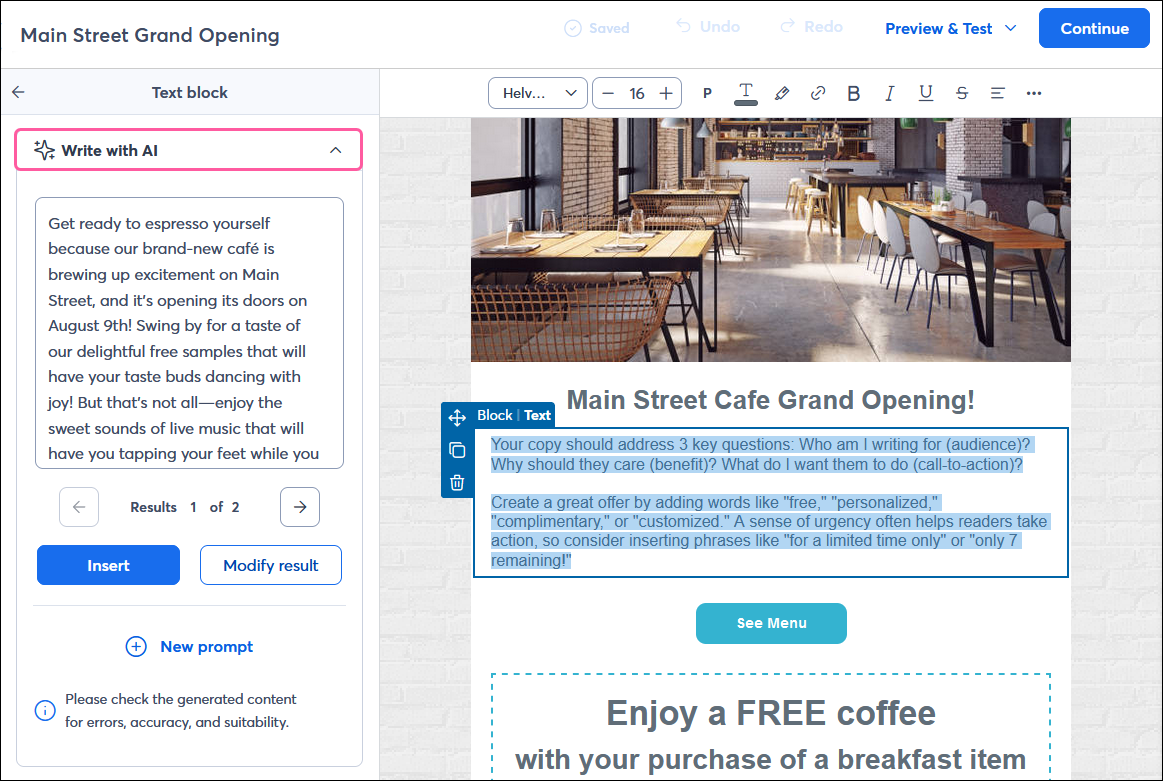
When creating a post to share your email on social media, you can use our AI Content Generator to quickly summarize your email and use it as a jumping-off point.
From the social post editor, click AI > Summarize email.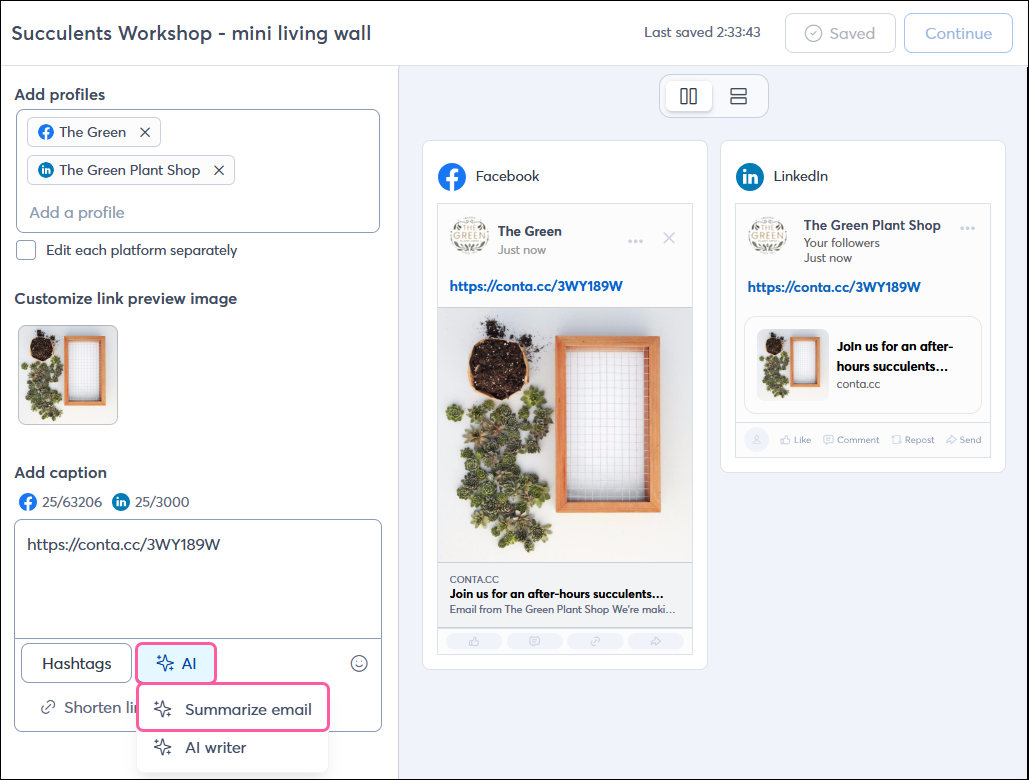
When creating a social post, you can use our AI Content Generator to help you craft the perfect message! Simply enter a few keywords, and we’ll generate content options for you that you can insert into your social post and customize as needed.
From the social post editor, click AI > AI writer.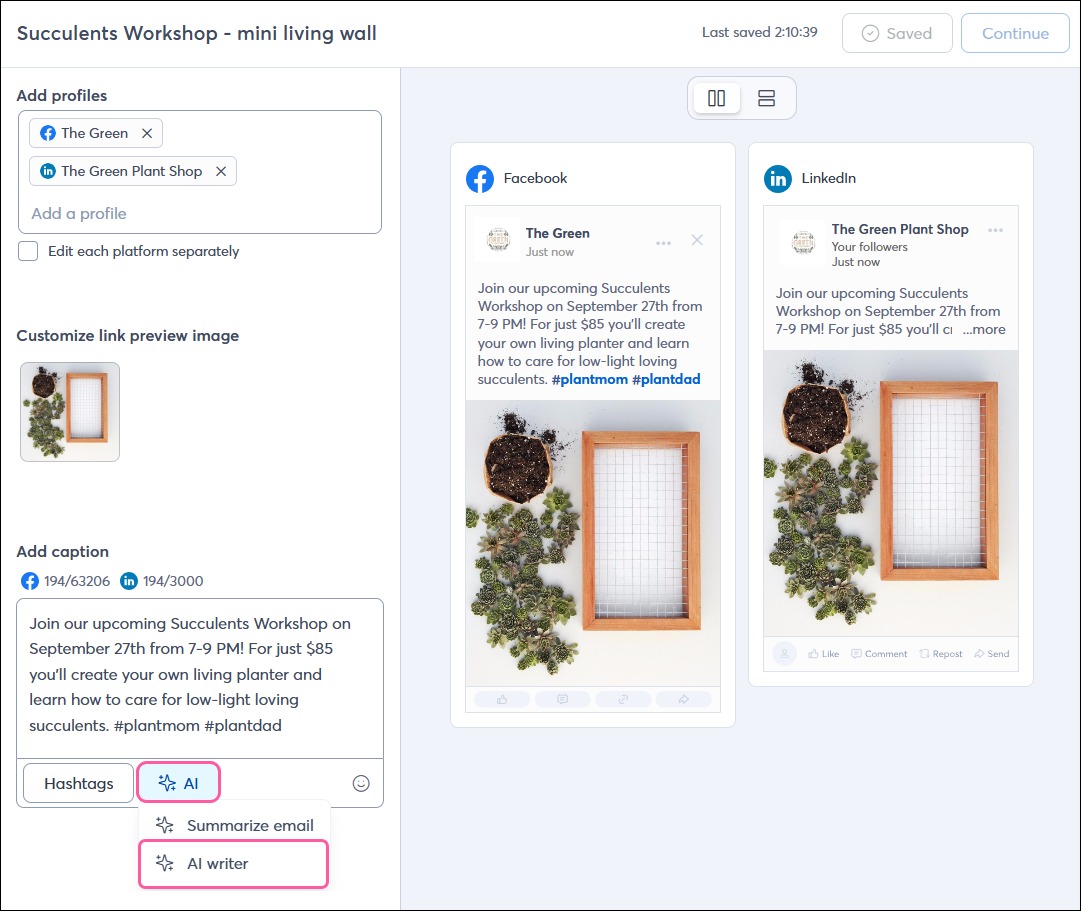
 | Tip: All Constant Contact customers can preview the SMS feature — draft your messages and prepare your campaigns. Then, when you’re ready, purchase the SMS add-on to send your SMS campaigns. Customers on our Premium plan receive 500 free SMS marketing messages per month. |
You can use our AI Content Generator while creating an SMS message to help you come up with the right content! Enter a few keywords, and we’ll generate content options for you that you can insert into your SMS message and customize as needed.
From the SMS editor, just click the AI symbol.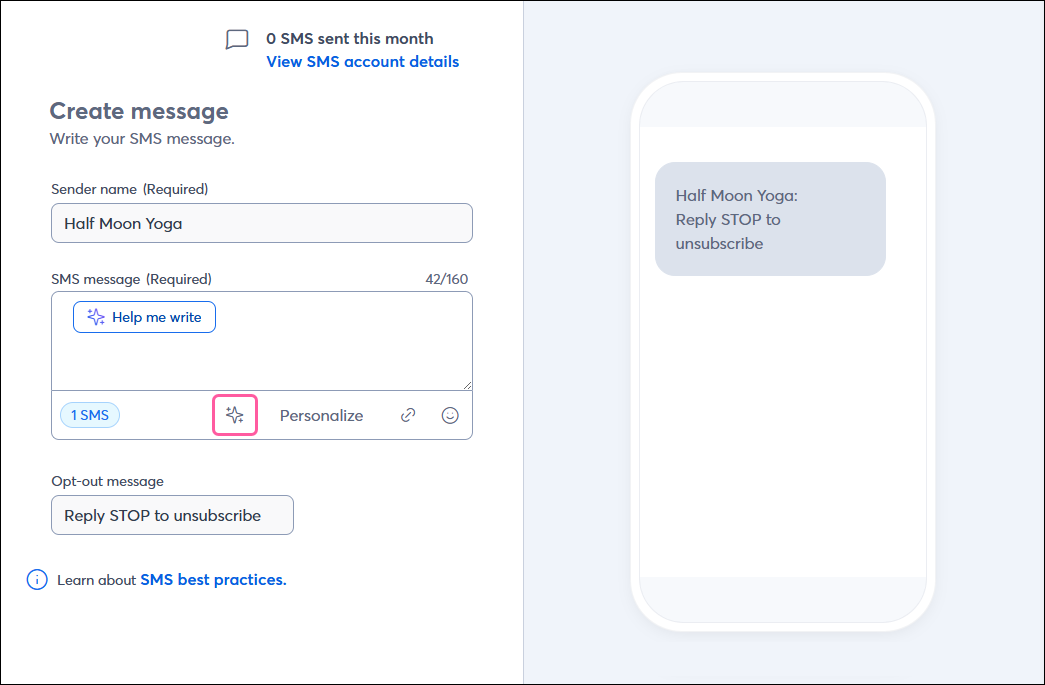
Copyright © 2026 · All Rights Reserved · Constant Contact · Privacy Center