Every time you share a social post, the post has unique reporting that shows you how your content performed. Still, your overall social analytics can help you better understand your audience and help inform your social media marketing strategy. Everything you need is found on the Analytics tab on the Social dashboard:
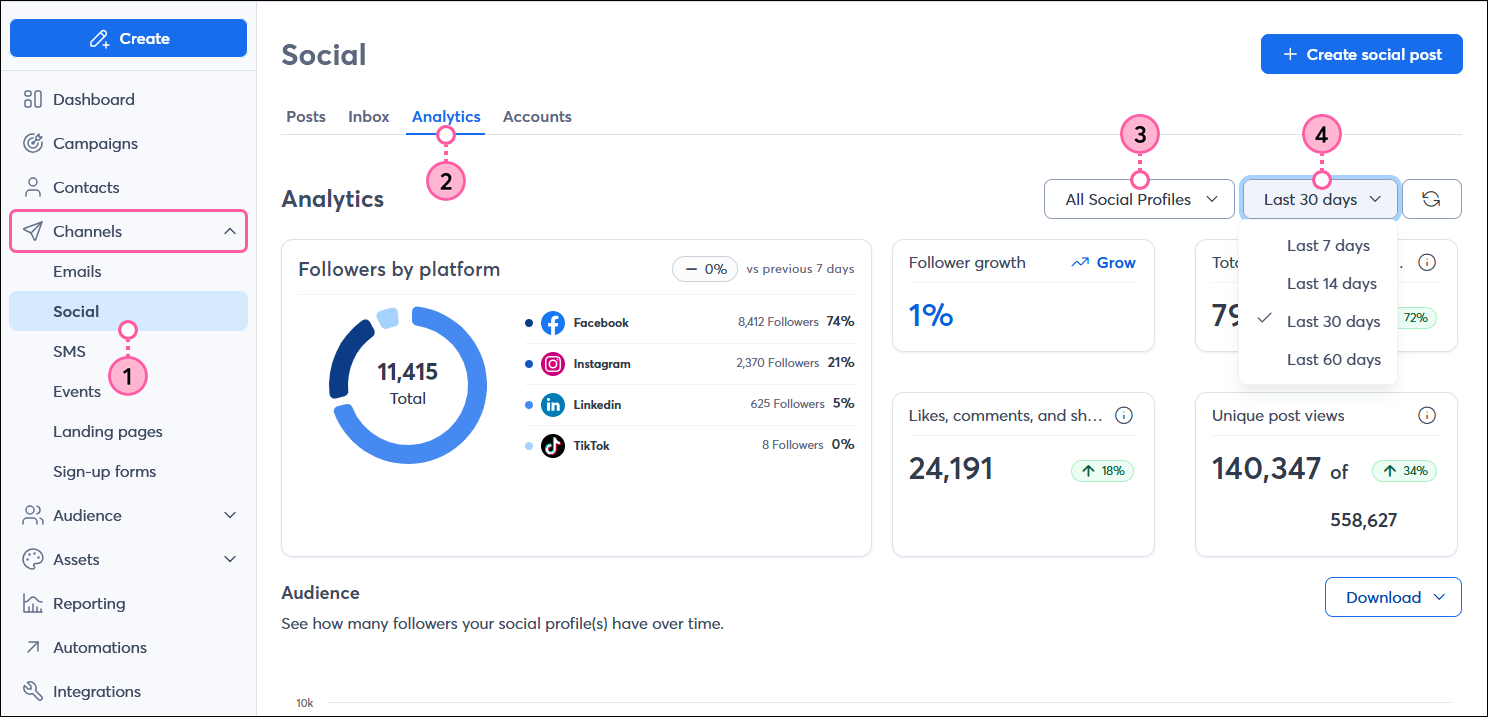
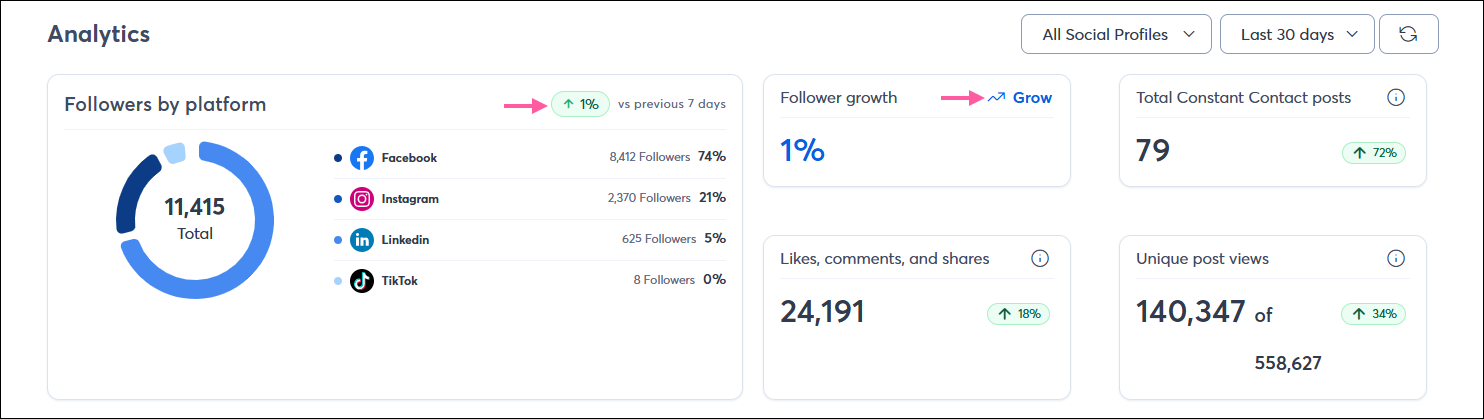
The Analytics section gives you an overview of your social audience's size, broken down by platform, growth over time, and engagement. This allows you to see how well your social posts are helping to retain and grow your audience. Your stats change depending on the timeframe you select from the drop-down menu.
The Audience section lets you compare the number of social followers you have over time so you can see where to focus your marketing efforts. If your audience is large on a specific platform, you know you need to spend time engaging with it, and if your audience is low, you know you need to focus on building it. Placing your cursor over any of the points in the graph (circles for Facebook, diamonds for Instagram, squares for LinkedIn, and triangles for TikTok) tells you the exact number of followers you had on that date.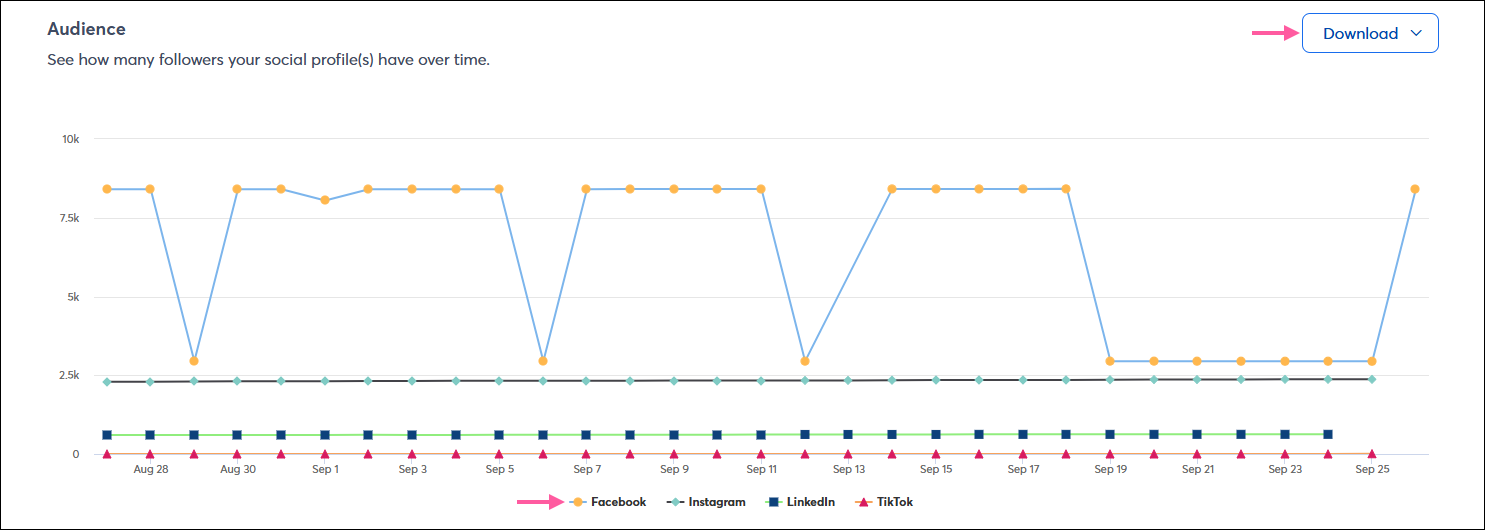
 | Need to share your data? Click the Download button to export your audience data as a PNG, JPG, SVG, PDF, or CSV file. |
 | Important: This section is only visible to those with at least 100 Instagram followers. Facebook, LinkedIn, and TikTok data are not currently available. |
The Demographics Gender & Age section shows you the gender and age of your audience across your connected social platforms. The circle graph shows you your overall gender demographics. Placing your cursor over any part of the circle gives you the exact number of followers that fall into a gender category. The bar chart lets you compare your gender demographics by age. Placing your cursor over any portion of a bar shows you the exact number of followers in a gender category within an age group.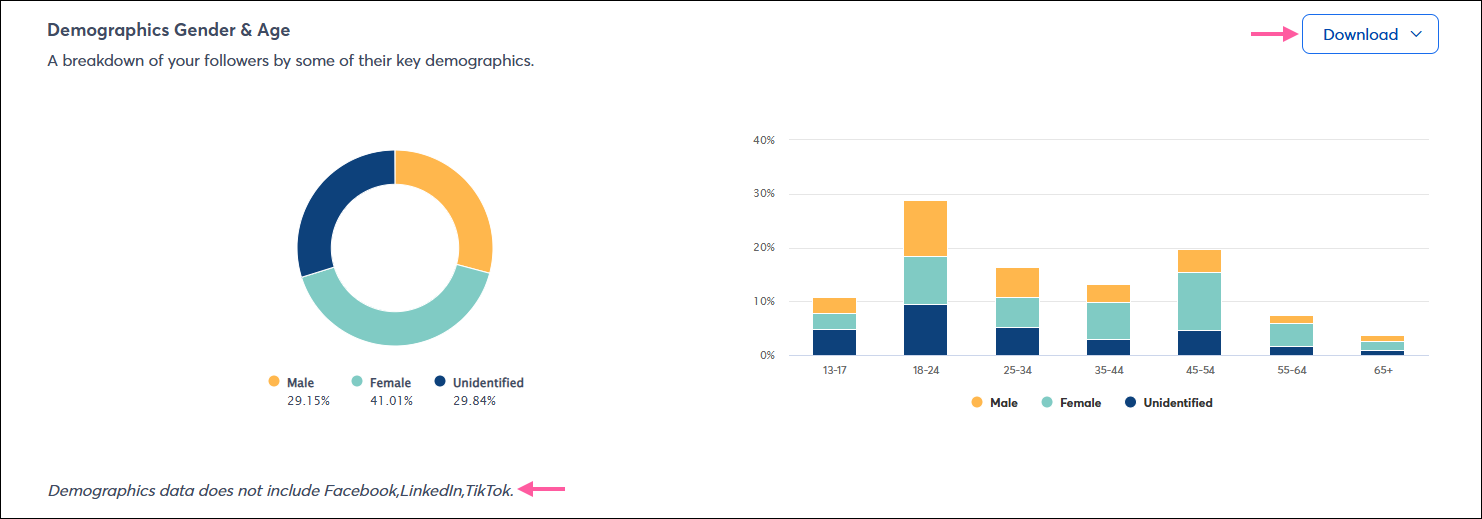
| Need to share your data? Click the Download button to export your gender and age demographic data as a PNG, JPG, SVG, PDF, or CSV file. |
| Important: This section is only visible when you have at least 100 followers on Facebook or Instagram. If you have Facebook and Instagram, but only one platform has 100 followers, the other isn't included in the statistics. LinkedIn and TikTok data are not available at this time. |
The Top Locations section shows you where your audience lives and can help you decide on the type of content you create to better customize it for your audience.
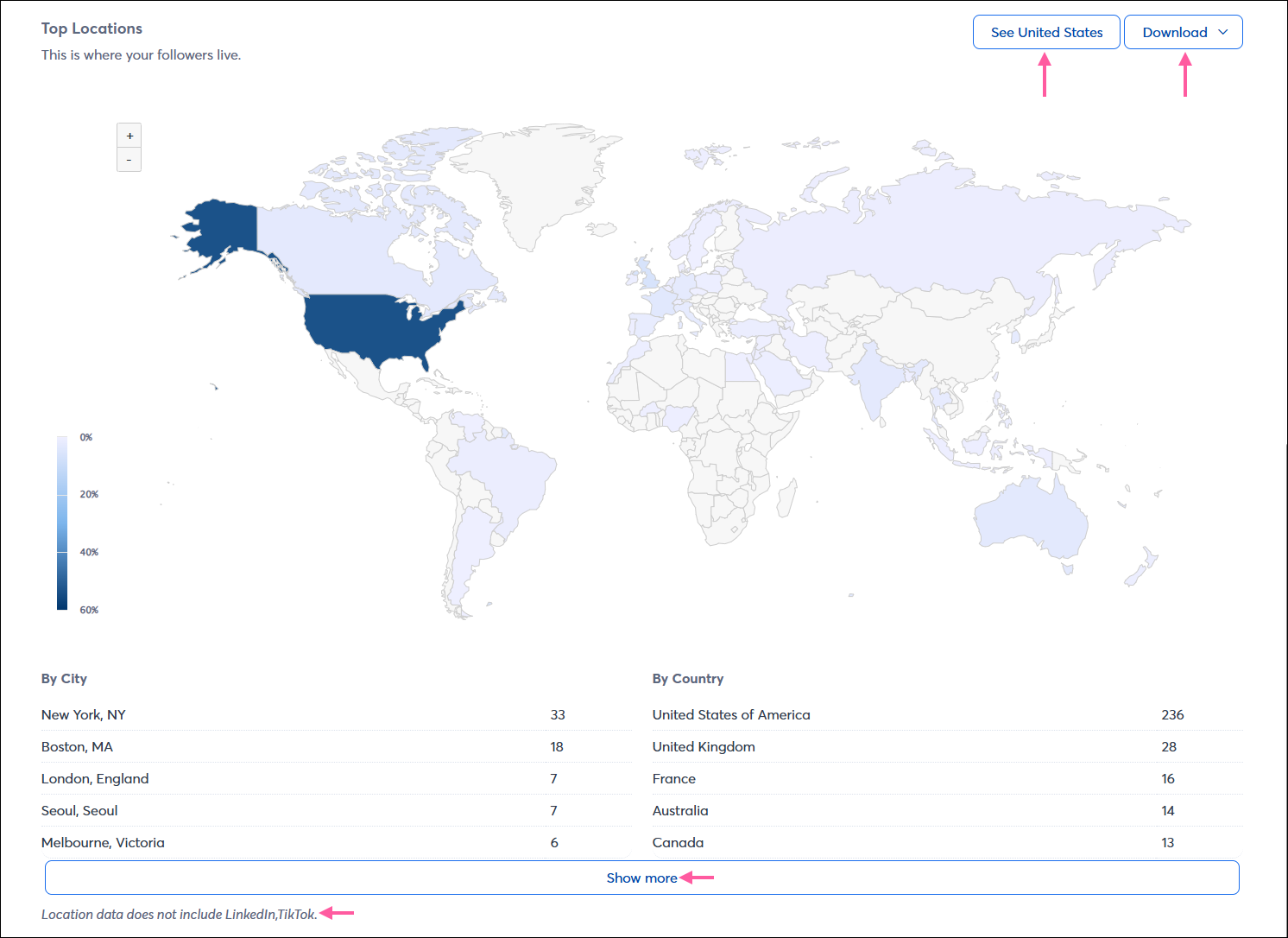
| Need to share your data? Click the Download button to export your location data as a PNG, JPG, SVG, PDF, or CSV file. |
Copyright © 2026 · All Rights Reserved · Constant Contact · Privacy Center