 | Did you know? If you're still in your free trial period and do not wish to continue, you do not need to cancel your account. Your trial will end on its own after the free period has passed. If you want to delete your account so you can use your email address for another account, be sure to update the username before canceling. |
We understand that circumstances can change, and we're sorry to see you go. If you're considering canceling your account, we’re here to help manage your plan to best suit your needs and address any questions or issues you may have with your account.
If you’re not seeing the desired results from your marketing efforts, we offer a variety of resources to help you achieve your goals and get the most out of your Constant Contact account, including:
If your marketing needs have changed, you can downgrade your plan to better align with the features you’re using. Or, if you're not currently in a position where you need our services but may in the future, you can pause your account instead. For a low monthly fee, you’ll keep all your hard work—your contacts, campaigns, and reporting data—safe and sound for when you return.
If you've decided that canceling is the best option for you, you can do so online through your account settings, through our mobile app, or by calling our Billing Support team.
Please note: Prepayments are non-refundable, even if you choose to cancel before the end of your billing term.
Once your account is canceled, please be aware of the following:
We can only guarantee to store your account and data for 30 days. After that period, if your account is deemed inactive, we reserve the right to permanently delete your contacts and content.
 | Important note about Unsubscribed contacts: In compliance with the CAN-SPAM Act, unsubscribe requests never expire. Even after you close your account, you must not email any contacts on your Constant Contact Unsubscribed list unless they explicitly opt in again. We strongly encourage you to export and maintain this list with your new email marketing provider. |
We appreciate the time you've spent with us and wish you all the best in your future endeavors.
To cancel your account online:
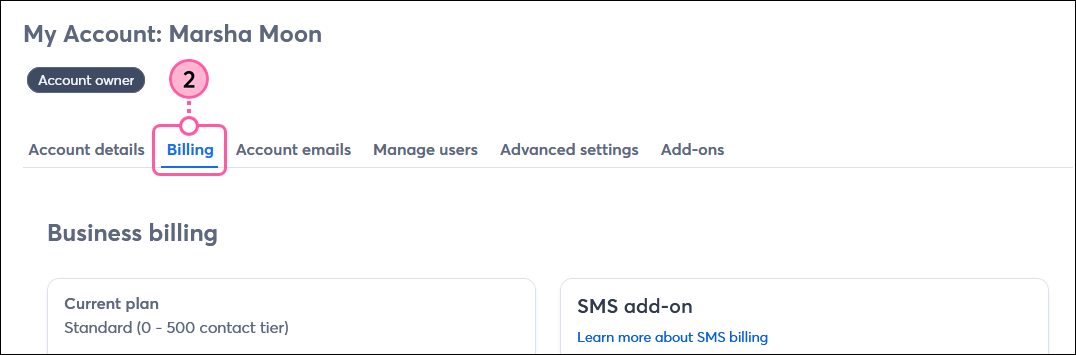
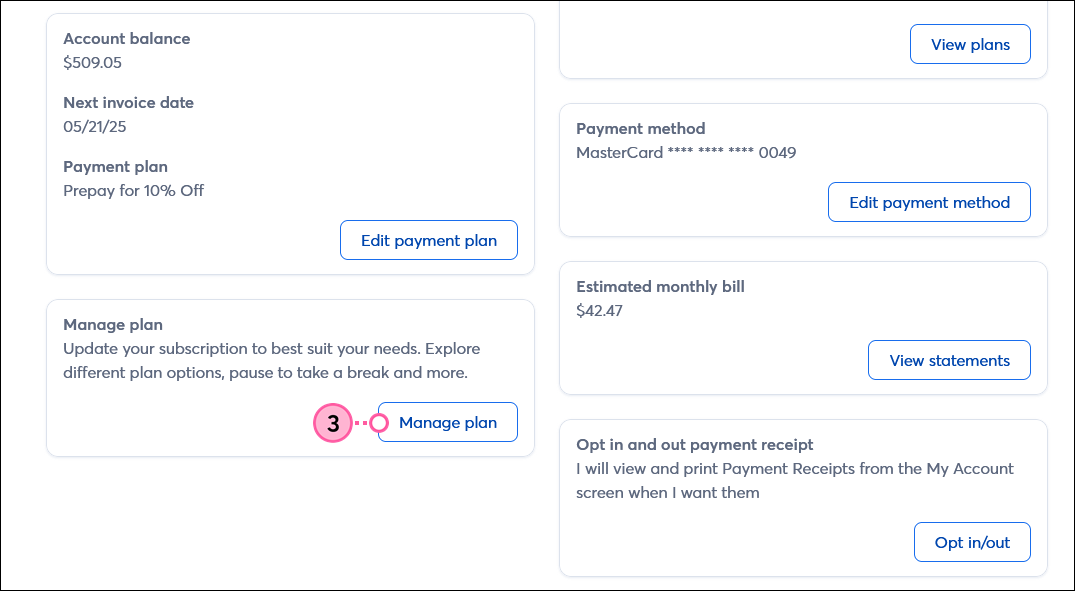
Follow the prompts on the screen to continue canceling your account. Your Constant Contact account will be canceled as of your next billing date. You can continue using your account until the specified cancellation date.
 | Running into issues? If, for any reason, the experience doesn't work properly, give us a call. We're here to help. |
If you wish to keep your account active, click Undo cancellation before the scheduled cancellation date.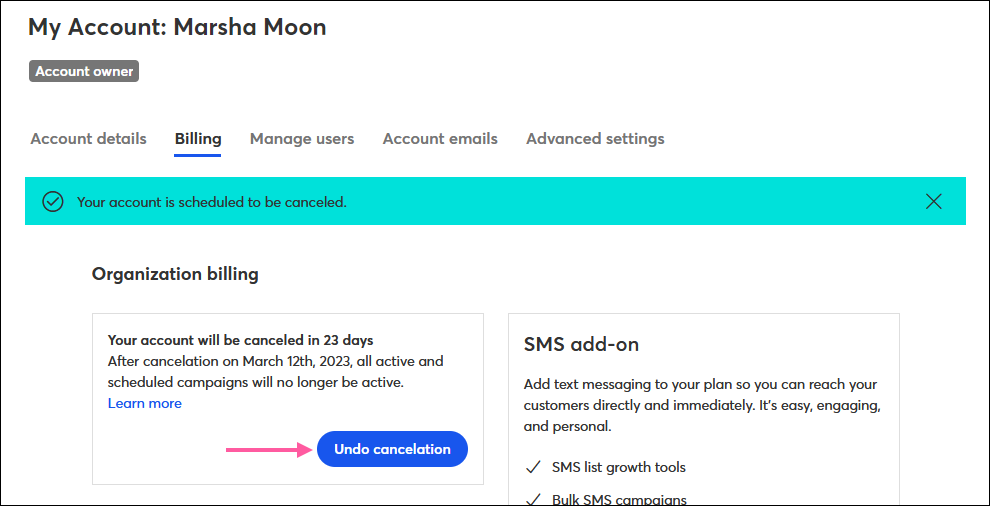
To cancel your account by phone, please give our Billing Support team a call at your convenience:
US/Canada toll-free: 855-229-5506
UK toll-free: 0808 234 0945
Outside US/Canada: +1 781-472-8120
To ensure a seamless process, please have the following information ready when you call:
To avoid any future charges, be sure to contact us before your next billing date. After your call, we'll send a confirmation email to your main account email address within 24 hours.
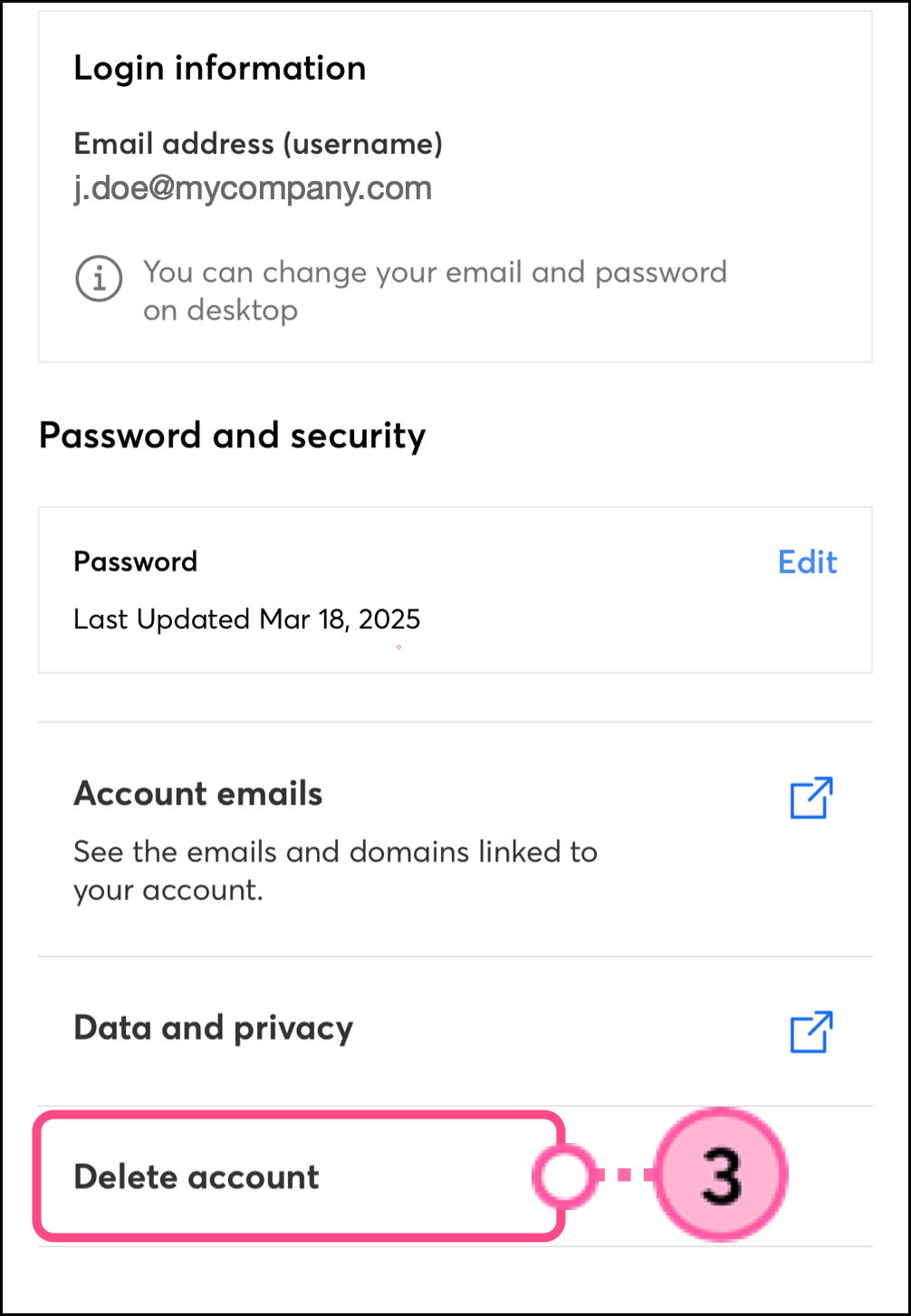
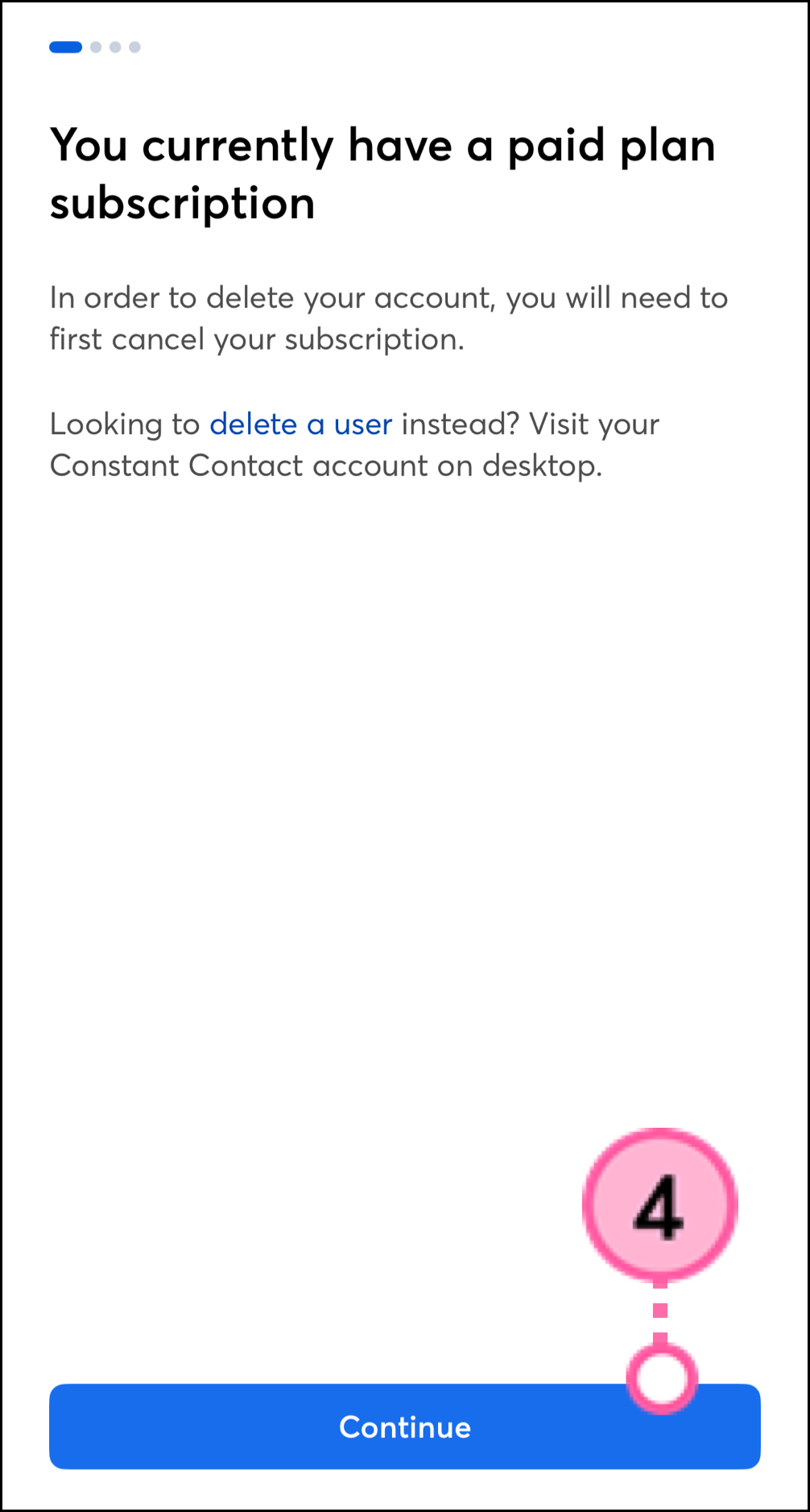
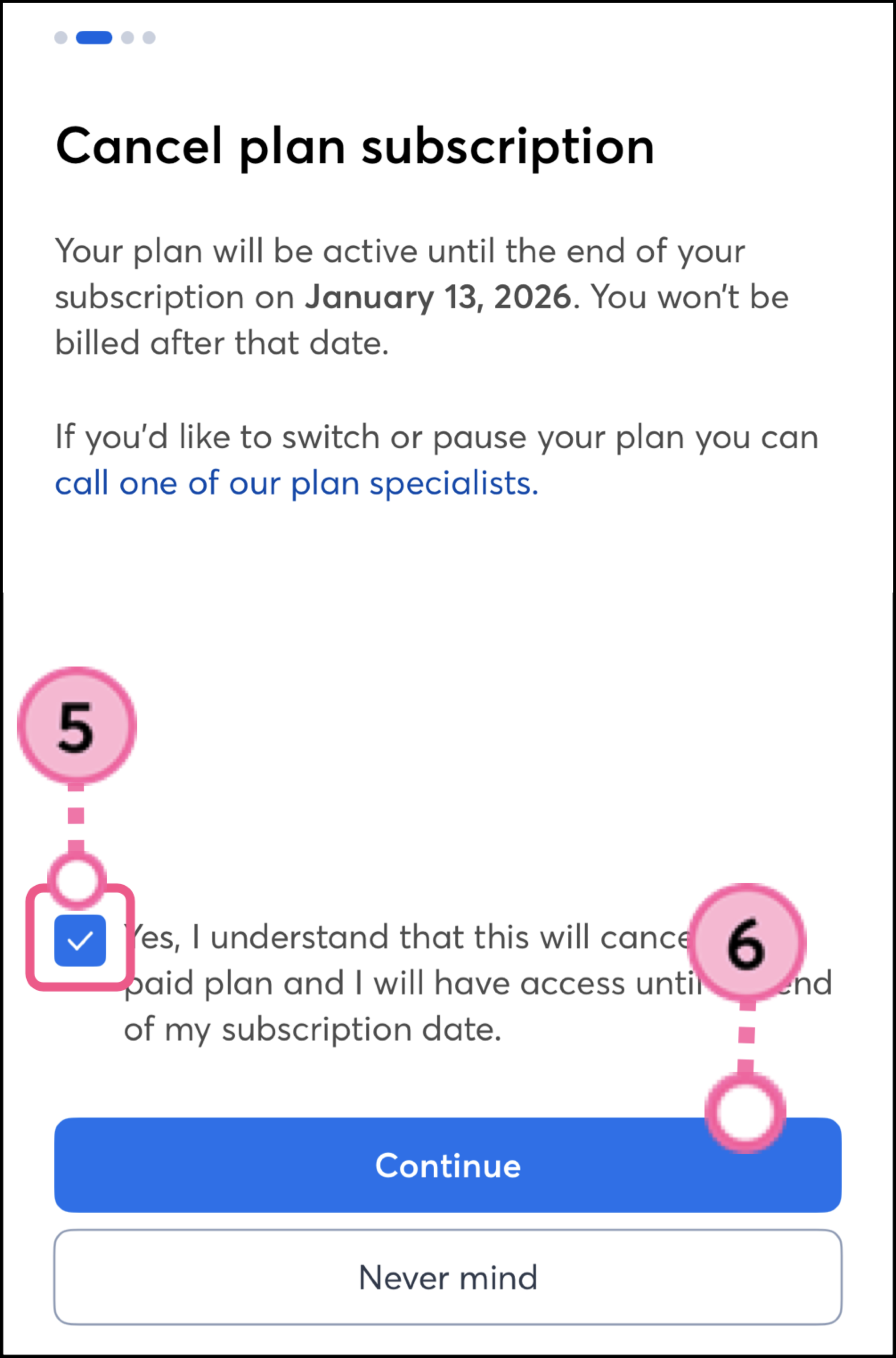
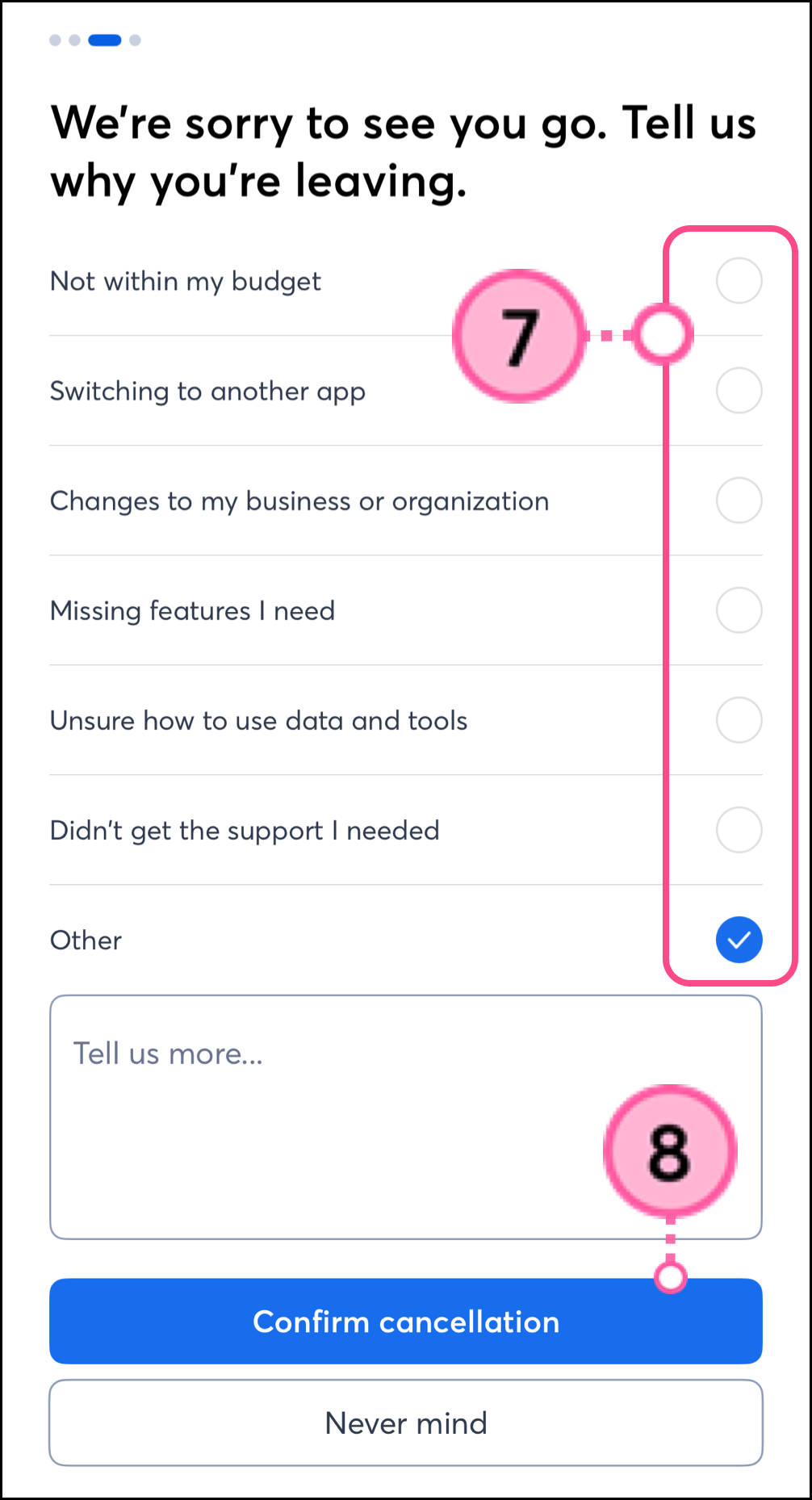
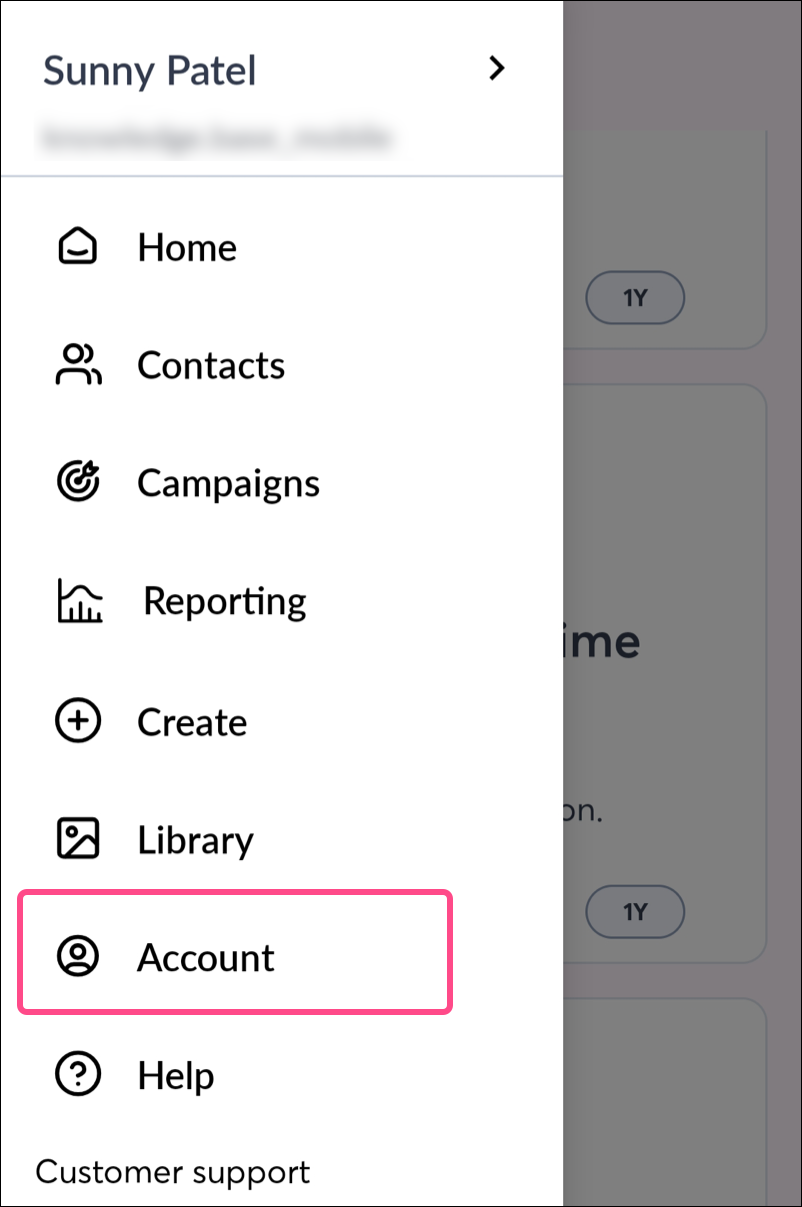
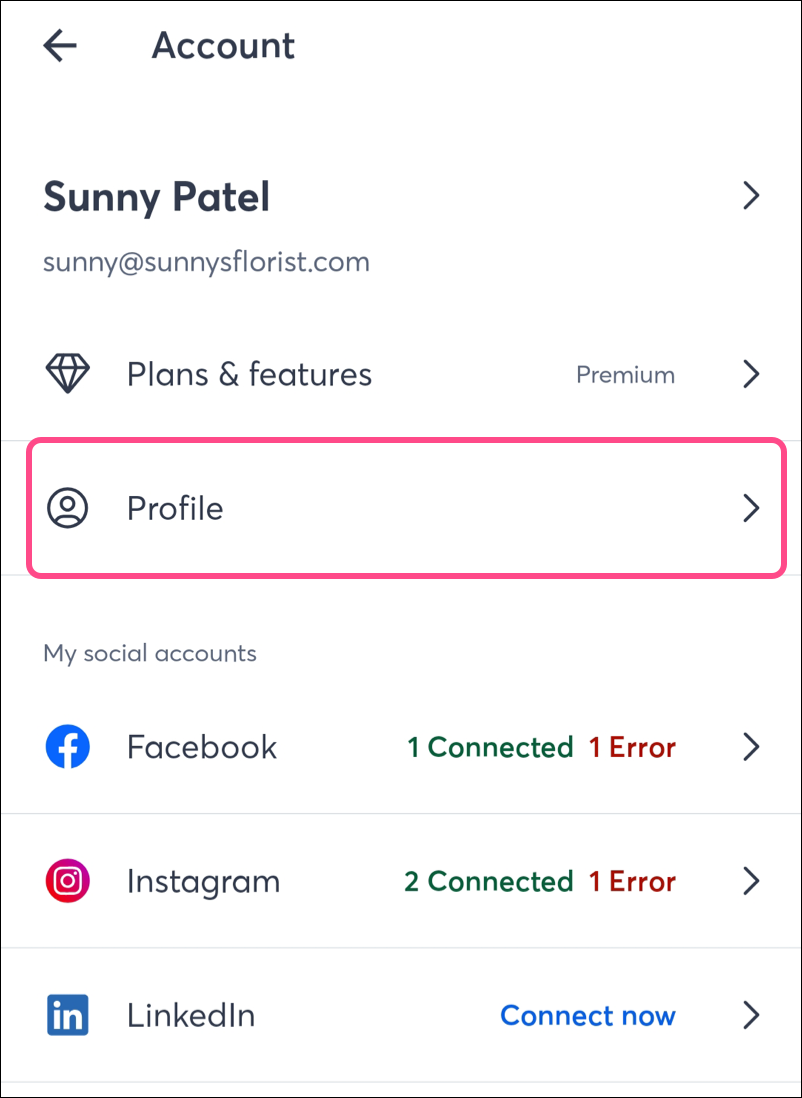
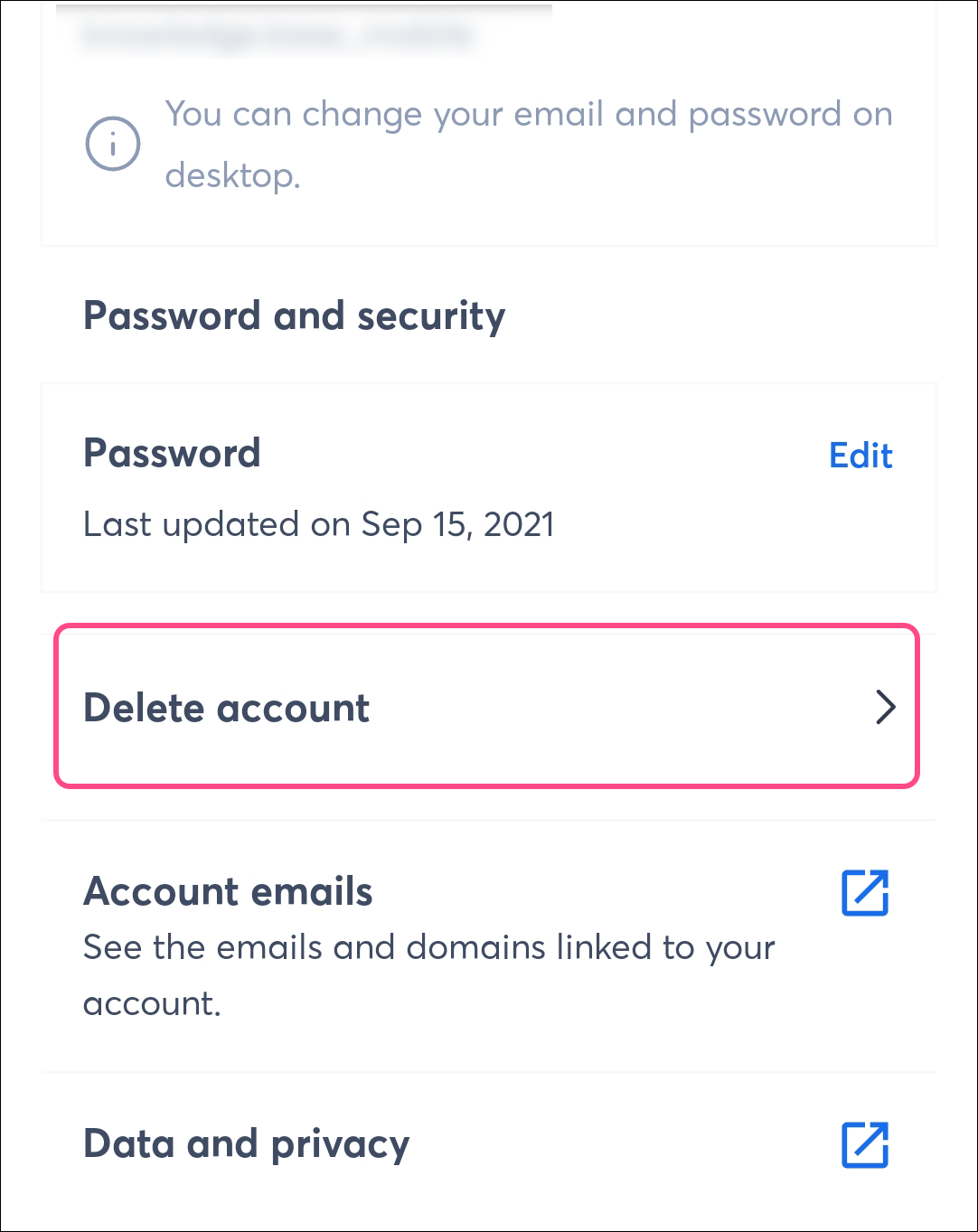
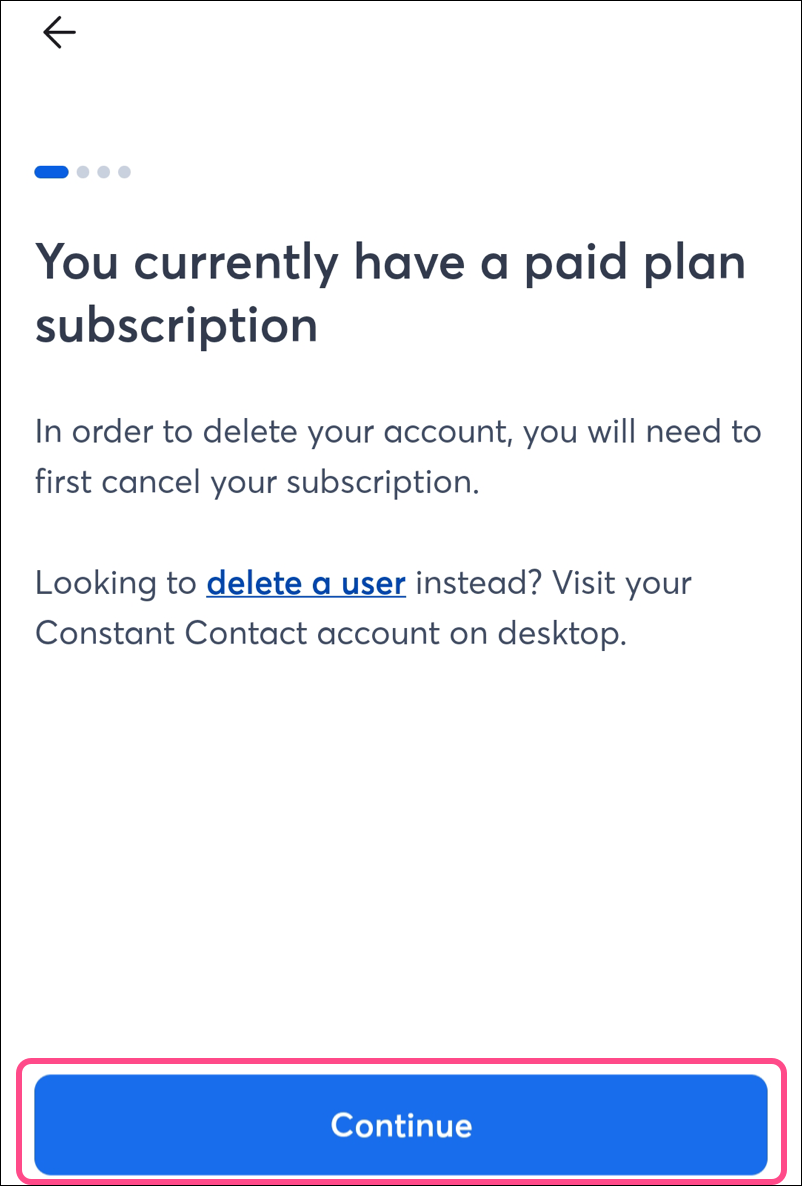
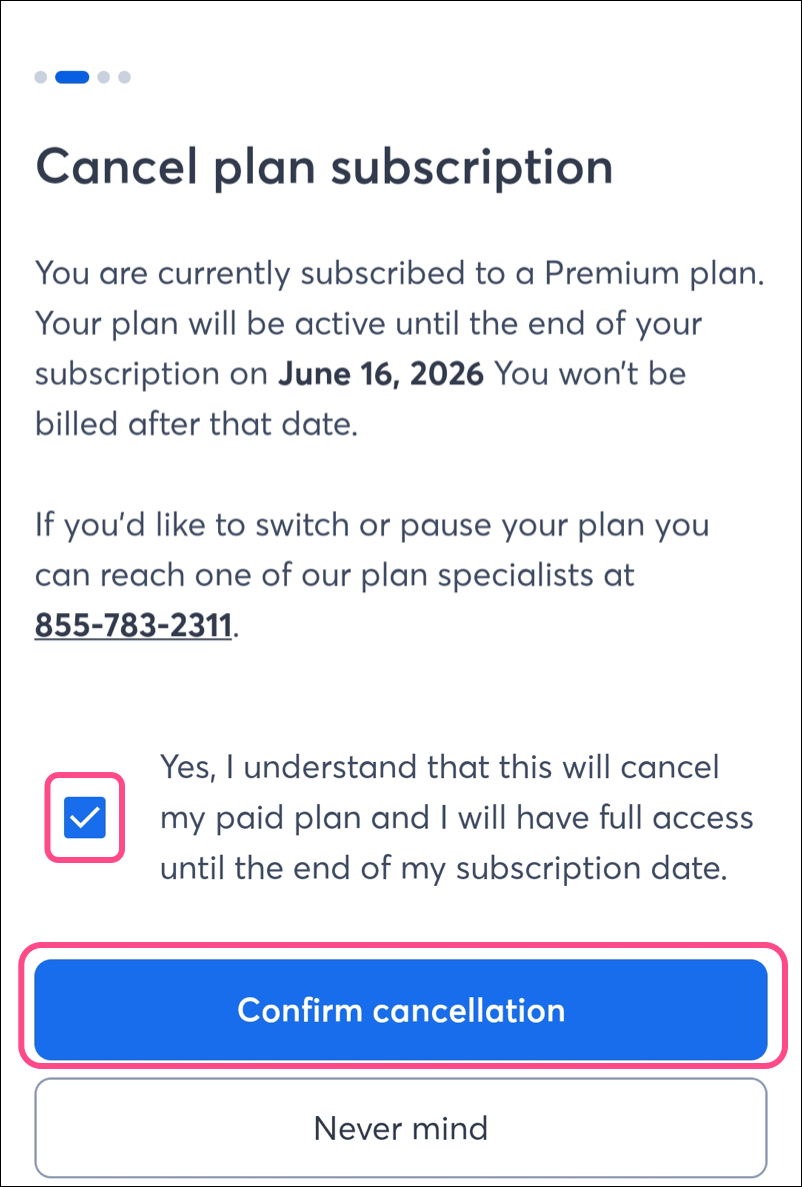
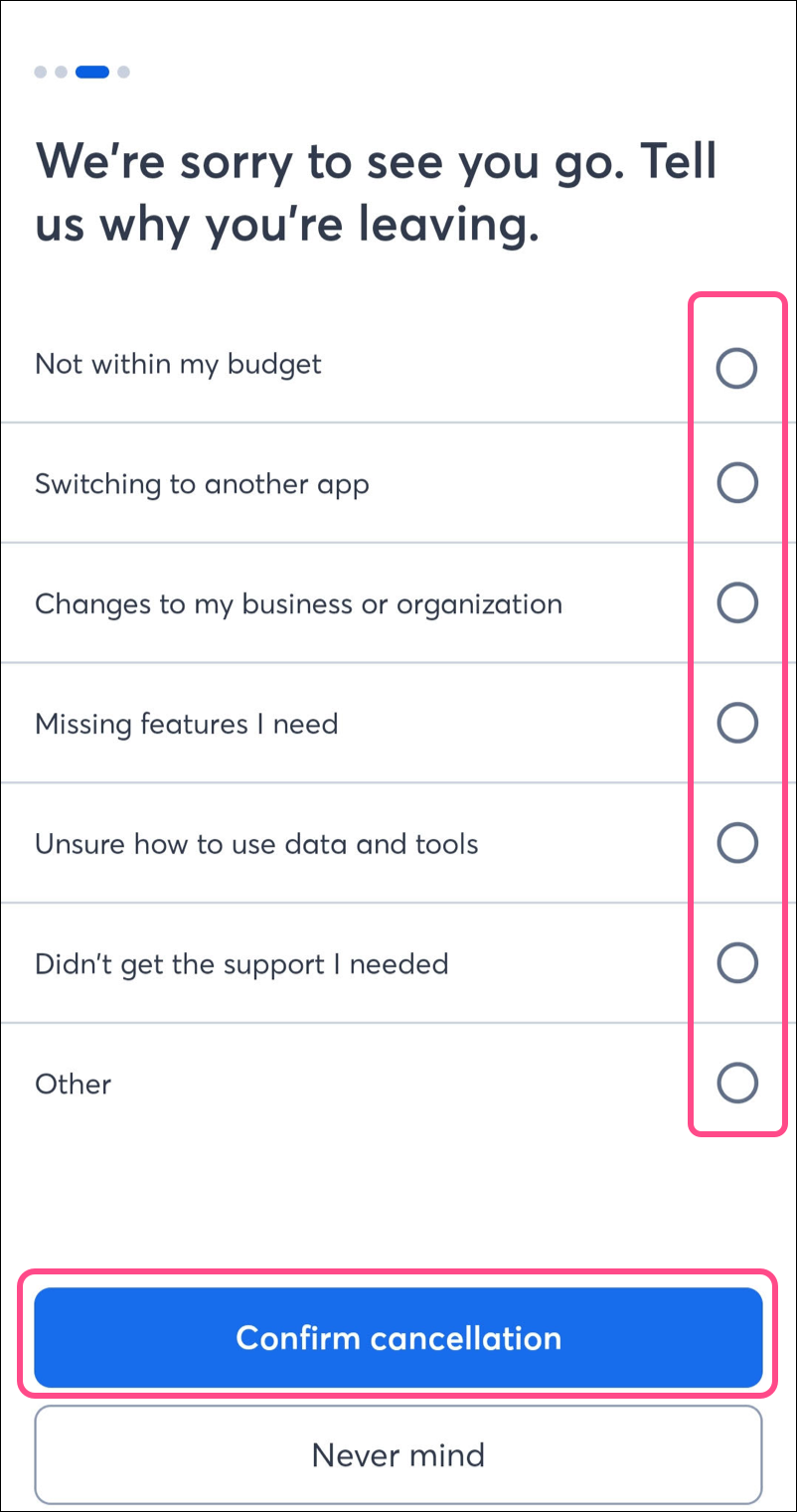
To cancel your account from the Constant Contact mobile app on an iPhone:
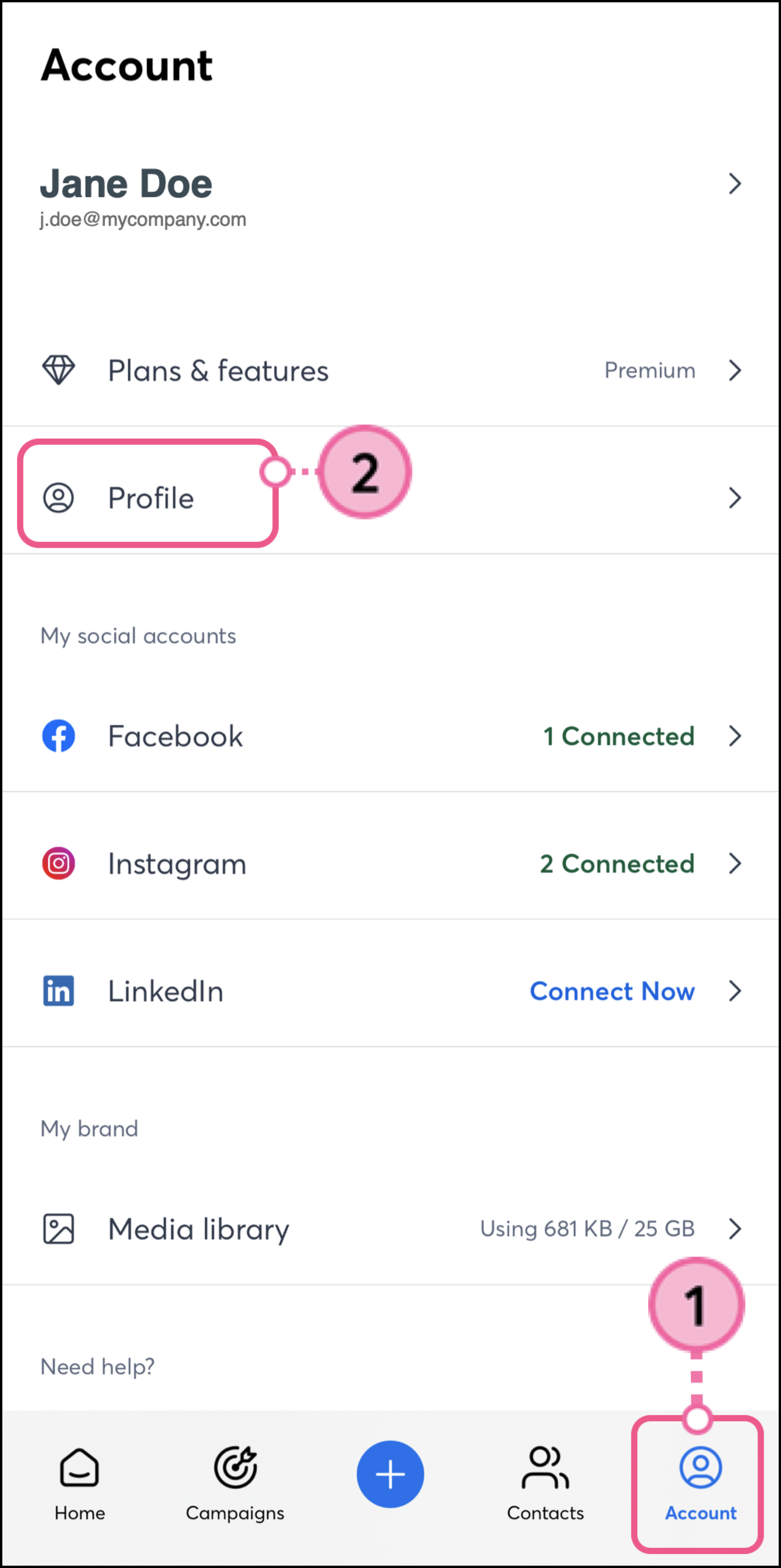
<
To cancel your account from the Constant Contact mobile app on an Android:
Copyright © 2026 · All Rights Reserved · Constant Contact · Privacy Center