Email and Digital Marketing
How can we help you?
Search our help articles, video tutorials, and quickstart guides

You've got this. You've got us. Search our Knowledge Base to quickly find answers to your questions.

Change your username

Article: 000005889
Updated: October 28, 2025

Update the information you use to access your Constant Contact account

If you need to change or update the login name, or username, for your Constant Contact account, you can do so at any time within your account settings. 


Characters allowed in Constant Contact usernames

When creating a new username for your Constant Contact account, it must be at least six characters long and can't include any spaces. Use the following list of characters in any combination:

  • Capital letters (A - Z)
  • Lower-case letters (a - z)
  • Numbers (0 - 9)
  • Special characters:
  • At symbol ( @ )
  • Dash ( - )
  • Period ( . )
  • Plus sign ( + )
  • Underscore ( _ )
Light bulb iconDid you know? If you also need help creating a password, please follow these helpful guidelines.


Change your username

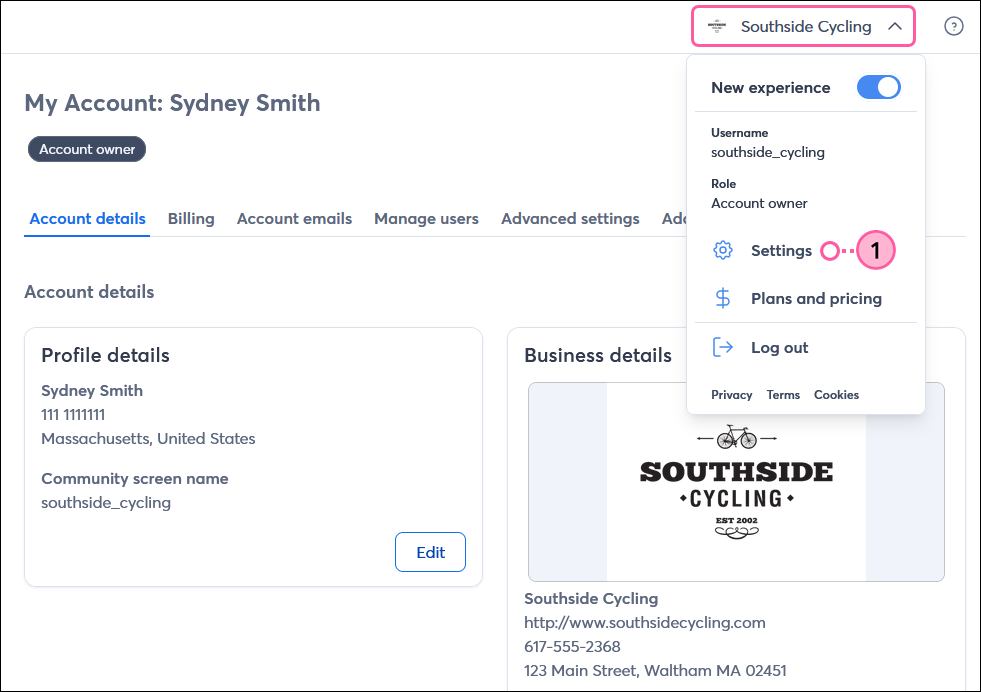
  1. Click the profile name in the upper-right and select Settings.

    Profile name and Settings dropdown option

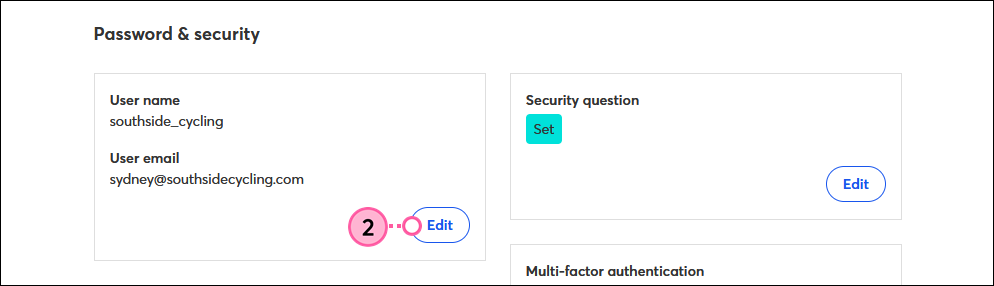
  2. Scroll down to the User name and User email section and click Edit.

    Password and Security section with Edit button in User Name and User Email section
     
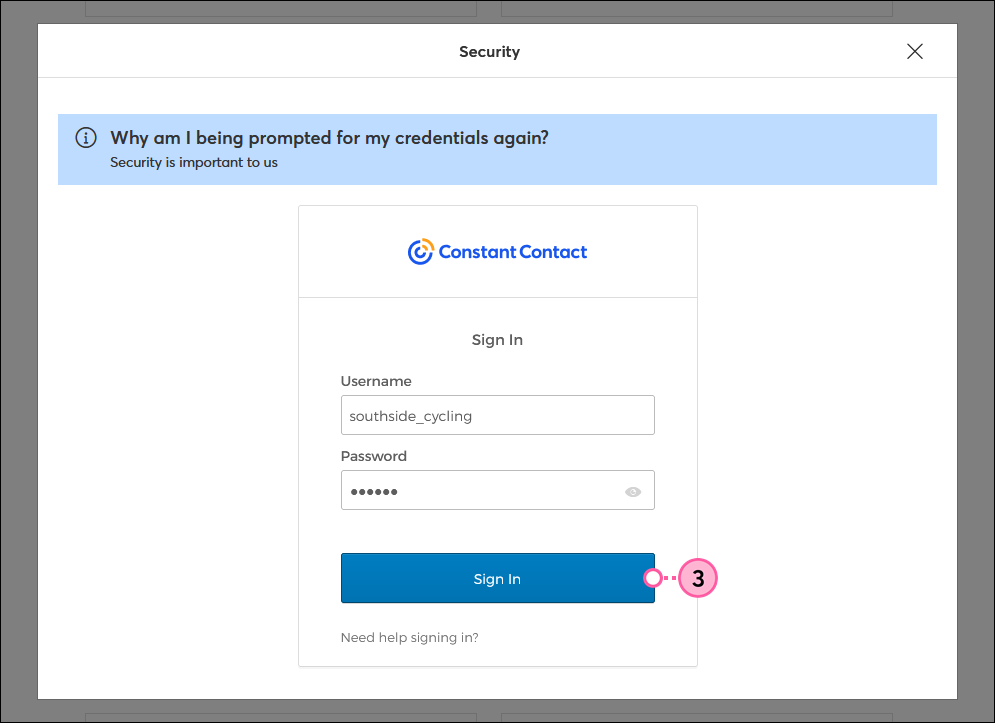
  3. If prompted, enter your current Constant Contact login credentials and click Sign In.
    Note: If Multi-Factor Authentication is enabled in your account, you may also be prompted to enter your secondary factor.

    Constant Contact login username and password fields with Sign In button
     
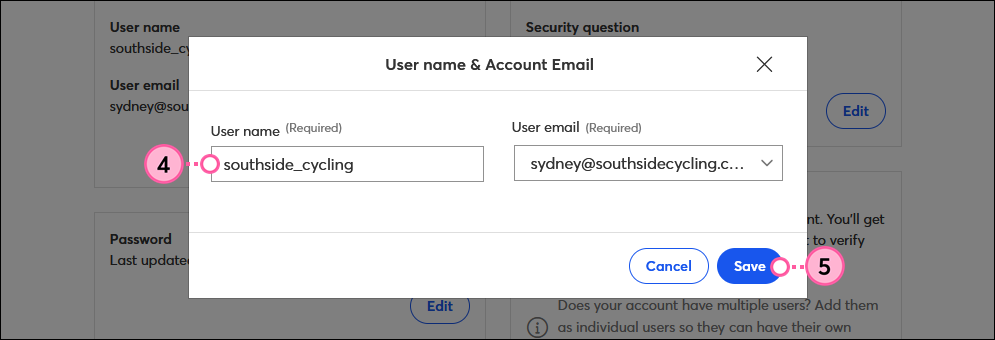
  4. Type your new username in the User name field.
  1. Click Save.
User Name field and Save button


After clicking Save, your username is officially changed. Only the username for the Account Owner is updated. If your account has multiple users, each username can be updated separately.


Questions?

Ask the Community

Did this article answer your question?


Constant Contact Logo

Copyright © 2026 · All Rights Reserved · Constant Contact · Privacy Center