When enabled, it adds a hidden field that real visitors will not see, but automated bots will. If a bot fills out this hidden field, the submission is automatically discarded, keeping your data clean.
 | Tip: Are you looking for information about Constant Contact’s Email and Digital Marketing product? This article is for Constant Contact’s Lead Gen & CRM product. Head on over to the Email and Digital Marketing articles by clicking here. Not sure what the difference is? Read this article. |
| Administrators | ✓ | |
| Company Managers | ✓ | |
| Marketing Managers | ✓ | |
| Sales Managers | ||
| Salespersons | ||
| Jr. Salespersons |
The Bot Protection feature operates silently in the background, helping to keep your forms clean.
The user experience does not change—even if a bot submits the form, they are still redirected to the "Thank You" page as normal, so they do not realize they were blocked.
Bot Protection is highly recommended for all public forms and can be enabled easily in the form settings.
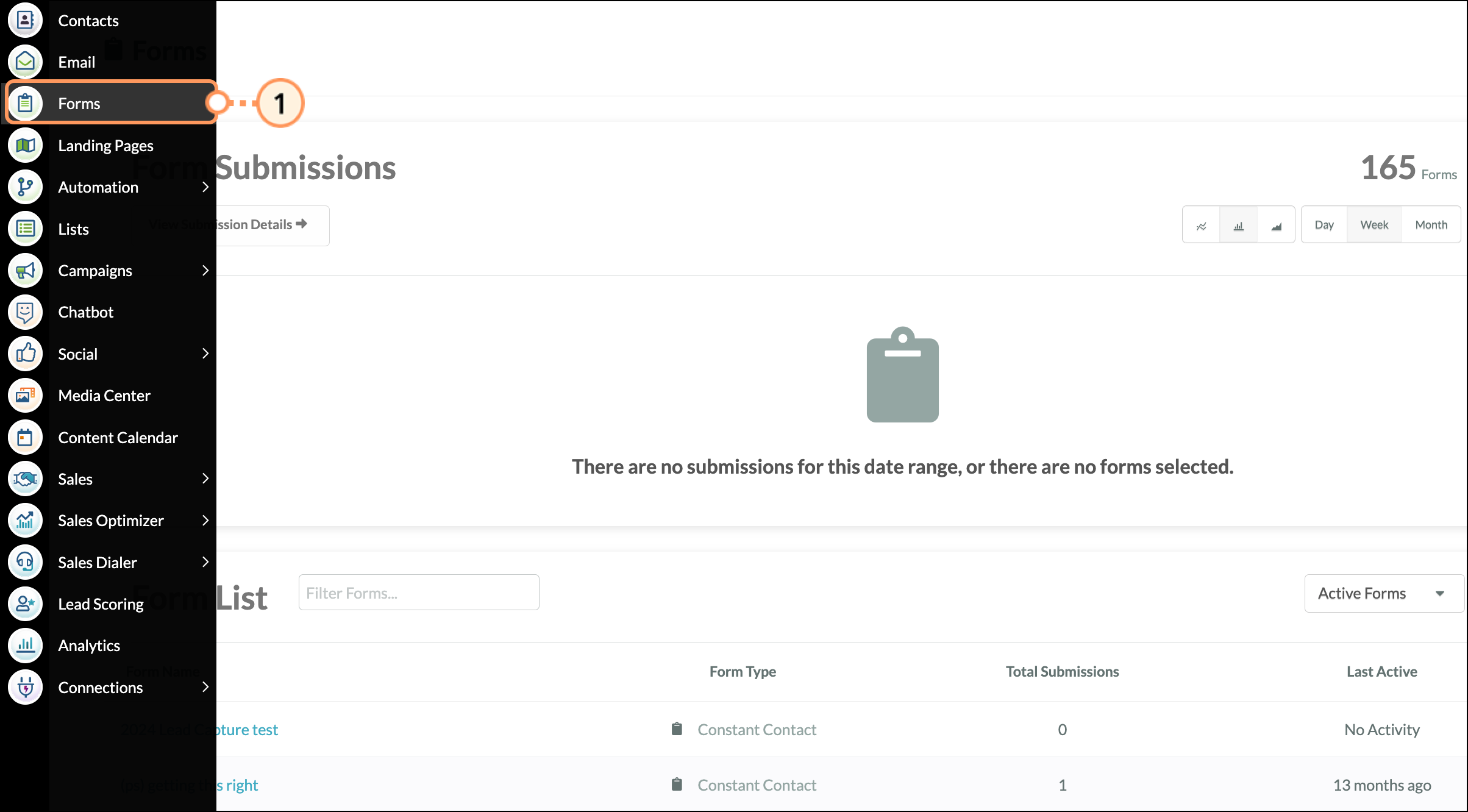
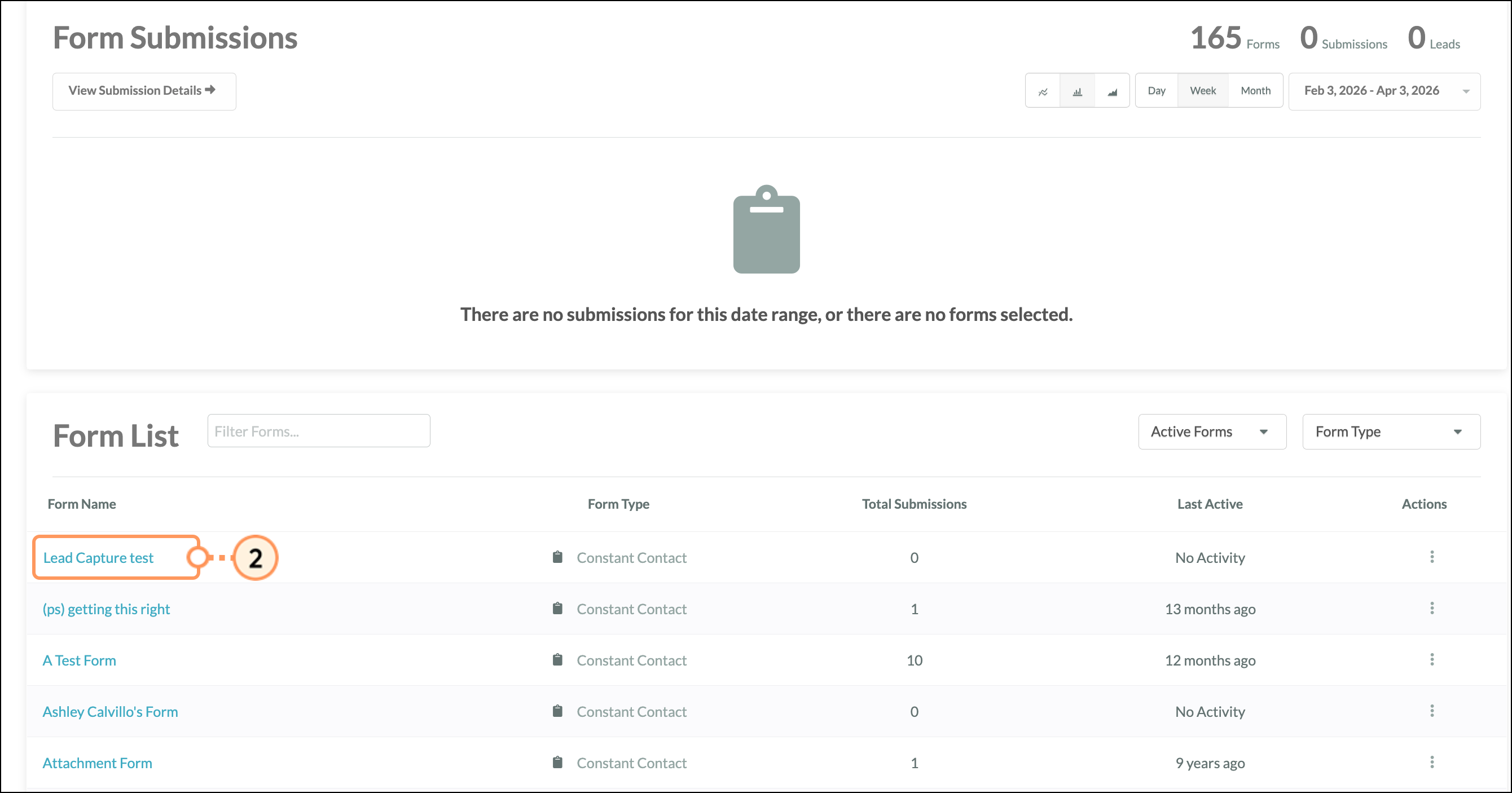
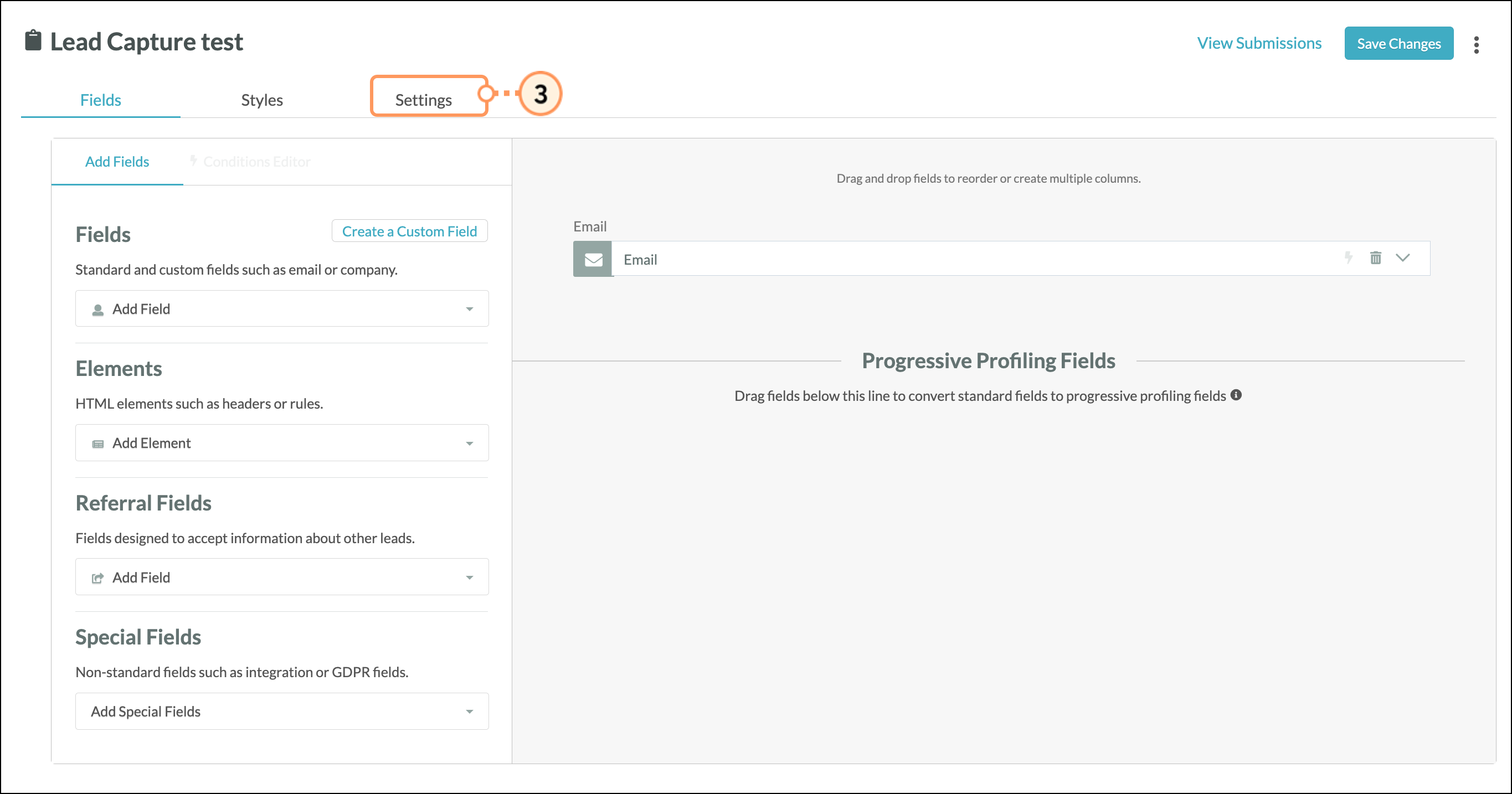
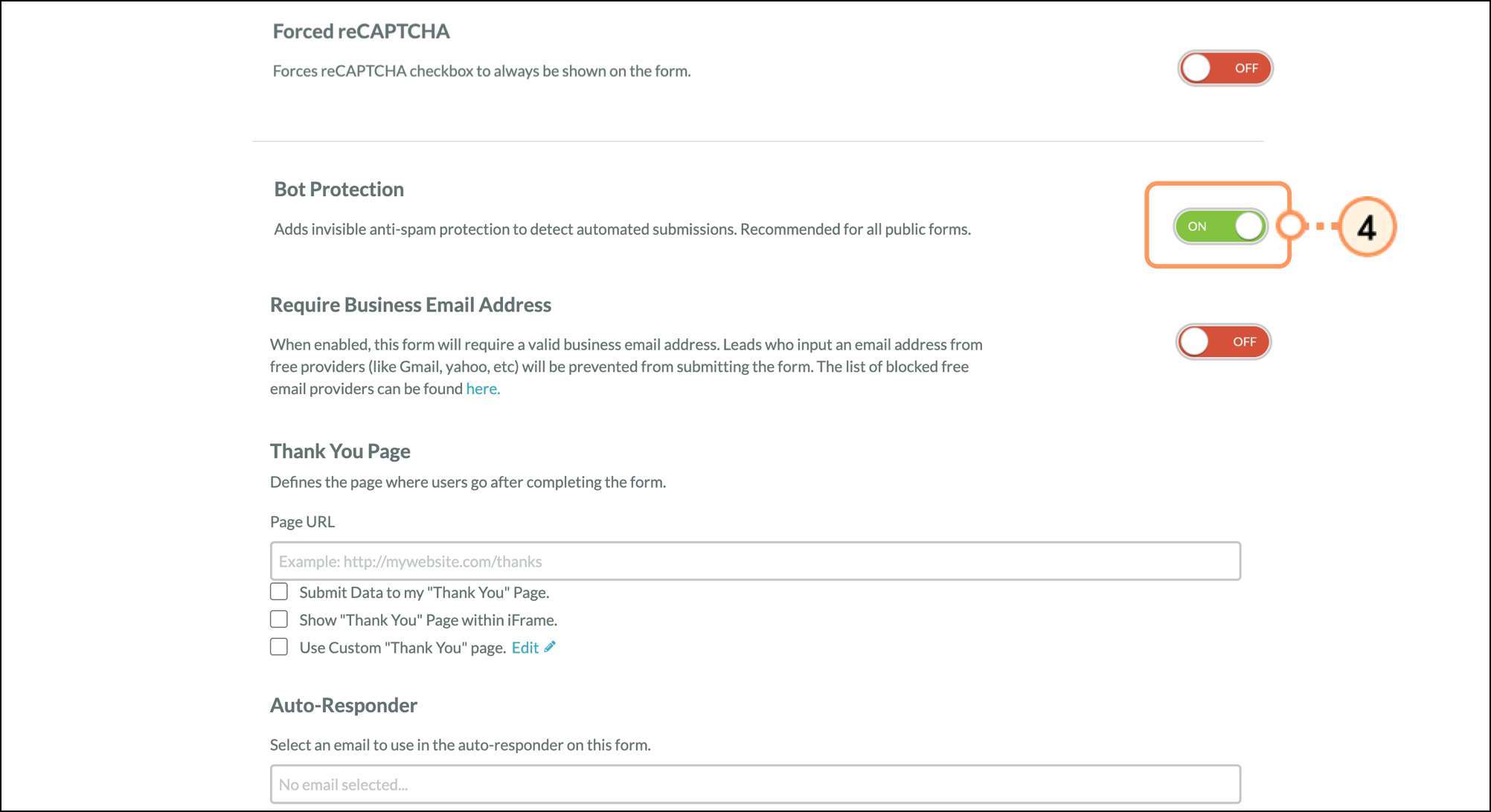
Note: Because bot submissions are silently discarded while still showing the "Thank You" page, you will not see these submissions in your Contact Manager or Form Submissions reports.
Q: Should I turn this on?
A: In most cases, yes. Bot Protection is a low-impact way to reduce spam without adding friction to the user experience (like traditional CAPTCHA). It works exceptionally well against basic and moderately sophisticated bots.
Q: Will this affect real users?
A: No. Real users won’t see the hidden field and won’t be impacted. However, in very rare cases, an aggressive browser extension or autofill tool might interact with hidden fields.
Q: What happens to blocked submissions?
A: Submissions flagged as bots are silently discarded. They do not appear in your submissions or reports, and the visitor will not know their submission was blocked.
Q: When should I turn it off?
A: You may consider disabling Bot Protection if you suspect legitimate submissions are being blocked (which is very rare), or if you are doing internal testing on form behavior and want to eliminate all filtering.
Q: Does this replace CAPTCHA?
A: No. Bot Protection is designed to reduce spam without impacting user experience. For high-risk forms or severe spam attacks, additional protections (like forced reCAPTCHA) may still be necessary.
Copyright © 2026 · All Rights Reserved · Constant Contact · Privacy Center