| Administrators | ✓ | |
| Company Managers | ✓ | |
| Marketing Managers | ✓ | |
| Sales Managers | ||
| Salespersons | ||
| Jr. Salespersons |
Lead Gen & CRM Support information is located at https://community.constantcontact.com/contact-support.
Be aware that Lead Gen & CRM Support and Lead Gen & CRM Live Chat are available Monday to Friday from 8:00 AM to 6:00 PM (Eastern Time).
In order to use Live Chat, the feature must be enabled for your instance. If Live Chat is enabled for your instance, all users in your instance will have access to Live Chat features.
Every agency has access to the Live Chat feature. Live Chat is part of the Direct Support Package for Clients, which means that agencies will need to enable Direct Support for client instances. Contact your agency for more information on enabling Live Chat features for your account.
If you do not find the help you need in the Help Center, you can contact Lead Gen & CRM Support through Live Chat.
Live Chat lets you communicate with a Lead Gen & CRM Support team member through a chat window.
To contact Lead Gen & CRM Support through Live Chat, do the following:
 User Menu > Live Chat in the top toolbar.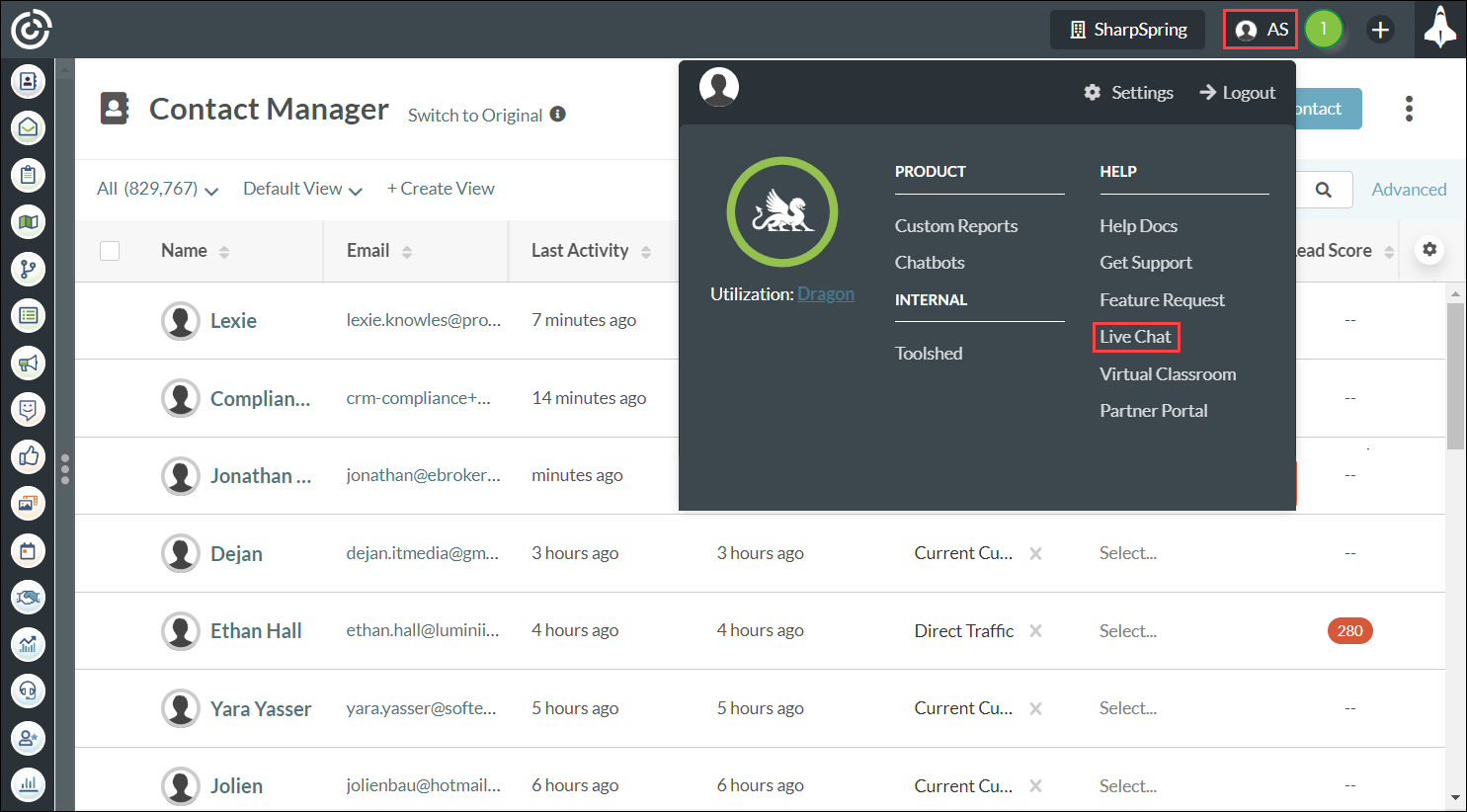
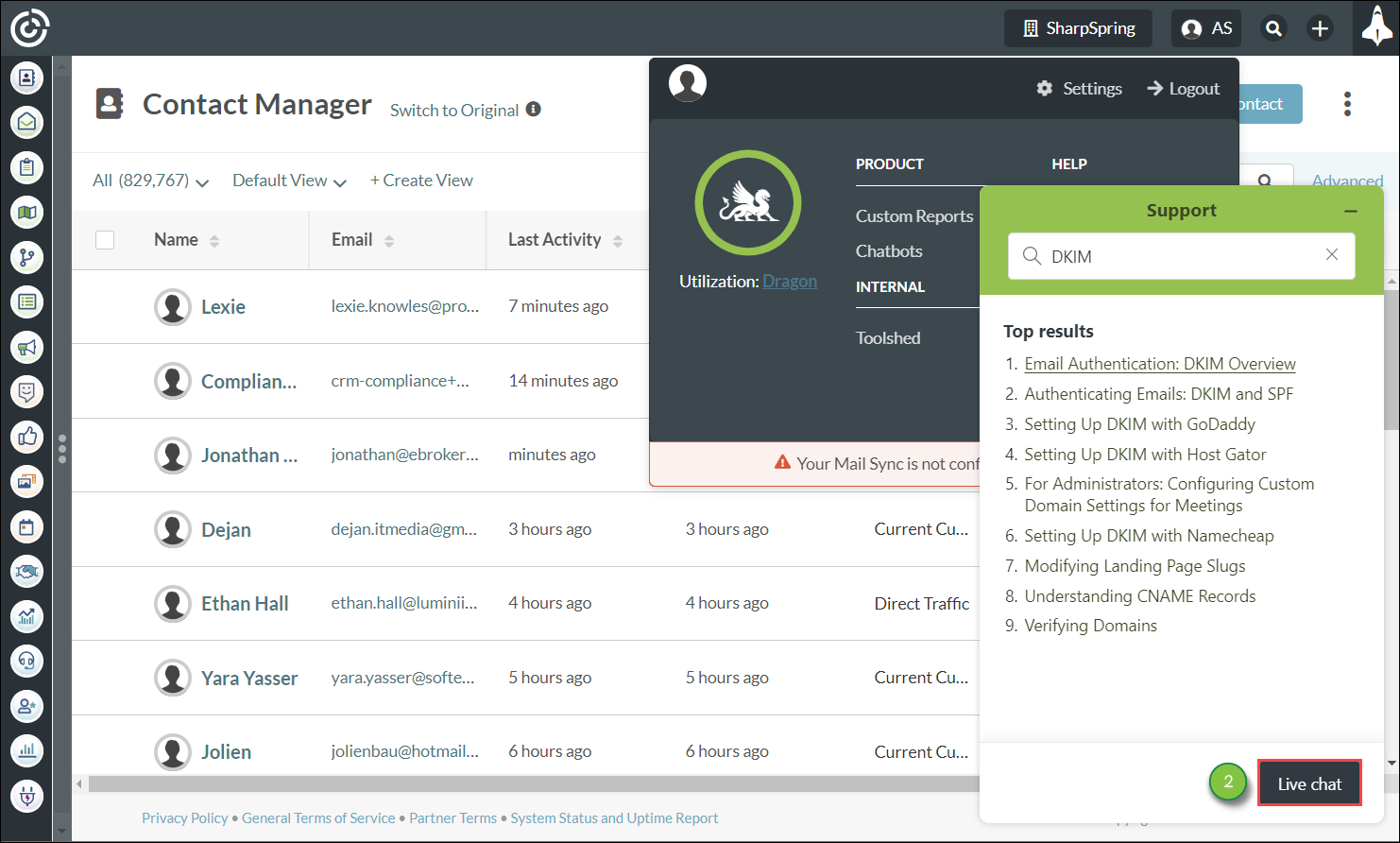
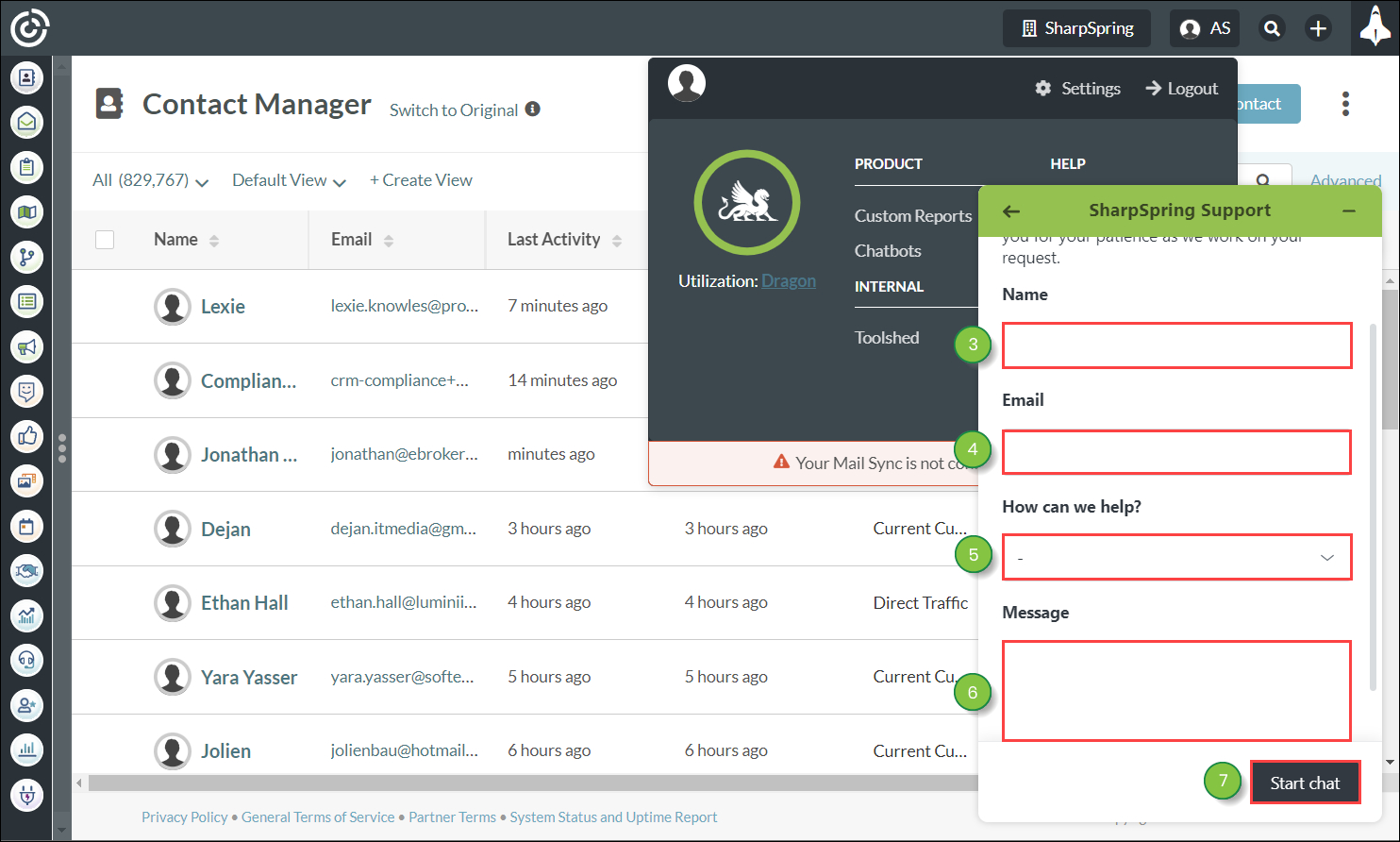
Note: You cannot begin communicating with Lead Gen & CRM Support unless you enter a message.
Once you have entered your first chat message, you will be placed into a queue. Lead Gen & CRM Support will respond to your initial message as soon as possible.
Once Lead Gen & CRM Support responds, you can enter additional messages as necessary in order to resolve your issue.
To respond to Lead Gen & CRM Support, enter messages into the Type a message here text box. There are other chat options available to you. They are as follows: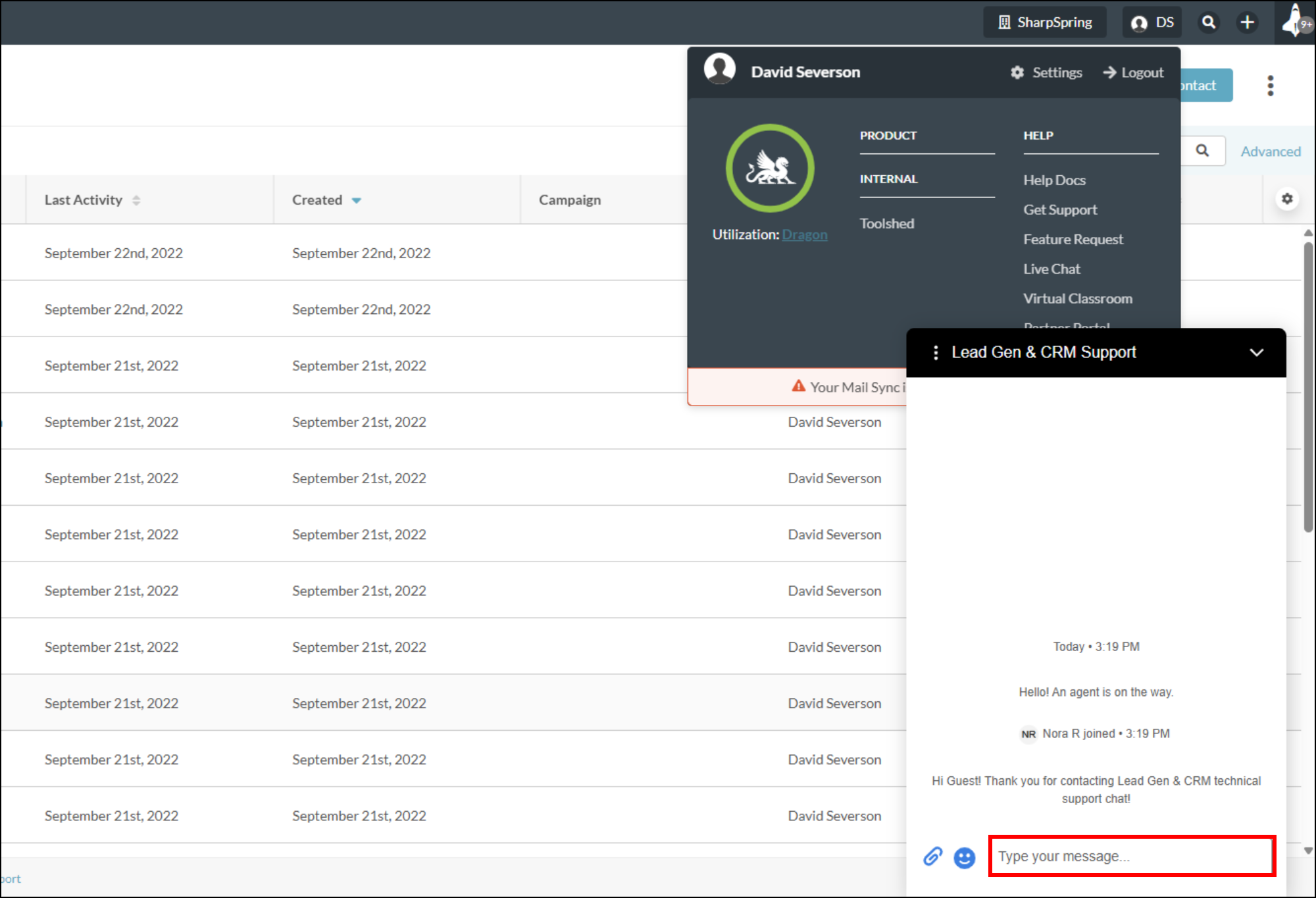
| Icon | Option | Description | ||
 | End Chat |
Ends the chat session. Once the chat session has ended, you can enter a new | ||
 | Attachments |
Let's you upload any of several file types
| ||
 |
| Options |
Opens a menu to either “Request Chat Transcript” or “End Chat”. |
Click the Options menu to access the following options:
| Status | Description | |
|
Request Chat Transcript |
Immediately downloads a transcript of all messages in the chat. The transcript is downloaded as a PDF. | |
| End Chat |
Ends the chat session. Once the chat session has ended, if you wish to start a new chat, you will need to close the existing chat window and navigate back to Live Chat. You will once again be placed into the queue. |
You can also interact with the chat session window. The available options are as follows:
| Icon | Option | Description | ||
|
|
| Minimize |
Minimizes the chat session. The chat session will expand when you receive a response from Lead Gen & CRM Support. | |
|
|
|
Expand the |
Minimizes the chat session. The chat session will expand when you receive a response from Lead Gen & CRM Support. |
Copyright © 2026 · All Rights Reserved · Constant Contact · Privacy Center