Email and Digital Marketing
How can we help you?
Search our help articles, video tutorials, and quickstart guides

You've got this. You've got us. Search our Knowledge Base to quickly find answers to your questions.

Pay for your account with PayPal

Article: 000054802
Updated: January 9, 2026

Use PayPal to pay for your Constant Contact account

PayPal is a safe, secure, and easy way to pay for your account. Set up recurring payments and skip the worry of credit cards expiring or changing, which can affect your account status.


You can set up PayPal as your payment method when upgrading from a free trial to a full account or when changing your email plan

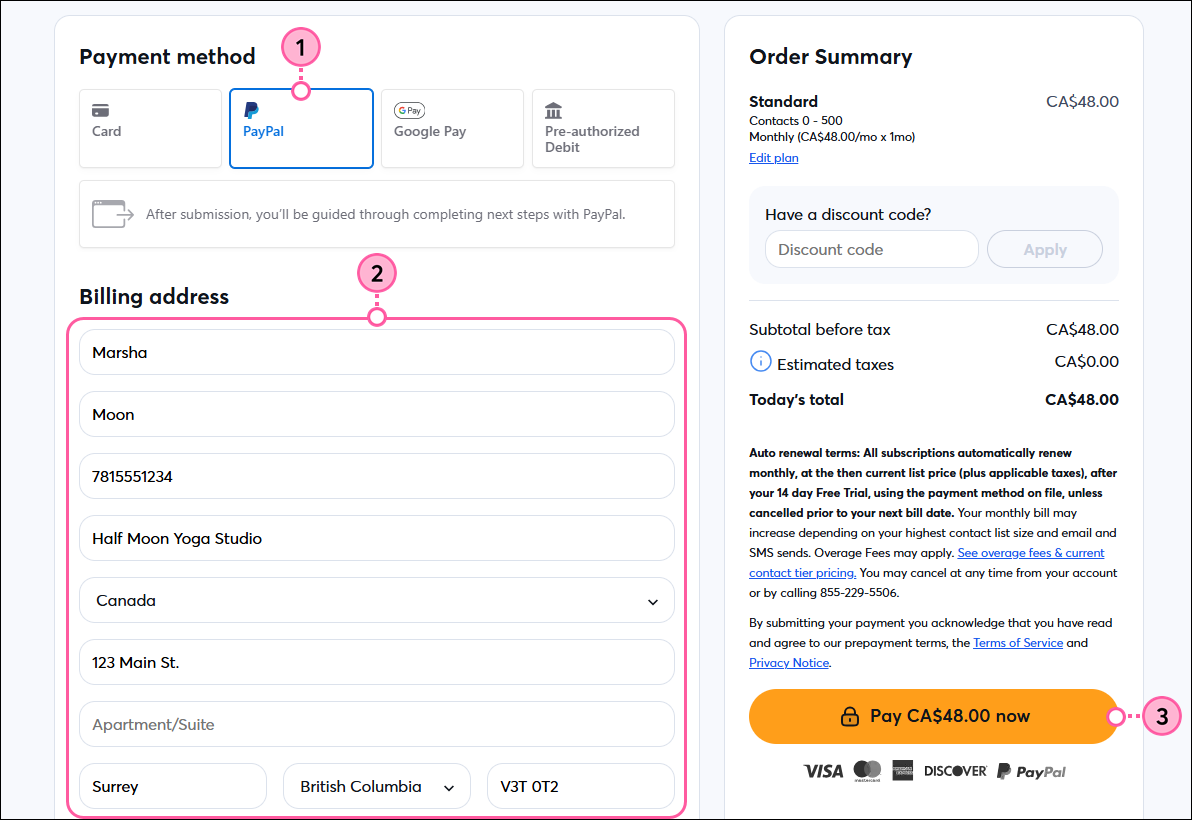
  1. On the payment method screen, select PayPal.
  2. Enter or update your billing address.
  3. Review the terms, then click Pay now.
    Exclamation point iconNote:  If your account looks different than what's shown below, please refer to this article instead.

    Checkout page, payment method options with PayPal selected, Billing address fields, and Pay Now button

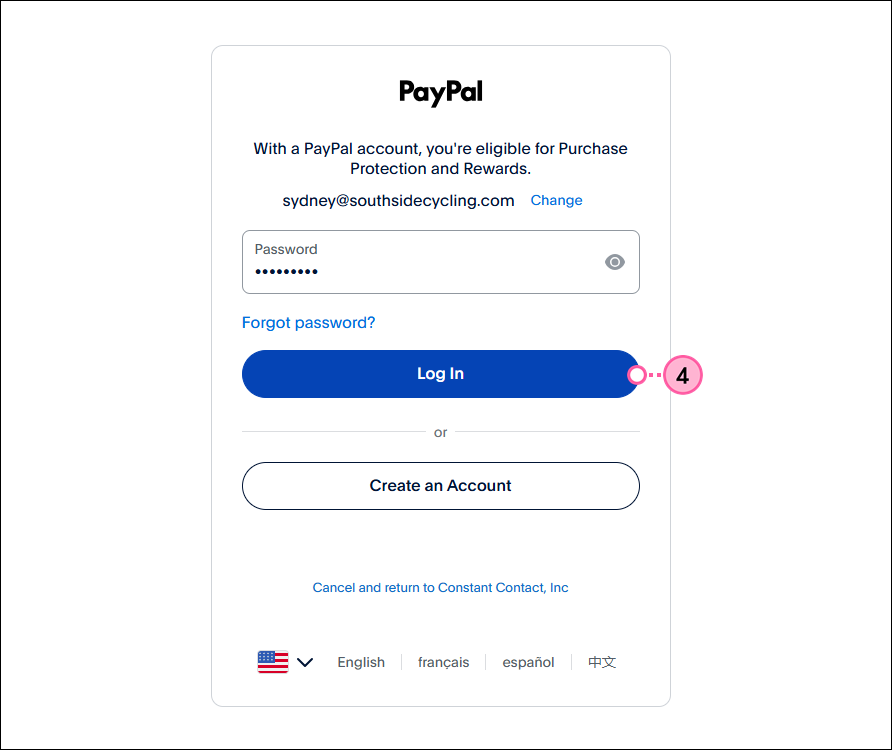
  4. Log in to your PayPal account.

    PayPal login screen

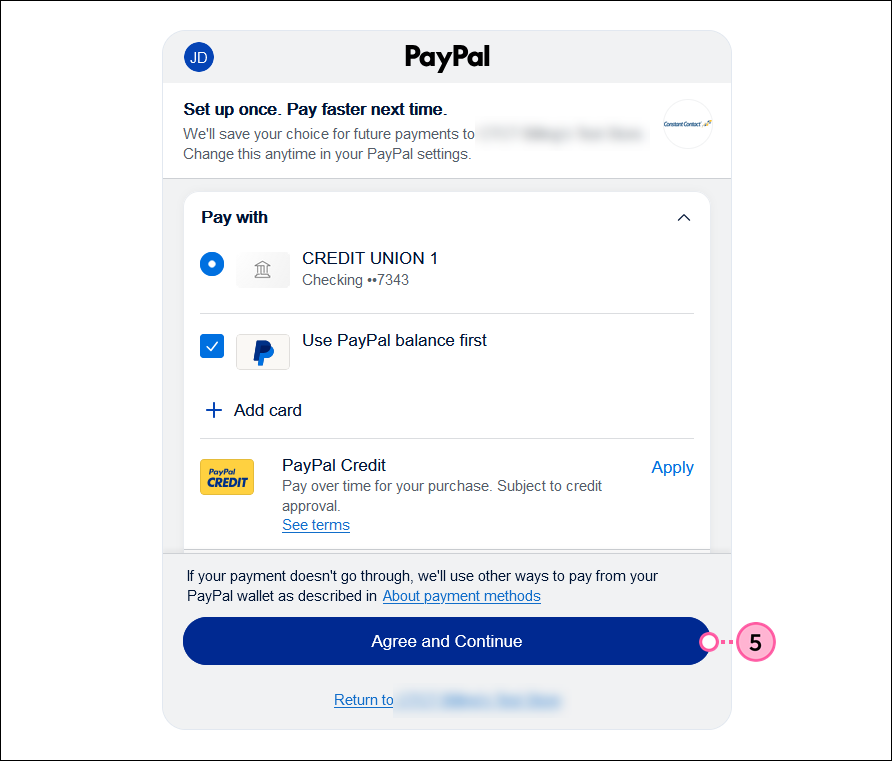
  5. Select the payment method you want to use from your PayPal wallet and then click Agree and Continue.

    PayPal payment methods to select and Agree and Continue button


All of the features available in your selected plan are ready to use as soon as your payment is processed. Future billing dates are determined based on the date you upgraded to a paid account. You can change your email plan at any time.


Questions?

Ask the Community

Did this article answer your question?


Constant Contact Logo

Copyright © 2026 · All Rights Reserved · Constant Contact · Privacy Center