If you're selling tickets or merch for your event, connecting a PayPal Premier or Business account lets your registrants pay the fee through their PayPal account, Venmo account, a credit card, or Pay Later. If you don't already have an account, simply sign up for a new account and link your banking information. Only one PayPal account is needed in order to offer each of these payment methods - you do not need to set up separate Venmo or Pay Later accounts.
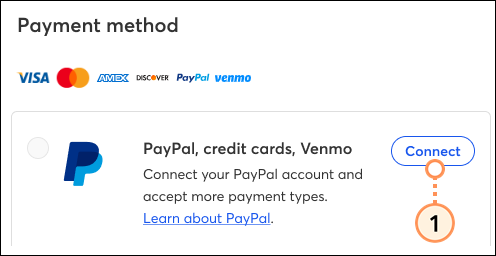
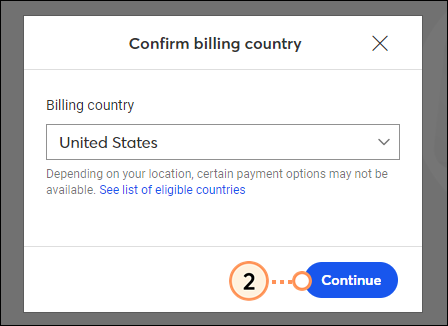
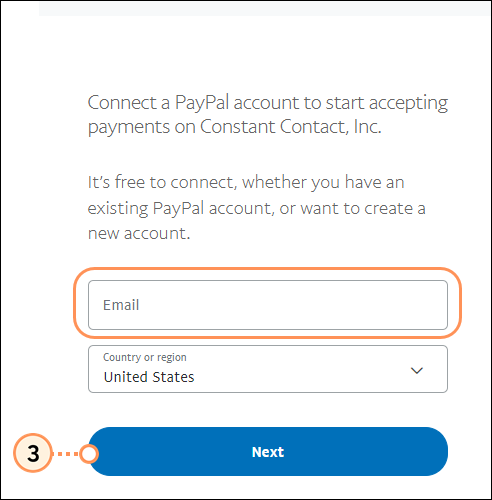
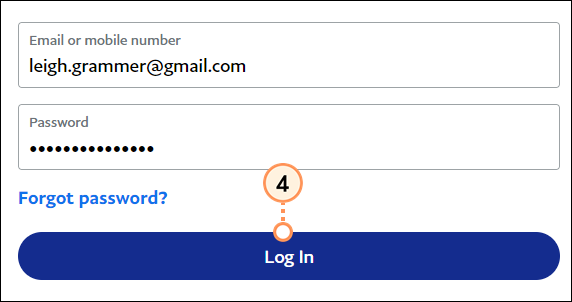
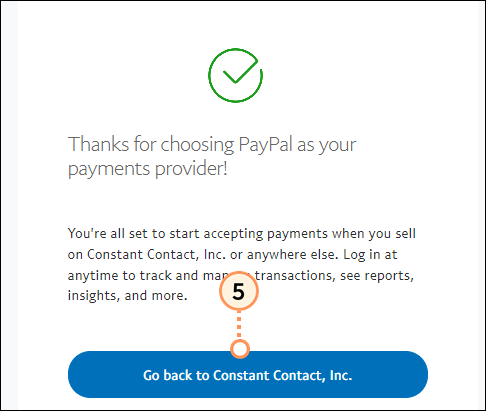
 | Important: PayPal charges a fee of 3.49% + $0.49 per order/transaction, and Constant Contact collects an additional fee of 2.9% for any draft/published events created before 8/1/26 and 3.5% for events created on or after 8/1/26. Please note that the PayPal fee may vary depending on your specific agreement with PayPal. Please follow up with PayPal with any questions. |
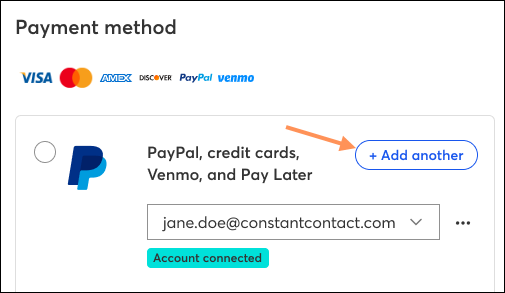
Back on the Payments tab, you'll see that your PayPal account has successfully been connected. Click +Add Another to connect an additional PayPal account.
If Venmo and Pay Later are enabled for your event, registrants can choose to check out with one of these payment methods, or via PayPal or a debit/credit card. Regardless of which method they choose, the payment will be made to your PayPal account.
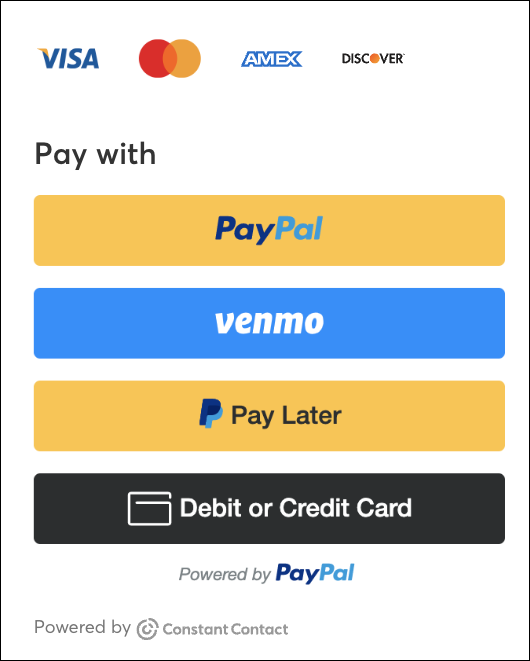
If Venmo and Pay Later are not enabled for your event, registrants can check out using PayPal or pay via debit/credit card.
For more information about PayPal, please see PayPal's support.
Any links we provide from non-Constant Contact sites or information about non-Constant Contact products or services are provided as a courtesy and should not be construed as an endorsement by Constant Contact.
Copyright © 2026 · All Rights Reserved · Constant Contact · Privacy Center