When contacts receive an email from you that is unwanted, they can click a button in their inbox to mark your email as spam. If your spam reports are high, it could result in your emails getting blocked. Internet Service Providers (ISPs) such as Gmail and Yahoo advise keeping complaint rates below 0.1% and never reach 0.3%. Therefore, it's important to be proactive and prevent your campaigns from being reported as spam. Or perhaps you've already had a few (or even many) spam reports and want to get it under control. Regardless of your situation, there are several factors to pay attention to:
 | Be a better marketer: Avoid these 6 common mistakes to keep your email from being marked as spam! |
Contact collection practices and permissions
 | Important: Never purchase a contact list! Purchasing a contact list violates our email permission policy. Contacts on a purchased list did not grant you consent to email them. Due to the high number of spam complaints from a purchased list, you won't just end up in the spam folder; it can also trigger a list review. |
We want our customers to only send emails to contacts who truly want to receive them; otherwise, you're sending spam. That’s why we require you to have permission from all your contacts to send email or SMS marketing campaigns to them. If you follow good list-growth practices from the start, you're less likely to end up with spam complaints.
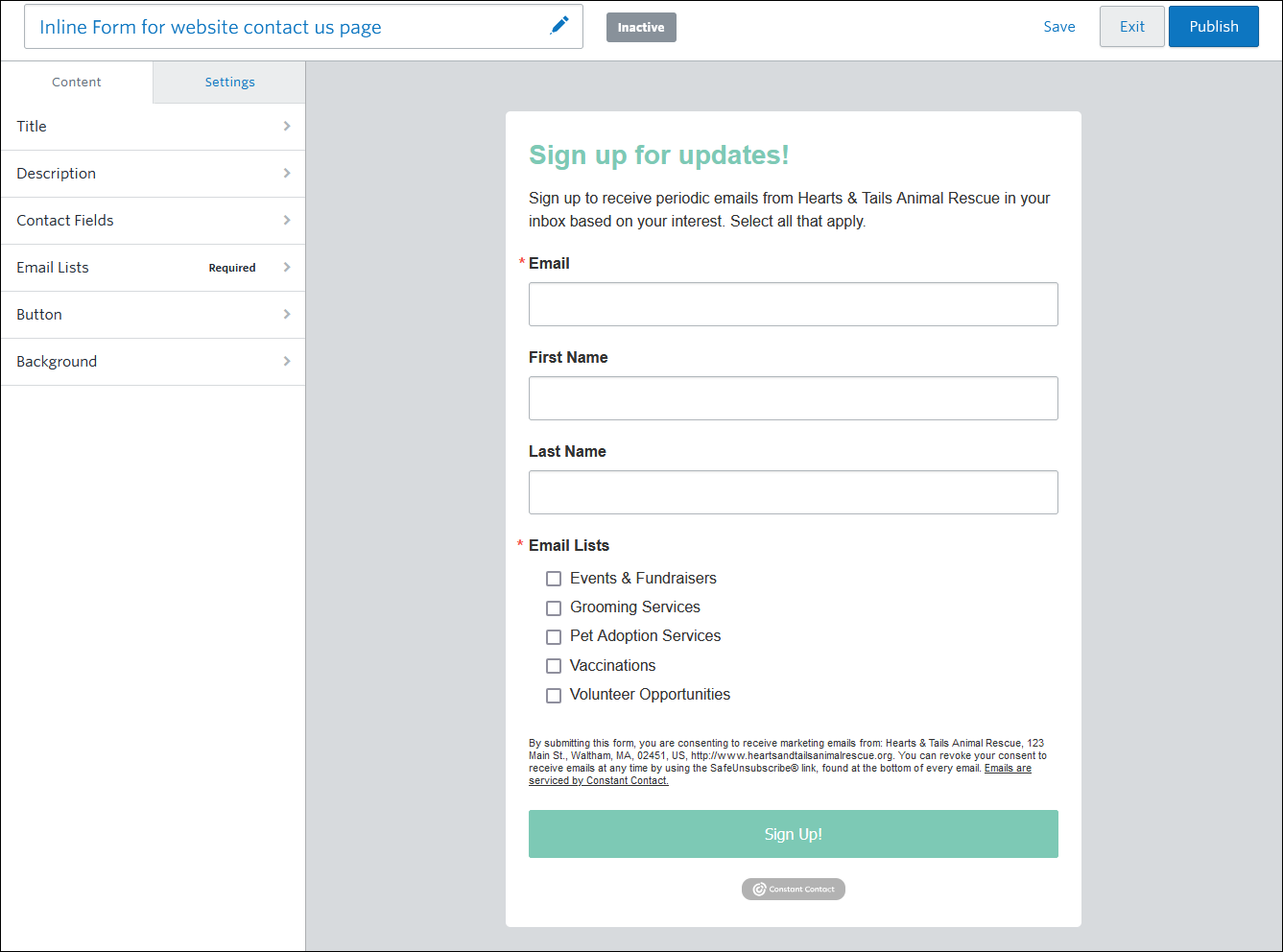
- Always ask for explicit permission before sending - Not only is this a best practice, but it aligns with Constant Contact's email permission policy. Any of our sign-up forms is a great way to receive this permission as you grow your list.
- Offer list options - All of our website sign-up forms allow you to include multiple lists for your contacts to choose from, tailored to their interests. This helps you send more targeted content based on those interests, improving your overall email engagement. For example, a pet store might not want to email its cat toy promotions to a dog owner. Make sure to name your lists so it's clear what contacts are signing up for.
- Confirm your new contacts' permission with Confirmed Opt-in - Sending a reconfirmation email is a great way to narrow your list to only those who are really interested in receiving your emails.
Contact and list management
Once you start growing your list, it's a good idea to conduct periodic reviews to assess your engagement. Your instinct may be to delete all the contacts who aren't opening your emails, but you worked hard to collect them! A better approach is to re-engage contacts with low engagement and keep engaging with highly engaged contacts to prevent them from dropping.
- Practice good list hygiene - Your most engaged contacts today can become your least engaged contacts over time if you don't nurture your relationship with them. We've got tools to help you segment your contacts based on their email engagement, interests, location, purchasing habits, and more, so you can put all that contact data to work. You may find you're missing information or that there are better ways to think about the way you manage your contacts who can make a big impact on your marketing!
- Re-engage your contacts - Before you delete, try using segmentation to filter out your least-engaged contacts, then send them targeted content to see how they respond. You can try to re-engage them with an incentive, such as a coupon or exclusive content, or just send them a poll to gather their feedback.
- Age your contact list - The oldest contacts on your list deserve some special attention! You can use our segmentation tools to filter your contacts by the date they joined your list and celebrate their longevity with coupons, exclusive content, or a heartfelt thank you.
- Allow your contacts to opt out - A contact may mark your email as spam, but not unsubscribe from your list. By sending your existing contacts a reconfirm opt-in email, you let the contacts who truly aren't engaged leave your list, reducing the likelihood of being reported as spam repeatedly.
- Enable the feedback option for unsubscribed contacts - When contacts unsubscribe through your email footer, they can explain why they're leaving. You never know what your contacts might tell you, and their feedback can help you make better content and overall marketing choices in the future.
- Highlight the Update Profile form in your footer - A link to the Update Profile form lives in your email footer. If your contacts click it, they can fill in missing contact information and choose the lists they want to be on. All you have to do is draw attention to the link somewhere in the body of your email.
Contact segmentation
Segmenting your contact list lets you group contacts by their interests, location, and email habits. When you break your list into smaller groups, you can send more targeted email content. This improves your open rates because your contacts find your content to be more relevant to them.
- Start segmenting through your sign-up forms - All of our sign-up forms let you select the contact details you want to collect, which you can use with our segmentation tools later. Our website sign-up forms take it a step further by allowing your contacts to select the lists they join. You can also create multiple, unique Sign-up Landing pages that live on your social media platforms, your blog, in community forums, etc., and customize the branding, messaging, and contact fields for each audience. This helps you add contacts from specific places onto their own list, further segmenting your contacts.
- Use our segment builder - We've got a powerful tool that lets you combine as few or as many criteria as you need to find the right contact for your targeted content. Your segments refresh automatically whenever you send to them, ensuring you're always including the relevant contacts.
- Use lists and tags - One of the easiest ways to start segmenting your contacts is by creating lists with meaningful names. Tags can be applied to contacts across multiple lists, and you can filter your lists by tags when you send your emails. Both lists and tags are compatible with our segment builder, too!
 | Did you know? There are several ways to segment your contacts, and it can feel overwhelming. If you start small and incorporate tools over time, you'll be using segmentation like a pro in no time! |
Campaign content
 | Did you know? Sometimes ISPs filter out and mark emails as spam before they reach your contact's inbox. Avoid this by following these best practices in your email. |
What you include in your emails influences whether they're perceived as spam:
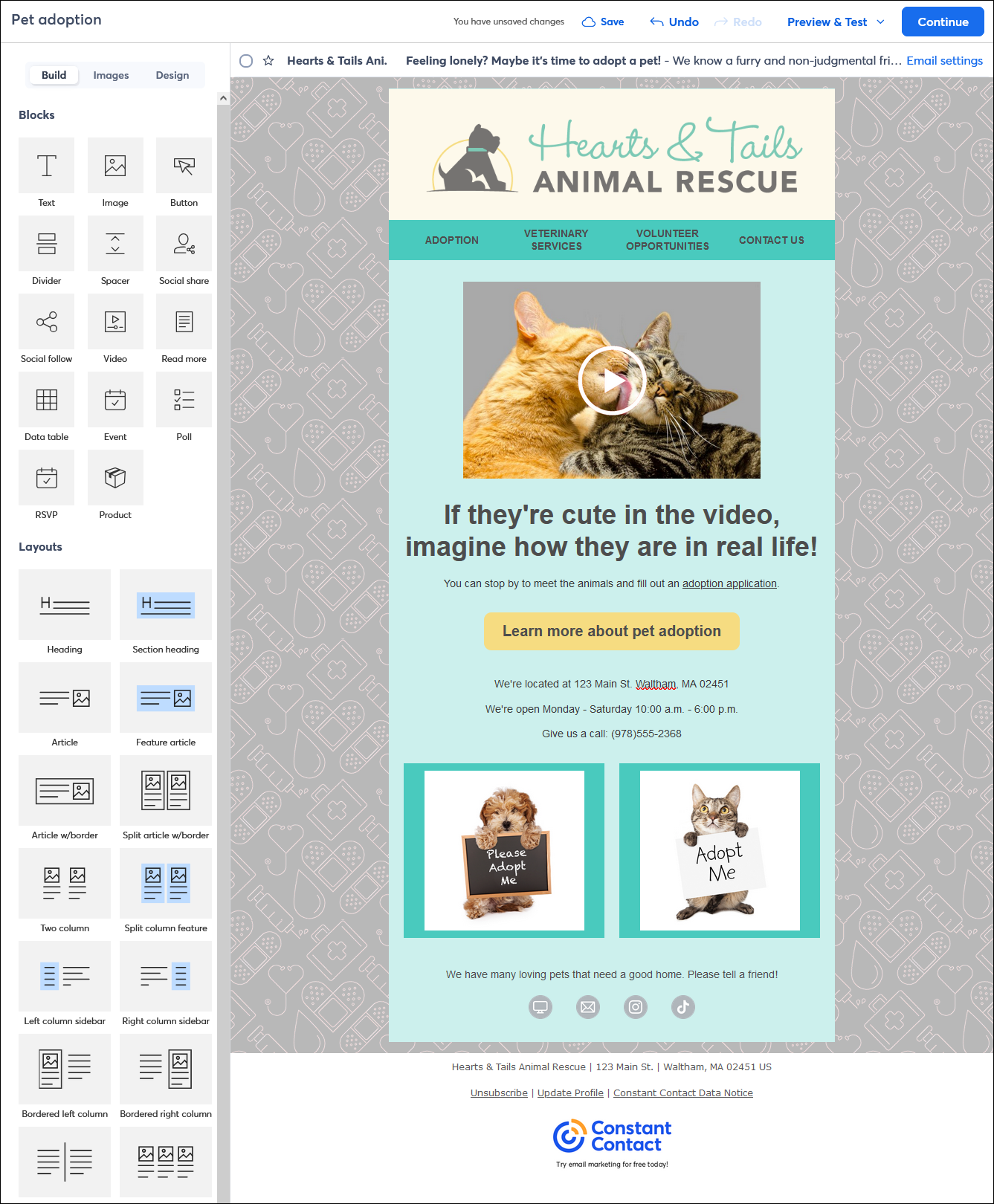
- Brand your email - Branding helps strengthen recognition for your campaigns or company and improves your overall reporting results. Our BrandKit helps you import your logo and brand colors into your account, making it quick and easy to add them to your emails.
- Keep a consistent Sender email address - Keep your "From name" and "From email address" consistent to build recognition. Changing them often will confuse your contacts.
- Use clear subject lines - The subject line is the first, and sometimes the last, thing your contacts notice about your email. Optimize it by keeping it clear, yet interesting. Avoid excessive punctuation or typing in all caps to draw attention - it's what spammers do! Additionally, use a preheader, which appears after the subject line, to further entice contacts to open your email.
- Keep it easy to read - Emails that are difficult to read often get overlooked. Keep your email short, include a single call-to-action, and avoid using too many colors, fonts, and text styles to keep the focus on your message.
- Keep a consistent layout - You want your emails to be immediately recognizable as yours, and keeping a consistent look helps with that. Create a reusable template to save time and easily reuse the layout for all your email campaigns.
- Check your email for errors - Our email editor has built-in tools to help you follow industry best practices that can decrease the chance that your email ends up in a spam folder. When you check your email for errors, we highlight common issues with your subject line, preheader, "From name," "From address," links, and buttons, and give you tips to correct them. In addition, you can send a test email for proofreading to catch content errors before you send the final version to your contacts.
Managing your contacts' expectations
Setting your contacts' expectations around what you'll be sending is key:
- Make your intent clear - If your contacts know what to expect, they're more likely to stick around for it. Will you be sending promotions or discounts? Or how about newsletters or product updates? There are a couple of places to do this: in the descriptive blurb at the top of your sign-up forms, and in your Welcome email.
- Set a send frequency - Whether you send your emails once a day or once a month, your contacts should be aware of your frequency from the start. You can include this information in your Welcome email. Once you've set the expectation, stick to it! However, if you're getting spam reports and your send frequency is on the higher end, consider reducing it. Our Campaign Calendar View can help you plan your email marketing activities! Use it to schedule emails for a specific date and see how they align with your social posts, ads, events, surveys, SMS messages, etc.
- Remind your contacts of their interest - When sending a campaign to a particular list, you can add a small blurb at the bottom of your email reminding them of the targeted content they elected to receive. For example, "You are receiving this email because of your interest in Pet Adoption in your area."
- Get feedback - Run polls and surveys quarterly or annually to ask your contacts what email content they find valuable. This way, you can send content that will improve engagement.
 | The data shows: When you grow your list responsibly, take time to manage and segment your contacts, and send targeted content, your open and click rates improve, leading to better email engagement. |