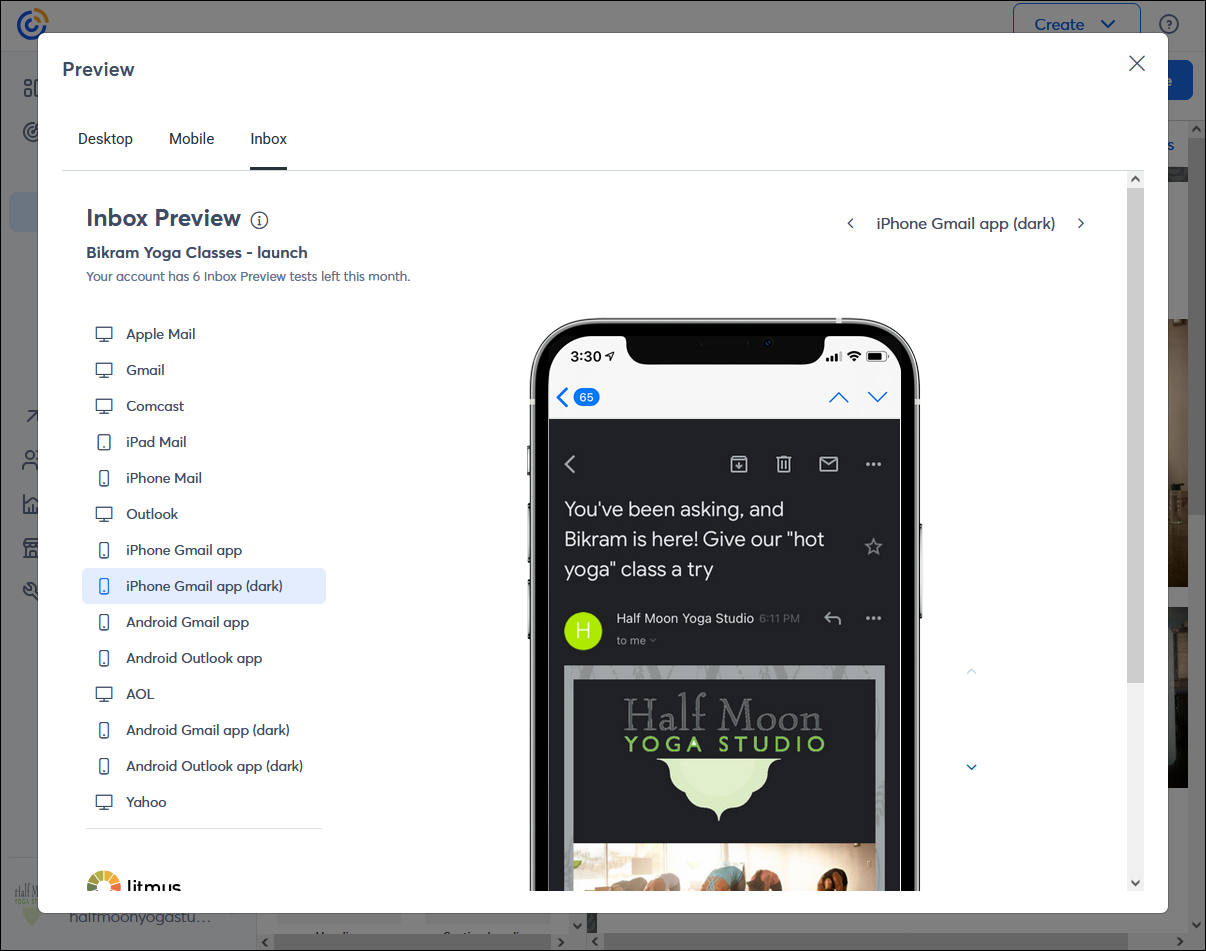
Inbox Preview is an add-on you can purchase for a monthly charge of $10 USD that lets you preview your emails in a variety of email clients, including desktop and mobile apps, and even dark mode for mobile devices. You get 25 previews per month. Each email client you select counts as one preview.
 | Be a better marketer: Want to learn more about email design? See more best practices and check out how to design the perfect email newsletter! |
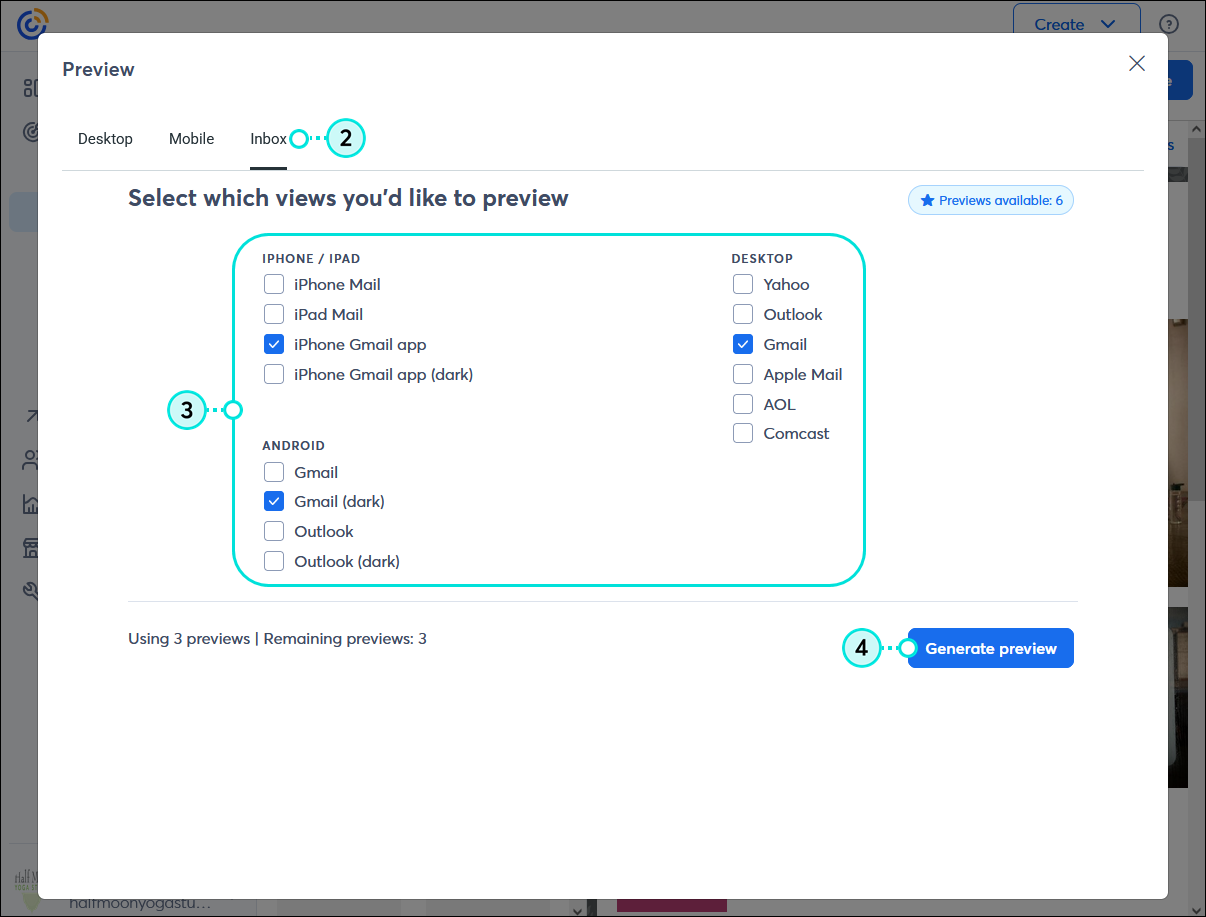
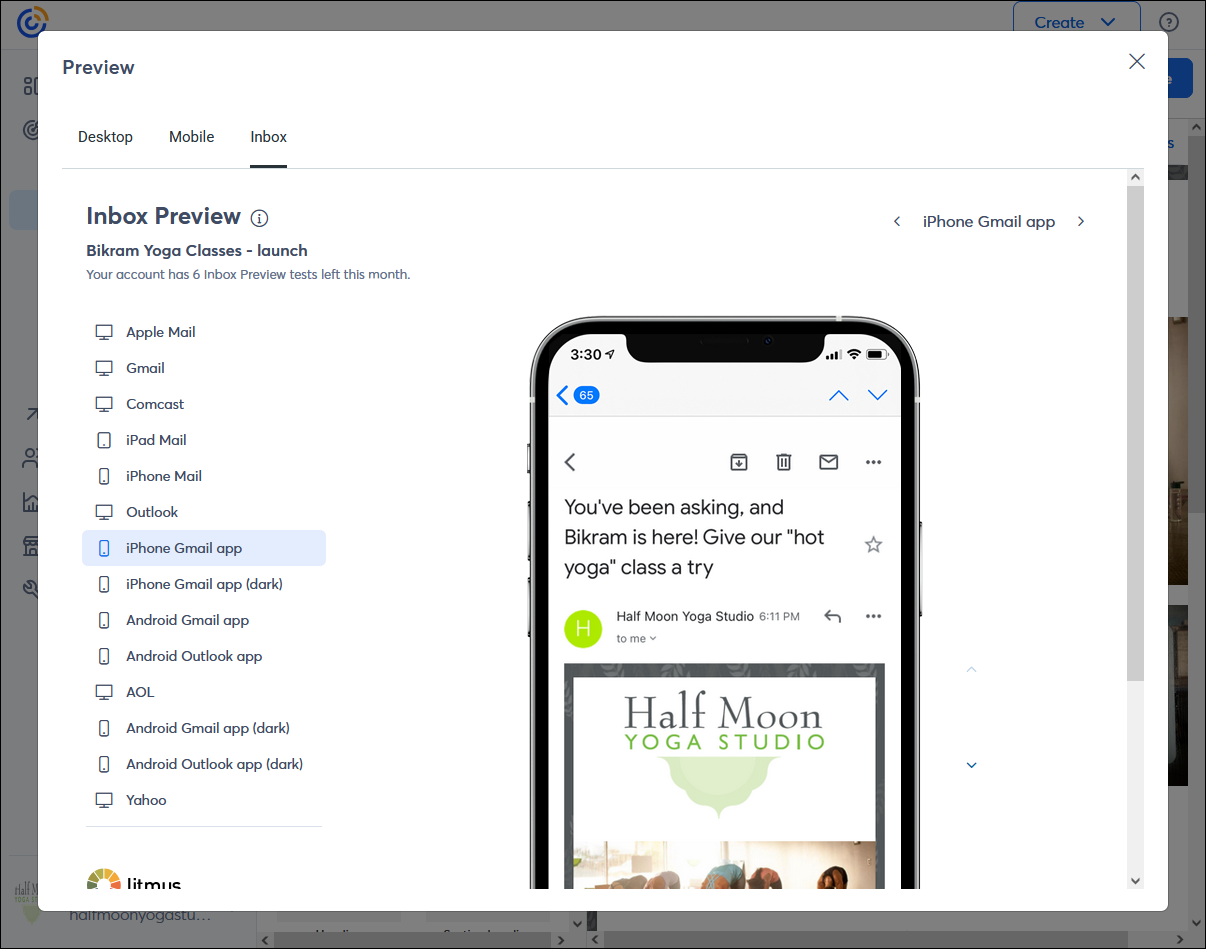
When you've finished designing your email and you're almost ready to send, previewing it can help you catch content errors, typos, and design issues that you can correct before sending it to your contacts. Inbox Preview takes it a step further and lets you see how your email displays in the email clients that matter most to you. Every month, you get a total of 25 previews:
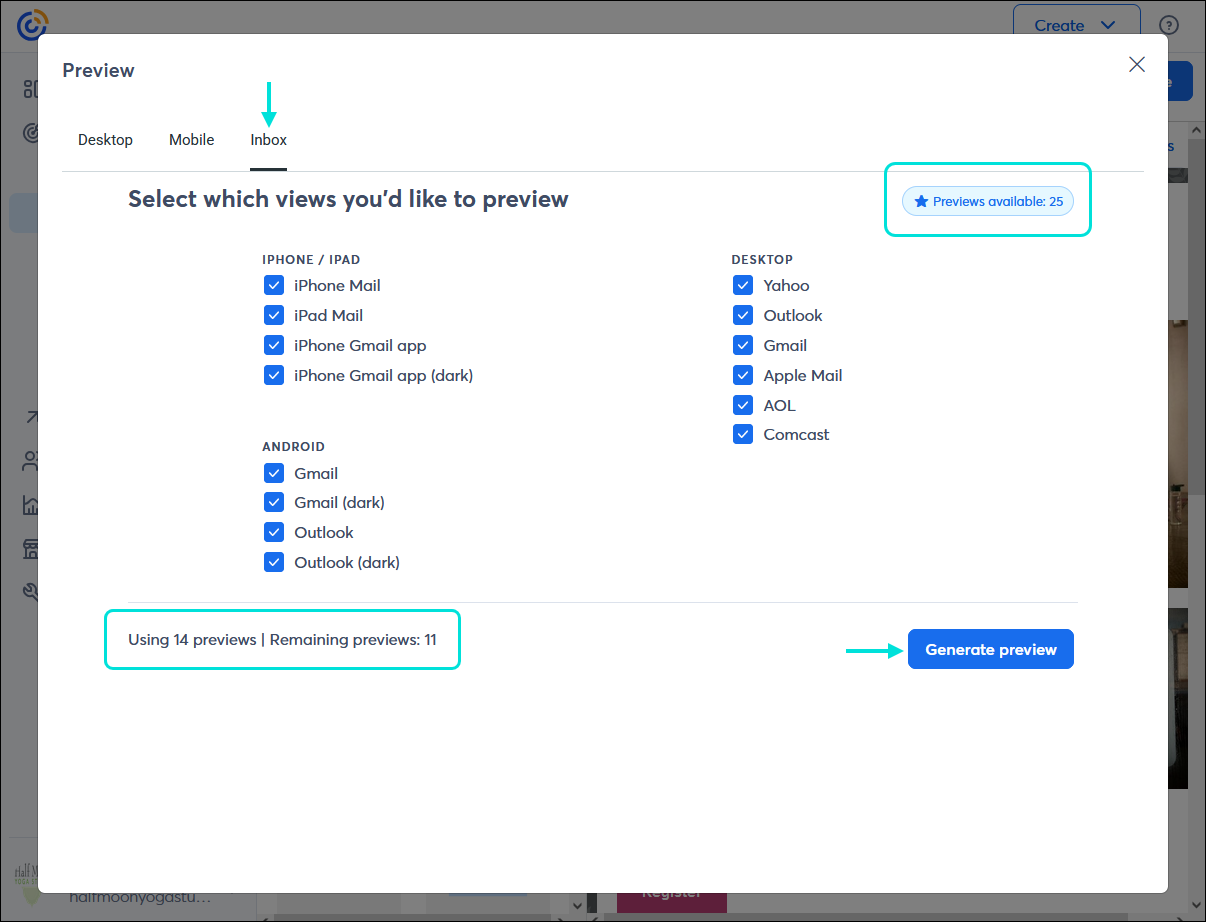
Mobile apps/devices:
Desktop apps:
 | Did you know? You can get an idea of how many of your contacts are using AOL, Comcast, Gmail, Outlook, and Yahoo by searching by email domain. Then you'll know which previews are the most meaningful to select! |
To add Inbox Preview to your account:
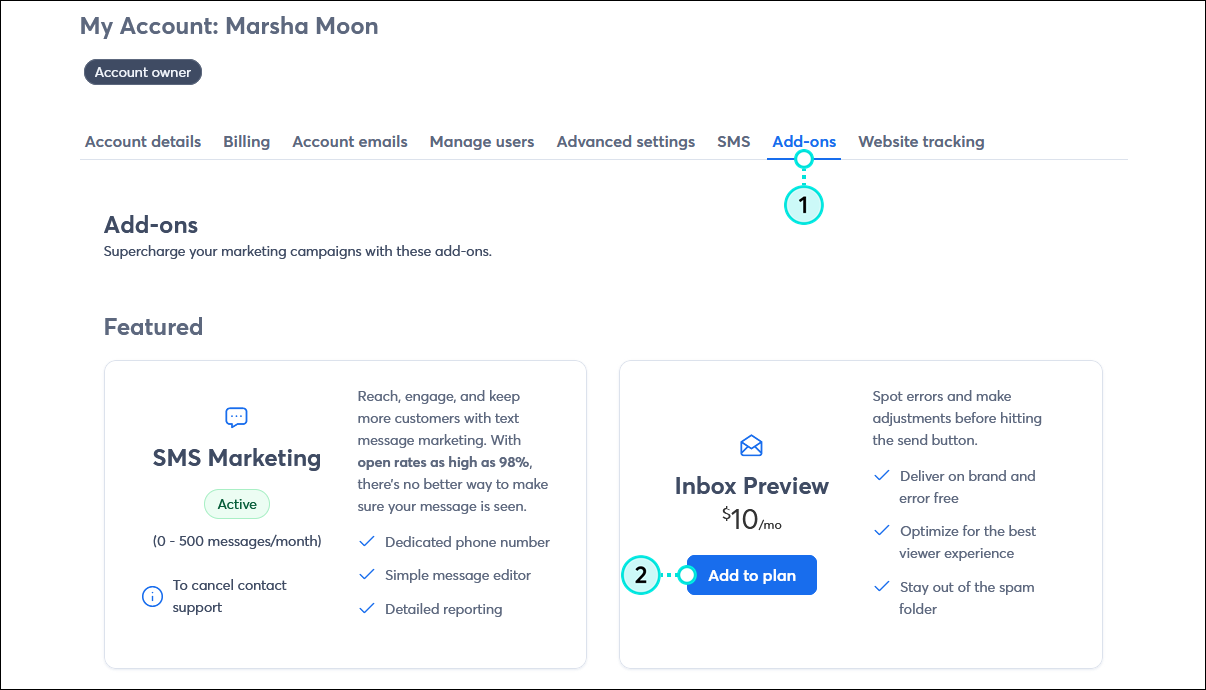
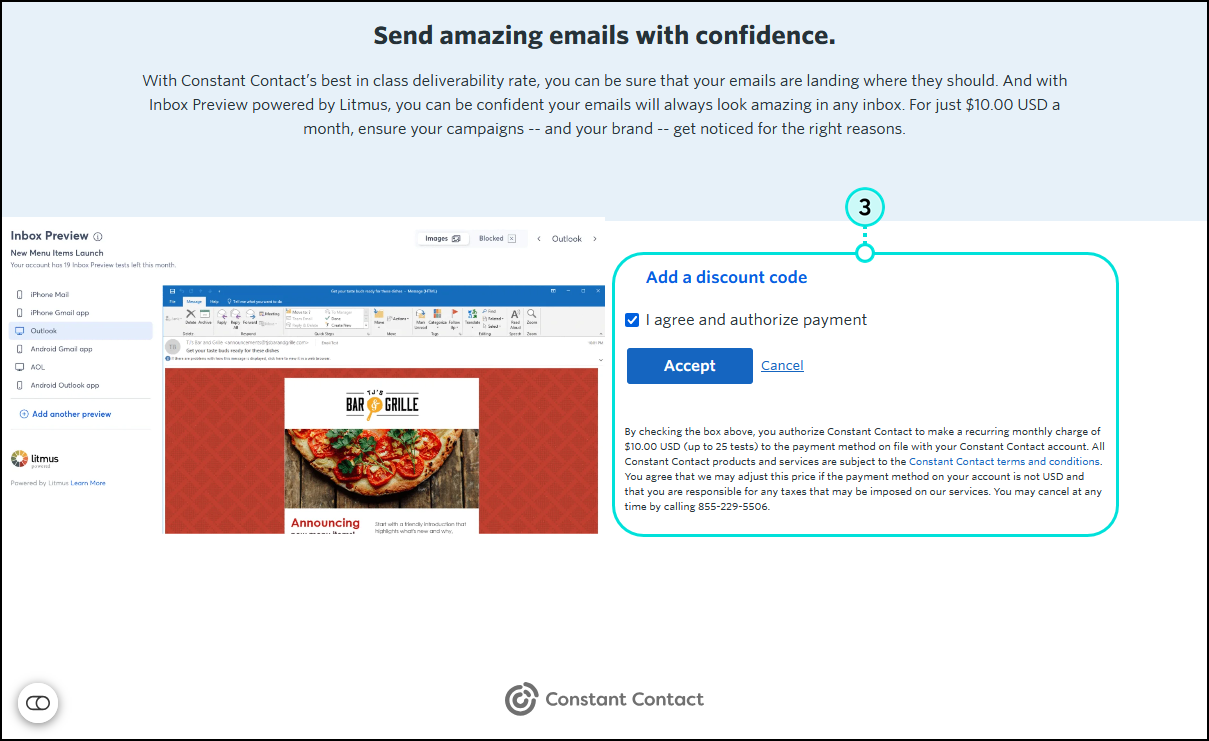
 | Important: The Inbox Preview add-on charge is listed as a separate line item on your monthly invoice. If you wish to remove the add-on from your account, please contact our Support team. |
When you've finished designing your email and you're almost ready to send, giving your email a preview can help you find errors and design issues that can be corrected before you send it to your contacts.
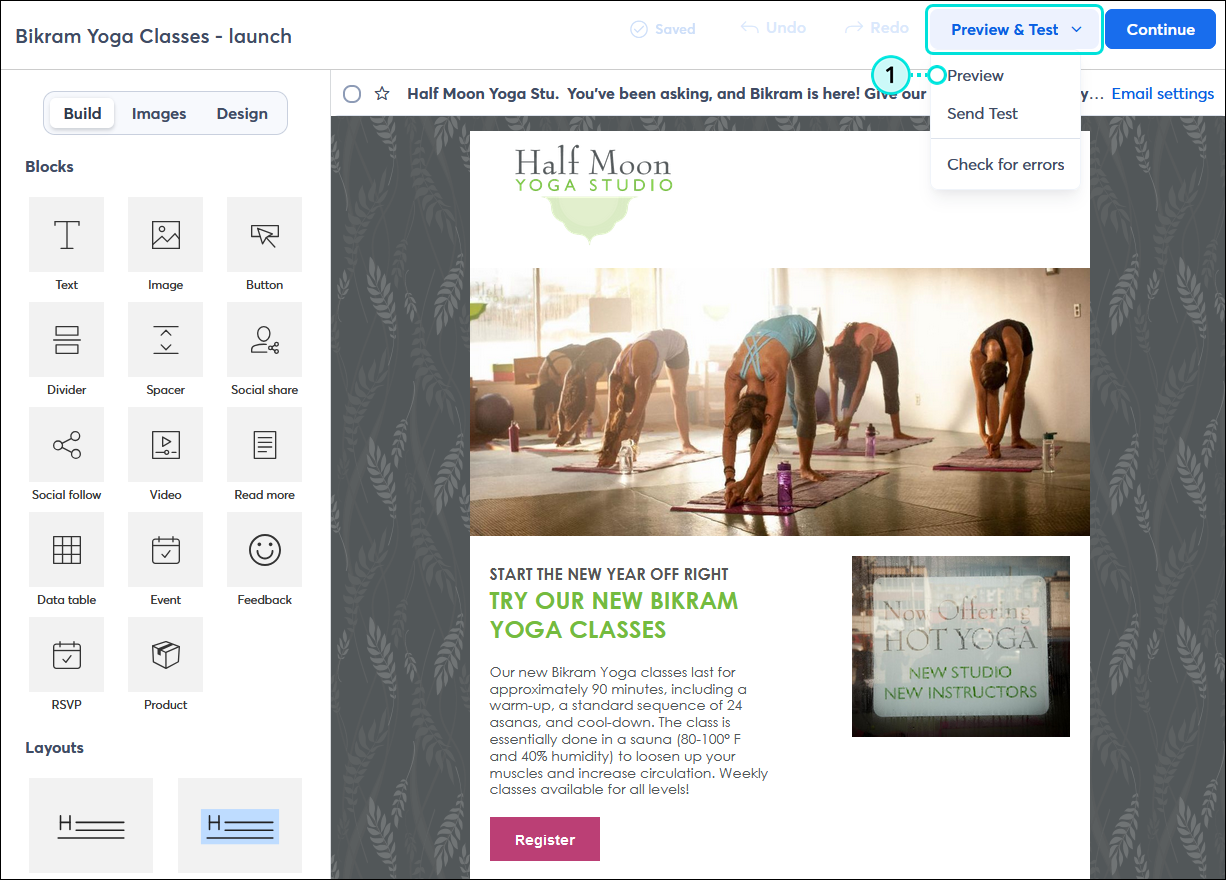
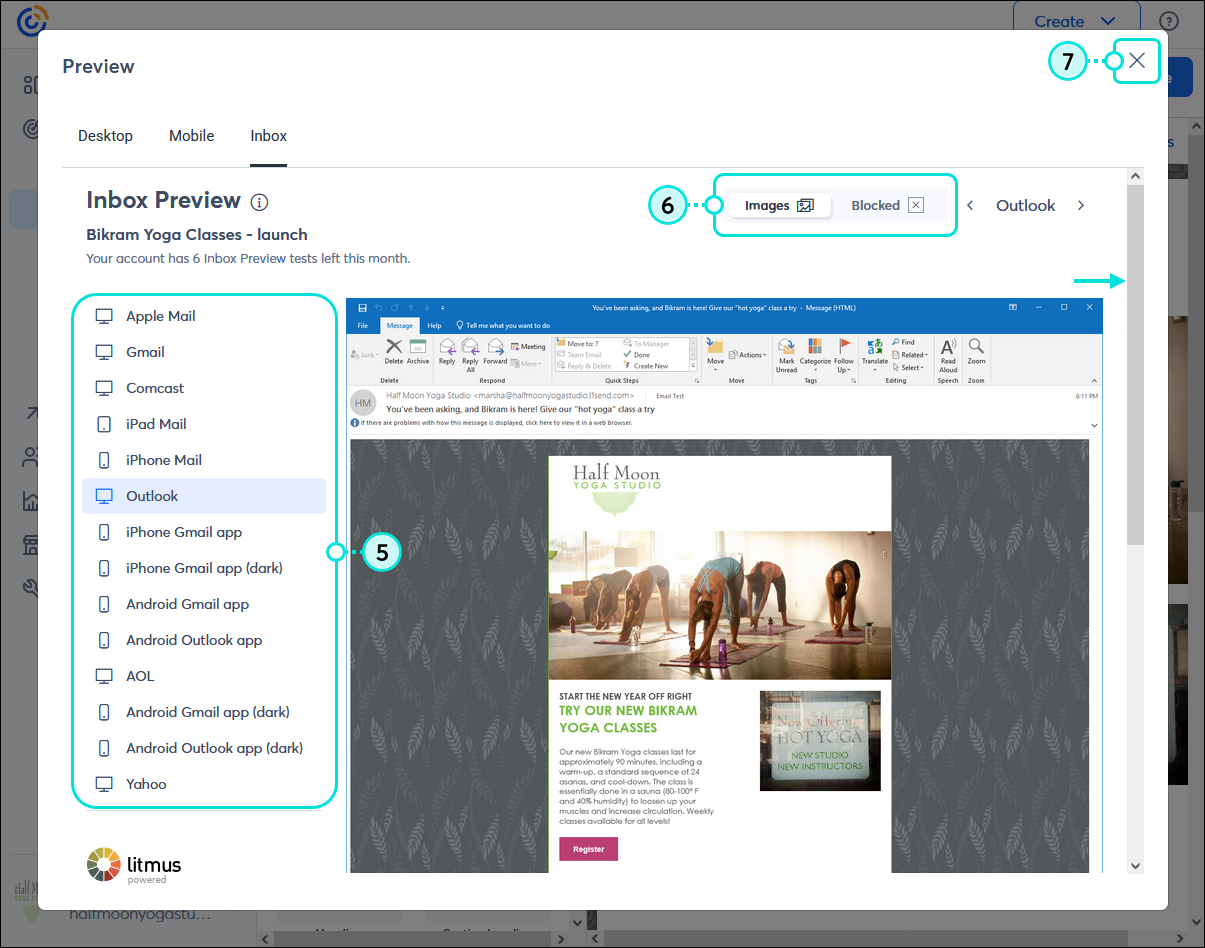
 | Did you know? Our Inbox preview is powered by Litmus. If your email preview isn't displaying as expected, for example, if all the images are missing and you don't have the Blocked toggle selected, you can check for issues with email previews on the Litmus status page. |
Every email client displays emails differently. Using Inbox Preview helps you see potential design issues across the most commonly used email clients so you can make the necessary edits to your content.
Some email clients clip or distort your email message if it exceeds a certain size. Email recipients scan emails quickly to see if the content is interesting before moving on, so the more they have to scroll, the less interested they become. If the bottom of the email gets cut off in several previews, it's best to shorten your message.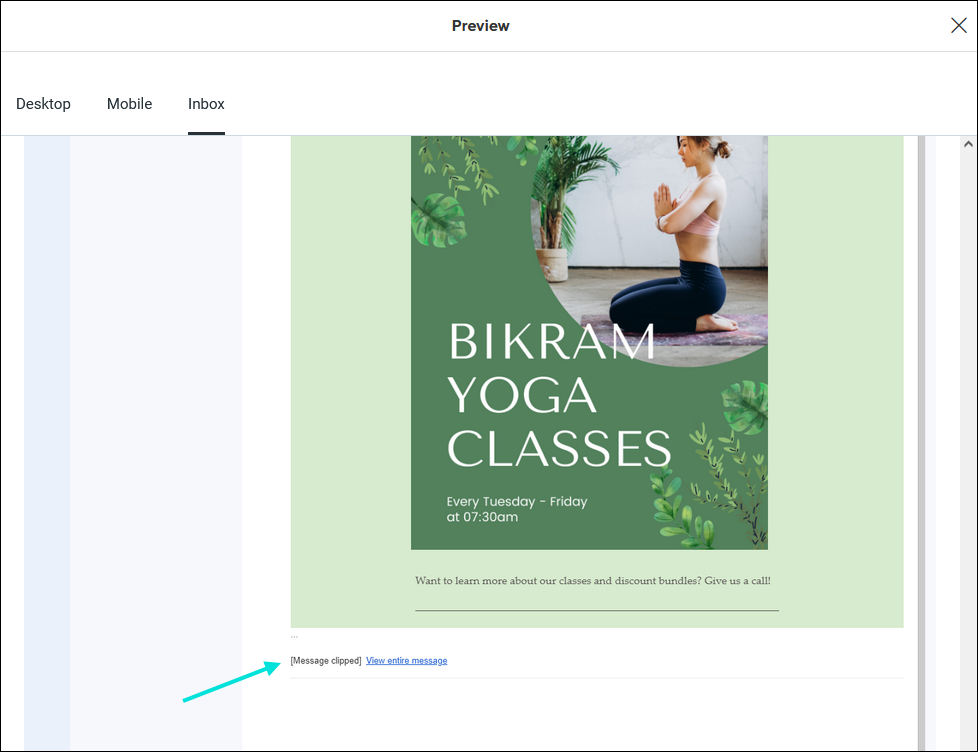
Make sure your main call-to-action link or button is clearly visible in each preview so that your contacts see it at first glance. Having a single call-to-action helps keep your email short, too!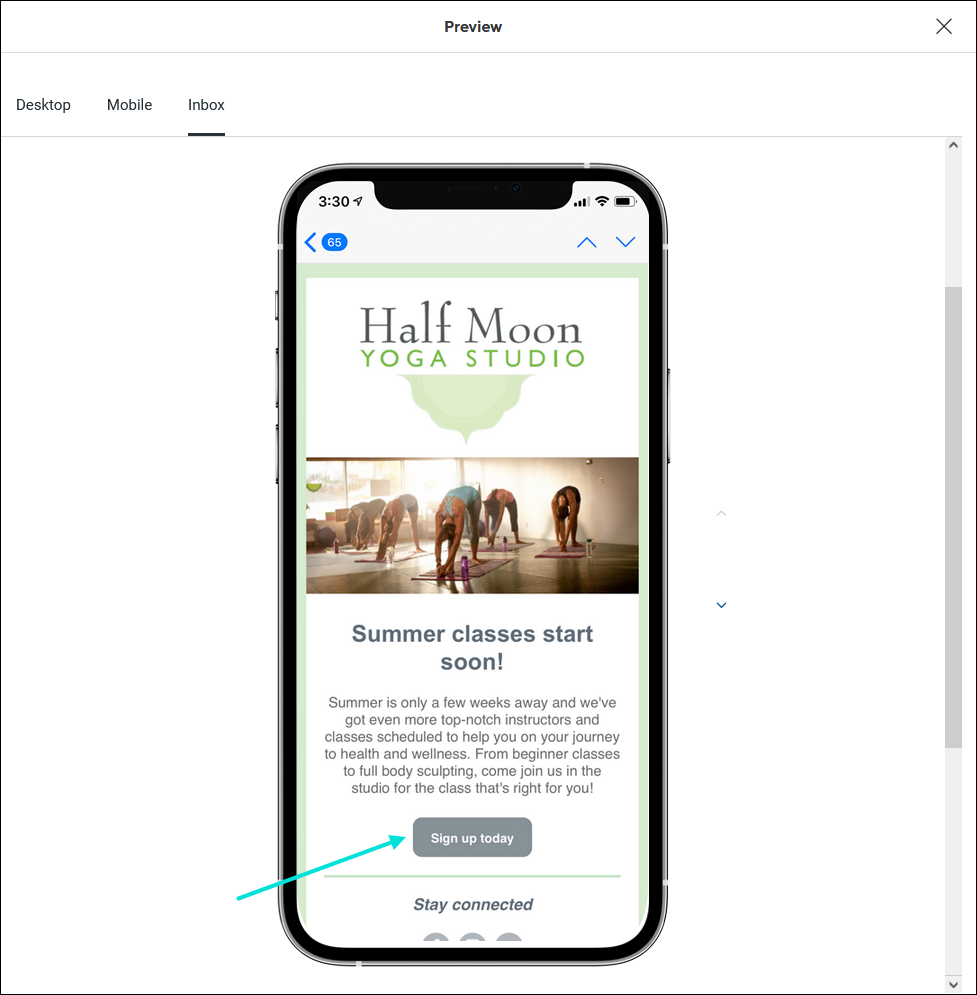
Depending on the email client and its image settings, some recipients may not see the images in your email. For example, Comcast doesn't display images, and Outlook hides images until the recipient grants permission to view them. To make sure your message still works without images, each desktop option in Inbox Preview has a toggle switch so you can view what your email looks like with images and when they are blocked. Make sure to add a detailed image description to each image in your template so your contacts know what they're missing when your images don't display!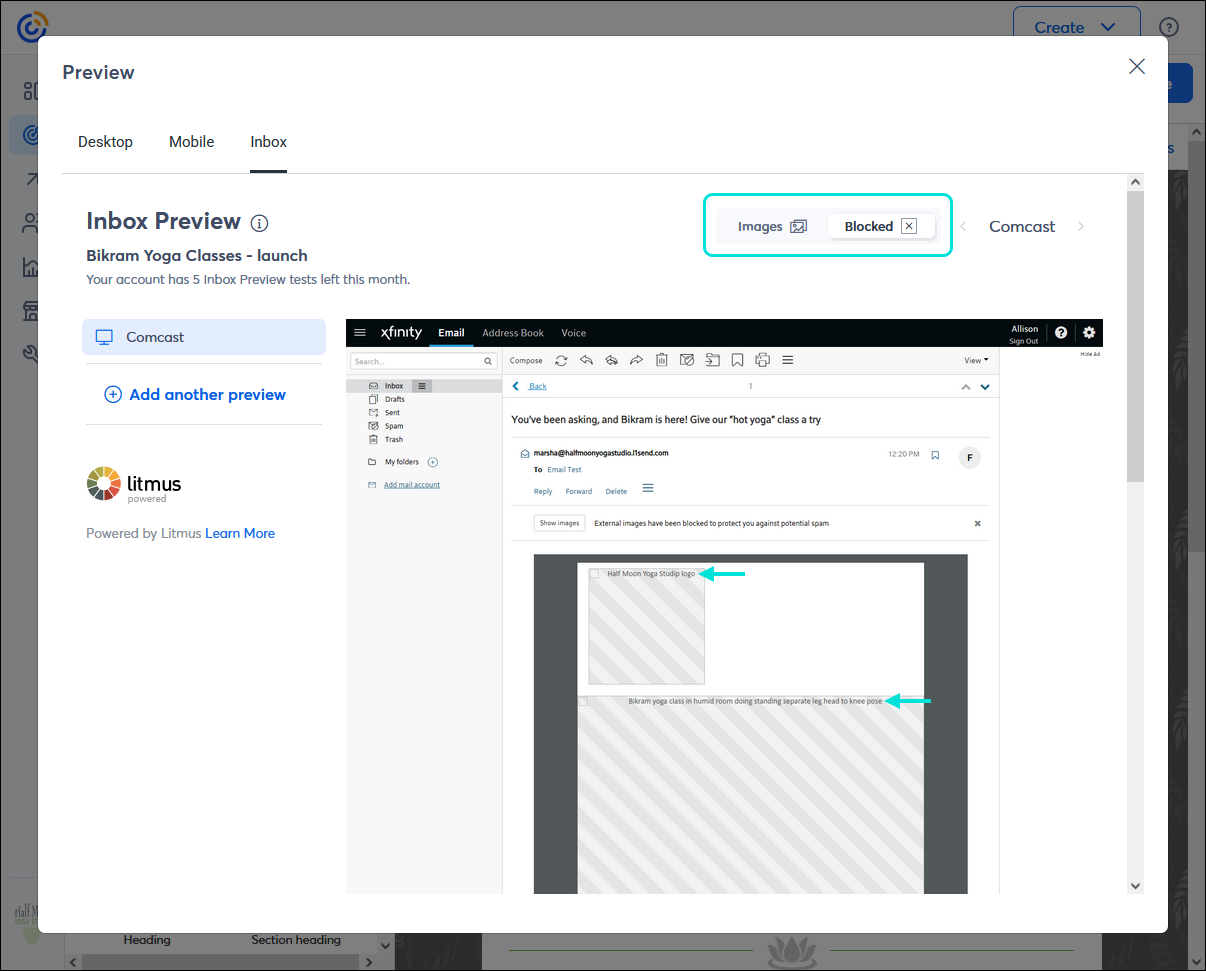
Not all email clients support the same fonts. When a font isn't supported, it's swapped for a supported one, which can change the branding and style of your email. If your fonts look different or odd, check your template in the editor to make sure you're using a web-safe font. If you chose a font from the "Other" category, consider changing it to one of the first nine fonts in the list to avoid display issues.
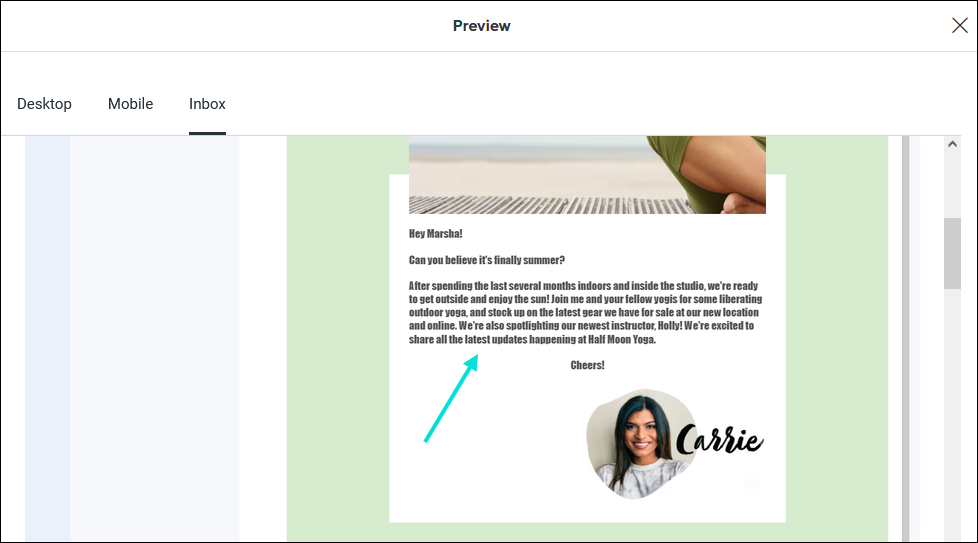
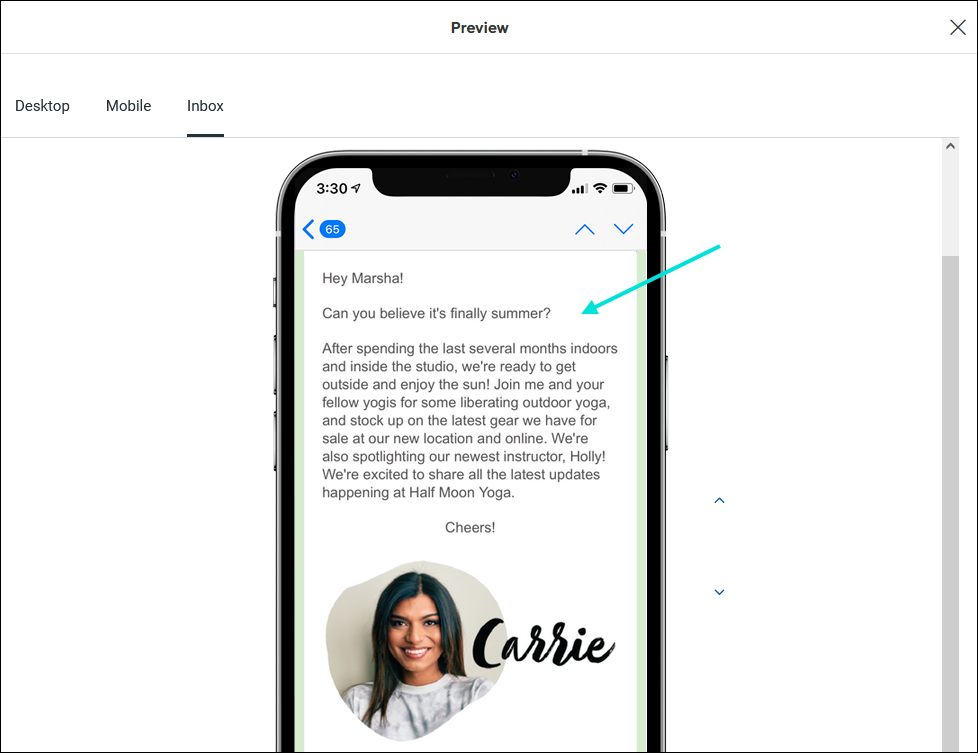
Mobile devices can be set to "Dark Mode" so screens aren't as bright in low-light environments, but each email operating system handles colors and contrast differently, which can make your email look very different from how you intended. This includes inverted colors, poor contrast that makes elements of your email invisible, and image distortion.
Any links we provide from non-Constant Contact sites or information about non-Constant Contact products or services are provided as a courtesy and should not be construed as an endorsement by Constant Contact.
Copyright © 2026 · All Rights Reserved · Constant Contact · Privacy Center