Want to make your social media accounts work even harder for you? The profile banners or bios of your social media accounts are the perfect place to capture new sign-ups through a Sign-up Landing Page, or to drive your social audience to other webpages that are important to you through a "Link in bio" landing page. To get started:
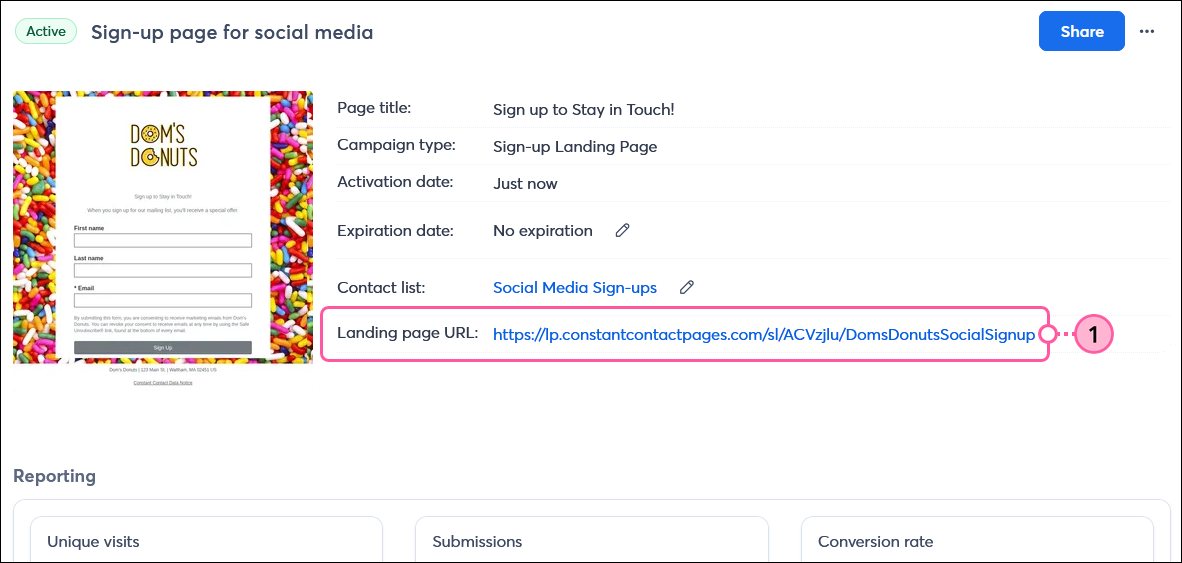
If you later need to make changes to the design or content of your landing page, you can edit it at any time without having to update the URL linked in your social media profile. However, if you change the custom URL for your landing page, it needs to be updated in your social profile to avoid a broken link.
 | Design tip: Creating multiple versions of your landing page lets you customize the messaging for each unique social profile to better segment your contacts. You can even assign the contacts to different lists depending on which form they sign up through. |
Any links we provide from non-Constant Contact sites or information about non-Constant Contact products or services are provided as a courtesy and should not be construed as an endorsement by Constant Contact.
Copyright © 2026 · All Rights Reserved · Constant Contact · Privacy Center