 | Important: If you need to track the permission status of your contacts for CASL or the GDPR, make sure the Advanced Email Permissions are enabled before you export your contacts. The exported spreadsheet doesn't include the permission status unless the permissions are enabled. |
When you need to export your contact lists, you've got flexibility! First, choose your list or segment, and then select the contact information you want to include in your exported file.
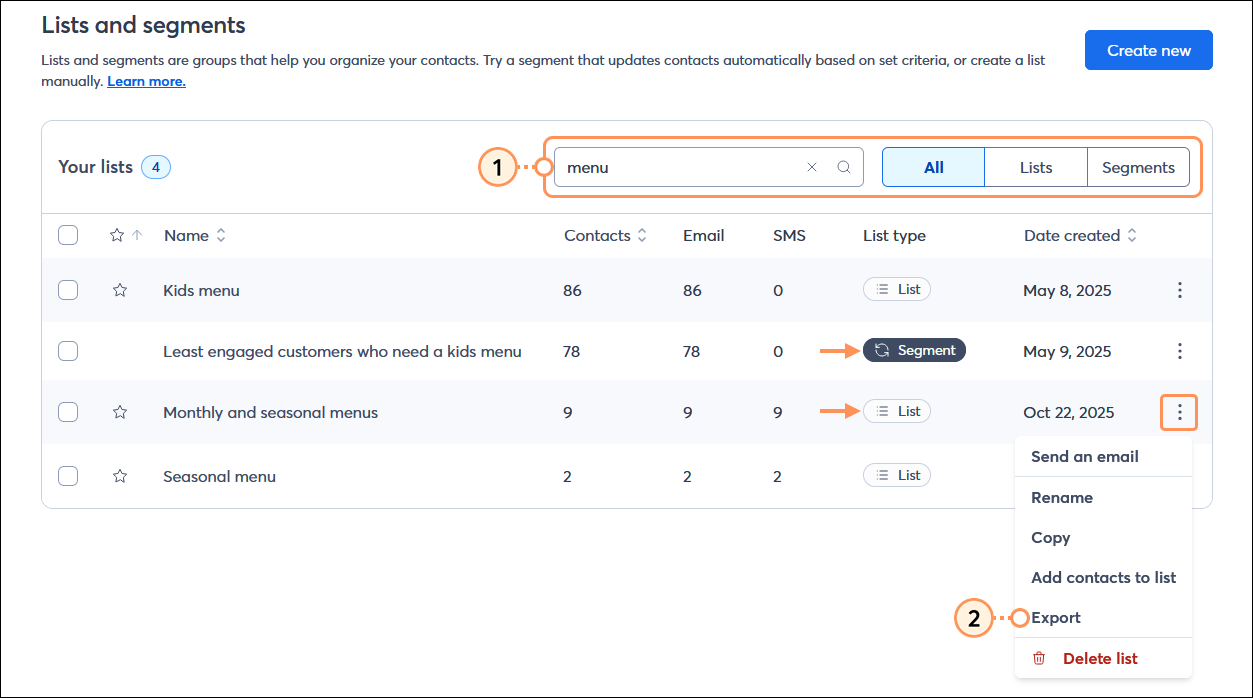
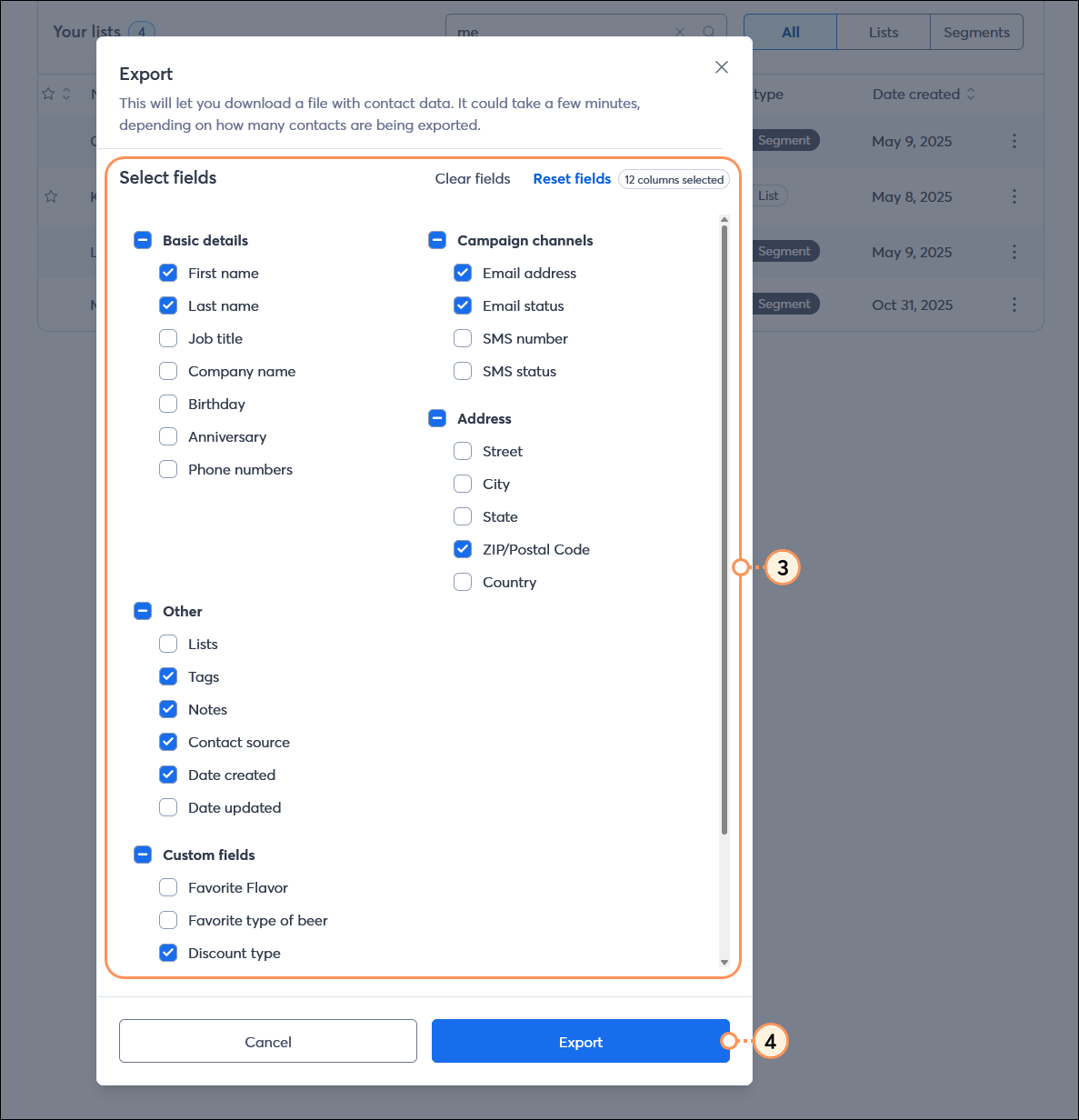
If you want to export multiple contact lists or segments, export each one following the steps above, and then combine the results into a single spreadsheet.
The completed download is available on the Import and Export Activity page for 7 days after you export the data. You can download a comma-separated values (CSV) file or an Excel spreadsheet; CSV files can be opened with Excel.
Copyright © 2026 · All Rights Reserved · Constant Contact · Privacy Center