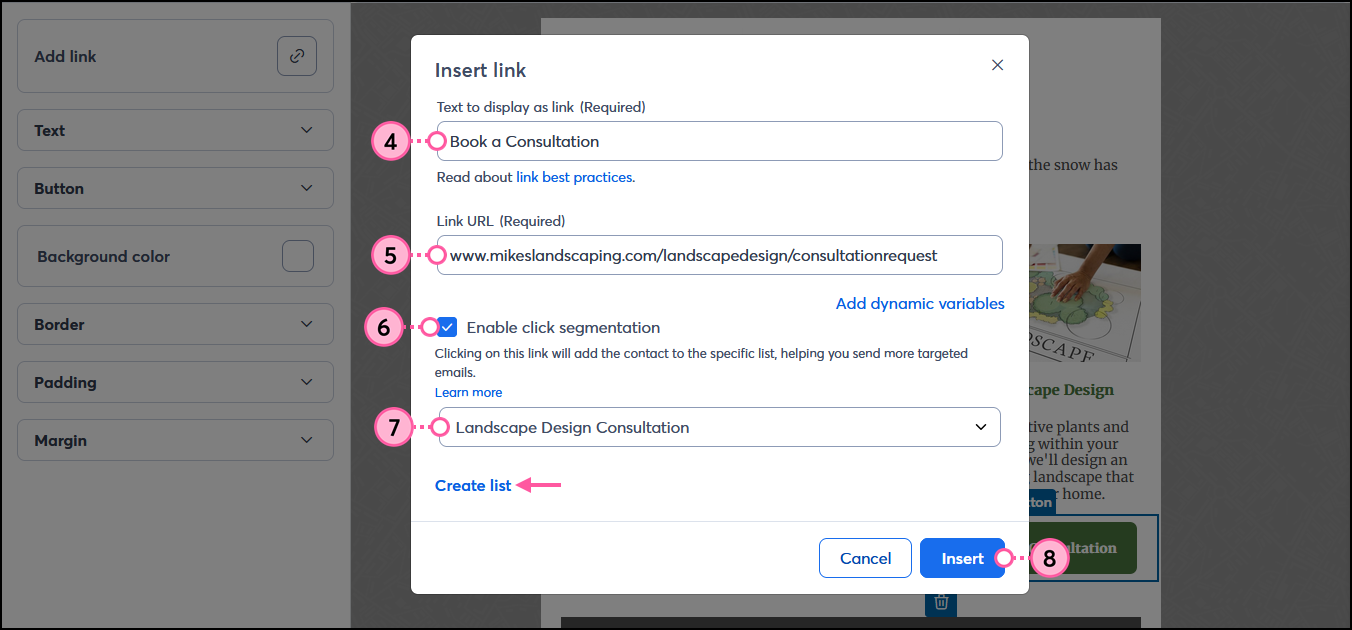
If you're not sure how to go about segmenting your contacts, click segmentation is a great place to start! Click segmentation lets you add the contacts who click a specific link, button, or clickable image in your email to a list of your choosing so that you can send more targeted content to those contacts later.
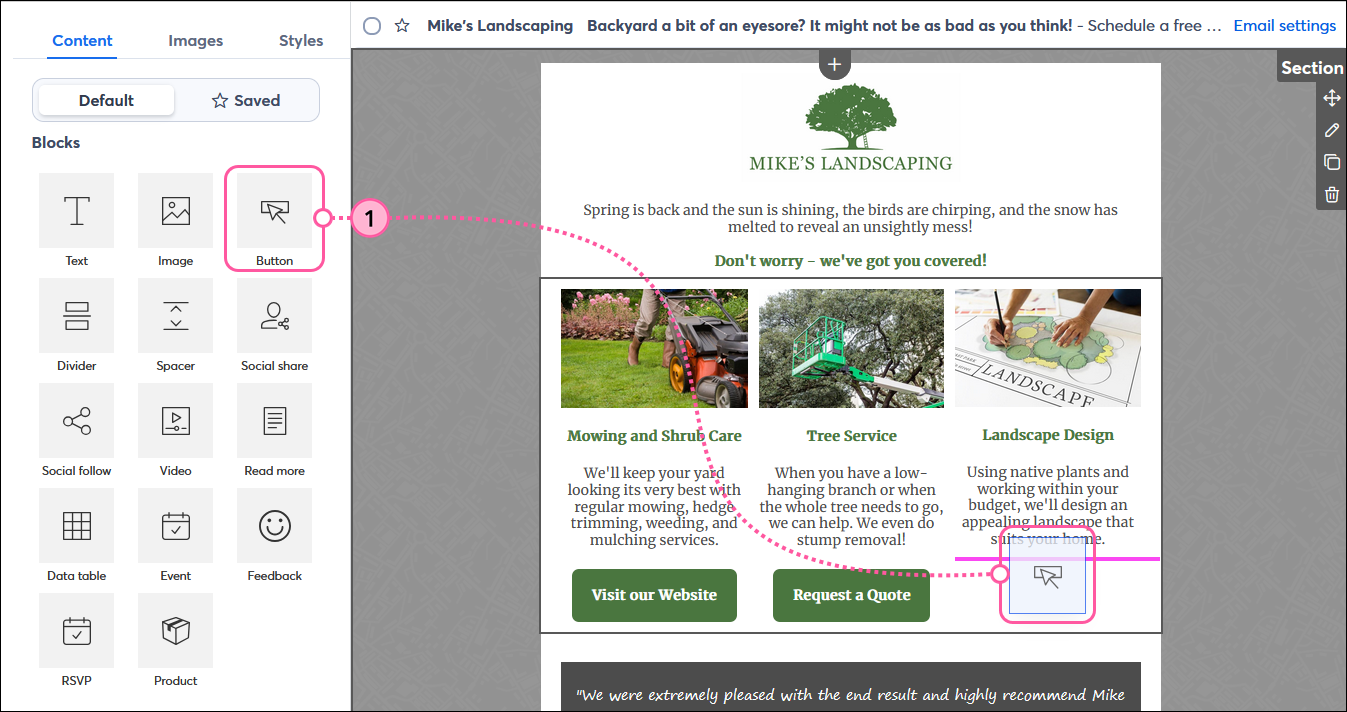
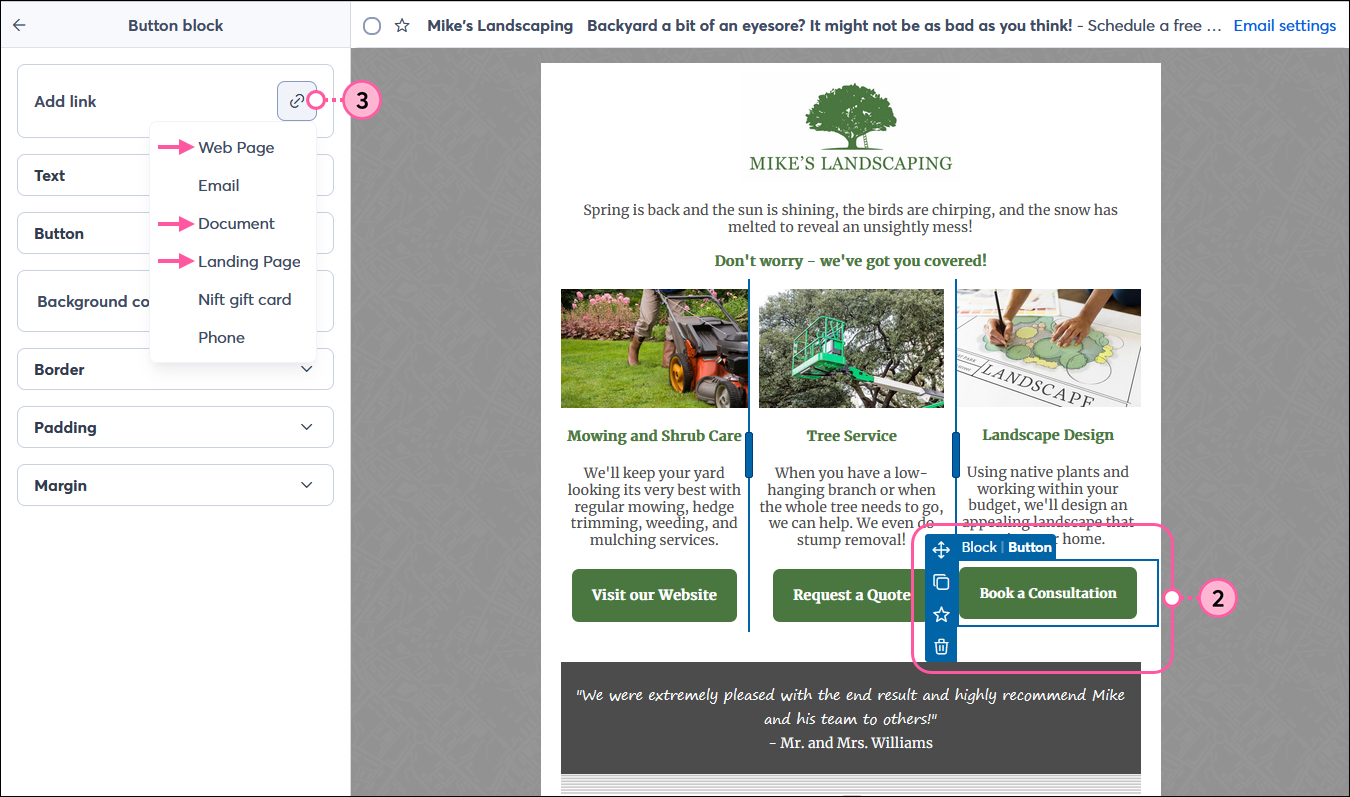
In the example below, a landscaper offers three different services in one email. Each button link is segmented so that when contacts click on it, they're automatically added to a list for the specific service they clicked on. When the landscaper is ready, he can send an email to only the contacts interested in landscape design, and email his contacts interested in mowing or tree service at another time with content unique to their interest.
While editing your email:
 | Did you know? If you have the same URL in multiple places throughout your email, you don't need to apply click segmentation to each instance. If you choose to, the same list must be selected each time you apply click segmentation to the URL. If you select different lists for each instance, the segmentation for all the links defaults to the list chosen for the first link in the email. |
 | Important: Click segmentation does not work when you send a test version of your email; it only works with a live send. |
Now that you're using click segmentation, how do you make the most of it to deliver the right content to your contacts at the right time?
 | Need help getting started with email marketing? Our recurring services will allow you to get started with confidence. We’ll set up your account, provide you with list growth tools, and create professionally designed emails just for you. Sign up for recurring services today! |
Copyright © 2026 · All Rights Reserved · Constant Contact · Privacy Center