Authenticating your outbound email verifies to your recipient's mailbox provider that the message actually came from your organization or was sent on your behalf from an authorized third party, like Constant Contact.
All email sent through Constant Contact receives basic authentication to ensure your emails get delivered to your contacts and not their spam folders. However, if you have your own domain, you can add an extra layer of authentication to further improve your email deliverability. If you don't have your own domain, don't worry! We've got you covered.
 | Be a better marketer: Learn more about email deliverability and best practices for improving your sender reputation. |
Think of email authentication like showing your ID before entering a building. It proves your email is truly from you, helping prevent others from pretending to be you (like in spoofing and phishing scams), keeping your emails trustworthy, and protecting your organization's brand reputation. The less your emails can be confused as spam, the more likely a mailbox provider will route your emails into your contacts' inboxes rather than their spam folders.
Email is authenticated using the following standards:

Sender Policy Framework (SPF) is an email authentication mechanism that allows a domain to publicly state which IP addresses (email servers) are allowed to send email on its behalf. Receiving mail servers check our domain's SPF record, not yours, so you do not need to add Constant Contact IP addresses to your SPF record if you have one. To be SPF-aligned for DMARC, the visible "From" address and the "Header" or "Bounce" address must match. When sending through Constant Contact, it's not possible to pass an SPF alignment check since the "Header" or "Bounce" address is our email server address (@in.constantcontact.com), which will never match your visible "From" address. Don't worry - there is no requirement for SPF alignment to pass a DMARC check! And when you set up self-authentication within your Constant Contact account and send from your custom domain email address, you'll be DKIM aligned for DMARC purposes.
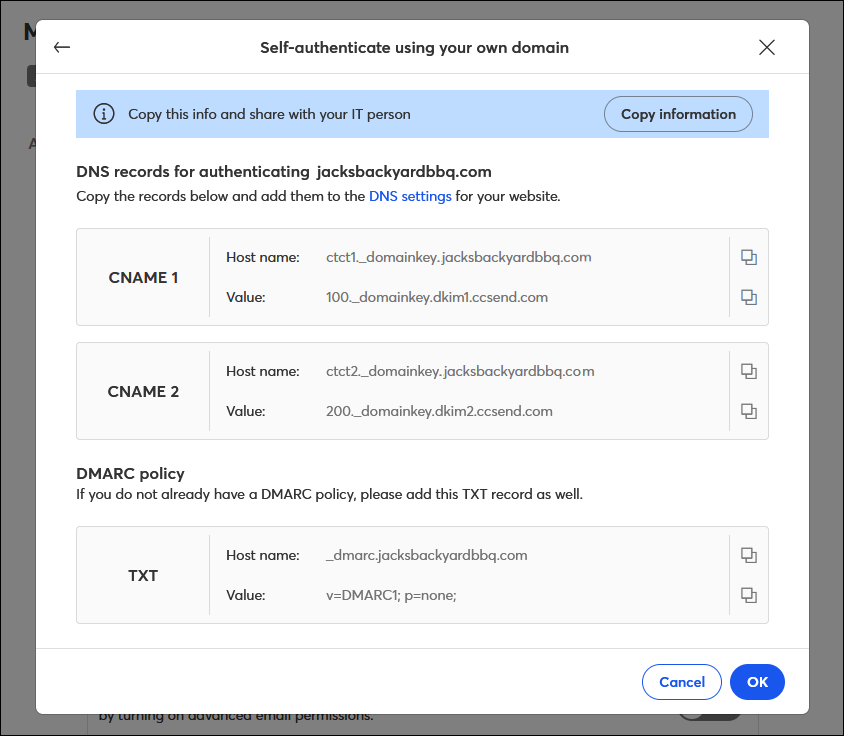
If you have your own domain, setting up self-authentication within your Constant Contact account will allow you to send emails from your domain email address and comply with the latest authentication requirements. Sending from your own domain builds brand recognition with your customers, and by authenticating your domain, you're able to build your own sending reputation with mailbox providers under that domain, instead of sharing your reputation with all Constant Contact customers. In order to self-authenticate, you (or your IT department, if you have one) must have access to your Domain Name System (DNS) records through your domain hosting provider.
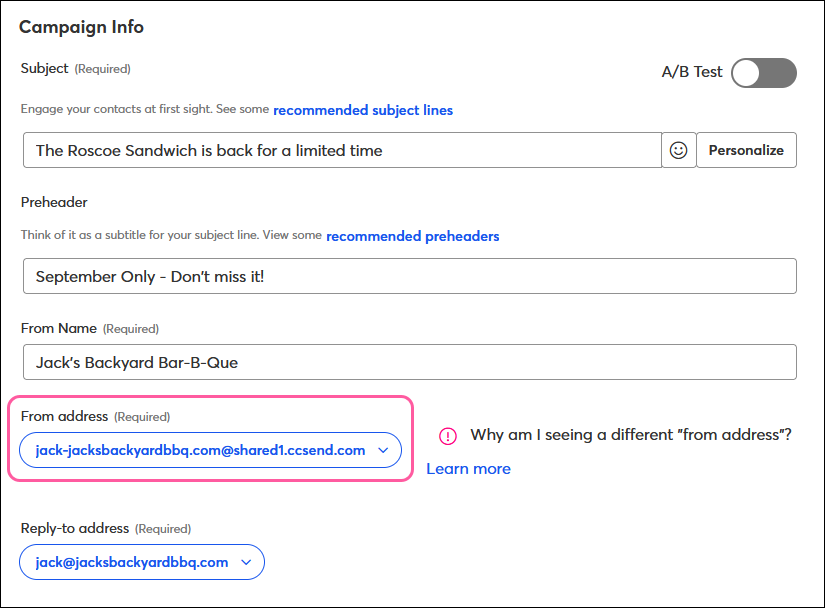
If you don't have your own domain and are using an email address from a free webmail provider (like Gmail, Outlook, Yahoo, etc.), or if you don't have access to your domain's DNS settings, there's nothing you need to do. We automatically rewrite your “From” email address with our shared ccsend.com domain to ensure your emails are delivered to your contacts' inboxes rather than the junk or spam folder. This lets you use our online reputation as a safe sender, meaning your sending reputation is shared in a pool with all other Constant Contact customers.
Learn more about how your “From” email address is automatically rewritten to align with email authentication requirements and how you can customize this rewritten address to better reflect your organization.
Any links we provide from non-Constant Contact sites or information about non-Constant Contact products or services are provided as a courtesy and should not be construed as an endorsement by Constant Contact.
Copyright © 2026 · All Rights Reserved · Constant Contact · Privacy Center