With the latest email authentication requirements for email senders, we’re here to make sure your emails get delivered to your contacts, even if you don’t have your own domain or can’t update the DNS records for your domain.
 | Tip: You can check your authentication status from the Account emails tab within your account settings. If you have your own domain, we recommend setting up an email address at that domain if you don’t already have one, and setting up self-authentication so you can use it as your “From” email address. Sending from your own domain builds your brand’s sending reputation and helps improve deliverability. |
We automatically rewrite your “From” email address with our shared ccsend.com domain, which has the proper authentication alignment to comply with the latest guidelines, to make sure there’s no interruption in your email delivery if:
For example, if you send from <carlscoffee@gmail.com>, your “From” address is rewritten to <carlscoffee-gmail.com@shared1.ccsend.com> when you send your email. The “From” address used for any automated or event-related emails is also rewritten with our shared ccsend.com domain. If you want to customize the subdomain for this rewritten email address to improve your brand recognition and look more professional, such as something like <carl@carlscoffee.ccsend.com>, you can do so from your account settings. 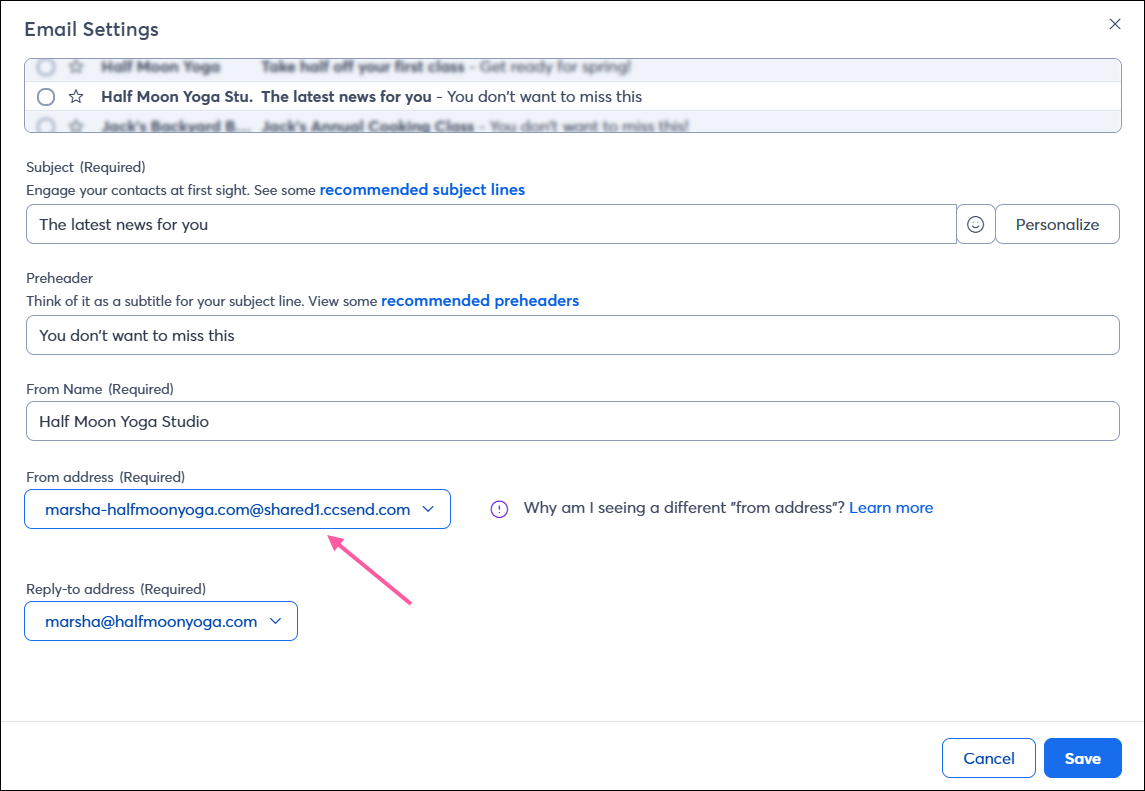
Your “Reply-to” addresses, as well as the email addresses you use for your account and billing contacts, are not impacted. This allows you to continue receiving replies from your contacts and communications from Constant Contact regarding your account.
 | Did you know? In some cases, if a contact has an auto-reply/vacation message set, it's sent to your "From" email address instead of your "Reply-to" email address. Unfortunately, Constant Contact can't control where these auto-reply messages are sent, as it's entirely dependent on the recipient's email provider. If you want to ensure you receive these auto-replies, use an authenticated custom domain for your "From" address instead of a freemail domain, which gets rewritten upon send and does not tie to an actual email inbox. |
Because of the authentication requirements, you’re unable to send email from an unauthenticated address. As a result, you won’t see any of your unauthenticated domain email addresses as options to use for your “From” address when scheduling your email.
At this time, you can only send from one authenticated domain within your account, whether that’s a custom domain you’ve self-authenticated or a ccsend subdomain you’ve customized. If you need to send from multiple domains, you can remove self-authentication within your account settings or contact Support to remove your customized ccsend subdomain. This will allow you to choose from all of your domains when scheduling your email, and we'll rewrite each “From” address with our shared ccsend.com domain to comply with the authentication guidelines and maintain deliverability. For example, <carl@carlscoffee.com> will be rewritten to <carl-carlscoffee.com@shared1.ccsend.com>.
If you want to use your own domain for your “From” email address, make sure you set up self-authentication for your domain. If you’ve already done so, but aren’t seeing your domain as an option for your “From” address, you can check the status of your domain authentication by going to the Account emails tab within your account settings. Be sure to reach out to your IT department or webmaster if you need help with updating your DNS records.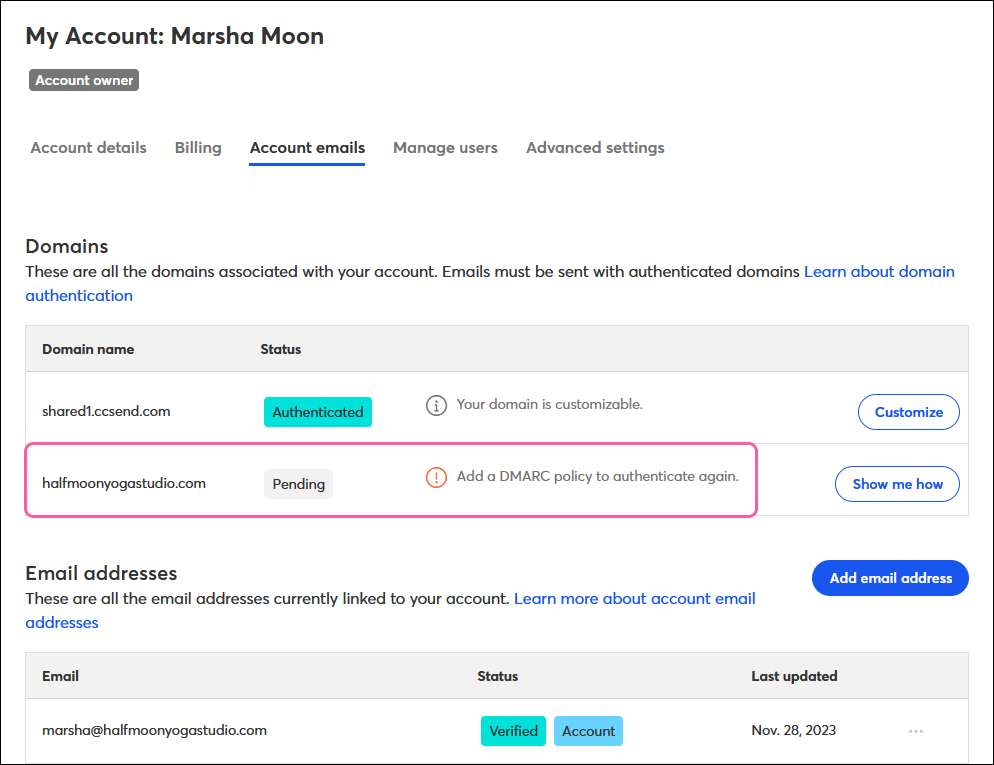
Copyright © 2026 · All Rights Reserved · Constant Contact · Privacy Center