 | Review your plan: This feature is not available in all Constant Contact plans. If you don’t have full access, you may need to upgrade your plan. |
It takes lots of work to grow your list, and you want to see what is working and what isn't so you can make better marketing decisions, focus on the best list growth tools for your organization, and optimize your marketing campaigns to increase engagement and reduce unsubscribes.
 | Did you know? In addition to your revenue reporting, you can review your email reporting by clicking the Email tab, see how your emails are impacting your revenue by clicking the Revenue tab, and create your own customized reports by clicking the Report Builder tab. |
It's easy to access your reporting data:
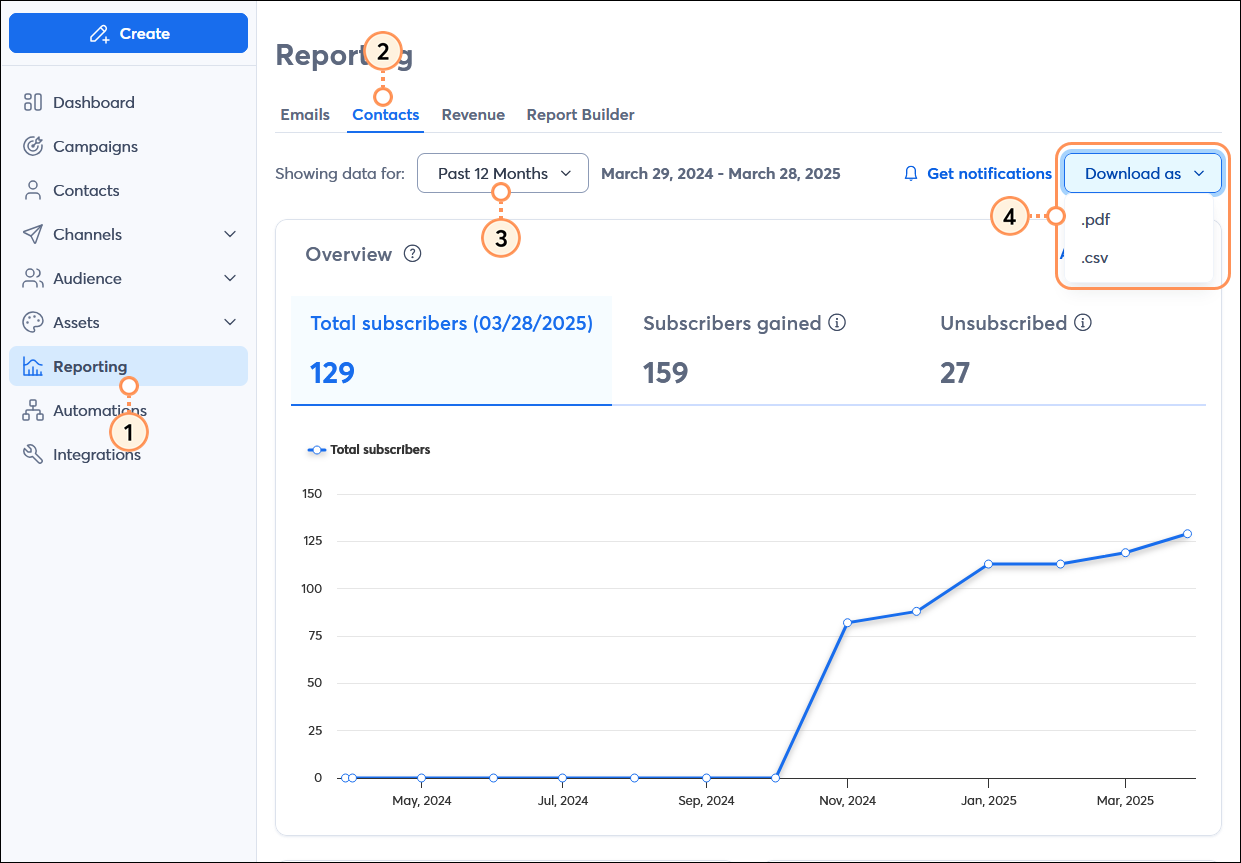
By clicking the tabs at the top of the Overview section, you can see trends over time, based on the date range you select:
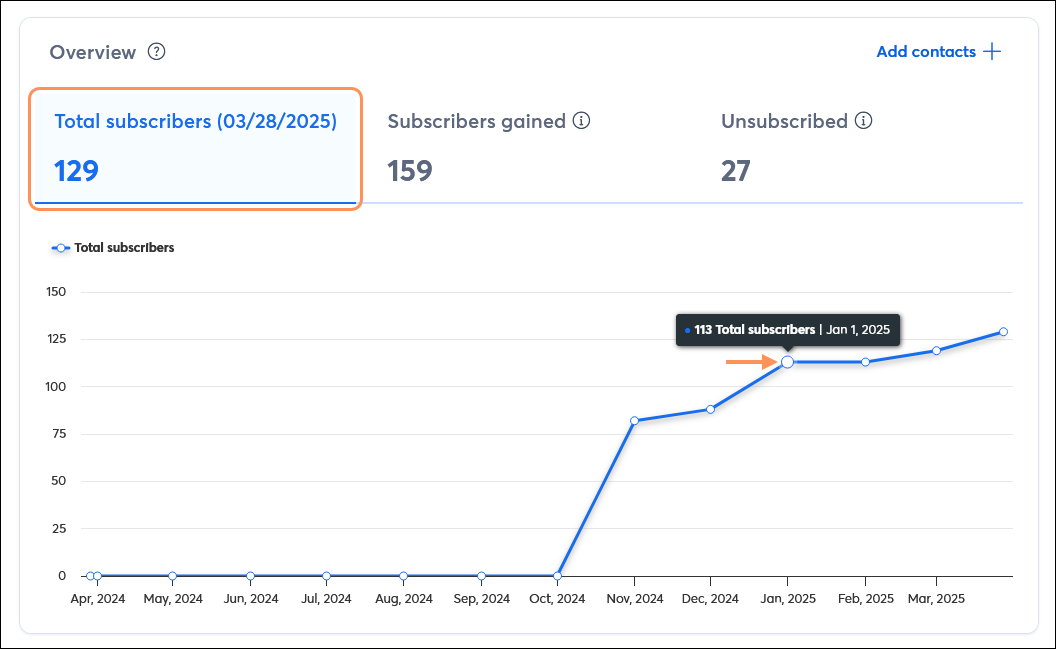

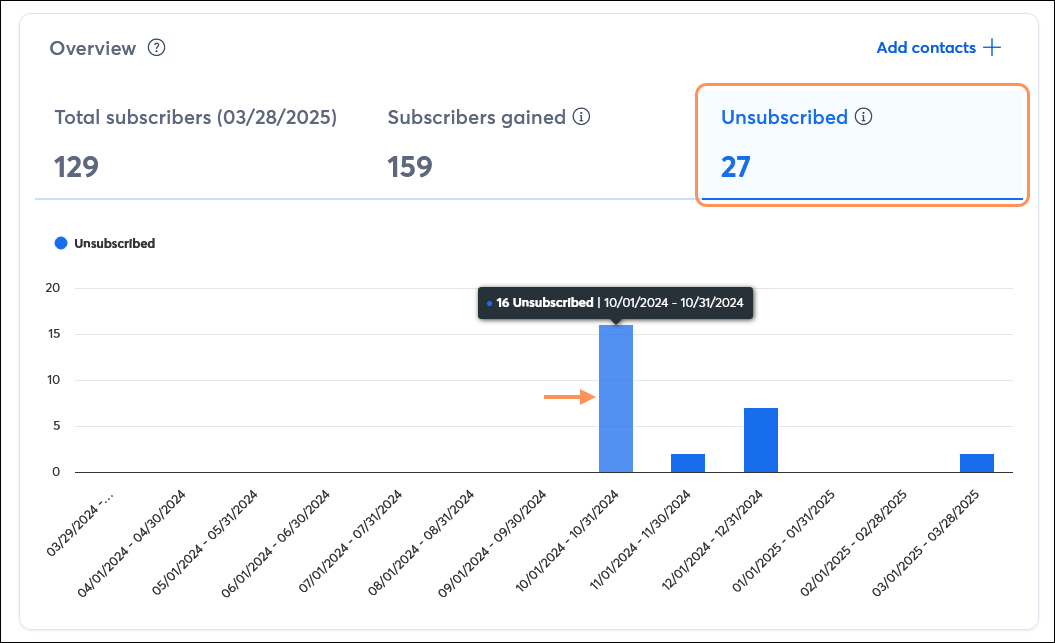
When your list is growing steadily, a few unsubscribes isn't the worst thing in the world! You can see a detailed analysis of what tools are working for your and what the most common reasons for unsubscribes are so that you know where to focus your efforts.
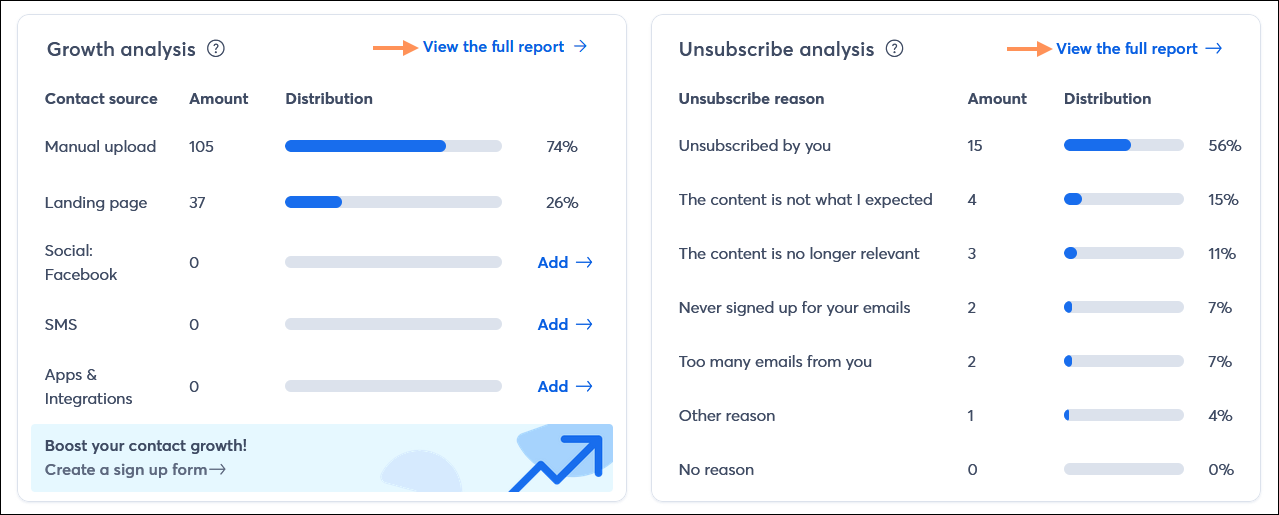
| Did you know? The unsubscribe report for each email shows you the specific contacts that provided a reason for unsubscribing from your list. |
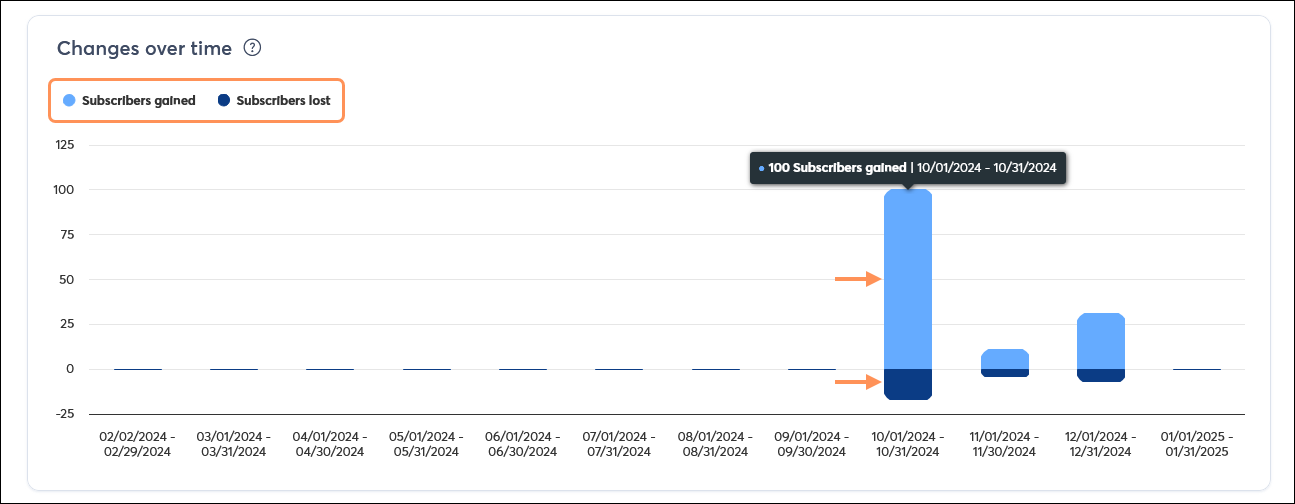
Compare your subscribers gained to your subscribers lost with an easy-to-read, stacked bar chart that helps you better understand the scale of your list growth efforts. Each bar in the chart is cumulative and can have two parts; subscribers gained is represented in the top part of the bar, and subscribers lost is represented at the bottom. For example, in the image below, the "Subscribers gained" portion of the bar is clicked, displaying the total number of new subscribers, but you can click the lower portion of the bar to see the "Subscribers lost" total for the same timeframe too. The bar appears in a single color if it only has one type of subscriber.
Copyright © 2026 · All Rights Reserved · Constant Contact · Privacy Center