BoldTrail is an all-in-one AI-powered real estate technology platform, designed to help agents, teams, and brokerages generate leads, manage clients, and close deals. Activate and link Constant Contact to your BoldTrail account, then easily send campaigns to your contact lists with property listings of your choice. Select your desired template, edit the email design, and preview before sending your campaign.
The BoldTrail integration is a one-way sync from BoldTrail into Constant Contact. Only unsubscribes will sync back from Constant Contact into BoldTrail.
Connect your BoldTrail account to your Constant Contact account to import contact, user profile, and transactional data.
Click Integrations.
Search for BoldTrail, then click the integration card. 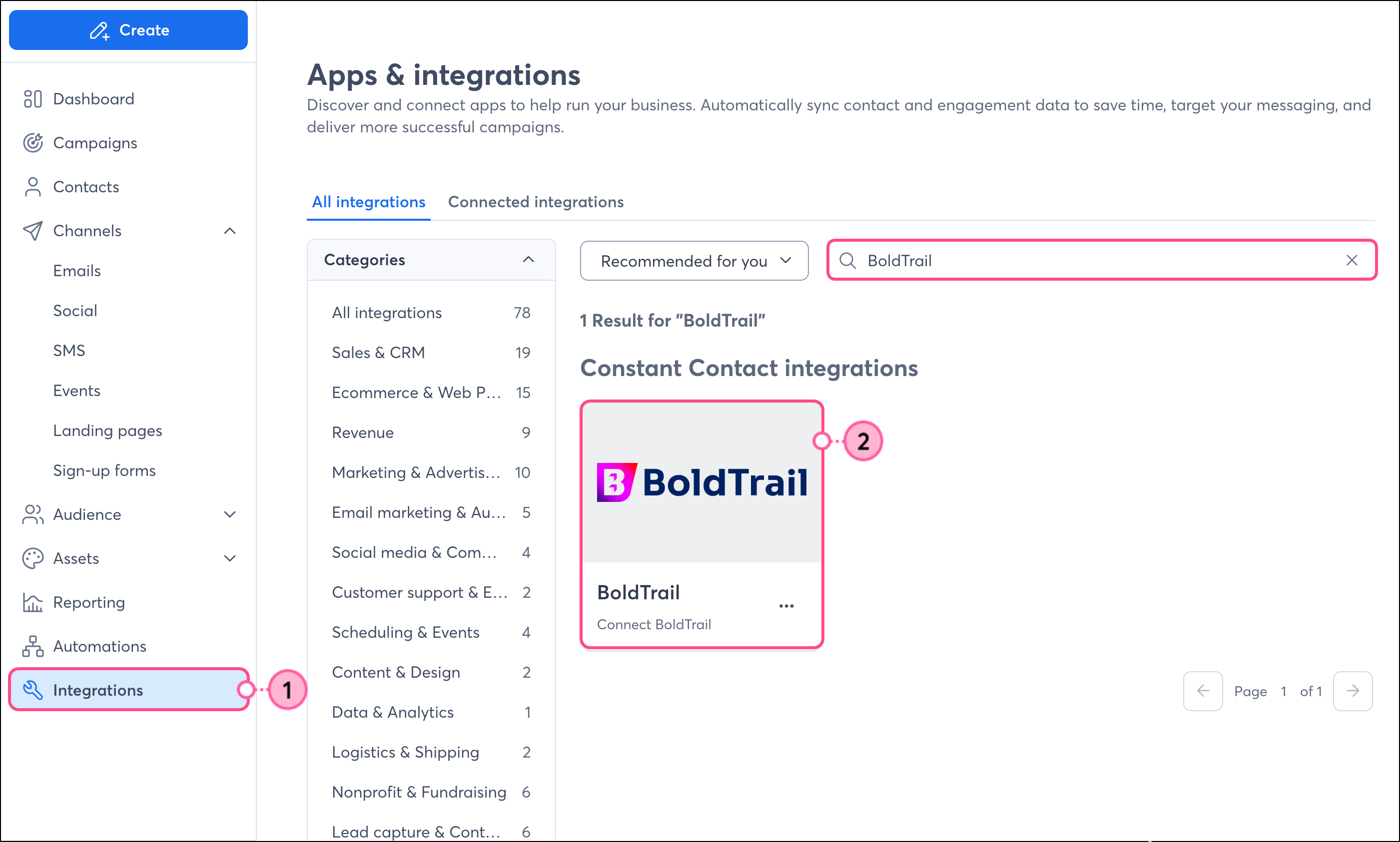
Click Connect. 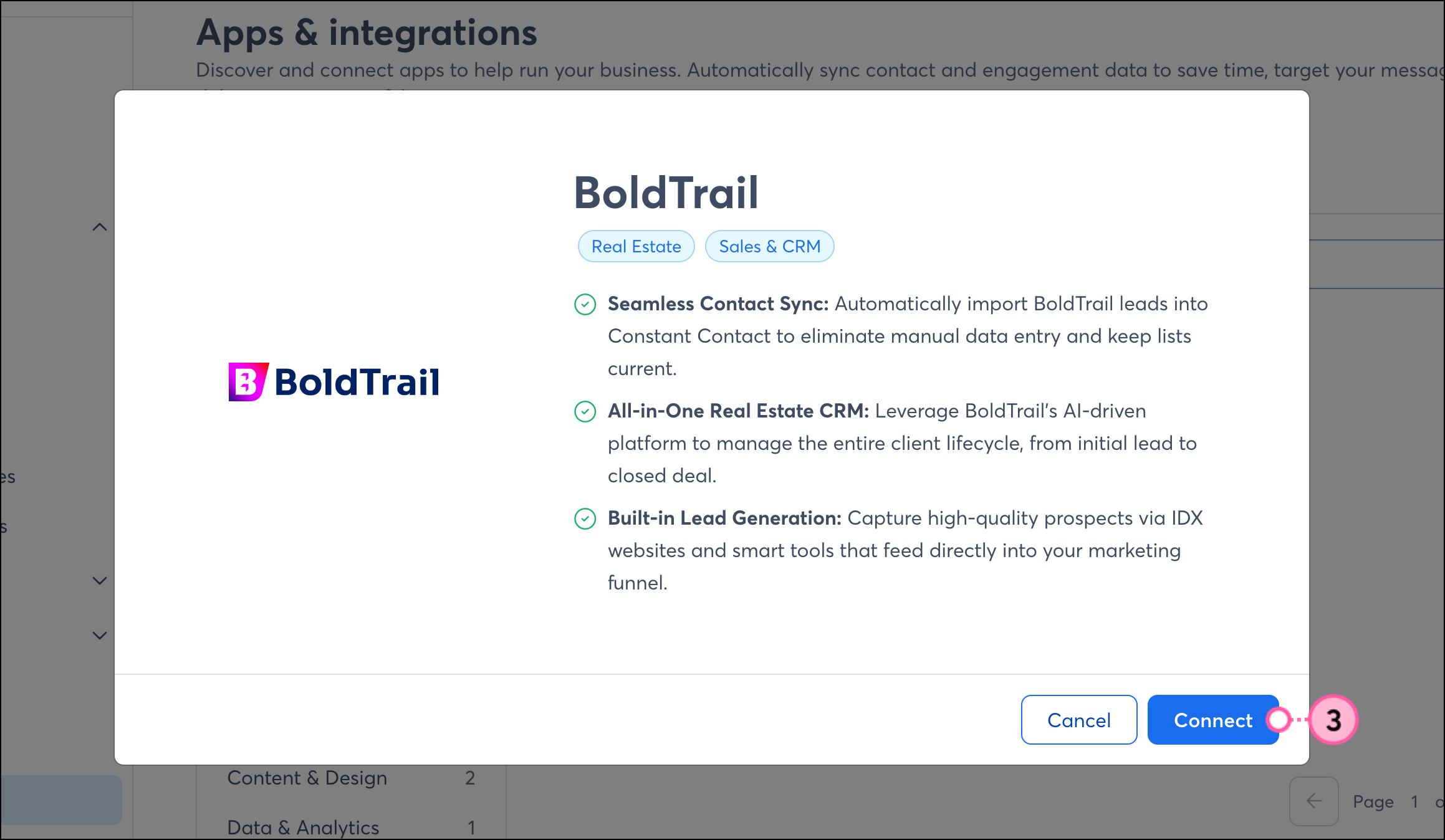
Enter the email address associated with your BoldTrail account in the Email field. 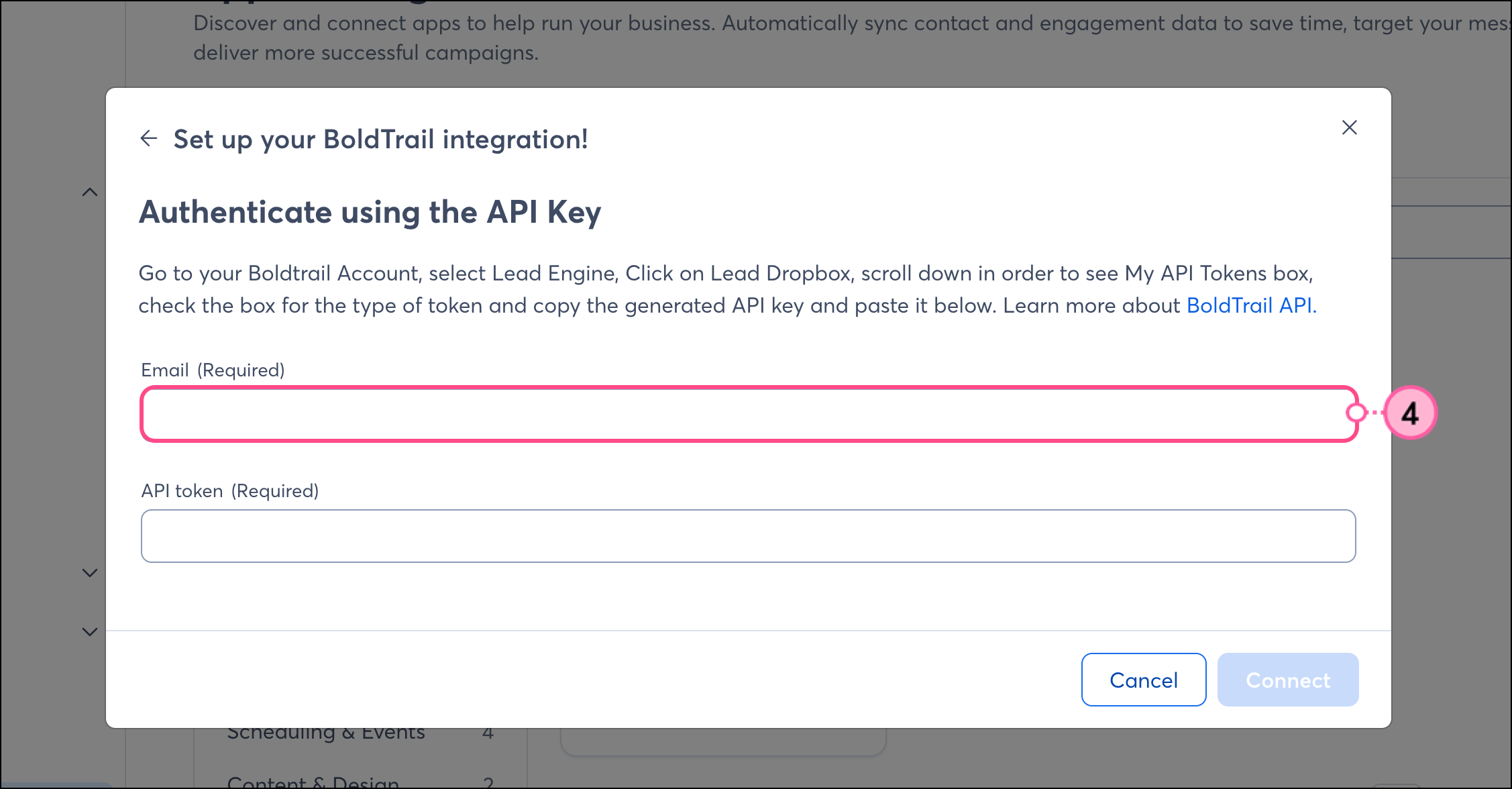
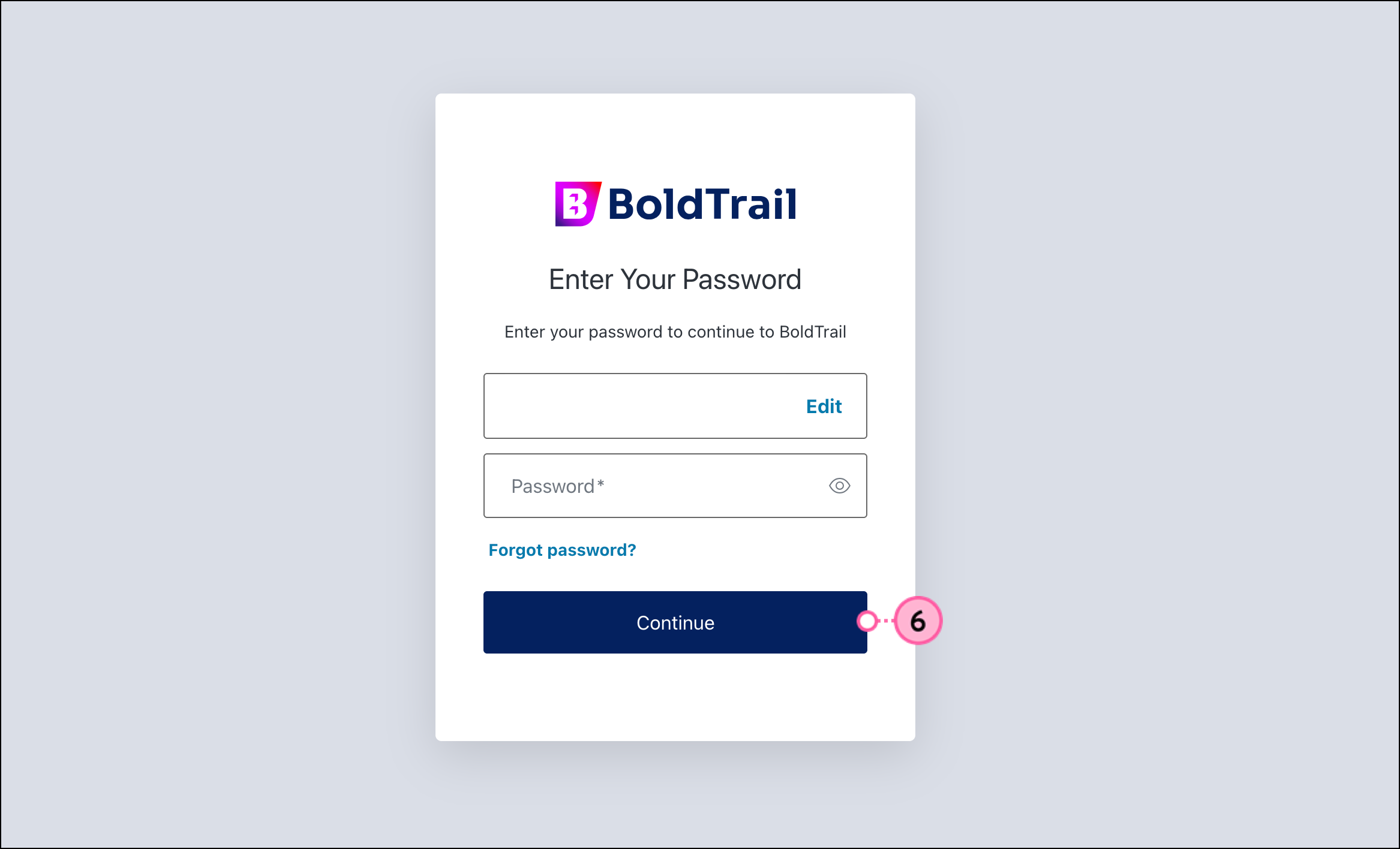
In a new browser tab, go to your Boldtrail Account. 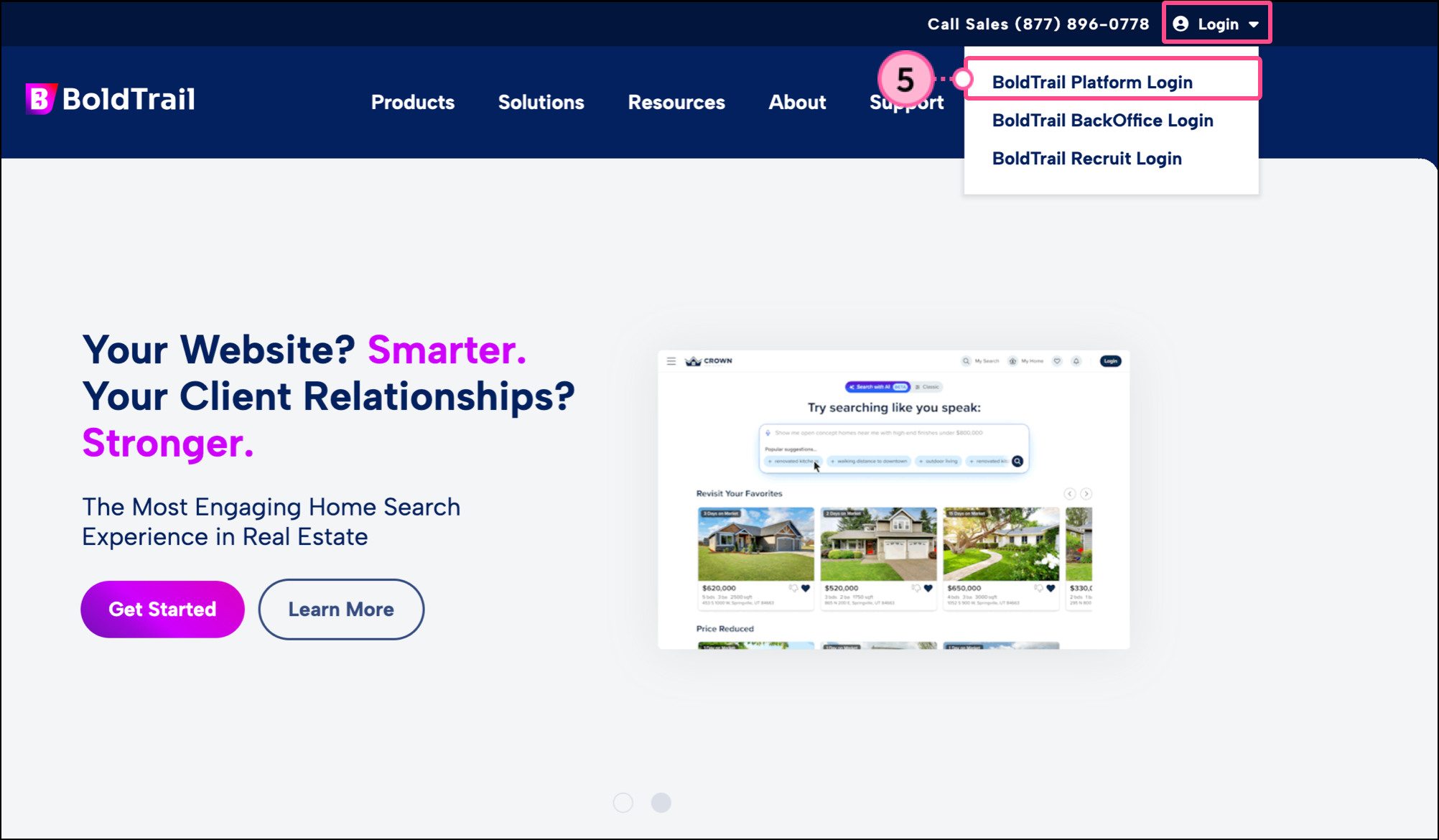
Select Lead Engine.
Click on Lead Dropbox.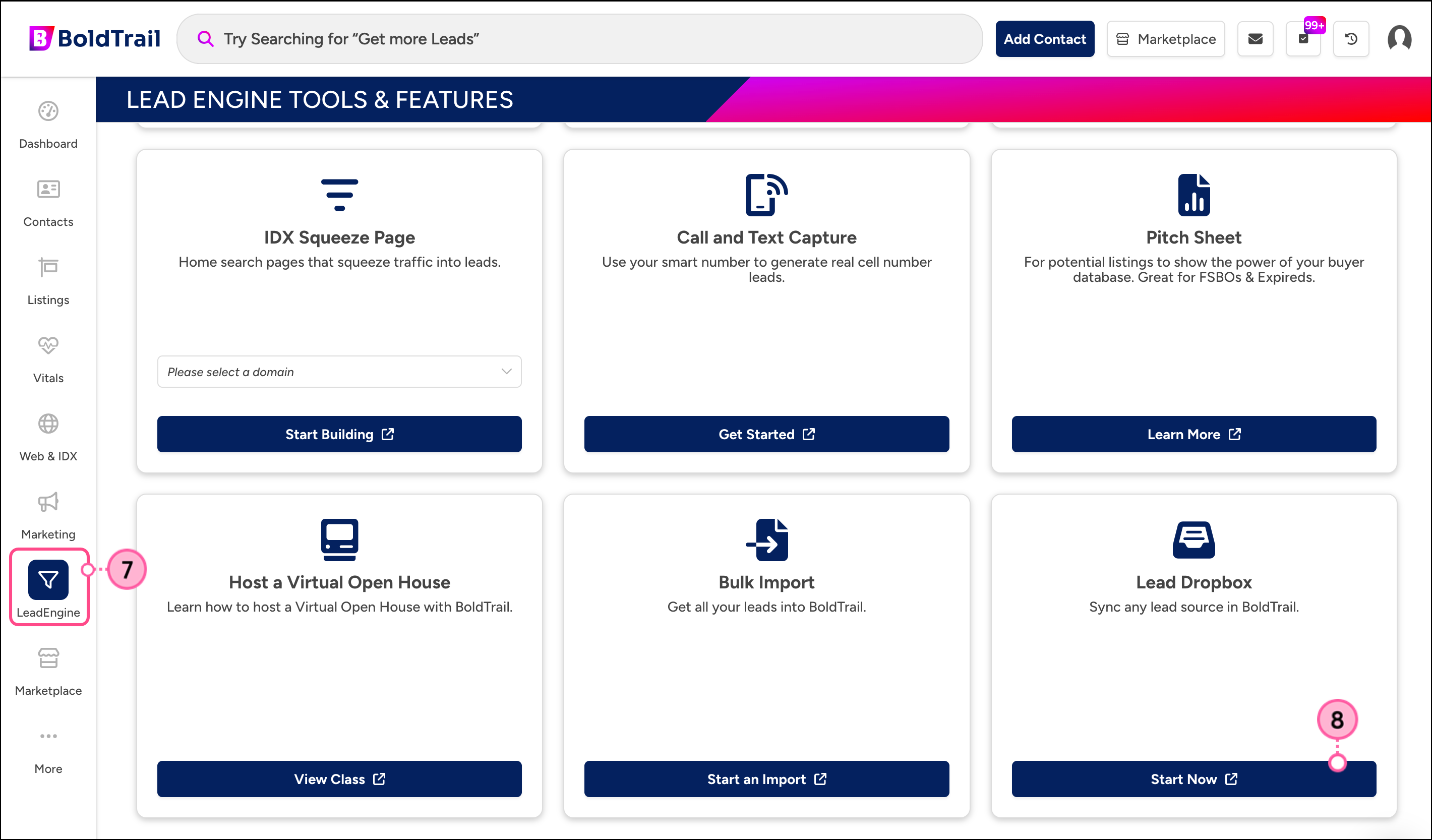
Scroll down in order to see the My API Tokens box, and copy the 'All' API token:
Note: Copy the All token to allow full access to your contacts, users, transactions, and account management. The other tokens will not work for this integration. If needed, generate a new API token. 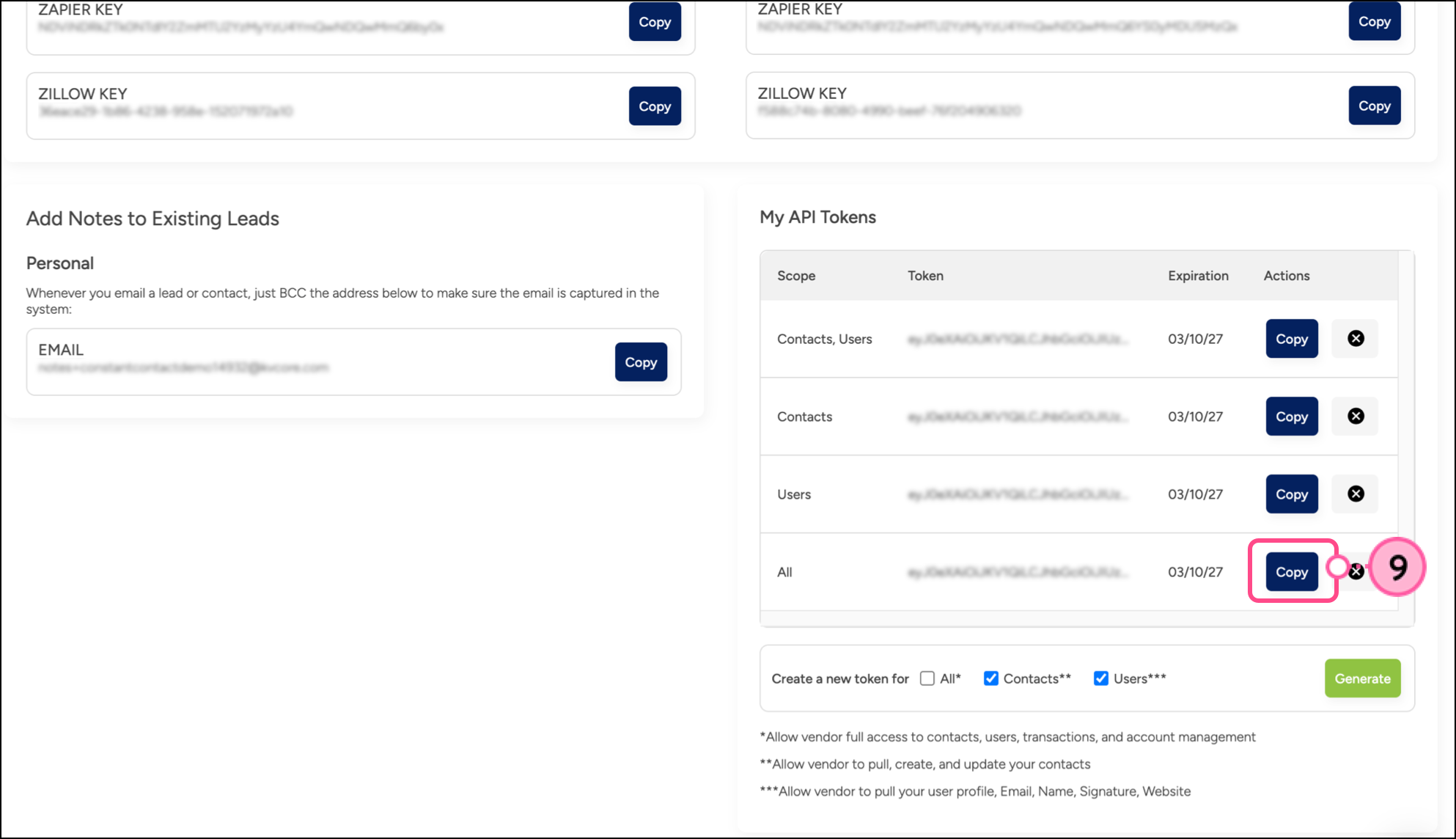
Return to the integrations tab and paste your API key into the API Token field.
Click Connect. 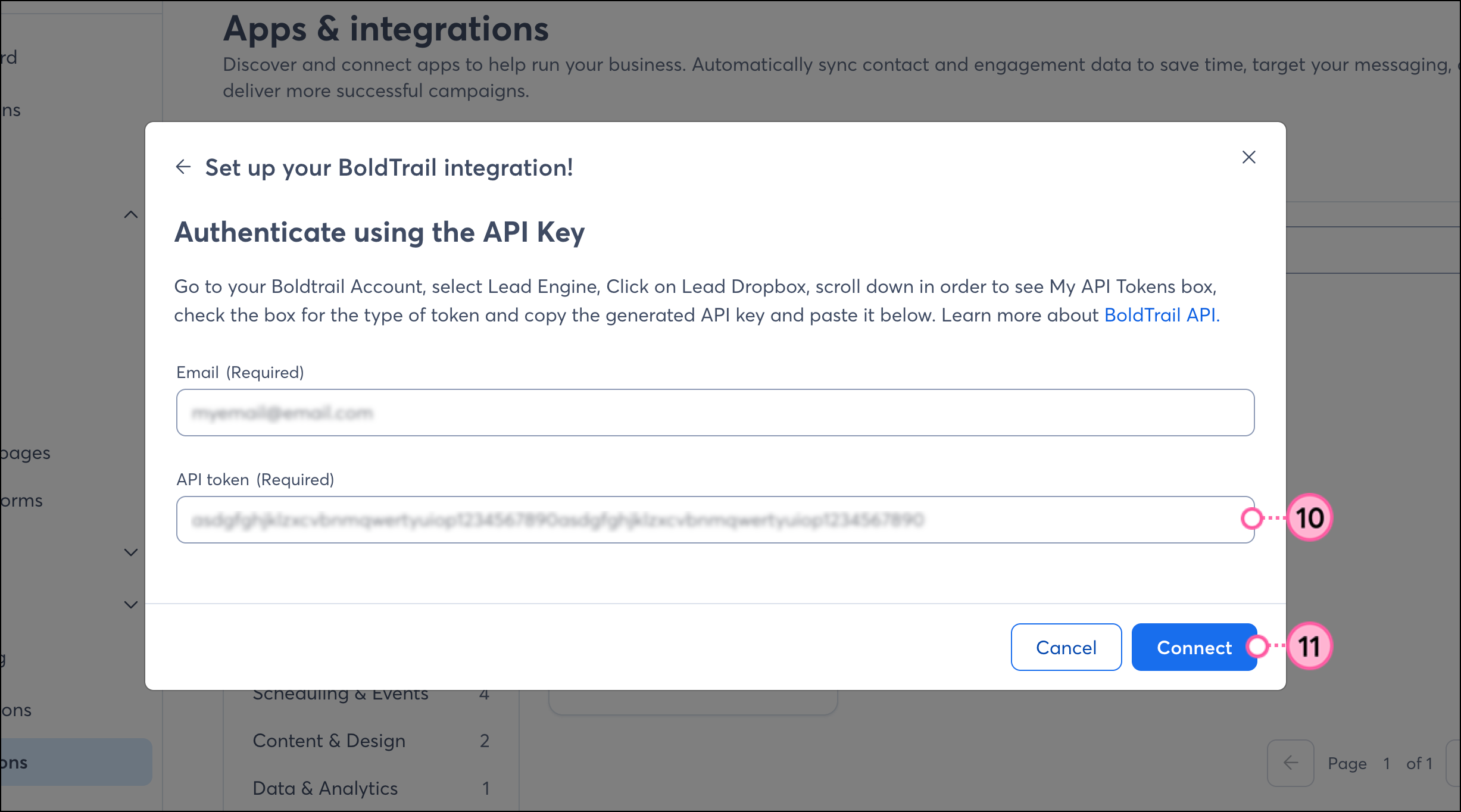
Click Import Contacts.
Note: If you encounter a 'We’re currently having some issues loading your BoldTrail field data' error, please wait a few minutes for the integration to finish processing, then return to the page to finish the import. 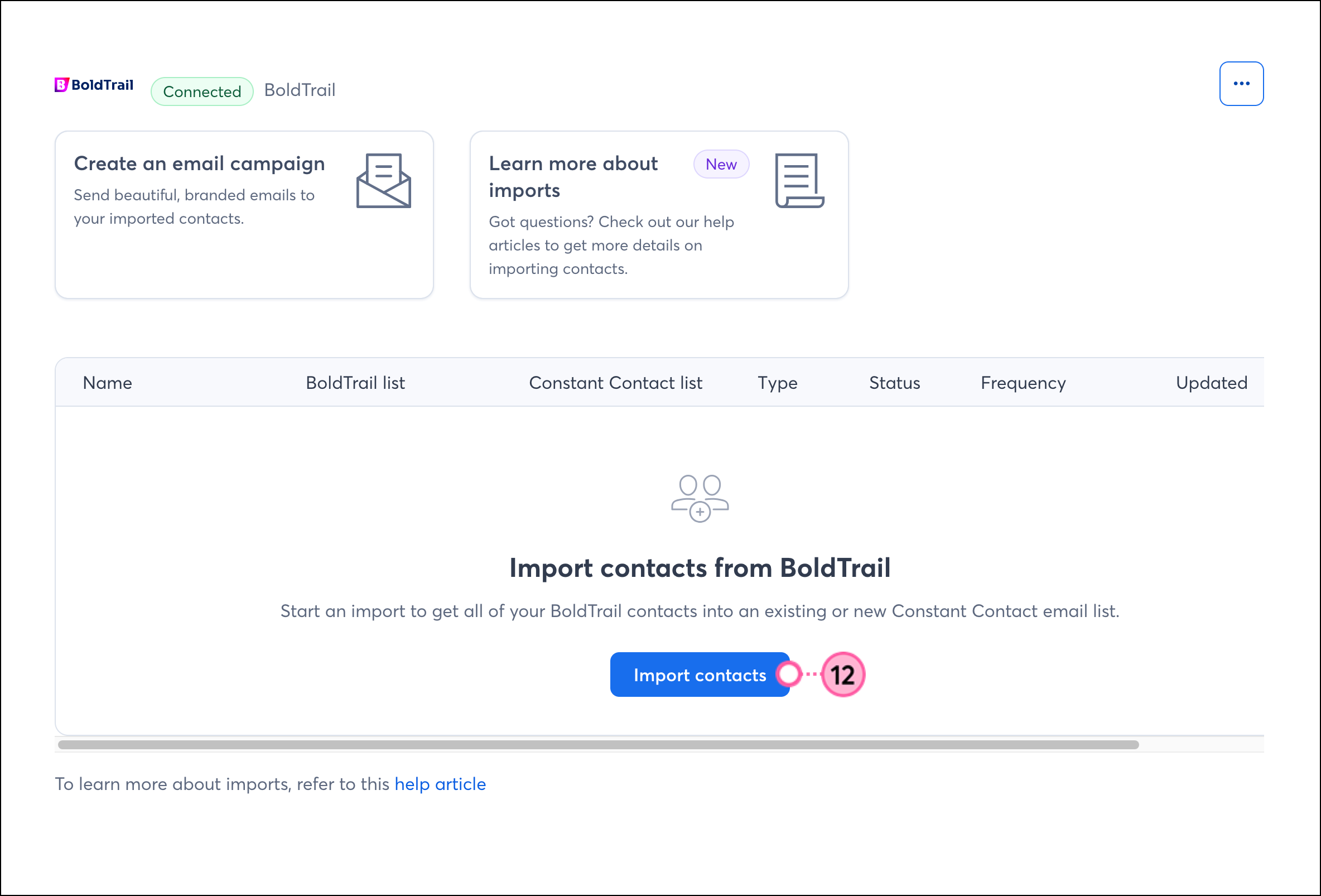
Map the BoldTrail fields to your Constant Contact fields and click Continue. 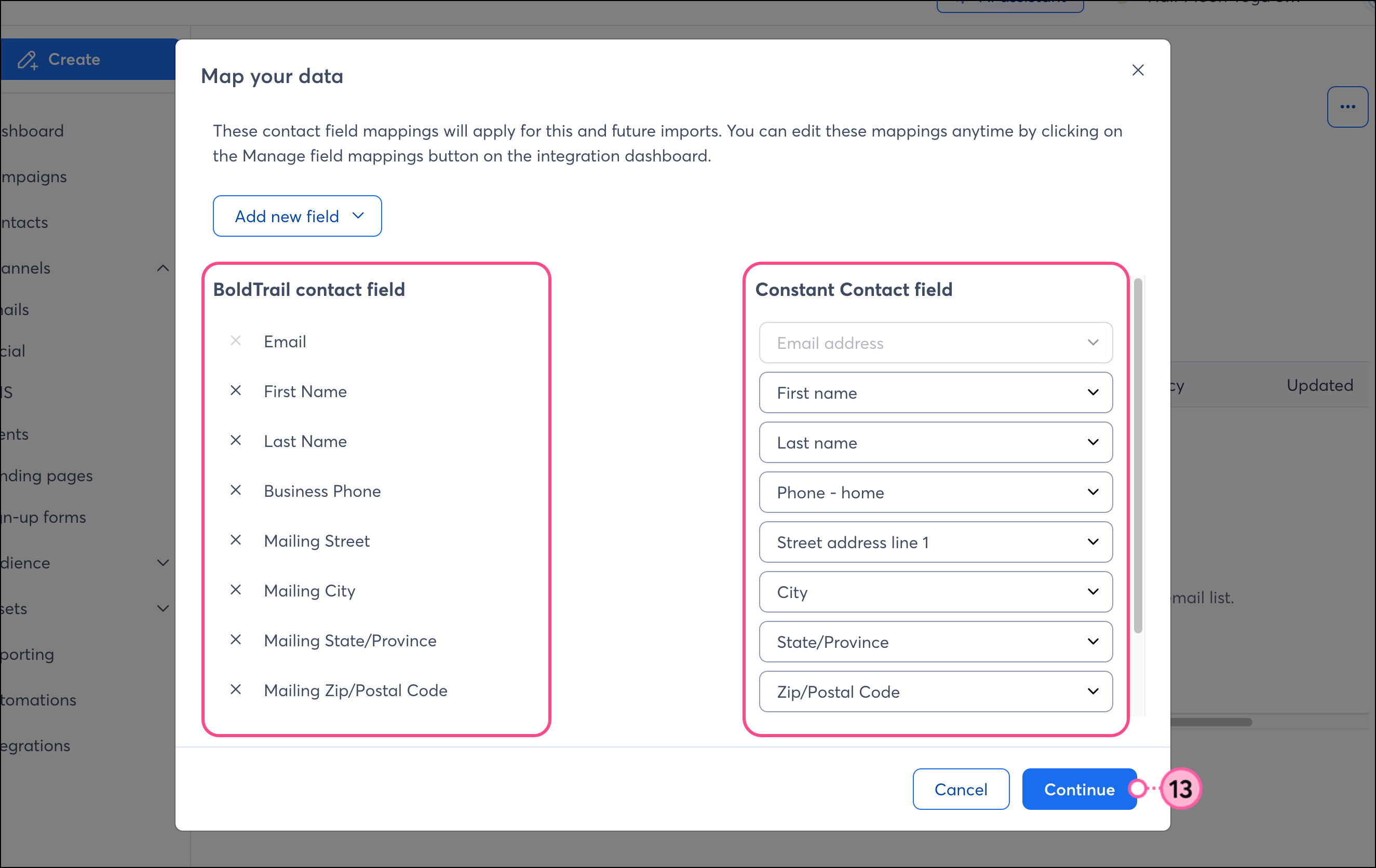
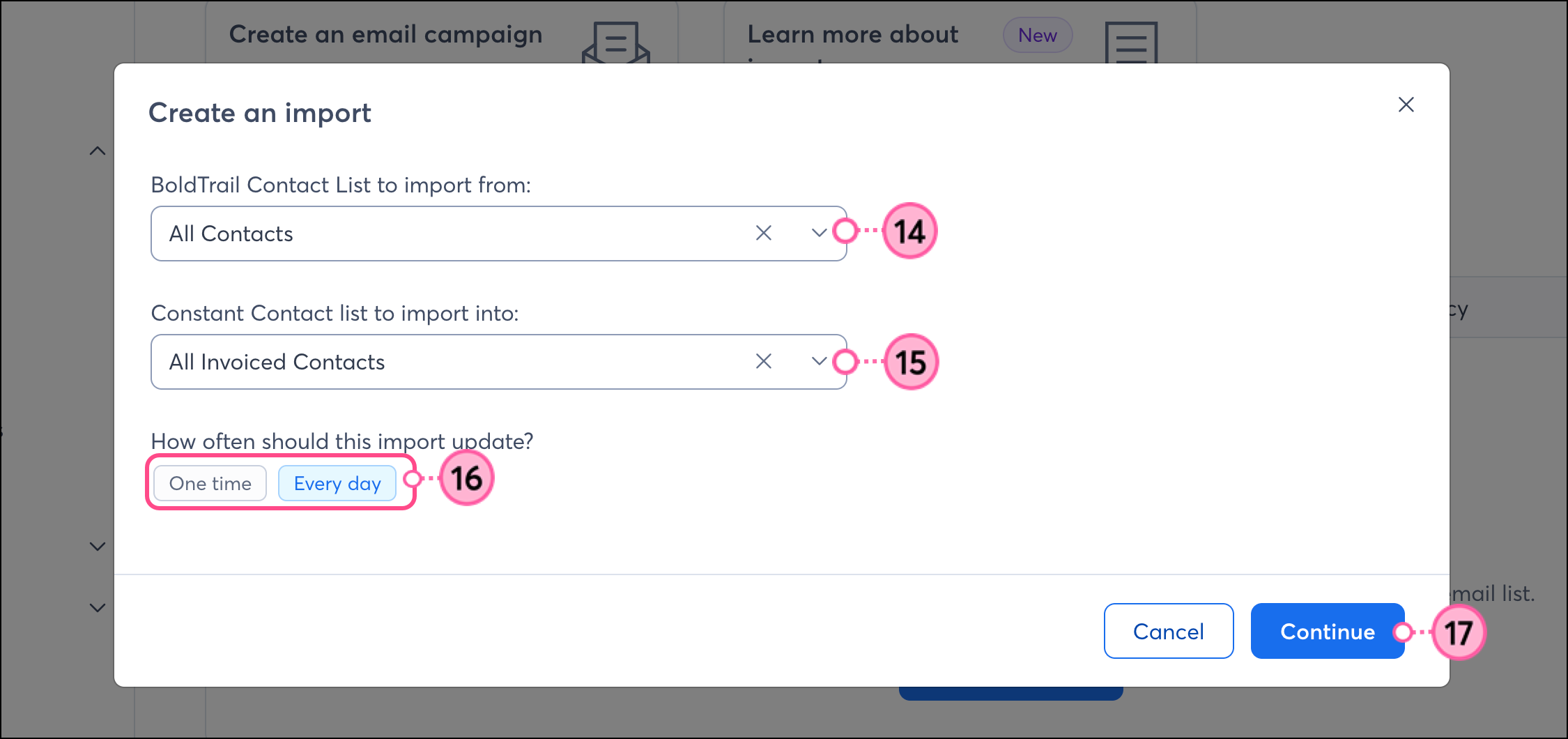
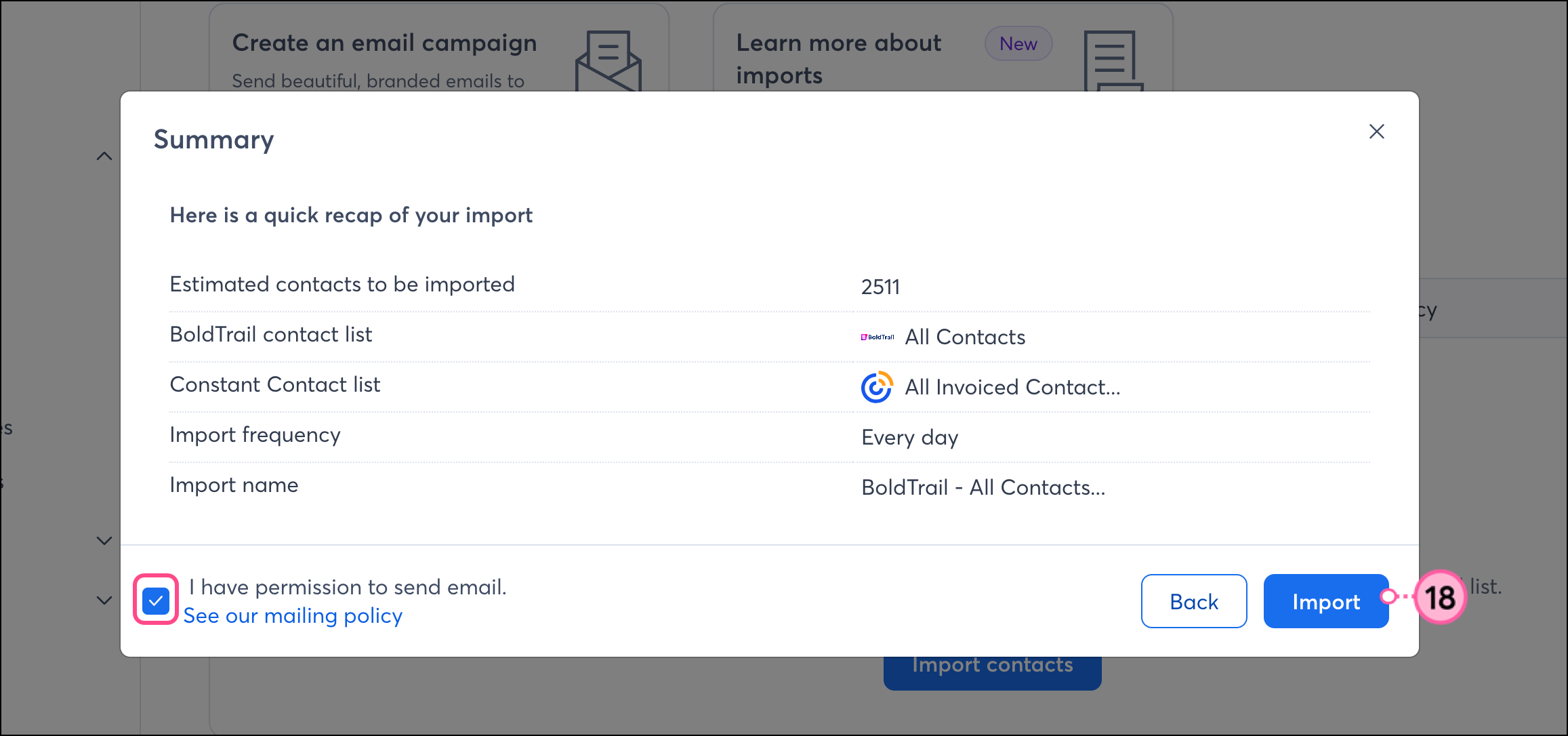
Once connected, you’re then brought back into Constant Contact and to the BoldTrail Integration dashboard, where you can review your imported leads. Depending on the number of leads being imported, the initial sync can take anywhere from 30 minutes (for imports of less than 100K contacts) up to 4 hours (for imports of more than 200K contacts).
Once your BoldTrail account is synced to Constant Contact, there are several ways to use the integration throughout your Constant Contact account:
Our reporting shows you when your emails were sent to your BoldTrail contacts, and if they were opened or clicked, so you can see how they are impacting your recipients. Check out our article on email reporting, and learn best practices for marketing to your contacts.
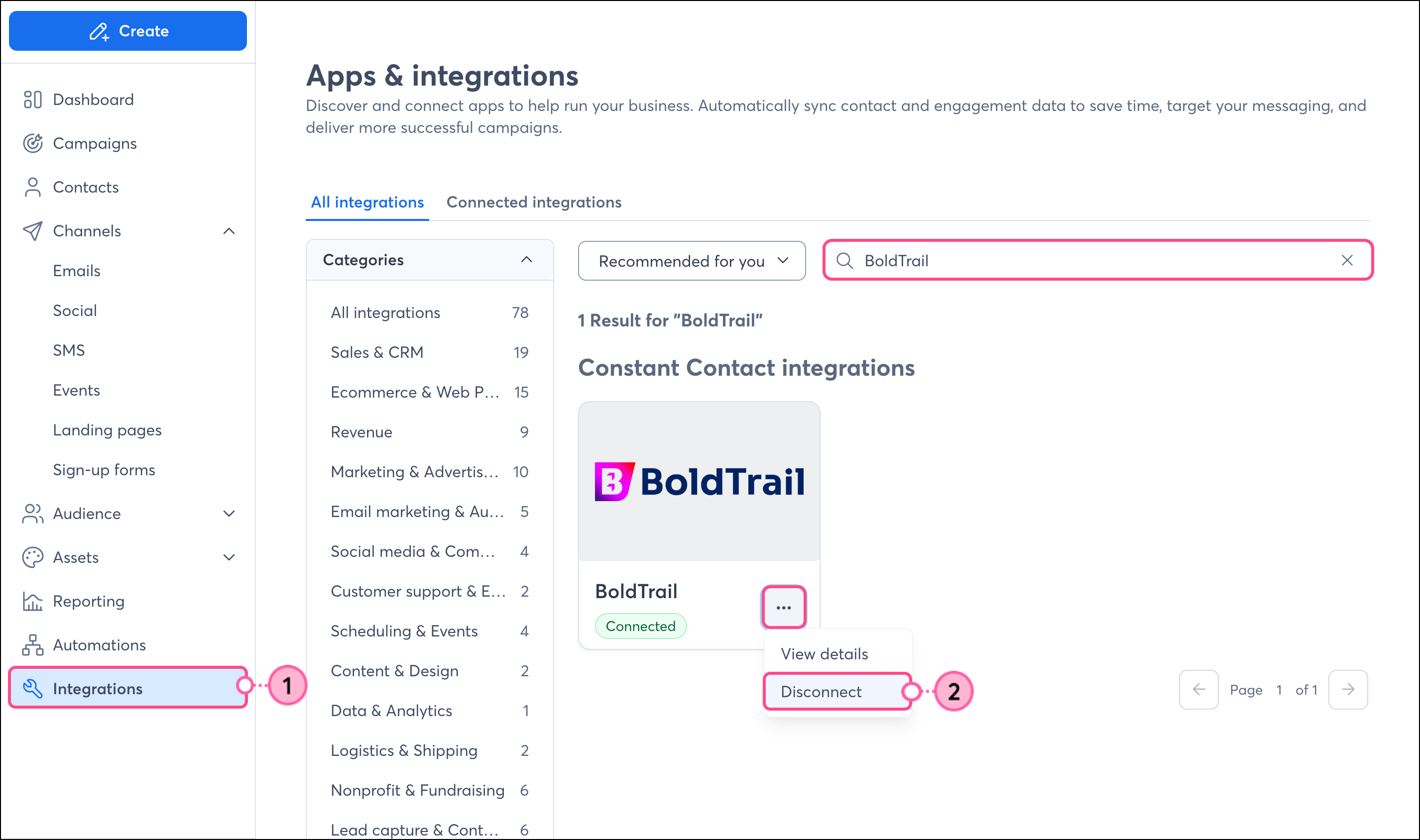
If you disconnect the BoldTrail integration, your imported contacts will remain in your Constant Contact account. New BoldTrail data will no longer be imported into Constant Contact, nor will unsubscribes be sent back from Constant Contact to BoldTrail:
Any links we provide from non-Constant Contact sites or information about non-Constant Contact products or services are provided as a courtesy and should not be construed as an endorsement by Constant Contact.
Copyright © 2026 · All Rights Reserved · Constant Contact · Privacy Center