For US Customers:
 | Important: Our SMS marketing tools are only available to US customers (excluding Puerto Rico and the US Virgin Islands) with a valid 9-digit Tax ID Number (TIN), or an Employer ID Number (EIN) for businesses assigned by the IRS. Sole proprietors who are the only employee do not need to enter Employer ID Number (EIN). Contacts with phone numbers from Puerto Rico can join your list and receive text messages. Learn more. |
For Australian Customers:
| Important: Our SMS marketing tools are only available to Australian customers with a valid 11-digit Tax ID Number (ABN). Learn more. |
After you submit the SMS registration form, our SMS messaging provider checks your registration information against official databases. If the information you entered doesn't match, your registration can be rejected.
It can take some time for your business registration to become active. If you submit your SMS registration and your business ID hasn't been processed yet, it can cause problems with your registration.
For the US:
Newly created EIN numbers can take between 2 weeks and 90 days to populate in the IRS database, which is referenced by The Campaign Registry (TCR), the third-party that helps mobile carriers verify SMS marketing traffic from business phone numbers. It's a good idea to wait at least 14 days after the date you receive your new EIN before registering for SMS to prevent a failed registration because your EIN hasn't been updated in the IRS database yet. Learn more.
For Australia:
If all required information is submitted, you will usually receive online notification of your ABN right away. If information is missing or cannot be verified, an ABN will not be allocated immediately. Your application will be processed manually, which may take up to 28 days. To check the progress, contact the ABR.
 | Save time: Have a recent tax form handy to ensure your ABN or EIN, business name, and business address exactly match what you enter in the SMS registration fields. (Alternatively, you can search your state's business entity database for the information if you don't have access to a tax form.) |
When your registration is rejected, a banner appears on both the SMS tab in your account settings and on the SMS dashboard. To resolve the error, you have to resubmit the SMS registration.
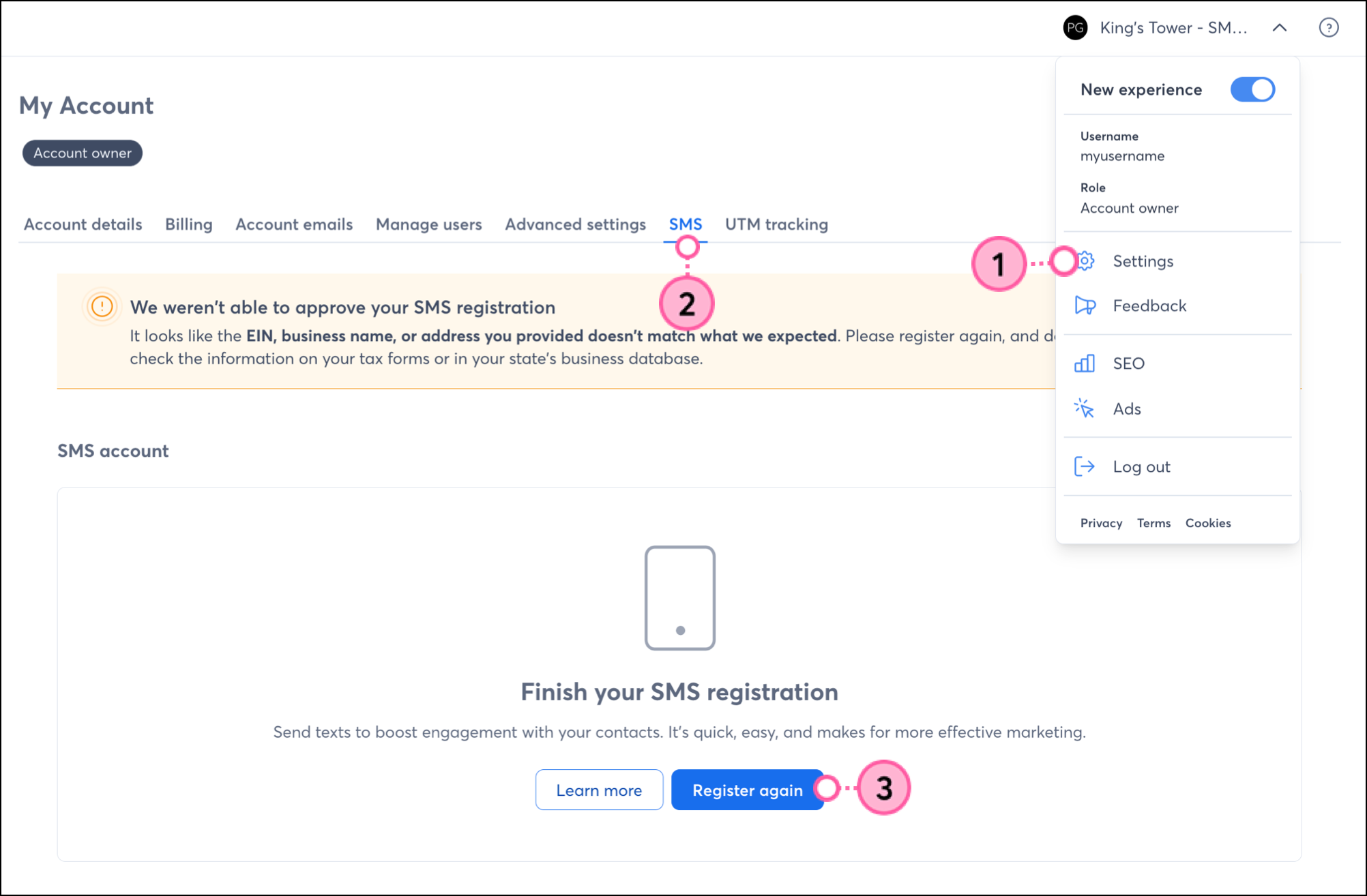
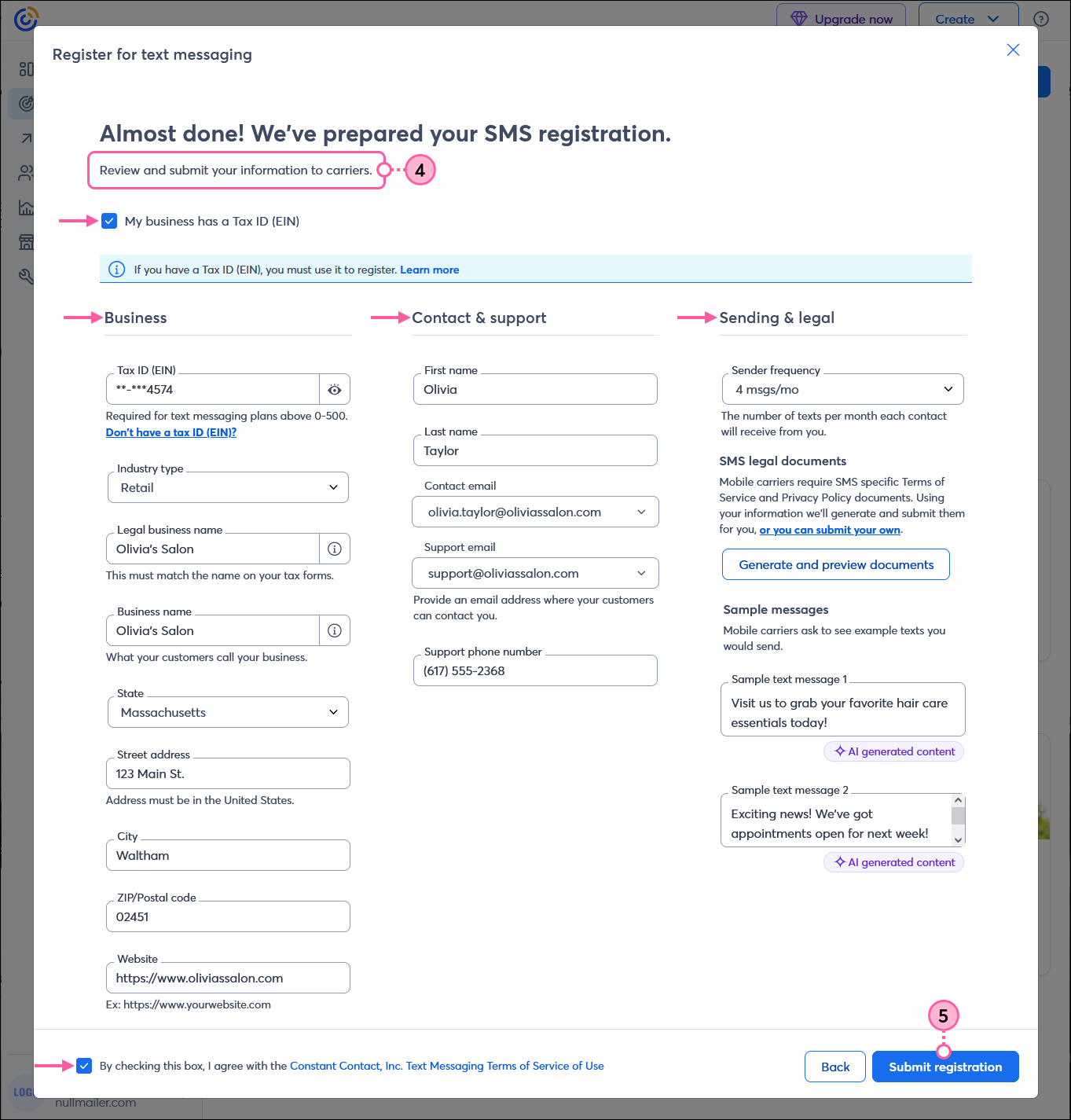
Once your registration is resubmitted, the approval process can take up to 7-10 business days. To check the status of your registration, go to the SMS tab in My Account.
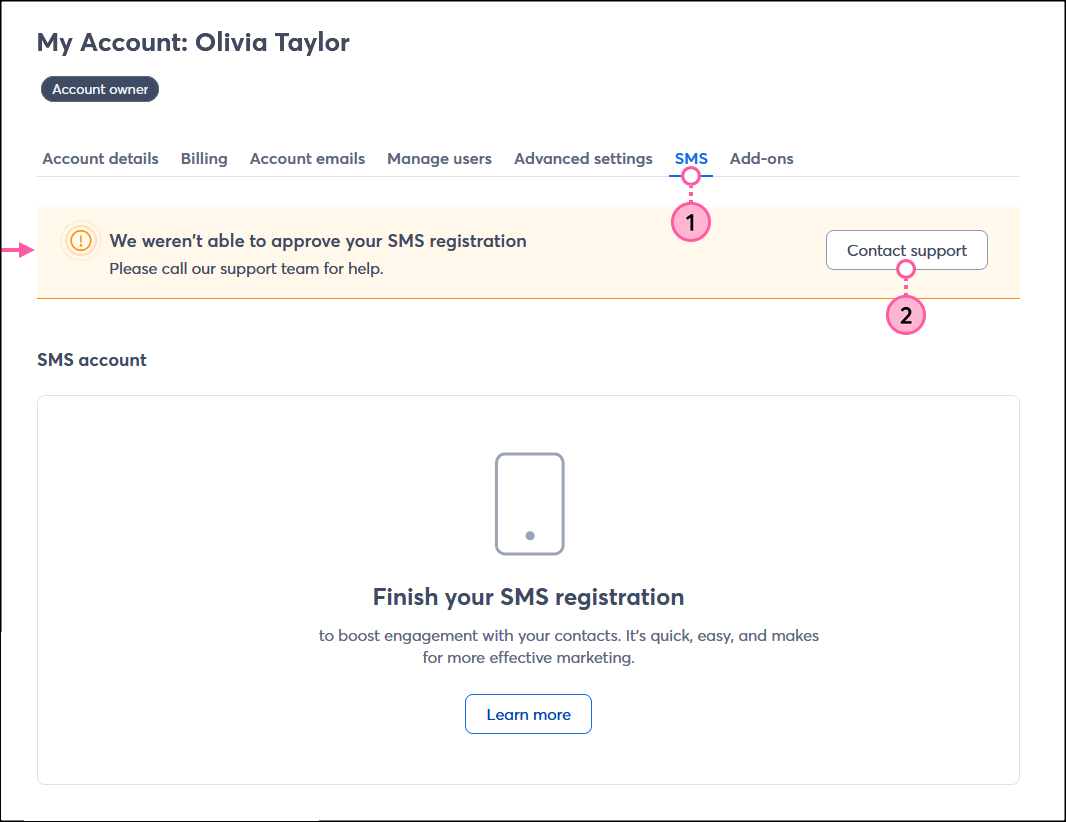
If your SMS registration fails a second time, you'll see the following message on the SMS tab in My Account and need to contact our Support team and select the "Chat With Us" or "Call Support" options to get in touch with us:
Navigate to your account settings. Alternatively, you can click Marketing channels > SMS and skip to step 3.
Copyright © 2026 · All Rights Reserved · Constant Contact · Privacy Center