Email and Digital Marketing
How can we help you?
Search our help articles, video tutorials, and quickstart guides

You've got this. You've got us. Search our Knowledge Base to quickly find answers to your questions.

View the results for a video in your email

Article: 000041001
Updated: January 13, 2026

View the video performance for Vimeo videos or interpret the link clicks for videos from YouTube or other video hosting platforms through the Email details page

Light Bulb IconDid you know? Most email clients don't support videos embedded in an email. Videos are instead added to an email with a clickable image link to make them appear embedded. When a contact clicks on a video thumbnail, it opens the video in a new tab and counts as a link click within your reporting. Watch times aren't trackable through link clicks.


If you used the Video block to insert a video into an email, you can check the results on the Email details page after your email has been sent. If you have a Vimeo account connected to your Constant Contact accountit has its own Video performance section on the Email details page. All other URLs for video hosting services, such as YouTube, are tracked in the Clickthrough distribution section.
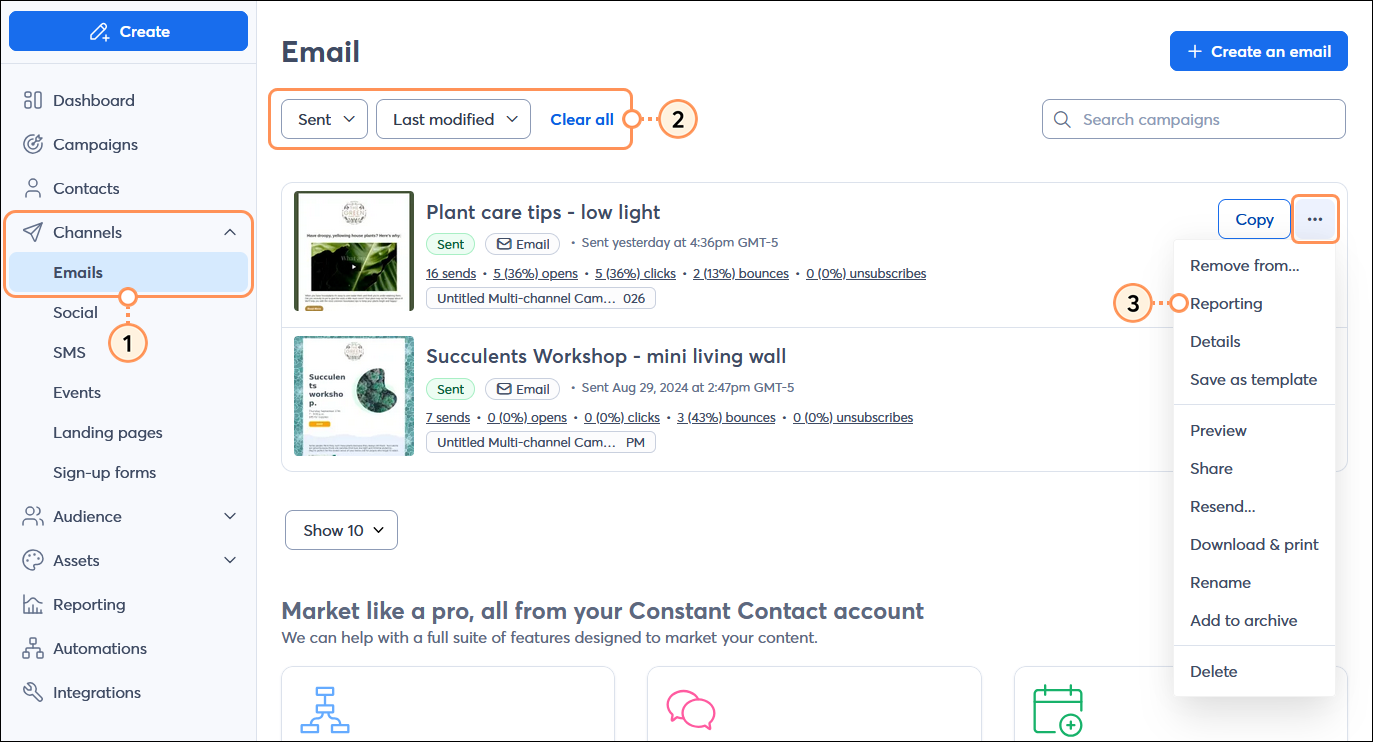
  1. In the menu on the left-hand side, click Channels > Emails.
  2. (Optional) Use the Status or Sort by filters to narrow your search.
  3. Next to your sent email, click the three dots to open the menu and select the "Reporting" option.

    Channels menu expanded with Emails option selected, Status drop-down menu with Sent option selected, and sent email with menu expanded and Reporting option selectedin

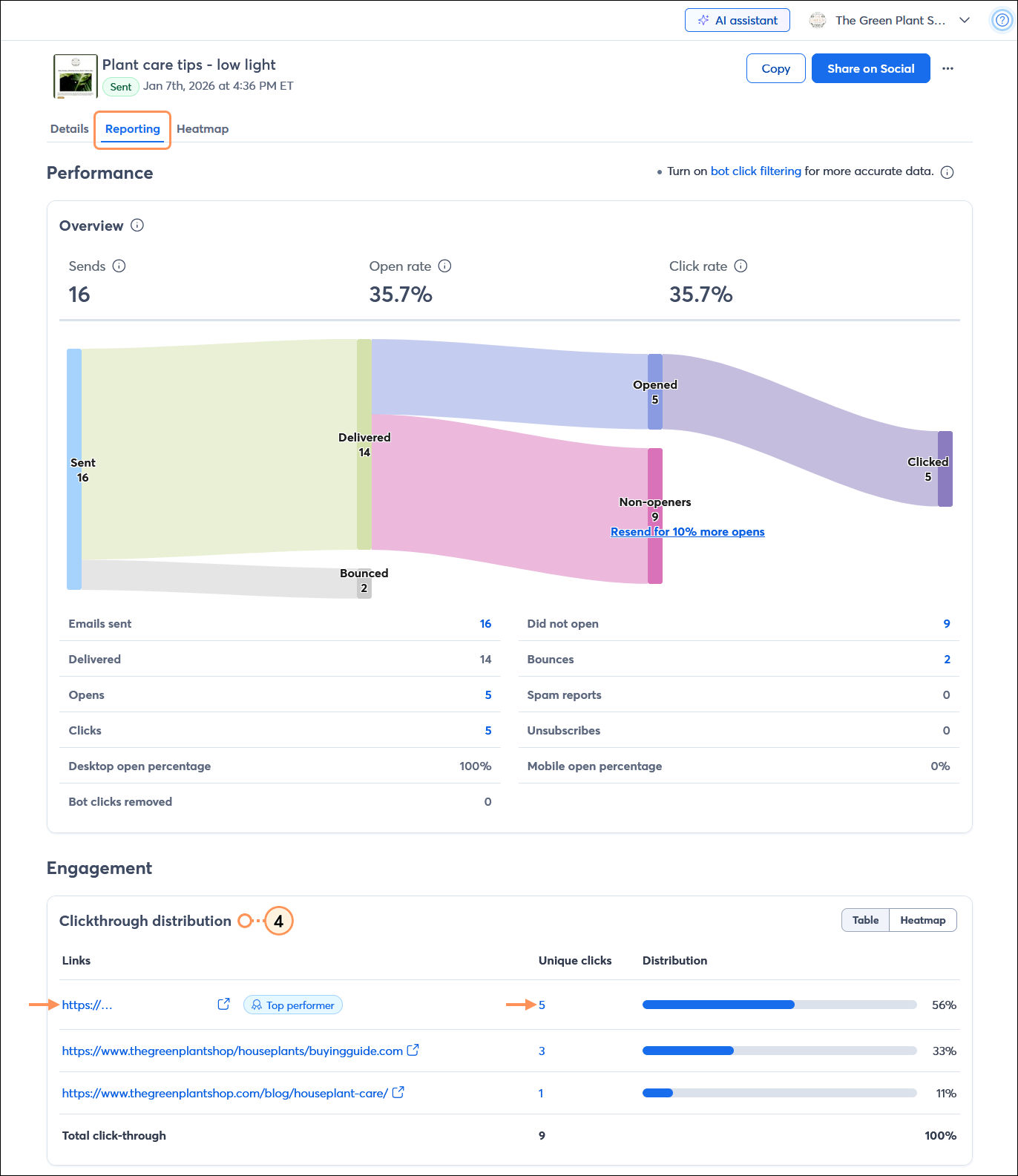
  4. From the Reporting tab, scroll down to the Engagement section to view the Clickthrough distribution. Each link in your email that received a click displays in the table, and you can see how many times your video thumbnail was clicked on. Clicking on the hyperlinked number in the Unique clicks column shows you the specific contacts who clicked to view your video.
    Note: If you're not sure which link belongs to your video, you can click on the URL to view it.

    Email Details page with Reporting tab selected, Performance section with Overview information, and Engagement section with Clicktrhough distrtribution table with Links, Unique clicks, and Distribution data

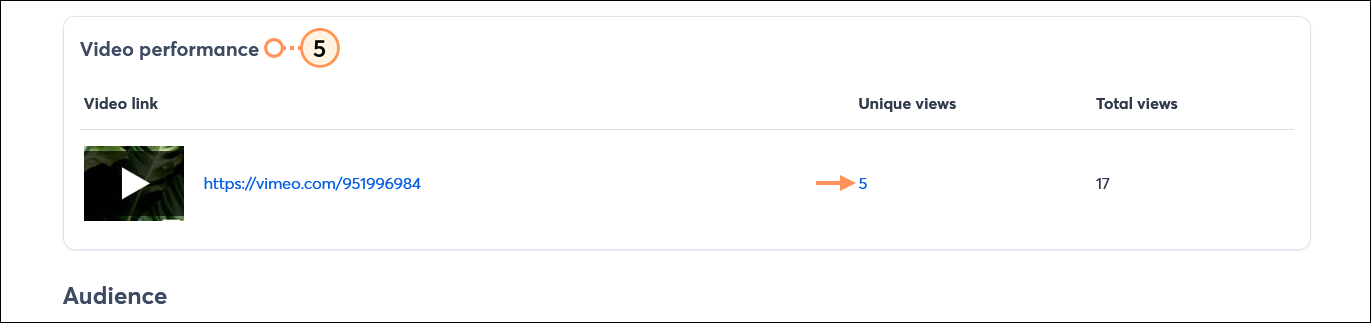
  5. For Vimeo videos, scroll further down to the Engagement section, specifically to the Video Performance section. You can see the Unique views and click on the hyperlinked number to review the specific contacts that clicked on the video thumbnail. If a contact clicked on the video thumbnail more than once, it's counted in the Total Views.

    Email Details page Video performance section with Video link, Unique views, and Total views


Questions?

Ask the Community

Did this article answer your question?


Constant Contact Logo

Copyright © 2026 · All Rights Reserved · Constant Contact · Privacy Center