If you shared a social post through your Constant Contact account but don't see it posted on your social media networks, it may have encountered an error. To check for errors:
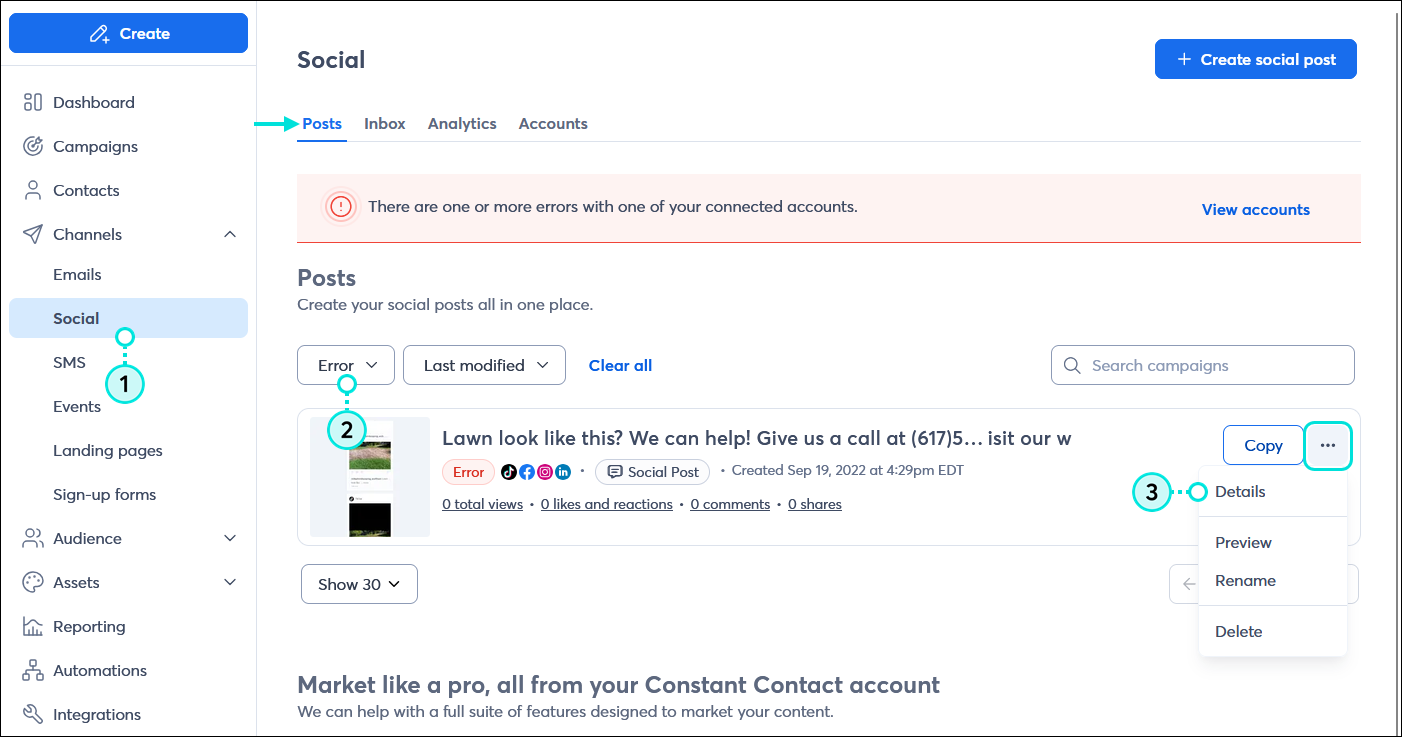
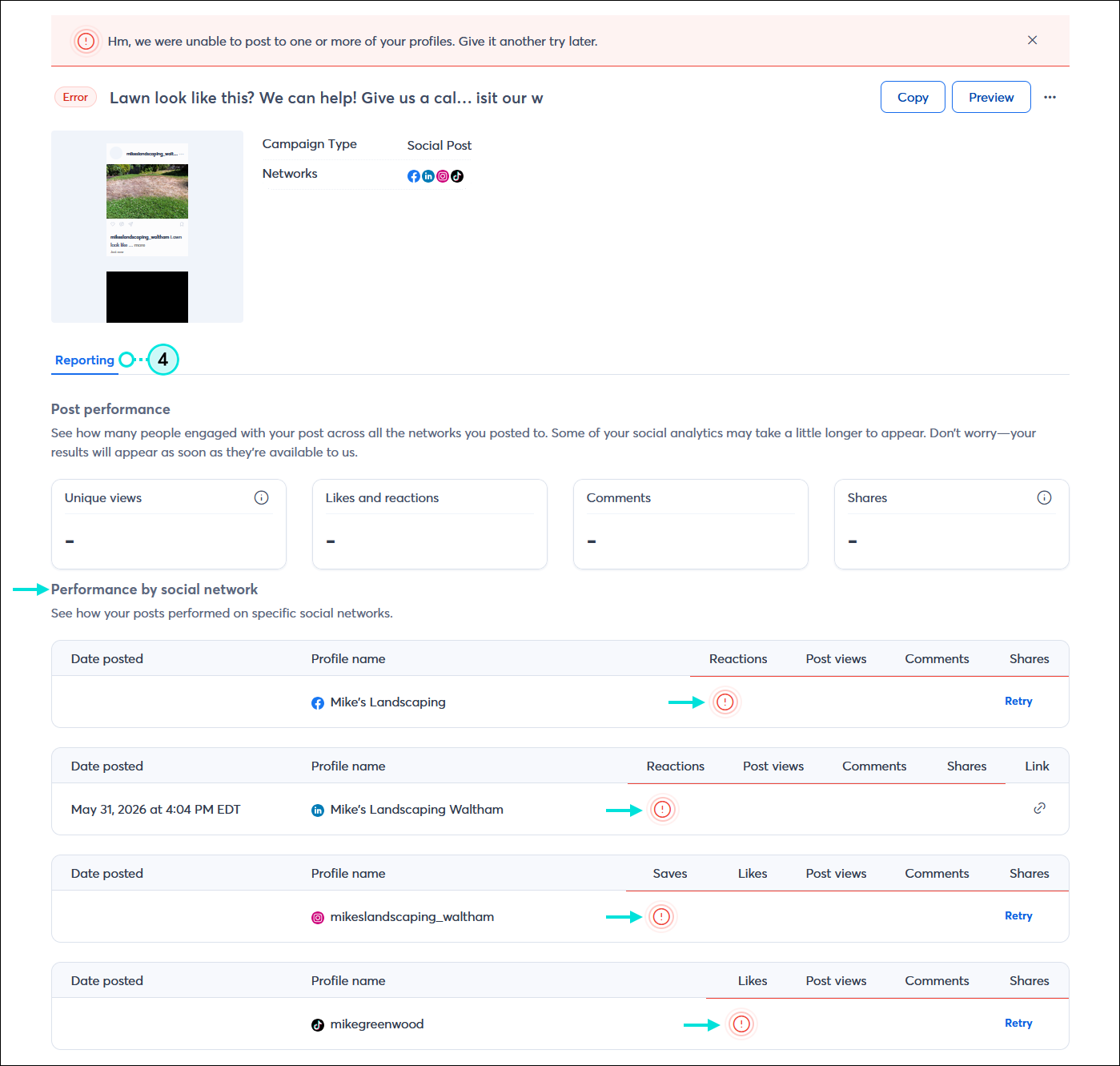
Your social profile must be connected in order to share posts to it. Occasionally, you may have to update permissions or renew a token connection, and the social profile ends up in an error state.
While it's ok to publish a post with the same content as a previous post, if the posts are too close together, the social network can prevent them from posting. To prevent this from happening:
The "temporarily blocked for policies violations" error message means that the social network has found something in the content (text, image, URL, etc.) of your post that violates its community standards. If you're sharing content that has been previously shared on Facebook and but reported as a violation, Facebook won't allow it to be shared again.
For more information about community standards and policies violations, please see:
To post Social Posts to your Instagram account, the account must be active and can't be restricted.
For more information about inactive or restricted accounts, please see Instagram's support.
Any links we provide from non-Constant Contact sites or information about non-Constant Contact products or services are provided as a courtesy and should not be construed as an endorsement by Constant Contact.
Copyright © 2026 · All Rights Reserved · Constant Contact · Privacy Center